تعارف
The Wicked Audio Driftr True Wireless Earbuds offer a seamless audio experience with easy pairing and comfortable wear. Designed for convenience, these earbuds provide clear sound and intuitive controls, making them ideal for everyday use.
باکس میں کیا ہے۔
- Wicked Audio Driftr True Wireless Earbuds (Left and Right)
- چارجنگ کیس
- USB چارجنگ کیبل
- یوزر مینوئل (یہ دستاویز)
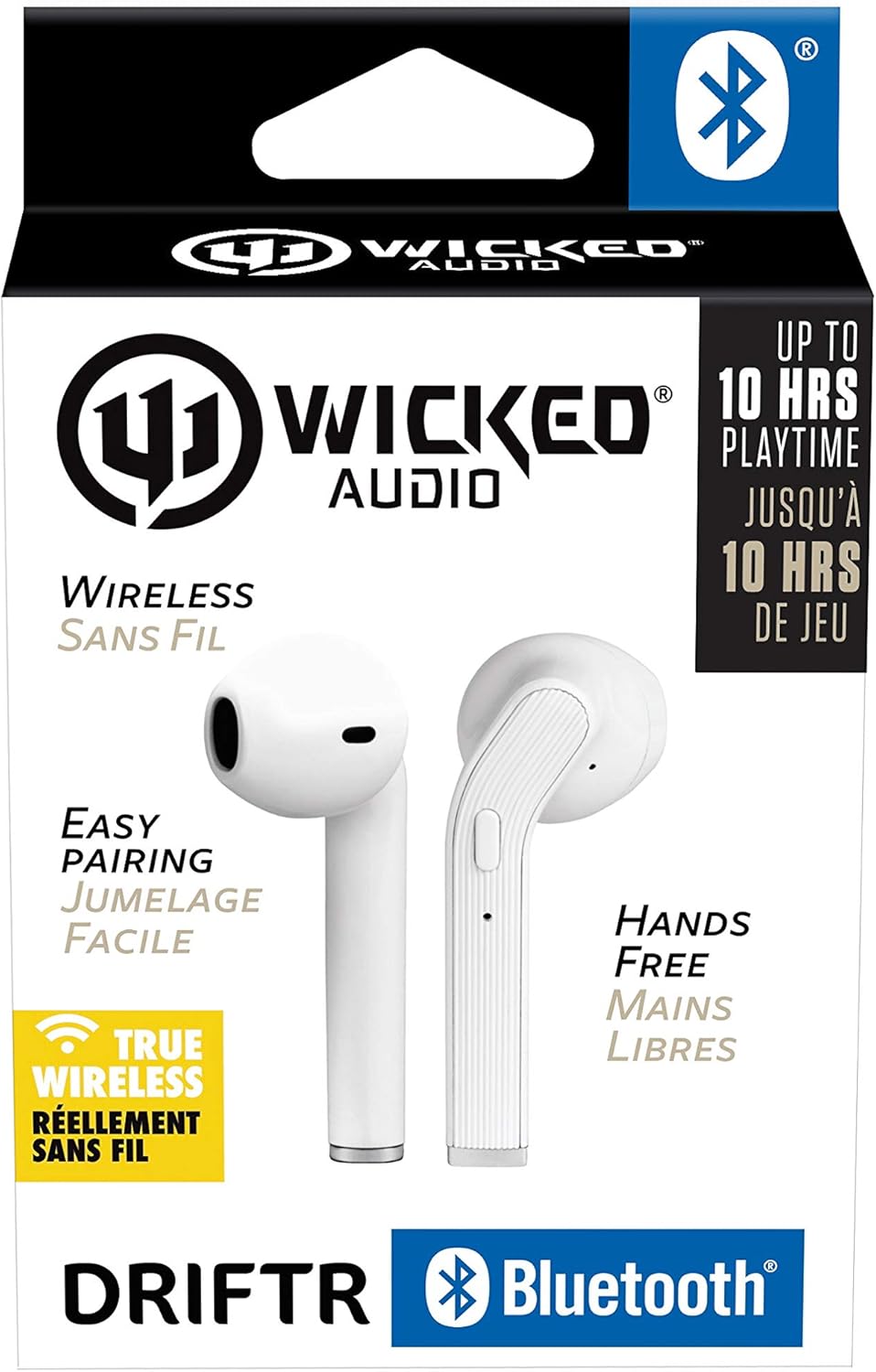
Image: Product packaging showing the earbuds and charging case.
پروڈکٹ ختمview
The Driftr earbuds feature an angled housing design for a comfortable fit. Each earbud includes touch controls for managing audio playback and calls, along with a built-in microphone for hands-free communication. The compact charging case provides additional battery life on the go.

Image: White Wicked Audio Driftr True Wireless Earbuds resting inside their open charging case.

تصویر: کلوز اپ view of the left and right Wicked Audio Driftr True Wireless Earbuds, showing their angled design and control surfaces.

Image: A person wearing a white Wicked Audio Driftr True Wireless Earbud in their ear, demonstrating the fit.
سیٹ اپ
1. ایئربڈز اور کیس کو چارج کرنا
Before first use, fully charge the earbuds and the charging case. Connect the provided USB charging cable to the charging port on the case and plug the other end into a USB power source (e.g., computer, wall adapter). The charging indicator light on the case will show charging status. A full charge takes approximately 1 hour for both the earbuds and the case.
2. آسان جوڑا بنانا
- یقینی بنائیں کہ ایئربڈز چارج ہیں۔
- چارجنگ کیس کھولیں۔ ایئربڈز خود بخود آن ہو جائیں گے اور پیئرنگ موڈ میں داخل ہو جائیں گے۔
- اپنے آلے پر (اسمارٹ فون، ٹیبلیٹ، لیپ ٹاپ)، بلوٹوتھ کی ترتیبات پر جائیں۔
- Select "Wicked Audio Driftr" from the list of available devices.
- ایک بار منسلک ہونے کے بعد، آپ کو ایک آڈیو پرامپٹ سنائی دے گا، اور ایئربڈز پر اشارے کی روشنی بدل جائے گی۔
The earbuds are designed for straightforward, no-nonsense pairing in one easy step. After the initial pairing, they will automatically connect to your last paired device when removed from the case.
آپریٹنگ ہدایات
ٹچ کنٹرولز
The Driftr earbuds feature intuitive touch controls for various functions:
- چلائیں/روکیں: دونوں ایئربڈ پر ایک بار تھپتھپائیں۔
- اگلا ٹریک: دائیں ایئربڈ پر دو بار تھپتھپائیں۔
- پچھلا ٹریک: بائیں ایئربڈ پر دو بار تھپتھپائیں۔
- جواب / کال ختم کریں: آنے والی کال کے دوران دونوں ایئربڈ پر ایک بار تھپتھپائیں۔
- کال مسترد کریں: آنے والی کال کے دوران کسی بھی ایئربڈ کو دبائے رکھیں۔
- متحرک صوتی معاون: کسی بھی ایئربڈ پر تین بار تھپتھپائیں (جیسے، سری، گوگل اسسٹنٹ)۔
ایئربڈز پہننا
Insert the earbuds into your ears with the angled housing pointing slightly forward for a secure and comfortable fit. Adjust as needed to ensure optimal sound quality and passive noise cancellation.
دیکھ بھال
To ensure the longevity and optimal performance of your Wicked Audio Driftr earbuds, follow these maintenance guidelines:
- صفائی: ائیر بڈز اور چارجنگ کیس کو نرم، خشک، لنٹ سے پاک کپڑے سے باقاعدگی سے صاف کریں۔ سخت کیمیکل یا کھرچنے والے مواد کا استعمال نہ کریں۔
- ذخیرہ: استعمال میں نہ ہونے پر، ایئربڈز کو ہمیشہ ان کے چارجنگ کیس میں محفوظ کریں تاکہ ان کی حفاظت ہو اور انہیں چارج کیا جاسکے۔
- نمی سے بچیں: The earbuds are not water resistant. Avoid exposure to water, sweat, and high humidity.
- درجہ حرارت: Do not expose the earbuds or case to extreme temperatures (hot or cold).
خرابی کا سراغ لگانا
If you encounter issues with your Driftr earbuds, try the following solutions:
- ایئربڈس جوڑا نہیں بن رہے ہیں:
- یقینی بنائیں کہ دونوں ایئربڈز چارج ہیں۔
- دونوں ایئربڈز کو چارجنگ کیس میں واپس رکھیں، ڈھکن بند کریں، چند سیکنڈ انتظار کریں، پھر ڈھکن دوبارہ کھولیں۔
- On your device, forget "Wicked Audio Driftr" from your Bluetooth settings and attempt to pair again.
- ایک ایئربڈ سے کوئی آواز نہیں:
- Ensure both earbuds are charged and properly seated in the case.
- Try resetting the earbuds by placing them in the case and then removing them.
- ایئربڈز چارج نہیں ہو رہے ہیں:
- چارجنگ کیبل اور پاور سورس چیک کریں۔
- اس بات کو یقینی بنائیں کہ ایئر بڈز پر چارجنگ رابطے اور کیس کے اندر صاف اور ملبے سے پاک ہوں۔
- خراب آواز کا معیار:
- یقینی بنائیں کہ ایئربڈز آپ کے کانوں میں ٹھیک طرح سے بیٹھے ہیں۔
- Check the audio source and volume levels on your device.
- مداخلت سے بچنے کے لیے اپنے جوڑے والے آلے کے قریب جائیں۔
وضاحتیں
| فیچر | تفصیل |
|---|---|
| ماڈل کا نام | Wicked Audio Driftr (WITW2151) |
| کنیکٹوٹی ٹیکنالوجی | وائرلیس (بلوٹوتھ 5.0) |
| بلوٹوتھ رینج | 32 فٹ تک |
| بیٹری کی زندگی | Up to 10 Hours (earbuds) |
| چارج کرنے کا وقت | Approx. 1 Hour (earbuds and case) |
| آڈیو ڈرائیور کا سائز | 13 ملی میٹر |
| تعدد رسپانس | 20 Hz - 20,000 Hz |
| حساسیت | 15 ڈی بی |
| رکاوٹ | 32 اوہم |
| شور کنٹرول | غیر فعال شور منسوخی |
| کنٹرول کا طریقہ | چھوئے۔ |
| پانی کی مزاحمت کی سطح | پانی مزاحم نہیں |
| شے کا وزن | 2.11 اونس |
| مصنوعات کے طول و عرض | 1.5 x 3 x 5.5 انچ |
| یو پی سی | 712949012265 |
وارنٹی اور سپورٹ
Wicked Audio products are designed for durability and performance. For specific warranty information and support inquiries, please refer to the official Wicked Audio webسائٹ یا ان کی کسٹمر سروس سے براہ راست رابطہ کریں۔ وارنٹی کے دعووں کے لیے اپنی خریداری کا ثبوت رکھیں۔
مزید مدد کے لیے، ملاحظہ کریں۔ Wicked Audio Store on Amazon.


