1. تعارف
This manual provides essential information for the safe and efficient operation of your new Samsung AI Control Washing Machine with Ecodoser. Please read it thoroughly before using the appliance and keep it for future reference.
اہم خصوصیات:
- AI کنٹرول: Intelligent system that learns your washing habits and suggests optimal cycles.
- Ecodoser: Automatically dispenses the precise amount of detergent and softener for each load, lasting up to one month.
- ایکو ببل ٹیکنالوجی: Transforms detergent into bubbles for effective cleaning even in cold water, saving energy.
- بھاپ دھونا: Releases a powerful steam jet from the drum bottom to remove stubborn dirt and 99.9% of bacteria and allergens.
- وائی فائی کنیکٹیویٹی: Control and monitor your washing machine remotely using the SmartThings app.
- ڈیجیٹل انورٹر موٹر: Ensures quiet operation, durability, and energy efficiency, backed by a 20-year warranty.
2. حفاظتی معلومات
Always follow basic safety precautions when using electrical appliances to reduce the risk of fire, electric shock, or injury. This appliance is intended for household use only. Do not allow children to play with or operate the washing machine. Ensure the power cord is not damaged and that the appliance is properly grounded. Do not wash items that have been contaminated with flammable substances.
3. باکس میں کیا ہے۔
Upon unpacking your Samsung washing machine, ensure all components are present:
- 1x Samsung AI Control Washing Machine with Ecodoser
- صارف دستی (یہ دستاویز)
- واٹر انلیٹ ہوزیز
- نالی نالی گائیڈ
- Cap Wrench (for transport bolts)
4. انسٹالیشن اور سیٹ اپ
4.1 ٹرانسپورٹ بولٹس کو پیک کرنا اور ہٹانا
Carefully remove all packaging materials. Locate and remove the transport bolts from the rear of the washing machine using the provided cap wrench. Failure to remove these bolts will cause severe vibration and damage during operation.
4.2 Leveling the Washing Machine
Place the washing machine on a firm, level surface. Adjust the leveling feet until the appliance is stable and does not rock. Use a spirit level to ensure perfect alignment.
4.3 پانی اور نالی کا کنکشن
Connect the hot and cold water inlet hoses to the corresponding valves on the wall and the back of the washing machine. Ensure connections are tight to prevent leaks. Secure the drain hose to a standpipe or laundry tub, ensuring it is not kinked or blocked.
4.4 پاور کنکشن
پاور کورڈ کو گراؤنڈڈ برقی آؤٹ لیٹ میں لگائیں۔ والیوم کو یقینی بنائیںtage اور فریکوئنسی آپ کے آلات کی تصریحات سے مماثل ہے۔
4.5 ابتدائی انشانکن۔
After installation, perform an initial calibration cycle without laundry to ensure proper balance and operation. Refer to the detailed instructions in the full manual for specific steps.

شکل 1: سامنے view of the Samsung AI Control Washing Machine with Ecodoser, highlighting its dimensions (600mm width, 850mm height, 600mm depth) and key features like AI Control, Ecodoser, and Steam Wash.
5. آپریٹنگ ہدایات
5.1 کنٹرول پینل ختمview
The washing machine features an intuitive control panel with a rotary selector and touch controls. The display shows selected programs, time remaining, and other relevant information. The AI Control learns your preferences for a personalized experience.
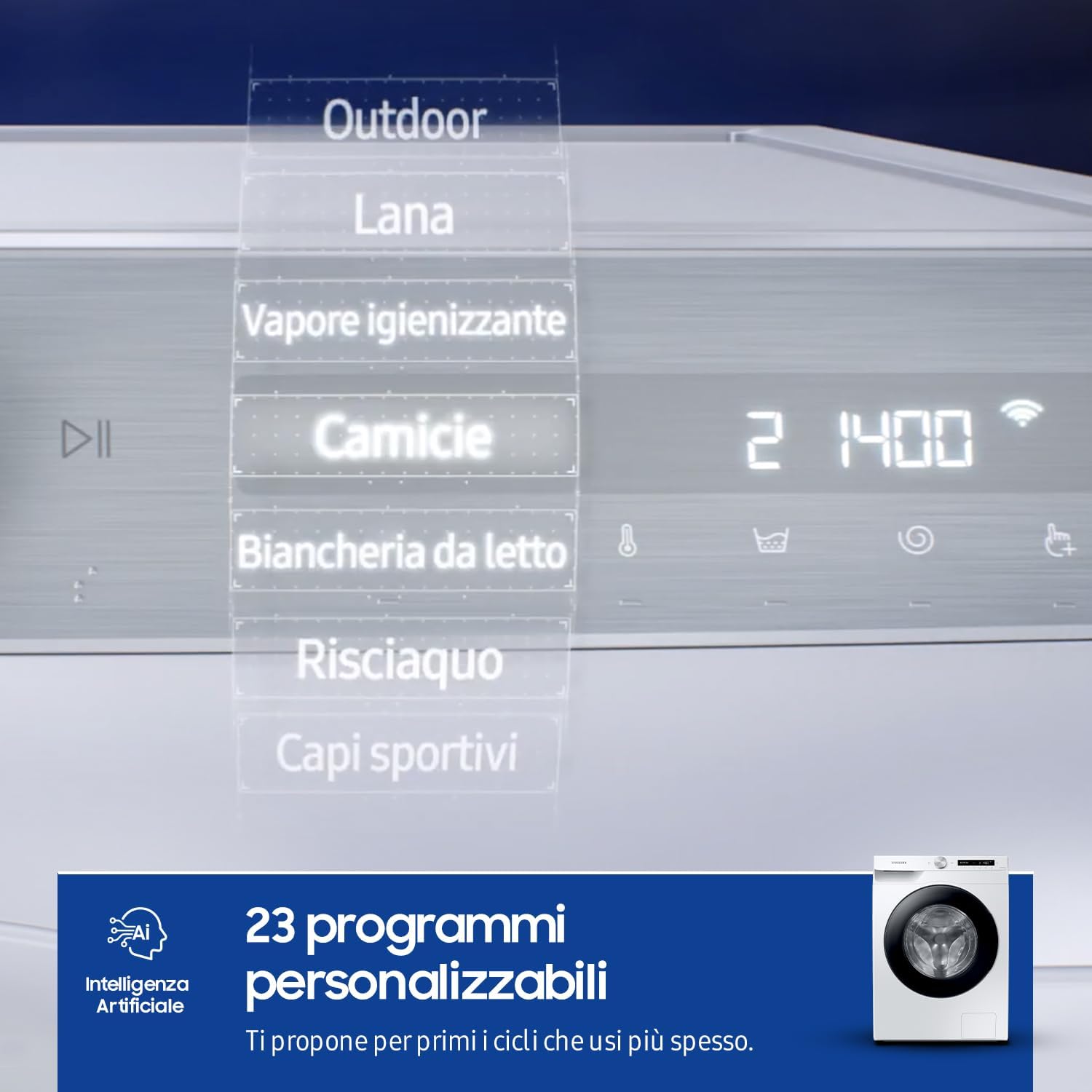
Figure 2: The control panel displaying various wash programs and settings.
5.2 لانڈری لوڈ کرنا
دروازہ کھولیں اور ڈرم میں لانڈری لوڈ کریں۔ مشین کو اوورلوڈ نہ کریں؛ اس بات کو یقینی بنائیں کہ کپڑے آزادانہ طور پر گرنے کے لیے کافی جگہ موجود ہے۔ دروازہ مضبوطی سے بند کرو۔
5.3 Adding Detergent and Softener (Ecodoser)
The Ecodoser system automatically dispenses the correct amount of liquid detergent and softener. Fill the respective compartments in the dispenser drawer. The machine's sensors will detect the load weight and water hardness to optimize usage. The Ecodoser can hold enough for up to one month of washing.
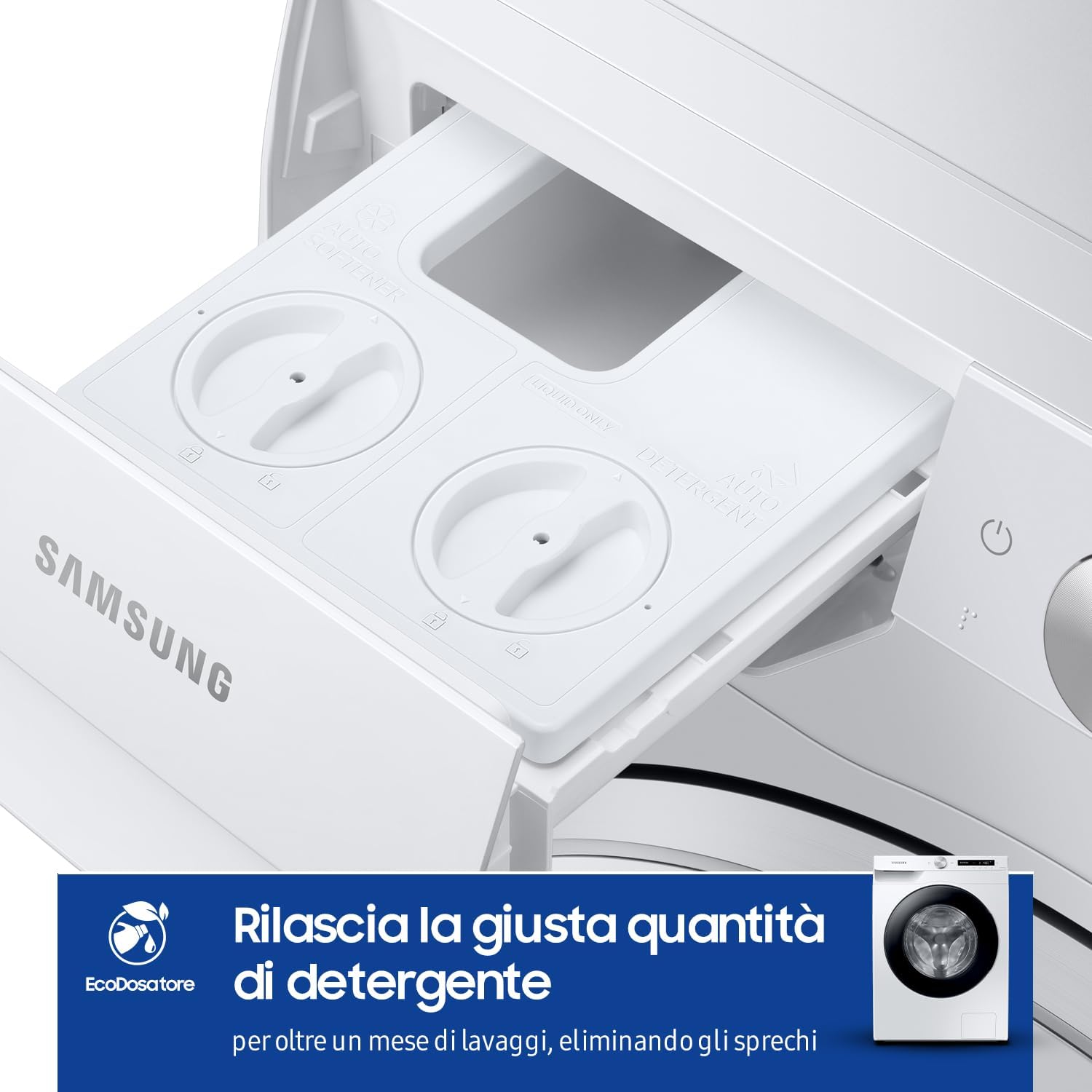
Figure 3: The Ecodoser drawer for automatic detergent and softener dispensing.
5.4 واش سائیکل کا انتخاب
Turn the rotary selector to choose your desired wash program. The AI Control feature will learn your most frequently used cycles and suggest them first. Available programs include Cotton, Synthetics, Delicates, Wool, Outdoor, Quick Wash, and more. You can customize temperature, spin speed, and rinse options.
5.5 Special Features: EcoBubble and Steam Wash
ایکو ببل: This technology pre-mixes detergent with air and water to create bubbles that penetrate fabrics faster, allowing for effective cleaning at lower temperatures and reducing energy consumption.
بھاپ دھونا: For a hygienic clean, select the Steam Wash cycle. A powerful jet of steam is released into the drum, helping to remove deep-seated dirt, 99.9% of bacteria, and common allergens from your clothes.
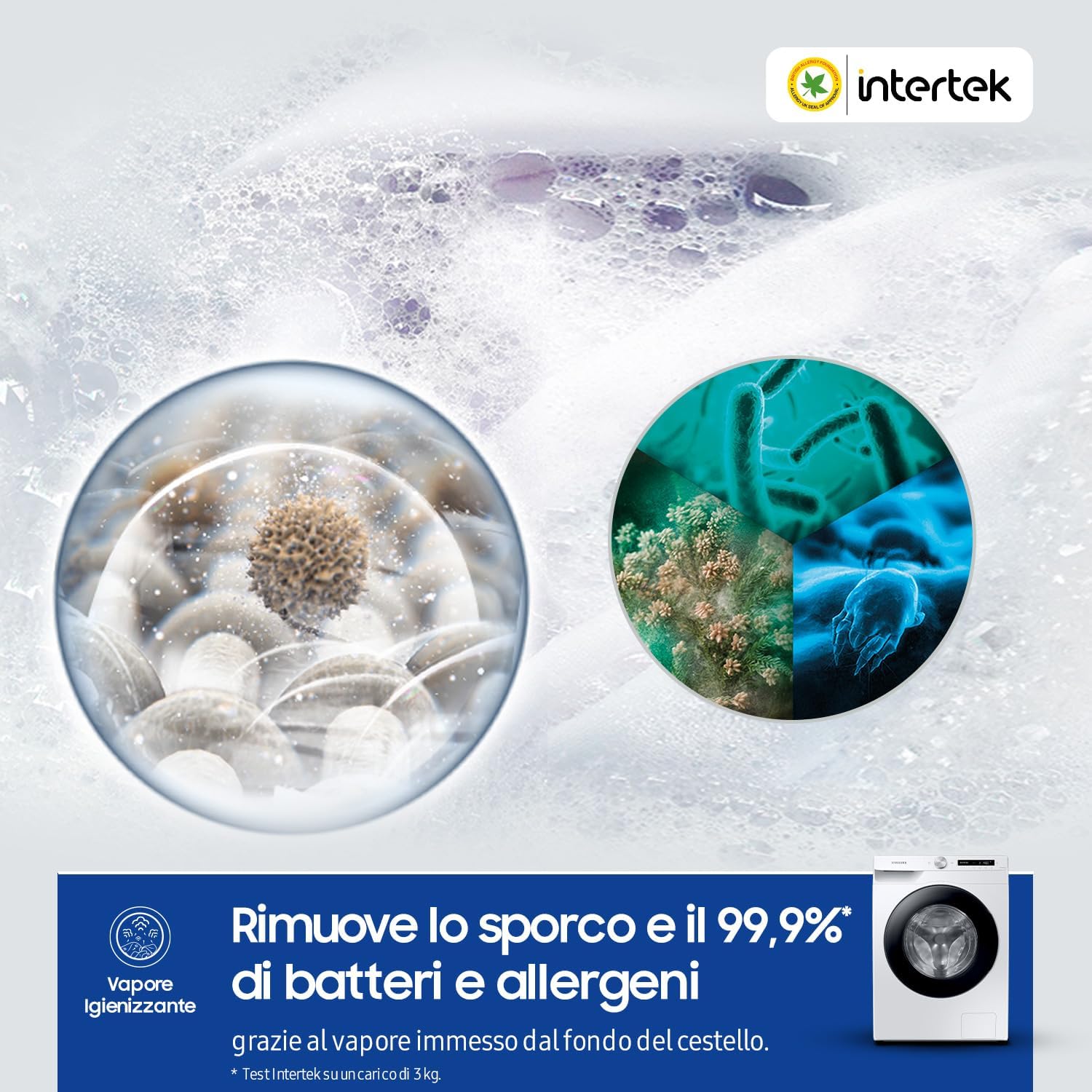
Figure 4: Visual representation of the Steam Wash function, illustrating its effectiveness against bacteria and allergens.
5.6 سائیکل شروع کرنا
منتخب شدہ واش سائیکل شروع کرنے کے لیے اسٹارٹ/پز بٹن دبائیں۔ مشین خود بخود دھونے، کلی کرنے، اور گھومنے کے مراحل سے گزرے گی۔
5.7 SmartThings ایپ انٹیگریشن
Connect your washing machine to the Samsung SmartThings app via WiFi for enhanced control. You can start/stop cycles, receive notifications, and get recommendations for optimal washing based on your habits and even weather conditions.
Video 1: This video demonstrates the AI Control features, including personalized program suggestions, EcoBubble technology for efficient cleaning, and the Ecodoser for automatic detergent dispensing. It also shows the Smart Link function for seamless communication with a compatible dryer.
6 دیکھ بھال
باقاعدگی سے دیکھ بھال آپ کی واشنگ مشین کی لمبی عمر اور بہترین کارکردگی کو یقینی بناتی ہے۔
6.1 Cleaning the Ecodoser Drawer
Periodically remove and clean the Ecodoser drawer to prevent detergent buildup. Rinse it under running water and use a soft brush if necessary. Ensure it is completely dry before reinserting.
6.2 Eco Drum Clean Cycle
Run the Eco Drum Clean cycle regularly (e.g., once a month) to remove detergent residue and bacteria from the drum. This cycle uses hot water and high-speed spinning without any cleaning agents.
6.3 ملبے کے فلٹر کی صفائی
The debris filter, located at the bottom front of the machine, should be cleaned periodically to prevent blockages. Open the cover, drain any residual water, and remove the filter. Clean it under running water and replace it securely.
6.4 بیرونی صفائی
واشنگ مشین کے بیرونی حصے کو نرم سے صاف کریں، ڈیamp کپڑا کھرچنے والے کلینر یا سالوینٹس کے استعمال سے گریز کریں جو سطح کو نقصان پہنچا سکتے ہیں۔

Figure 5: The washing machine's exterior, which should be cleaned regularly.
7 خرابیوں کا سراغ لگانا
اگر آپ کو اپنی واشنگ مشین میں مسائل درپیش ہیں، تو سروس سے رابطہ کرنے سے پہلے درج ذیل عام مسائل اور حل دیکھیں۔
7.1 عام مسائل
- مشین شروع نہیں ہوتی: چیک کریں کہ آیا پاور کورڈ لگا ہوا ہے، دروازہ ٹھیک سے بند ہے، اور اسٹارٹ/پز بٹن دبایا گیا ہے۔
- پانی کی فراہمی نہیں: Ensure water taps are fully open and inlet hoses are not kinked or blocked.
- ضرورت سے زیادہ کمپن / شور: Verify that transport bolts have been removed and the machine is level. Distribute laundry evenly in the drum.
- پانی کا رسنا: Check hose connections for tightness and ensure the drain hose is properly installed.
- Detergent residue: Clean the Ecodoser drawer and ensure you are using appropriate detergent for your water type.
7.2 ایرر کوڈز
The display may show error codes to indicate specific problems. Consult the full user manual for a comprehensive list of error codes and their corresponding solutions. For persistent issues, contact Samsung customer support.
8. وضاحتیں
| فیچر | تفصیلات |
|---|---|
| ماڈل نمبر | WW10T534DAW/S3 |
| صلاحیت | 10.5 کلوگرام |
| زیادہ سے زیادہ اسپن اسپیڈ | 1400 انقلابات فی منٹ |
| طول و عرض (W x D x H) | 60 x 60 x 85 سینٹی میٹر |
| وزن | 76 کلوگرام |
| توانائی کی کھپت (سالانہ) | 175 Kilowatt hours per year |
| والیومtage | 220 وولٹ |
| کنٹرول کی قسم | Touch, Fully Automatic |
| Detergent Dispenser Options | Automatic dispenser for detergent and softener |
| ڈرم کا مواد | سٹینلیس سٹیل |
| خصوصی خصوصیات | High efficiency, Automatic Dose, Active Steam |
| رنگ | White Body, Shiny Black Door |
9. وارنٹی اور سپورٹ
9.1 وارنٹی کی معلومات
Your Samsung washing machine is covered by a standard manufacturer's warranty. The Digital Inverter Motor specifically comes with a 20-year warranty, ensuring long-term reliability. Please retain your proof of purchase for warranty claims. For detailed terms and conditions, refer to the warranty card included with your product or visit the official Samsung webسائٹ
9.2 کسٹمر سپورٹ
For technical assistance, troubleshooting, or service requests, please contact Samsung Customer Support. You can find contact details on the Samsung webسائٹ یا آپ کے آلات کے ساتھ فراہم کردہ دستاویزات میں۔
- آن لائن مدد: سام سنگ آفیشل سے ملیں۔ website for FAQs, manuals, and software updates.
- فون سپورٹ: Refer to your regional Samsung support numbers.
- سروس سینٹر: ذاتی مدد کے لیے مجاز سام سنگ سروس سینٹرز تلاش کریں۔


