1. تعارف
This manual provides detailed instructions for the setup, operation, maintenance, and troubleshooting of your MEETION MT-KB015 One-Handed Wired RGB Gaming Keyboard. Please read this manual thoroughly to ensure proper use and to maximize your gaming experience.
2. پروڈکٹ ختمview
The MEETION MT-KB015 is a compact, one-handed gaming keyboard designed for enhanced control and comfort. It features vibrant RGB backlighting, ergonomic keycaps, and dedicated multimedia controls. Its durable membrane switches are rated for 50 million keystrokes, ensuring longevity.

یہ تصویر سامنے دکھاتی ہے۔ view of the MEETION MT-KB015 one-handed gaming keyboard, highlighting its compact design and vibrant RGB backlighting.

An angled perspective of the MEETION MT-KB015 keyboard, emphasizing its integrated ergonomic palm rest designed for comfortable use during extended gaming sessions.

A user's hand is shown comfortably resting on the integrated palm rest of the MEETION MT-KB015 keyboard, illustrating its ergonomic design for gaming.
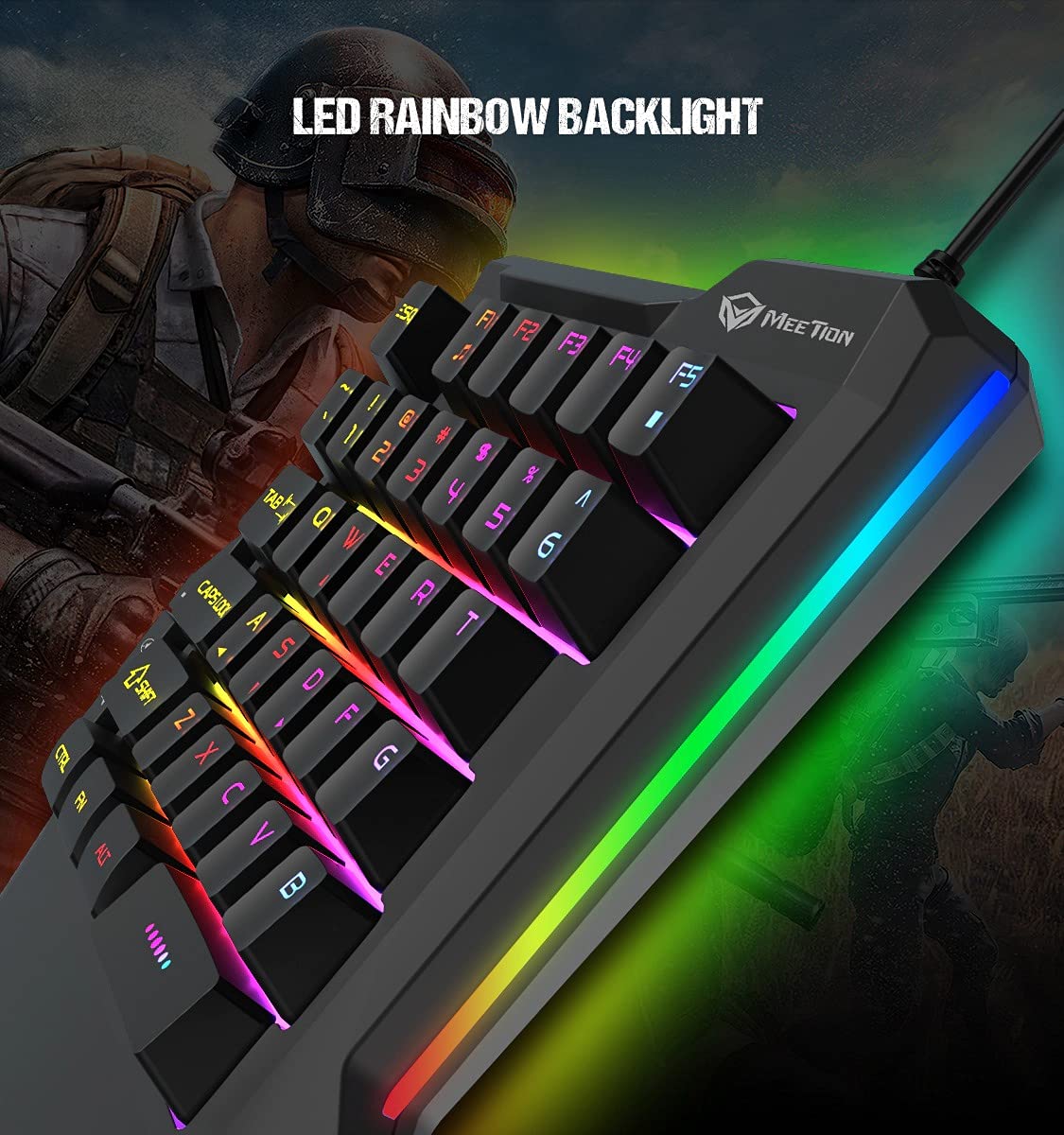
ایک مفصل view of the MEETION MT-KB015 keyboard's keys, showcasing the dynamic LED rainbow backlighting effect.

This image provides a close-up of the membrane switch keys on the MEETION MT-KB015 keyboard, illustrating their design and construction.

The MEETION MT-KB015 keyboard is depicted connected to a computer setup, demonstrating its simple plug-and-play connectivity.

ایک اوور ہیڈ view of a user engaged in gaming, utilizing the MEETION MT-KB015 one-handed keyboard alongside a gaming mouse on a desk.
اہم خصوصیات:
- 50 Million Keystroke Life: Durable membrane switches designed for extended use.
- ملٹی میڈیا کیز: Conveniently placed dedicated keys for volume control.
- Comfortable Palm Rest: Integrated broad palm rest for ergonomic support during long gaming sessions.
- Easy To Use Plug and Play: Simple connectivity with various devices without requiring additional drivers.
3. سیٹ اپ
The MEETION MT-KB015 keyboard is designed for plug-and-play functionality, requiring no complex installation.
کی بورڈ کو جوڑنا:
- Locate an available USB port on your computer, laptop, or compatible smartphone.
- Plug the USB cable of the MT-KB015 keyboard into the USB port.
- The operating system (e.g., Windows 10) will automatically detect and install the necessary drivers.
- The keyboard's RGB backlight will illuminate, indicating it is ready for use.
ہم آہنگ آلات: Laptop, PC, Smartphone.
4. آپریٹنگ ہدایات
بنیادی آپریشن:
Once connected, the keyboard functions immediately. The keys are laid out for one-handed gaming, providing quick access to essential commands.
RGB Backlight Control:
The keyboard features an LED rainbow backlight. Specific key combinations or dedicated buttons for backlight mode changes are not detailed in the product information, but the lighting will be active upon connection.
ملٹی میڈیا کیز:
The MT-KB015 includes dedicated multimedia keys for convenient audio control.

A diagram highlighting the location and function of the dedicated Volume Up, Mute, and Volume Down multimedia keys positioned on the left side of the MEETION MT-KB015 keyboard.
- اواز بڑھایں: Increases audio output.
- خاموش کریں: آڈیو خاموش کو آن/آف ٹوگل کرتا ہے۔
- آواز کم: Decreases audio output.
Additional multimedia functions (Music Player, Stop) are indicated with FN key combinations (FN + F1 for Music Player, FN + F5 for Stop).
5 دیکھ بھال
اپنے کی بورڈ کی لمبی عمر اور بہترین کارکردگی کو یقینی بنانے کے لیے، دیکھ بھال کے ان رہنما خطوط پر عمل کریں:
- صفائی: کی بورڈ کی سطح کو صاف کرنے کے لیے نرم، خشک کپڑا استعمال کریں۔ گہری صفائی کے لیے، تھوڑا سا ڈیamp ہلکے صابن کے ساتھ کپڑا استعمال کیا جا سکتا ہے، اس بات کو یقینی بناتے ہوئے کہ کلیدی سوئچز یا اندرونی اجزاء میں کوئی مائع داخل نہ ہو۔
- دھول ہٹانا: کی کیپس کے درمیان سے دھول اور ملبہ ہٹانے کے لیے کمپریسڈ ہوا کا استعمال کریں۔
- مائعات سے پرہیز کریں: کی بورڈ پر مائعات نہ پھیلائیں۔ حادثاتی طور پر پھیلنے کی صورت میں، کی بورڈ کو فوری طور پر منقطع کریں اور دوبارہ جڑنے سے پہلے اسے مکمل طور پر خشک ہونے دیں۔
- ذخیرہ: کی بورڈ کو براہ راست سورج کی روشنی اور انتہائی درجہ حرارت سے دور ٹھنڈی، خشک جگہ پر اسٹور کریں۔
6 خرابیوں کا سراغ لگانا
If you encounter issues with your MEETION MT-KB015 keyboard, refer to the following common solutions:
کی بورڈ جواب نہیں دے رہا ہے:
- USB کنکشن چیک کریں: Ensure the USB cable is securely plugged into a functional USB port on your device. Try a different USB port.
- ڈیوائس کو دوبارہ شروع کریں: اپنے کمپیوٹر یا اسمارٹ فون کو دوبارہ شروع کریں۔
- کسی اور ڈیوائس پر ٹیسٹ: Connect the keyboard to another computer or compatible device to determine if the issue is with the keyboard or the original device.
بیک لائٹ کام نہیں کر رہی:
- یقینی بنائیں کہ کی بورڈ مناسب طریقے سے جڑا ہوا ہے اور پاور حاصل کر رہا ہے۔
- If available, check for any dedicated backlight control keys or software settings.
کلیدیں جو رجسٹر نہیں ہو رہی ہیں یا ڈبل ٹائپنگ نہیں کر رہی ہیں:
- Clean the affected keys to remove any debris that might be obstructing the switch mechanism.
- Ensure the keyboard is on a stable, flat surface.
اگر ان حلوں کو آزمانے کے بعد بھی مسائل برقرار رہتے ہیں، تو براہ کرم کسٹمر سپورٹ سے رابطہ کریں۔
7. وضاحتیں
| فیچر | تفصیل |
|---|---|
| برانڈ | میٹنگ |
| ماڈل نمبر | MT-KB015 |
| سلسلہ | MEETION MT-KB015 |
| رنگ | سیاہ |
| کنیکٹوٹی ٹیکنالوجی | وائرڈ |
| کی بورڈ کی تفصیل | گیمنگ |
| سوئچ کی قسم | جھلی سوئچ |
| Keystroke Life Cycle | 50 ملین |
| ہارڈ ویئر پلیٹ فارم | لیپ ٹاپ، پی سی، اسمارٹ فون |
| آپریٹنگ سسٹم کی مطابقت | Windows 10 (and compatible with other OS via Plug and Play) |
| پروڈکٹ کے طول و عرض (LxWxH) | 21 x 3.8 x 18.1 سینٹی میٹر |
| شے کا وزن | 420 گرام |
| شامل اجزاء | USB کیبل |
| بیٹریاں شامل ہیں۔ | نہیں |
8. وارنٹی اور سپورٹ
وارنٹی کی معلومات:
The MEETION MT-KB015 One-Handed Wired RGB Gaming Keyboard comes with a 1 سال کی وارنٹی خریداری کی تاریخ سے. یہ وارنٹی عام استعمال کے تحت مینوفیکچرنگ نقائص کا احاطہ کرتی ہے۔ وارنٹی کے دعووں کے لیے براہ کرم اپنی خریداری کا ثبوت اپنے پاس رکھیں۔
کسٹمر سپورٹ:
For technical assistance, warranty claims, or any product-related inquiries, please contact MEETION customer support. Contact details for the manufacturer/importer are provided below:
- مینوفیکچرر: Meetion, Meetion Tech Co. LTD - China
- درآمد کنندہ: Cavitak Marketing Pvt Ltd. 9, Vitthalbhai Patel Colony, Lakhudi, Naranpura, Ahmedabad-380014
- ای میل: meetion@cavitak.com
- فون: 0796813-66-11


