1. تعارف
This manual provides comprehensive instructions for the assembly, operation, and maintenance of your FLEXISPOT EN2 Electric Height Adjustable Standing Desk. Please read this manual thoroughly before assembly and use to ensure safe and efficient operation.
The FLEXISPOT EN2 desk features a spacious one-piece desktop, an electric height adjustment system with memory presets, and a removable clamp power strip for convenient device charging and cable management. It is designed to support a dynamic work environment, allowing seamless transitions between sitting and standing positions.
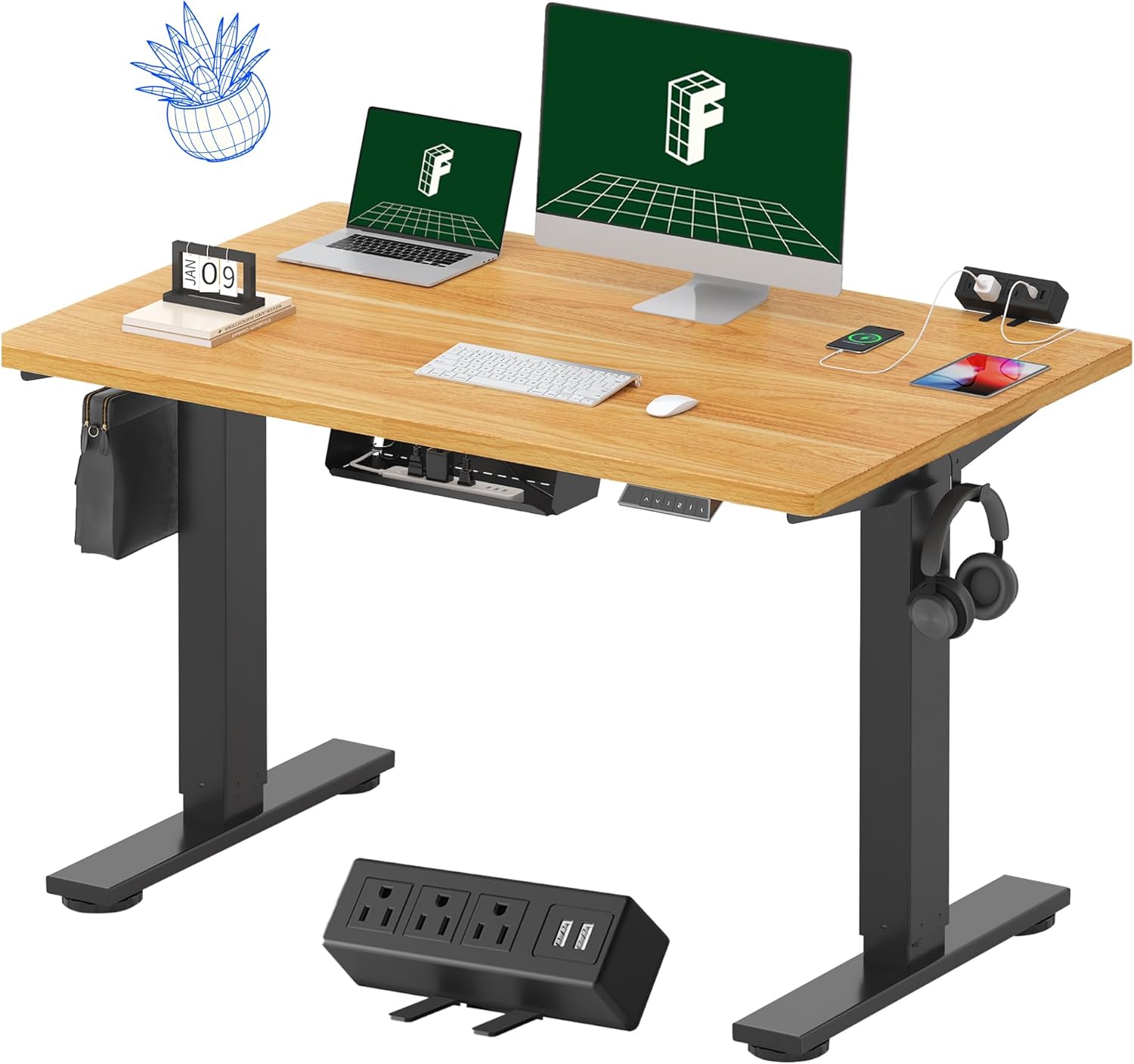
Image 1.1: FLEXISPOT EN2 Standing Desk with Maple Top and Black Frame, showcasing a typical setup with monitors, a laptop, and a clamp پاور پٹی.
2. حفاظتی معلومات
انتباہ: ان حفاظتی ہدایات پر عمل کرنے میں ناکامی کے نتیجے میں مصنوعات کو چوٹ یا نقصان پہنچ سکتا ہے۔
- اسمبلی کی ہدایات پر ہمیشہ احتیاط سے عمل کریں۔
- An electric drill (not included) may be required for assembly.
- Ensure the desk is properly anchored to prevent tipping.
- زیادہ سے زیادہ وزن کی سفارش 176 پاؤنڈ (80 کلوگرام) سے زیادہ نہ کریں۔
- Keep the work surface clear of items that could fall and cause injury during height adjustments.
- Always unplug the desk before performing any maintenance or making adjustments to the frame or electrical components.
- آپریشن کے دوران بچوں اور پالتو جانوروں کو میز سے دور رکھیں۔
3. پیکیج کے مشمولات
Your FLEXISPOT EN2 Standing Desk will arrive in two separate packages, which may be shipped separately. Please ensure you have received both packages and all components before beginning assembly.

Image 3.1: Illustration showing the desk components arriving in two separate packages: one for the desktop and one for the desk frame.
شامل اجزاء:
- One-piece desktop (48" x 30" Maple Top)
- Electric height-adjustable frame (Black)
- 6-button digital controller with 4 memory presets
- Removable clamp power strip (3 AC outlets, 2 USB charging ports)
- Cable management device
- Assembly hardware and tools (excluding electric drill)
4. سیٹ اپ اور اسمبلی
Assembly typically requires two people and an electric drill (not included). Follow the detailed instructions provided in the separate assembly guide included with your product. The process involves attaching the legs to the desktop and connecting the control panel and motor.
اسمبلی کی تجاویز:
- خروںچ کو روکنے کے لیے تمام اجزاء کو نرم، صاف سطح پر رکھیں۔
- یقینی بنائیں کہ تمام پیچ محفوظ طریقے سے سخت ہیں، لیکن زیادہ سخت نہ کریں۔
- Properly route all cables using the provided cable management solutions to avoid interference with desk movement.
Video 4.1: Official FLEXISPOT Standing Desk Frame Installation Guide. This video demonstrates the step-by-step process of assembling the desk frame and attaching it to the desktop.
5. آپریٹنگ ہدایات
5.1 ڈیجیٹل کنٹرول پینل
The desk is operated using a 6-button digital controller, typically mounted on the underside of the desktop. It features up/down arrows, an LED display for height, and four programmable memory presets.

Image 5.1: Digital control panel with LED display showing current height, up/down arrows, and four numbered memory preset buttons.
5.2 اونچائی کی ایڈجسٹمنٹ
- دبائیں اور تھامیں۔ اوپر کا تیر (^) میز کو بڑھانے کے لئے بٹن.
- دبائیں اور تھامیں۔ نیچے کا تیر (v) میز کو کم کرنے کے لئے بٹن.
- The desk adjusts smoothly from 28.1 inches (71.4 cm) to 45.7 inches (116.1 cm).
- The motor operates quietly at less than 50 dB.
5.3 میموری پرسیٹس سیٹ کرنا
The controller allows you to save up to four preferred height settings for quick adjustments.
- اوپر/نیچے تیروں کا استعمال کرتے ہوئے ڈیسک کو اپنی مطلوبہ اونچائی پر ایڈجسٹ کریں۔
- دبائیں یادداشت (M) button. The LED display will flash.
- Within 3 seconds, press one of the numbered preset buttons (1، 2، 3، یا 4موجودہ اونچائی کو اس پیش سیٹ پر بچانے کے لیے۔
- محفوظ کردہ اونچائی کو یاد کرنے کے لیے، صرف اسی نمبر والے پیش سیٹ بٹن کو دبائیں۔ ڈیسک خود بخود محفوظ شدہ پوزیشن پر چلا جائے گا۔
Video 5.2: FlexiSpot Brand Store video demonstrating the desk's height adjustment and memory preset functions.
6 خصوصیات
6.1 One-Piece Desktop
The desk features a spacious, single-piece desktop made of FSC-Certified wood. This design provides a smooth, seamless work surface, enhancing stability and aesthetics compared to multi-piece desktops.

Image 6.1: Visual comparison highlighting the smooth surface of a single-piece desktop against the visible seams of a two-piece desktop.
6.2 Removable Clamp بجلی کی پٹی
A desktop-mounted power strip is included, featuring 3 AC outlets (125V/12A) and 2 USB charging ports (5V/2A). This allows for convenient charging of electronic devices directly from your desk. The power strip can be clipped to the back or side of your desk.

Image 6.2: Close-up of the removable clamp power strip, detailing its 3 AC outlets and 2 USB-A ports, and how it attaches to the desk edge.
6.3 کیبل مینجمنٹ
The desk includes a cable management device to help organize and tidy up your workspace, preventing cables from dangling and interfering with desk movement.

Image 6.3: Illustration demonstrating effective cable management with an under-desk tray, showing a tidy setup compared to unmanaged cables.
7 دیکھ بھال
- Regularly inspect all screws and connections to ensure they are tight.
- ڈیسک ٹاپ کی سطح کو نرم سے صاف کریں، ڈیamp کپڑا کھرچنے والے کلینر سے پرہیز کریں جو ختم کو نقصان پہنچا سکتے ہیں۔
- Keep the motor and electrical components free from dust and moisture.
- Do not place hot items directly on the desktop without protective coasters.
8 خرابیوں کا سراغ لگانا
8.1 Desk Not Moving or Displaying Error Code (e.g., "r5t")
If your desk is not responding or the LED display shows an error code like "r5t", a system reset may be required.
- Unplug the desk from the power outlet.
- Wait for at least 10-15 seconds.
- Plug the desk back into the power outlet.
- Press and hold the "Down Arrow (v)" button until the desk reaches its lowest position and then slightly rises. This indicates a successful reset.
- اگر مسئلہ برقرار رہتا ہے تو کسٹمر سپورٹ سے رابطہ کریں۔
8.2 Desk Wobbling at Higher Heights
While the desk is designed for stability, minor wobbling can occur at maximum heights. Ensure the adjustable feet on the leg bases are properly leveled to compensate for uneven flooring.
9. وضاحتیں
| فیچر | تفصیلات |
|---|---|
| برانڈ | فلیکسپوٹ |
| ماڈل | EN2 |
| ڈیسک ٹاپ مواد | FSC-Certified Maple Wood |
| ڈیسک ٹاپ کے طول و عرض | 48" (W) x 30" (D) |
| ڈیسک ٹاپ موٹائی | 1 انچ |
| فریم کا مواد | Industrial-grade Alloy Steel (Black) |
| اونچائی کی ایڈجسٹمنٹ کی حد | 28.1" سے 45.7" (71.4 سینٹی میٹر سے 116.1 سینٹی میٹر) |
| موٹر شور کی سطح | <50 ڈی بی |
| وزن کی صلاحیت | 176 پونڈ (80 کلوگرام) |
| کنٹرول پینل | 6-button digital controller with 4 memory presets |
| پاور آؤٹ لیٹ | 3 AC outlets (125V/12A), 2 USB charging ports (5V/2A) |
| اسمبلی کی ضرورت ہے۔ | Yes (electric drill recommended) |
10. وارنٹی اور سپورٹ
10.1 وارنٹی کی معلومات
- 5 سالہ وارنٹی: Covers frames, motors, and other mechanical devices.
- 2 سالہ وارنٹی: Covers controllers, switches, and electronics.
وارنٹی کے دعووں کے لیے براہ کرم اپنی خریداری کا ثبوت اپنے پاس رکھیں۔ وارنٹی عام استعمال کے تحت مواد اور کاریگری میں نقائص کا احاطہ کرتی ہے۔
10.2 کسٹمر سپورٹ
For any questions, troubleshooting assistance, or warranty claims, please contact FLEXISPOT customer support through their official webسائٹ یا خوردہ فروش جہاں آپ نے پروڈکٹ خریدی ہے۔


