1. تعارف
This manual provides essential information for the safe and effective use of your Amazon Echo Dot (5th Gen) smart speaker. Please read these instructions thoroughly before operating the device and retain them for future reference.

Image: Amazon Echo Dot (5th Gen) in Glacier White on a wooden surface, highlighting its compact size and capabilities.
2. باکس میں کیا ہے۔
تصدیق کریں کہ تمام اشیاء پیکیجنگ میں موجود ہیں:
- Echo Dot (5th Gen) Device
- Glacier White Power Adapter (15W)
- کوئیک اسٹارٹ گائیڈ
3. پروڈکٹ ختمview
The Amazon Echo Dot (5th Gen) is a compact smart speaker designed to deliver an enhanced audio experience and integrate seamlessly with your smart home ecosystem. It features a spherical design with a fabric finish and an LED light ring at the base.

Image: Amazon Echo Dot (5th Gen) in Glacier White, front view with glowing light ring.
اہم خصوصیات:
- Improved Audio: Features a 1.73” (44 mm) front-firing speaker for clearer vocals, deeper bass, and vibrant sound.
- Alexa Voice Assistant: Provides hands-free control for music, information, timers, and smart home devices.
- پرائیویسی کنٹرولز: Includes a microphone off button and the ability to view اور آواز کی ریکارڈنگ کو حذف کریں۔
- اسمارٹ ہوم حب: Supports WiFi, Bluetooth Low Energy Mesh, and Matter for compatible smart home device control.
- درجہ حرارت سینسر: Built-in sensor for triggering smart home routines.
- Tap Controls: Tap the top of the device to snooze alarms or pause music.
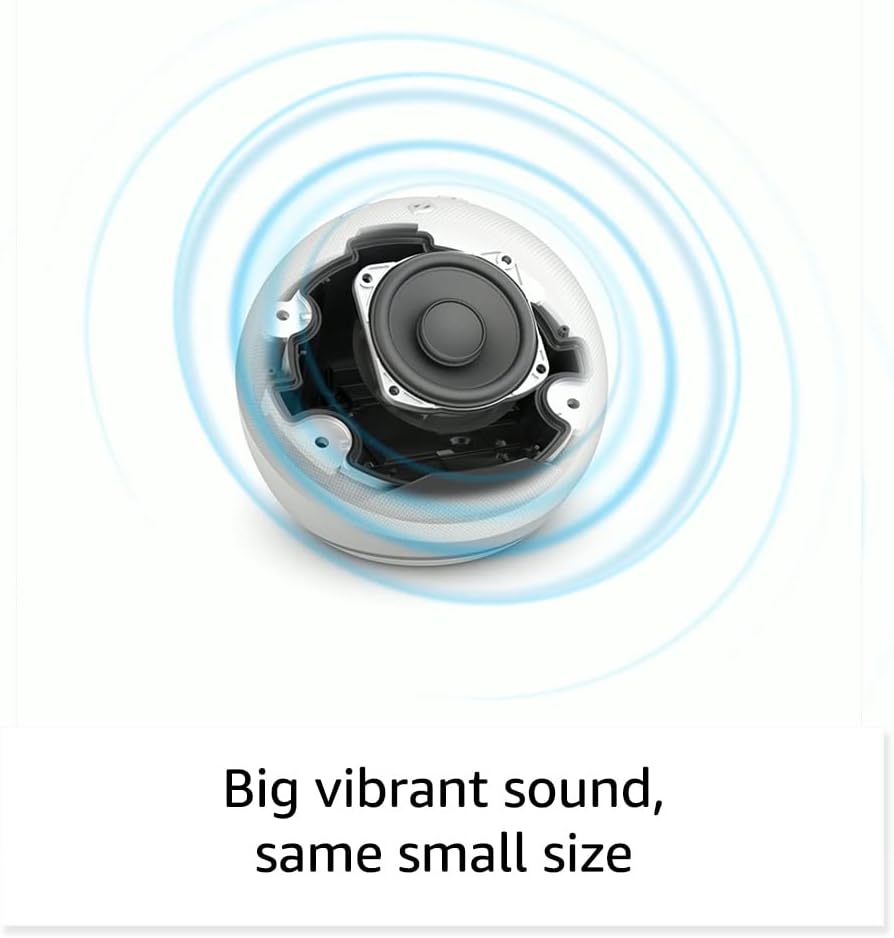
تصویر: اندرونی view of the Amazon Echo Dot (5th Gen) speaker components, illustrating its audio design.
4. سیٹ اپ
اپنا ایکو ڈاٹ (5th Gen) ترتیب دینے کے لیے ان اقدامات پر عمل کریں:
- اپنے ایکو ڈاٹ کو پلگ ان کریں: شامل پاور اڈاپٹر کو اپنے ایکو ڈاٹ سے اور پھر پاور آؤٹ لیٹ سے جوڑیں۔ روشنی کی انگوٹھی نیلے، پھر نارنجی ہو جائے گی، یہ بتاتی ہے کہ یہ سیٹ اپ کے لیے تیار ہے۔
- Alexa ایپ ڈاؤن لوڈ کریں: On your mobile device, download and install the Amazon Alexa app from your device's app store (compatible with Fire OS, Android, and iOS devices).
- اپنا آلہ شامل کریں: Open the Alexa app. If prompted, sign in with your Amazon account. Tap the 'Devices' icon at the bottom, then the '+' icon in the top right corner. Select 'Add Device', then 'Amazon Echo', and choose 'Echo Dot'.
- آن اسکرین ہدایات پر عمل کریں: The app will guide you through connecting your Echo Dot to your Wi-Fi network. Ensure your Wi-Fi network supports 802.11a/b/g/n/ac (2.4 and 5 GHz). Ad-hoc networks are not supported.
- جگہ کا تعین: Place your Echo Dot in a central location within your room, away from walls or other objects that might obstruct sound.
5. اپنے ایکو ڈاٹ کو آپریٹ کرنا
Voice Commands with Alexa:
To interact with your Echo Dot, simply say the wake word "Alexa," followed by your command or question. The light ring will turn blue to indicate Alexa is listening.
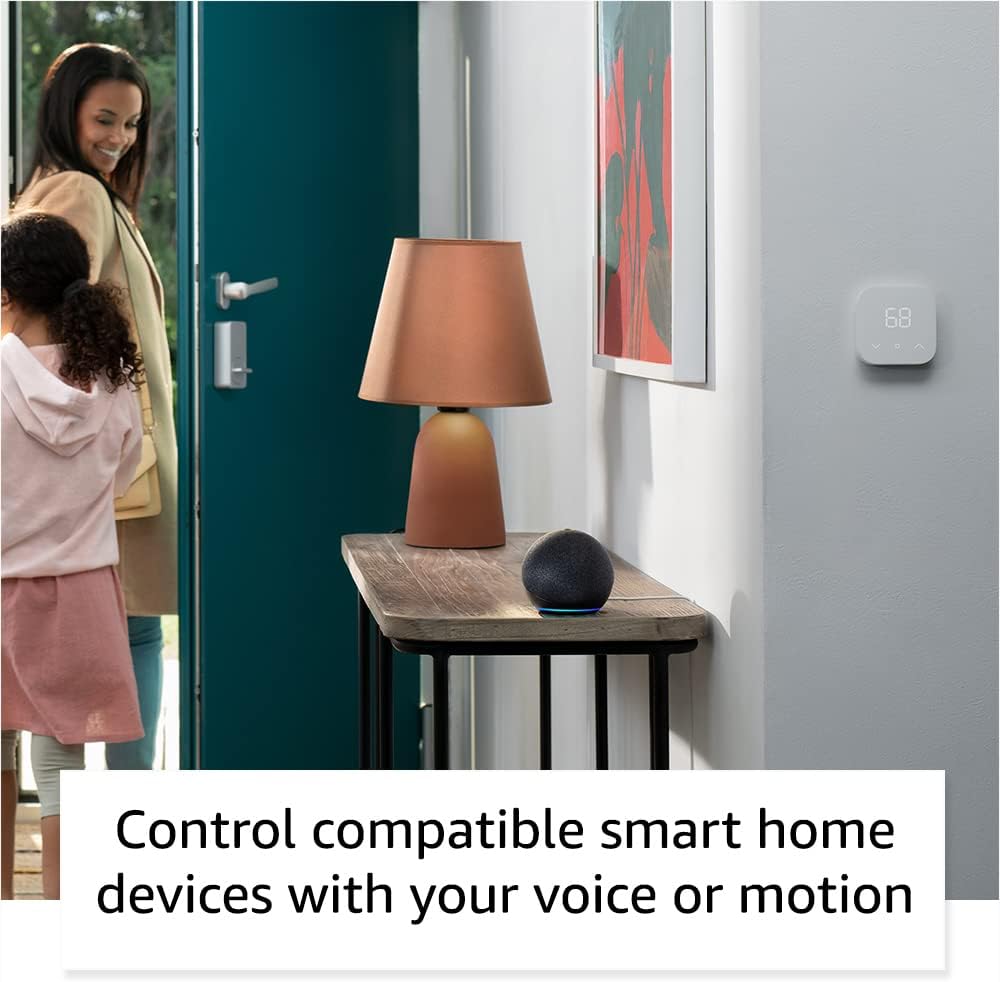
Image: Amazon Echo Dot (5th Gen) in Deep Sea Blue on a kitchen counter, demonstrating a user asking Alexa for the weather.
عام احکام:
- "الیکسا، موسیقی چلائیں۔"
- "الیکسا، موسم کیسا ہے؟"
- "الیکسا، 10 منٹ کے لیے ٹائمر لگائیں۔"
- "الیکسا، مجھے ایک لطیفہ سناؤ۔"
- "الیکسا، والیوم بڑھاو۔"
Tap Controls:
The top surface of your Echo Dot is touch-sensitive for quick actions:
- Tap to Snooze: When an alarm sounds, tap the top of the device to snooze it.
- Tap to Pause/Resume: Tap to pause or resume music playback.

Image: A hand tapping the top of the Amazon Echo Dot (5th Gen) in Glacier White, demonstrating the tap-to-snooze or pause music function.
6. سمارٹ ہوم انٹیگریشن
Your Echo Dot can control compatible smart home devices using voice commands or routines. It supports WiFi, Bluetooth Low Energy Mesh, and Matter protocols.
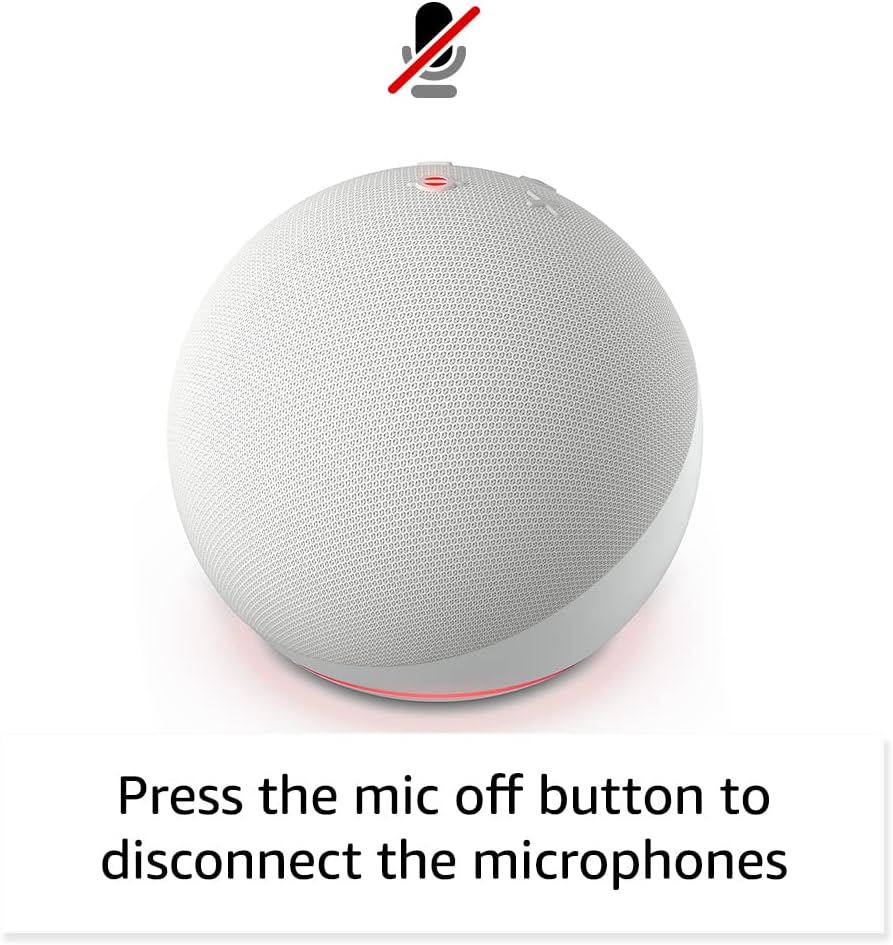
Image: Amazon Echo Dot (5th Gen) in a living space, illustrating its use for controlling compatible smart home devices.
Using the Temperature Sensor:
The built-in temperature sensor allows you to create routines in the Alexa app. For example, you can set a routine to automatically turn on a fan if the room temperature exceeds a specified comfort zone.
ایمیزون فٹ پاتھ:
Amazon Sidewalk uses Echo and Ring devices to securely keep other devices connected and help find lost items. It can enable supported devices to remain connected even when Wi-Fi is lost or they are outside the range of their home Wi-Fi. Sidewalk uses a small portion of your internet bandwidth. You can manage Sidewalk settings in the Alexa app.
eero Built-in:
If you have a compatible eero router, your Echo Dot can extend Wi-Fi coverage. This feature requires linking your eero and Amazon accounts and managing it through the eero mobile application. eero Built-in compatible Echo devices support up to 1,000 sq. ft. of additional coverage, speeds up to 100 Mbps, and 10 or fewer connected devices in the 5 GHz band.
7. رازداری کی خصوصیات
Amazon Echo devices are designed with multiple layers of privacy controls:
- مائیکروفون آف بٹن: Press the microphone off button on the top of your Echo Dot to electronically disconnect the microphones. The light ring will turn red to indicate the microphones are off.
- وائس ریکارڈنگز: آپ میں صلاحیت ہے۔ view, listen to, and delete your voice recordings through the Alexa app or your Amazon account settings.
- ویک ورڈ ٹیکنالوجی: The device only begins recording and sending audio to the cloud after it detects the wake word (e.g., "Alexa").
Image: Amazon Echo Dot (5th Gen) with a red light indicating the microphone is off, showing the privacy control feature.
8. قابل رسائی خصوصیات
The Alexa app provides various accessibility features to personalize your experience. Access these settings by navigating to 'Settings' → 'Accessibility' in the Alexa App.
- موافق سننا: Alexa کے جواب دینے سے پہلے بات ختم کرنے کے لیے مزید وقت فراہم کرتا ہے۔
- ترجیحی بولنے کی شرح: Control how fast or slow Alexa speaks by saying "Alexa, speak slower" or "Alexa, speak faster."
- آواز کی درخواست کریں: Plays an audible tone in addition to the visual indicator when you speak to Alexa. Enable by saying "Alexa, turn on Start of Request Sound."
- کنڈل اونچی آواز میں پڑھیں: Alexa آپ کی Kindle کتابیں بلند آواز میں پڑھ سکتا ہے۔
- قریب ہونے پر مطلع کریں: Plays notification sounds when you are detected near your Echo device.
9 دیکھ بھال
To ensure the longevity and optimal performance of your Echo Dot:
- صفائی: آلے کو صاف کرنے کے لیے نرم، خشک، لنٹ سے پاک کپڑا استعمال کریں۔ کھرچنے والے کلینر یا سپرے استعمال نہ کریں۔
- جگہ کا تعین: ڈیوائس کو براہ راست سورج کی روشنی میں، گرمی کے ذرائع کے قریب، یا ضرورت سے زیادہ مرطوب ماحول میں رکھنے سے گریز کریں۔
- سافٹ ویئر اپ ڈیٹس: Your Echo Dot automatically receives software security updates. Ensure it remains connected to Wi-Fi for these updates.
10 خرابیوں کا سراغ لگانا
عام مسائل اور حل:
- آلہ جواب نہیں دے رہا ہے:
- یقینی بنائیں کہ مائیکروفون خاموش نہیں ہے (سرخ روشنی کی انگوٹی خاموش ہونے کی نشاندہی کرتی ہے)۔
- Check if the device is plugged in and powered on.
- Restart the device by unplugging it from the power outlet for 30 seconds and then plugging it back in.
- Wi-Fi سے کنیکٹ نہیں ہو سکتا:
- تصدیق کریں کہ آپ کا Wi-Fi پاس ورڈ درست ہے۔
- Ensure your router is working and other devices can connect.
- ایکو ڈاٹ کو اپنے وائی فائی راؤٹر کے قریب لے جائیں۔
- اپنا روٹر اور موڈیم دوبارہ شروع کریں۔
- خراب آڈیو کوالٹی:
- Adjust the volume using voice commands or the Alexa app.
- Ensure the device is not placed in an enclosed space that might muffle sound.
- اسپیکر کے ارد گرد کسی بھی جسمانی رکاوٹوں کو چیک کریں.
- Alexa Not Understanding Commands:
- Speak clearly and at a normal pace.
- پس منظر کے شور کو کم کریں۔
- Ensure you are within hearing range of the device.
11. وضاحتیں
| فیچر | تفصیل |
|---|---|
| سائز | 3.9" x 3.9" x 3.5" (100mm x 100mm x 89mm) |
| وزن | 10.7 اوز (304G) |
| آڈیو | 1.73” (44 ملی میٹر) فرنٹ فائرنگ اسپیکر، لاز لیس ہائی ڈیفینیشن |
| وائی فائی کنیکٹیویٹی | ڈوئل بینڈ وائی فائی 802.11a/b/g/n/ac (2.4 اور 5 GHz) نیٹ ورکس کو سپورٹ کرتا ہے۔ ایڈہاک نیٹ ورکس کو سپورٹ نہیں کرتا ہے۔ |
| بلوٹوتھ کنیکٹیویٹی | آڈیو سٹریمنگ کے لیے A2DP سپورٹ، منسلک موبائل آلات کے وائس کنٹرول کے لیے AVRCP۔ بلوٹوتھ اسپیکر جن کو PIN کوڈ کی ضرورت ہوتی ہے وہ تعاون یافتہ نہیں ہیں۔ |
| اسمارٹ ہوم ڈیوائس کی مطابقت | WiFi, Bluetooth Low Energy Mesh, and Matter |
| سسٹم کے تقاضے | Alexa app compatible with Fire OS, Android, and iOS devices. Web browser access also available. |
| نسل | Echo Dot (5th Gen) - 2022 ریلیز |
| زبان | الیکسا انگریزی اور ہسپانوی بولتی ہے۔ |
12. وارنٹی اور سپورٹ
وارنٹی کی معلومات:
Your Echo Dot (5th Gen) comes with a 90-day limited warranty and service. Optional 1-year, 2-year, and 3-year extended warranties are available for U.S. customers and are sold separately. Use of the Echo Dot is subject to specific terms and conditions.
سافٹ ویئر سیکورٹی اپ ڈیٹس:
This device is guaranteed to receive software security updates for at least four years after it is last available for purchase as a new unit on Amazon websites. For more information on software security updates or to manage your device, visit the Amazon webسائٹ
کسٹمر سپورٹ:
For further assistance, please refer to the Amazon Alexa app or visit the Amazon support website. You can also find information specific to your device by visiting 'Manage Your Content and Devices' on Amazon.


