تعارف
This manual provides detailed instructions for setting up and using your MOFii Wireless Keyboard and Mouse Combo. Designed for comfort and efficiency, this combo offers a reliable 2.4GHz wireless connection, making it ideal for various computing tasks.
The MOFii Wireless Keyboard and Mouse Combo features a stylish multi-color design and is compatible with Windows XP/Vista/7/8/10 or later operating systems. It is also compatible with laptops, desktops, PCs, and notebooks. Please note that it is not fully compatible with Mac systems.
سیٹ اپ کی ہدایات
- بیٹریاں انسٹال کریں: Open the battery compartment on the underside of both the keyboard and the mouse. Insert the required batteries (typically AA for keyboard, AAA for mouse, not included) ensuring correct polarity.
- USB وصول کنندہ کا پتہ لگائیں: The single USB receiver for both the keyboard and mouse is typically stored in the battery compartment of the mouse for convenience. Carefully remove it.
- USB وصول کنندہ کو مربوط کریں: Plug the USB receiver into an available USB port on your computer (PC, laptop, desktop, or notebook).
- پاور آن: کی بورڈ اور ماؤس کو ان کے متعلقہ پاور سوئچز (عام طور پر نیچے کی طرف واقع) کا استعمال کرتے ہوئے آن کریں۔
- خودکار کنکشن: The keyboard and mouse should automatically connect to your computer within a few seconds. No additional software installation is required.
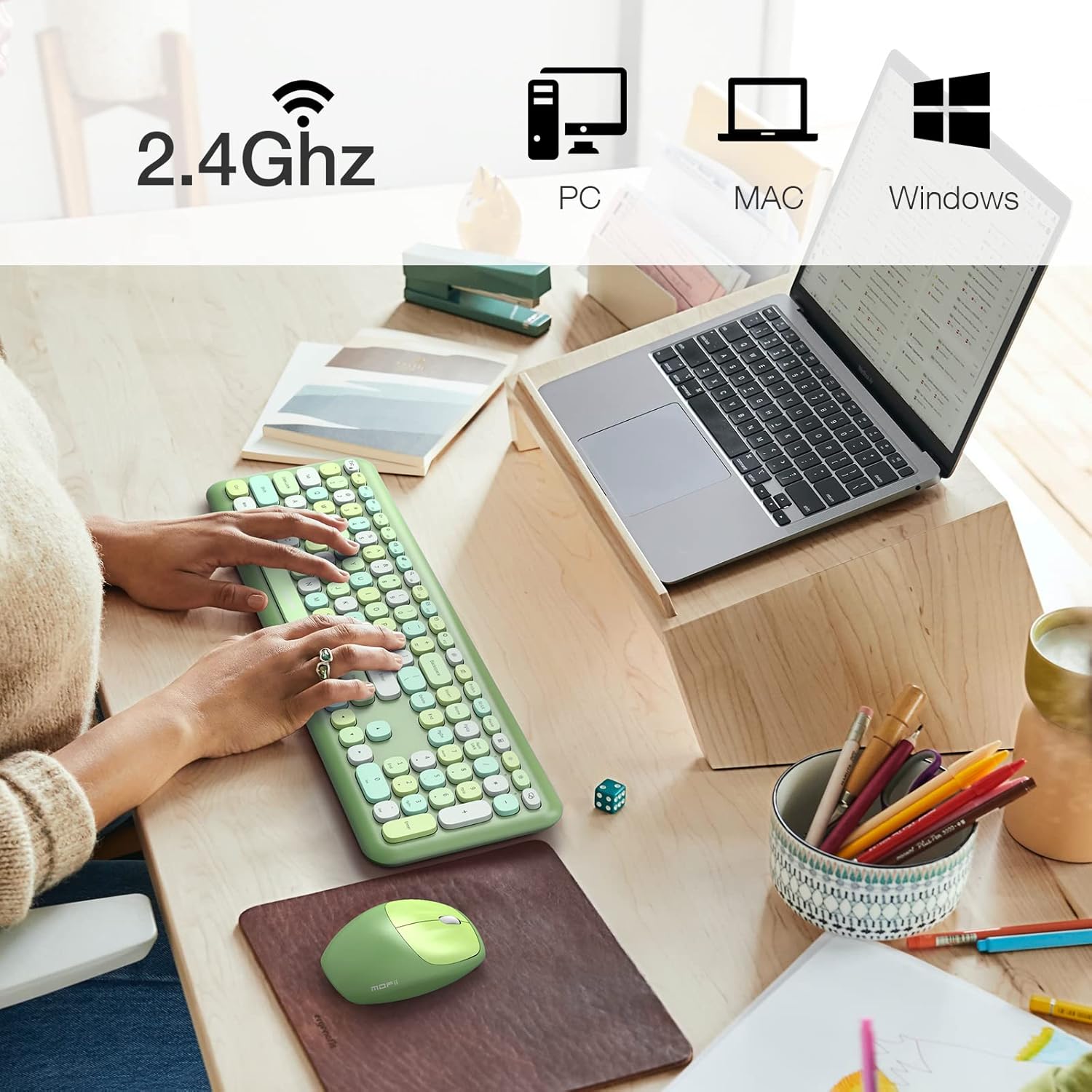
Image: The MOFii wireless mouse showing its battery compartment, where the USB receiver is stored, and indicating a 10-meter wireless range.
آپریٹنگ ہدایات
کی بورڈ کا استعمال:
- ٹائپنگ: The full-size keyboard provides a comfortable typing experience with responsive keys.
- Function Keys (Fn Combinations): Utilize the 'Fn' key in combination with other keys for various shortcuts. For exampلی:
| کلیدی امتزاج | فنکشن |
|---|---|
| Fn + Esc | کمپیوٹر لاک کریں۔ |
| Fn + F1 | پچھلا ٹریک |
| Fn + F2 | میڈیا چلائیں/روکیں۔ |
| Fn + F3 | اگلا ٹریک |
| Fn + F4 | آڈیو خاموش کریں۔ |
| Fn + F5 | والیوم کم |
| Fn + F6 | والیوم اپ |
| Fn + F7 | کھولیں۔ Web براؤزر |
| Fn + F8 | تلاش کریں |
| Fn + F9 | ای میل کلائنٹ کھولیں۔ |
| Fn + F10 | پسندیدہ کھولیں۔ |
| Fn + F12 | ترتیبات کھولیں۔ |

Image: A visual representation of the MOFii keyboard highlighting the 'Fn' key and its various shortcut combinations for enhanced productivity.
ماؤس کا استعمال:
- Clicking and Scrolling: The mouse provides precise tracking and quiet clicks for comfortable navigation.
- خودکار بجلی کی بچت: To conserve battery life, the mouse will automatically enter sleep mode after 15 minutes of inactivity. Press any button to wake it up instantly.

Image: The MOFii wireless mouse, emphasizing its quiet click feature, suitable for environments where minimal noise is desired.

Image: A diagram showing the automatic power-saving features of the MOFii wireless mouse, transitioning from active use to auto-sleep and reactivation.
دیکھ بھال
- صفائی: کی بورڈ اور ماؤس کی سطحوں کو صاف کرنے کے لیے نرم، خشک کپڑا استعمال کریں۔ گہری صفائی کے لیے، تھوڑا سا ڈیamp ہلکے صابن کے ساتھ کپڑا استعمال کیا جا سکتا ہے، اس بات کو یقینی بناتے ہوئے کہ آلات میں کوئی مائع داخل نہ ہو۔
- بیٹری کی تبدیلی: When the devices become unresponsive or performance degrades, replace the batteries. Refer to the 'Setup Instructions' for battery compartment location.
- ذخیرہ: When not in use for extended periods, turn off the devices and store them in a cool, dry place. Consider removing batteries if storing for several months.
خرابی کا سراغ لگانا
- کوئی رابطہ نہیں:
- یقینی بنائیں کہ USB ریسیور محفوظ طریقے سے کام کرنے والے USB پورٹ میں لگا ہوا ہے۔
- Check if the batteries in both the keyboard and mouse are correctly installed and have sufficient charge.
- یقینی بنائیں کہ دونوں ڈیوائسز آن ہیں۔
- USB ریسیور کو مختلف USB پورٹ میں لگانے کی کوشش کریں۔
- وقفہ یا وقفے وقفے سے رابطہ:
- کی بورڈ اور ماؤس کو USB ریسیور کے قریب لے جائیں۔
- رسیور کو دوسرے وائرلیس آلات (مثلاً وائی فائی راؤٹرز، کورڈ لیس فون) کے قریب رکھنے سے گریز کریں جو مداخلت کا سبب بن سکتے ہیں۔
- یقینی بنائیں کہ آلات اور وصول کنندہ کے درمیان کوئی بڑی دھاتی اشیاء نہیں ہیں۔
- ماؤس کرسر چھلانگ لگاتا ہے یا غلط ہے:
- ماؤس کے نیچے والے آپٹیکل سینسر کو صاف کریں۔
- ماؤس کو صاف، غیر عکاس سطح یا ماؤس پیڈ پر استعمال کریں۔
- چابیاں جواب نہیں دے رہی ہیں:
- بیٹری کی سطح چیک کریں اور اگر ضروری ہو تو تبدیل کریں۔
- یقینی بنائیں کہ کی بورڈ آن اور منسلک ہے۔
- اپنے کمپیوٹر کو دوبارہ شروع کریں۔
وضاحتیں
- برانڈ: MOFII
- ماڈل: B09BFBCQWF
- رنگ: Green Mixed
- کنیکٹوٹی ٹیکنالوجی: 2.4GHz USB وائرلیس
- خصوصی خصوصیت: Cute Design, Automatic Power Saving
- ہم آہنگ آلات: Laptop, Personal Computer, Tablet (Windows XP/Vista/7/8/10 or later; not fully compatible with Mac System)
- پیکیج کے طول و عرض: 17.52 x 5.63 x 2.83 انچ
- آئٹم کا وزن: 1.89 پاؤنڈ
- ماؤس DPI: 1200
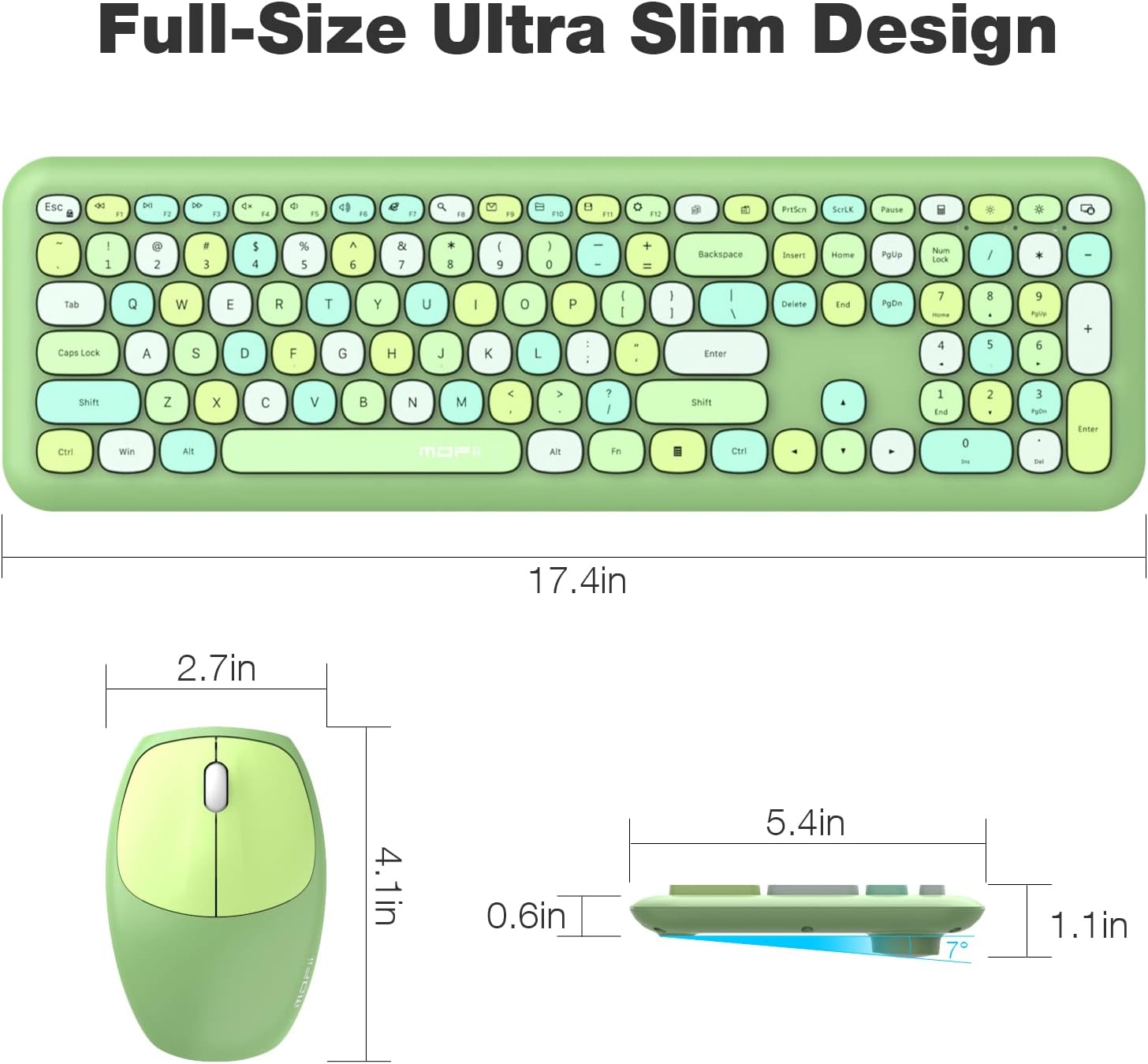
Image: Detailed dimensions of the MOFii wireless keyboard and mouse, illustrating their compact and ergonomic design.
وارنٹی اور سپورٹ
For warranty information and customer support, please refer to the documentation included with your product packaging or visit the official MOFII webسائٹ کسی بھی وارنٹی دعووں کے لیے خریداری کے ثبوت کے طور پر اپنی خریداری کی رسید رکھیں۔
If you encounter any issues not covered in this manual, please contact MOFii customer service for assistance.


