1. پروڈکٹ ختمview
The realme narzo 50A is a smartphone designed for performance and extended usage. It features a MediaTek Helio G85 Octa-core Processor, a large 6000 mAh battery, and a versatile 50MP AI Triple Camera system. The device runs on Android 11.0 and offers a 6.5-inch HD+ display for a clear visual experience.

تصویر: سامنے اور پیچھے view of the realme narzo 50A smartphone, highlighting its design and camera module.
2. باکس میں کیا ہے۔
Upon unboxing your realme narzo 50A, you should find the following items:
- Handset (realme narzo 50A)
- اڈاپٹر
- USB Cable Type C
- SIM Card Tool
- Screen Protect Film
- Important Info Booklet with Warranty Card
- فوری ہدایت نامہ
Video: An unboxing video of the realme narzo 50A, showing the contents of the retail package including the phone, charger, cable, and documentation.
3. سیٹ اپ گائیڈ
3.1 سم کارڈ اور میموری کارڈ داخل کرنا
- اپنے آلے کے سائیڈ پر سم ٹرے کا پتہ لگائیں۔
- Insert the provided SIM ejector tool into the small hole on the SIM tray. Press firmly until the tray pops out.
- اپنے نینو سم کارڈ (ز) اور/یا مائیکرو ایس ڈی کارڈ کو ٹرے پر مقرر کردہ سلاٹس میں رکھیں۔ یقینی بنائیں کہ سونے کے رابطے نیچے کی طرف ہیں۔
- فون میں سم ٹرے کو احتیاط سے دوبارہ داخل کریں جب تک کہ یہ اپنی جگہ پر کلک نہ کرے۔
3.2 آپ کے ڈیوائس پر پاورنگ
- Press and hold the Power button (located on the right side) until the realme logo appears on the screen.
- ابتدائی سیٹ اپ مکمل کرنے کے لیے آن اسکرین ہدایات پر عمل کریں، بشمول زبان کا انتخاب، وائی فائی کنکشن، اور گوگل اکاؤنٹ سیٹ اپ۔
4. آپریٹنگ ہدایات
4.1. بنیادی نیویگیشن
- ٹچ: ایپ کھولنے کے لیے آئیکن کو تھپتھپائیں یا کوئی آئٹم منتخب کریں۔
- سوائپ: Slide your finger across the screen to scroll through pages or content.
- چوٹکی: تصاویر کو زوم ان یا آؤٹ کرنے کے لیے دو انگلیوں کا استعمال کریں۔ web صفحات
- ہوم اسکرین: Swipe up from the bottom to access the app drawer.
4.2. Volume and Power Buttons
- The Volume rocker is located on the right side of the device. Press the upper part to increase volume, and the lower part to decrease volume.
- The Power button is located below the Volume rocker. Press it once to lock/unlock the screen. Press and hold to access power options (Power off, Restart).
5. کیمرے کی خصوصیات
The realme narzo 50A is equipped with a versatile camera system to capture your moments.
- پیچھے والا کیمرہ: 50MP + 2MP + 2MP AI Triple Camera setup. The 50MP primary sensor captures detailed photos, while the additional sensors assist with macro shots and depth effects.
- فرنٹ کیمرہ: واضح سیلفیز اور ویڈیو کالز کے لیے 8MP۔
- کیمرے کے طریقوں: Includes modes such as Photo, Video, Night, Portrait, and Macro.

تصویر: تفصیلی view of the realme narzo 50A's rear camera array and integrated fingerprint sensor.
6. ڈسپلے کی خصوصیات
Experience vibrant visuals on the realme narzo 50A's display.
- سائز: 16.51 cm (6.5 inch) HD+ Display.
- قرارداد: 1600 x 720 پکسلز۔
- ٹیکنالوجی: LCD with 269 PPI and 60Hz refresh rate.
- چمک: Up to 570 nits for clear visibility.
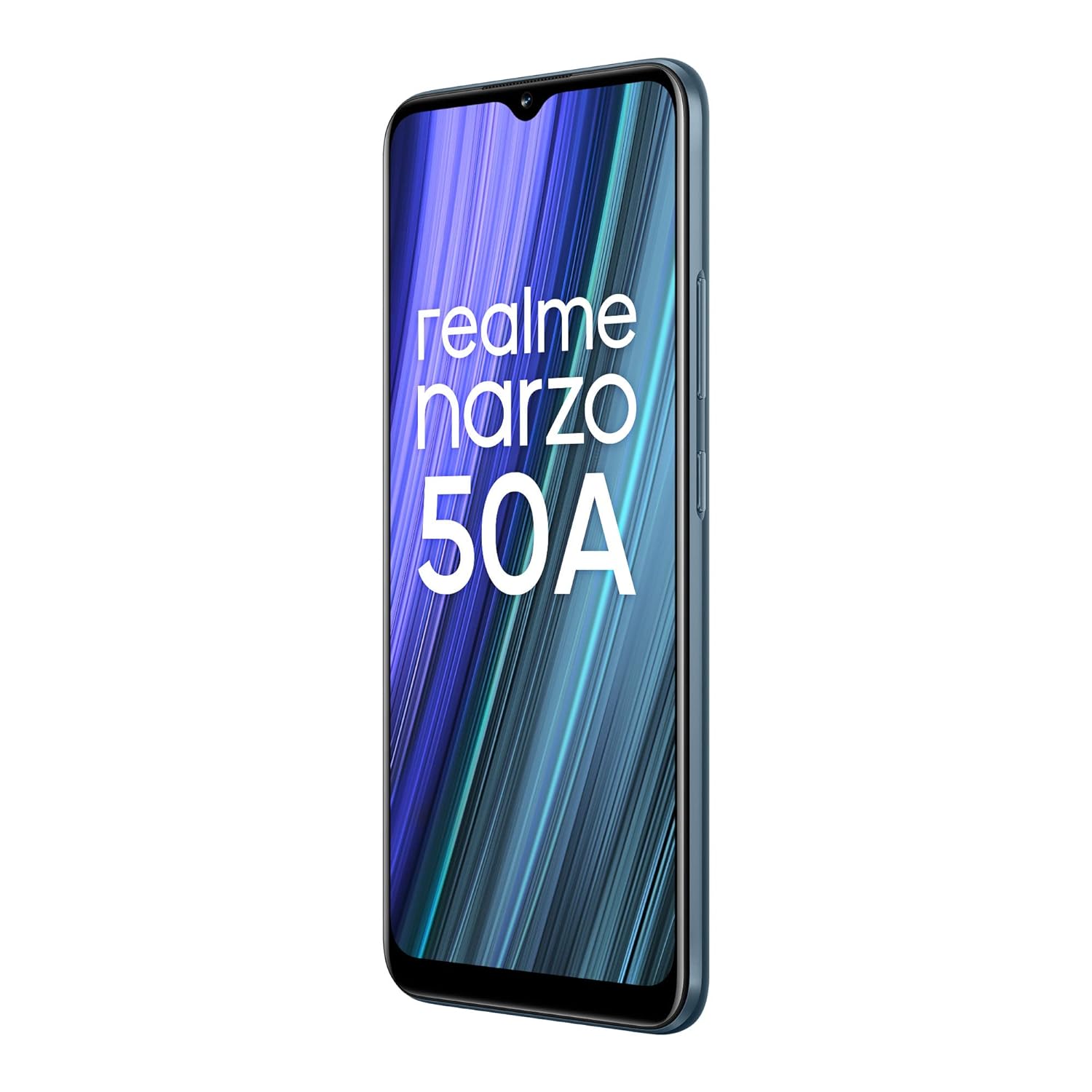
Image: The realme narzo 50A display showcasing a colorful interface.
7. بیٹری اور چارجنگ
The device is powered by a high-capacity battery and supports fast charging.
- بیٹری کی صلاحیت: 6000 mAh لیتھیم پولیمر بیٹری۔
- چارج کرنا: Supports 18W Quick Charge via USB Type-C.
- استعمال: Designed for extended talk time and standby.

Image: Graphic illustrating the 6000 mAh mega battery of the realme narzo 50A.
8. تکنیکی تفصیلات
| فیچر | تفصیلات |
|---|---|
| ماڈل نمبر | RMX3430 |
| آپریٹنگ سسٹم | اینڈرائیڈ 11.0 |
| پروسیسر | MediaTek Helio G85 Octa-core |
| رام | 4 جی بی |
| اندرونی اسٹوریج | 64 GB (Expandable Upto 256 GB) |
| ڈسپلے سائز | 16.51 cm (6.5 inch) HD+ |
| ڈسپلے ریزولوشن | 1600 x 720 پکسلز |
| پیچھے والا کیمرہ | 50MP + 2MP + 2MP ٹرپل کیمرہ |
| سامنے والا کیمرہ | 8MP |
| بیٹری کی صلاحیت | 6000 ایم اے ایچ |
| چارج ہو رہا ہے۔ | 18W کوئیک چارج |
| کنیکٹوٹی | Bluetooth, Wi-Fi, Cellular |
| آڈیو جیک | 3.5 ملی میٹر |
| طول و عرض | 16.5 x 7.6 x 1 سینٹی میٹر |
| وزن | 207 گرام |
9 خرابیوں کا سراغ لگانا
If you encounter issues with your realme narzo 50A, consider the following common solutions:
- ڈیوائس آن نہیں ہو رہی ہے: Ensure the battery is charged. Connect the phone to the charger and wait a few minutes before attempting to power it on again.
- ایپس کا کریش ہونا/جمنا: Try clearing the cache of the problematic app (Settings > Apps > [App Name] > Storage > Clear Cache). If the issue persists, reinstall the app.
- خراب بیٹری لائف: بیک گراؤنڈ ایپ کا استعمال چیک کریں (ترتیبات> بیٹری)۔ اسکرین کی چمک کو کم کریں، استعمال میں نہ ہونے پر GPS یا بلوٹوتھ جیسی غیر ضروری خصوصیات کو غیر فعال کریں۔
- نیٹ ورک کنیکٹیویٹی کے مسائل: Ensure your SIM card is correctly inserted. Try restarting the device or toggling Airplane Mode on and off. Check with your service provider for network status.
- سست کارکردگی: غیر استعمال شدہ بیک گراؤنڈ ایپس کو بند کریں۔ غیر ضروری صاف کریں۔ files and data to free up storage. Consider a factory reset as a last resort (back up your data first).
10 دیکھ بھال
To ensure the longevity and optimal performance of your realme narzo 50A, follow these maintenance tips:
- سافٹ ویئر کو اپ ڈیٹ رکھیں: کارکردگی میں بہتری اور سیکیورٹی پیچ سے فائدہ اٹھانے کے لیے باقاعدگی سے سسٹم اپ ڈیٹس کو چیک کریں اور انسٹال کریں۔
- اسکرین کی حفاظت کریں: Use the provided screen protect film or a third-party screen protector to prevent scratches.
- آہستہ سے صاف کریں: فون کی سکرین اور باڈی کو صاف کرنے کے لیے نرم، لنٹ سے پاک کپڑا استعمال کریں۔ سخت کیمیکلز سے پرہیز کریں۔
- انتہائی درجہ حرارت سے بچیں: Do not expose the device to very high or low temperatures, as this can affect battery life and internal components.
- مناسب طریقے سے چارج کریں: Use only the original charger and cable provided with the device to prevent damage and ensure efficient charging.
11. وارنٹی اور سپورٹ
Your realme narzo 50A comes with a standard manufacturer's warranty. Please refer to the "Important Info Booklet with Warranty Card" included in your package for detailed terms and conditions.
- وارنٹی مدت: Typically 1 year from the date of purchase for the device, and 6 months for accessories.
- کسٹمر سروس: For technical assistance, repairs, or warranty claims, please contact realme customer support. Contact details can usually be found on the official realme webسائٹ یا وارنٹی کتابچے میں۔
- آن لائن وسائل: Visit the official realme support webFAQs، ٹربل شوٹنگ گائیڈز، اور سافٹ ویئر ڈاؤن لوڈز کے لیے سائٹ۔


