1. تعارف
Welcome to the world of smart cooking with the CREATE IKOHS Chefbot Touch. This innovative kitchen robot is designed to simplify your cooking process, offering a wide range of functions and pre-programmed recipes to help you prepare delicious meals with ease. With its intuitive touch screen and integrated WiFi, the Chefbot Touch brings convenience and versatility to your kitchen.
محفوظ اور بہترین آپریشن کو یقینی بنانے کے لیے براہ کرم آلات استعمال کرنے سے پہلے اس دستی کو بغور پڑھیں۔ مستقبل کے حوالے کے لیے اس دستی کو رکھیں۔

Image: The CREATE IKOHS Chefbot Touch, a versatile kitchen robot featuring a stainless steel mixing bowl and an interactive touchscreen interface.
2. کلیدی خصوصیات
The CREATE IKOHS Chefbot Touch is equipped with advanced features to enhance your culinary experience:
- انٹیگریٹڈ وائی فائی: Allows for periodic updates of recipes and software.
- 5 انچ ٹچ اسکرین: For easy navigation and recipe selection.
- 24 خودکار پروگرام: Pre-set functions for various cooking tasks.
- 12 Speeds + Turbo Function: For precise control over mixing and processing.
- درجہ حرارت کی حد: 37 ° C سے 120 ° C تک سایڈست۔
- کھانا پکانے کا وقت: Up to 90 minutes of continuous operation.
- 140+ Preloaded Recipes: A wide variety of recipes available directly on the device.
- ورسٹائل افعال: Capable of beating, whipping, emulsifying, mixing, stirring, confiting, precision cooking (degree by degree), kneading, boiling, keeping warm, fermenting, poaching, bain-marie, low-temperature cooking, slow cooking, steaming, crushing, chopping, grinding, grating, peeling, slicing, dicing, and pulverizing.
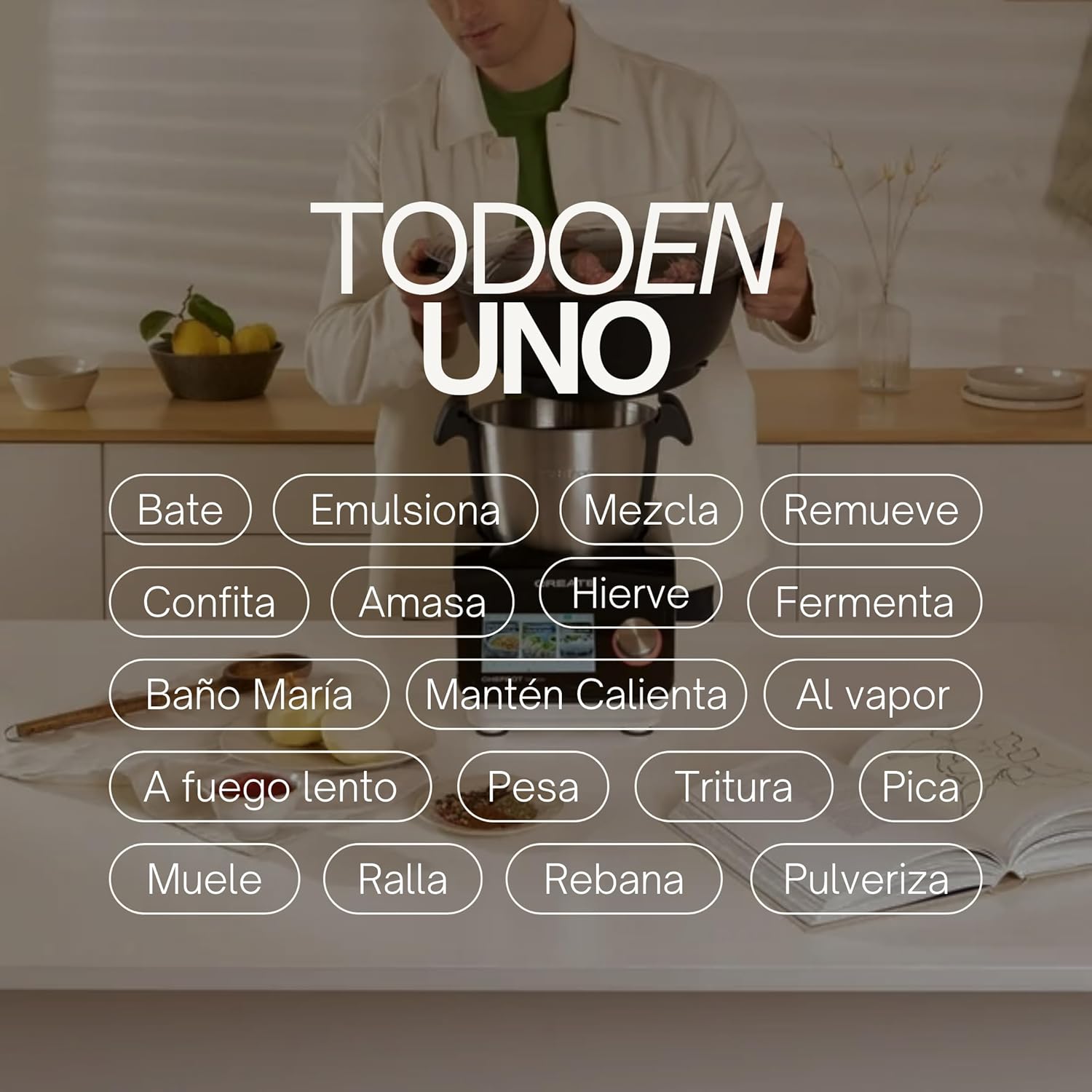
Image: An illustration highlighting the "All-in-One" capabilities of the Chefbot Touch, including functions such as beating, emulsifying, mixing, and more.

Image: A visual summary of the Chefbot Touch's core features: 24 automatic programs, 12 speeds with turbo, and over 140 pre-installed recipes.
3. اجزاء اور لوازمات
The Chefbot Touch comes with a comprehensive set of accessories to support its many functions:
- Ice-crushing Blades: For crushing ice and hard ingredients.
- مکسنگ پیڈل: For gentle stirring and mixing.
- Hand Spatula: کھرچنے اور ہلانے کے لیے۔
- Separator Basket: For cooking ingredients separately within the bowl.
- ماپنے کا کپ: عین مطابق مائع کی پیمائش کے لیے۔
- Butterfly Whisk: For whipping and emulsifying.
- Reversible Cutting Disc: For slicing and grating.
- Food Processor Lid: For use with the cutting disc.
- فوڈ پشر: For safely guiding food into the cutting disc.
- 2-level Steamer Basket: For steaming multiple ingredients simultaneously.

Image: The Chefbot Touch displayed with its full set of ten accessories, designed for various cooking tasks.
4. سیٹ اپ
4.1 ان باکسنگ اور ابتدائی جگہ کا تعین
Carefully remove all components from the packaging. Place the Chefbot Touch on a stable, flat, and dry surface. Ensure there is adequate ventilation around the unit. Keep the appliance away from heat sources and direct sunlight.
4.2 پاور کنکشن
بجلی کی ہڈی کو گراؤنڈڈ برقی آؤٹ لیٹ سے جوڑیں۔ والیوم کو یقینی بنائیںtage آپ کے آلات (110 وولٹ) کی خصوصیات سے میل کھاتا ہے۔
4.3 ابتدائی صفائی
Before first use, clean all removable parts (bowl, lid, accessories) with warm soapy water. Rinse thoroughly and dry completely. Wipe the main unit with a damp کپڑا مین یونٹ کو پانی میں نہ ڈوبیں۔
4.4 وائی فائی کنکشن
To access online recipes and updates, connect your Chefbot Touch to your home WiFi network.
- Turn on the Chefbot Touch.
- Navigate to the settings menu on the touch screen.
- Select "WiFi" or "Network Settings".
- Choose your WiFi network from the list.
- اگر کہا جائے تو اپنا وائی فائی پاس ورڈ درج کریں۔
- Confirm the connection. Once connected, the device will be able to download recipe updates.
5. آپریٹنگ ہدایات
5.1 جنرل آپریشن
The Chefbot Touch is operated primarily through its 5-inch touch screen and the control knob.
- ٹچ اسکرین: Use to select programs, recipes, and adjust settings.
- کنٹرول نوب: Rotate to adjust values (time, temperature, speed) and press to confirm selections.
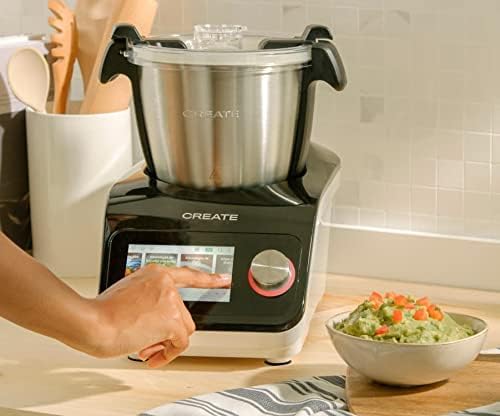
Image: A user demonstrating interaction with the Chefbot Touch's intuitive touchscreen interface.
5.2 خودکار پروگراموں کا استعمال
The 24 automatic programs simplify complex cooking tasks.
- From the main menu, select "Programs".
- Browse through the available programs (e.g., Knead, Steam, Chop).
- Select the desired program. The device will guide you through the necessary steps and settings.
5.3 Following Preloaded Recipes
Access over 140 preloaded recipes directly on the device.
- Select "Recipes" from the main menu.
- Browse or search for a recipe.
- Select the recipe. The screen will display step-by-step instructions, including ingredients, quantities, and cooking parameters.
- Follow the on-screen prompts to add ingredients and operate the machine.
5.4 دستی وضع
For custom cooking, use the manual mode to set time, temperature, and speed independently.
- Select "Manual" or "Custom" mode.
- Use the touch screen and control knob to set the desired cooking time (up to 90 minutes), temperature (37°C to 120°C), and speed (1-12 or Turbo).
- کھانا پکانا شروع کرنے کے لیے اسٹارٹ دبائیں۔
5.5 آپریشن کے دوران حفاظتی احتیاطی تدابیر
- Always ensure the lid is properly secured before operating, especially when using high speeds or hot liquids.
- پیالے کو زیادہ نہ بھریں۔
- Be cautious when handling hot liquids or steam.
- Use the provided spatula or other appropriate utensils to scrape down ingredients, always stopping the machine first.
- Keep hands and utensils away from moving blades.
6. دیکھ بھال اور صفائی
Regular cleaning ensures the longevity and optimal performance of your Chefbot Touch.
6.1 Cleaning the Bowl and Accessories
- The stainless steel bowl should be washed by hand with warm soapy water. Rinse thoroughly and dry immediately to prevent water spots.
- Most accessories are dishwasher safe. Refer to individual accessory instructions for specific cleaning guidelines.
- ضدی کھانے کی باقیات کے لیے، صفائی سے پہلے حصوں کو گرم صابن والے پانی میں بھگو دیں۔
6.2 مین یونٹ کی صفائی
- مرکزی یونٹ کے بیرونی حصے کو نرم، ڈی کے ساتھ صاف کریں۔amp کپڑا
- کھرچنے والے کلینر یا سکورنگ پیڈ استعمال نہ کریں، کیونکہ وہ سطح کو نقصان پہنچا سکتے ہیں۔
- مین یونٹ کو کبھی بھی پانی میں یا کسی دوسرے مائع میں نہ ڈوبیں۔
- اس بات کو یقینی بنائیں کہ یونٹ صاف کرنے سے پہلے ان پلگ ہے۔
6.3 اسٹوریج
Store the Chefbot Touch and its accessories in a clean, dry place when not in use. Ensure all parts are completely dry before storage.
7 خرابیوں کا سراغ لگانا
If you encounter issues with your Chefbot Touch, refer to the following common problems and solutions:
| مسئلہ | ممکنہ وجہ | حل |
|---|---|---|
| آلات آن نہیں ہوتا ہے۔ | پلگ ان نہیں؛ پاور سوئچ آف؛ طاقت آپtage. | Ensure power cord is securely plugged in. Check the main power switch. Verify power supply. |
| Motor stops during operation or overheats. | Overload; prolonged continuous use; safety mechanism activated. | Reduce the amount of ingredients. Allow the appliance to cool down for at least 30-60 minutes before resuming use. This is a safety feature to prevent damage. |
| ڈھکن ٹھیک سے بند نہیں ہو رہا ہے۔ | Obstruction; incorrect alignment. | Check for any food particles or accessories blocking the lid. Ensure the lid is correctly aligned and locked into place. |
| وائی فائی کنکشن کے مسائل۔ | Incorrect password; weak signal; router issues. | Double-check the WiFi password. Move the unit closer to the router. Restart your router. |
| اسکرین پر غلطی کا پیغام۔ | مخصوص آپریشنل مسئلہ۔ | Note the error code or message. Refer to the digital manual on the device or contact customer support for specific guidance. |
If the problem persists after attempting these solutions, please contact CREATE customer support.
8. وضاحتیں
Technical specifications for the CREATE IKOHS Chefbot Touch:
| فیچر | تفصیلات |
|---|---|
| برانڈ | تخلیق کریں۔ |
| ماڈل | Chefbot Touch |
| رنگ | سیاہ |
| طاقت | 1400 واٹ |
| والیومtage | 110 وولٹ |
| مواد | Stainless Steel (bowl), Aluminum (body) |
| رفتار کی تعداد | 12 + Turbo |
| درجہ حرارت کی حد | 37 ° C سے 120 ° C |
| Max Continuous Operation | 90 منٹ |
| ہم آہنگ آلات | آئی او ایس، اینڈرائیڈ |
| پروڈکٹ کے طول و عرض (L x W x H) | 38 x 24 x 23 سینٹی میٹر |
| پروڈکٹ کا وزن | 10 کلوگرام |

تصویر: سامنے view of the Chefbot Touch, illustrating its dimensions (465mm height, 380mm width) and 3.5L bowl capacity.
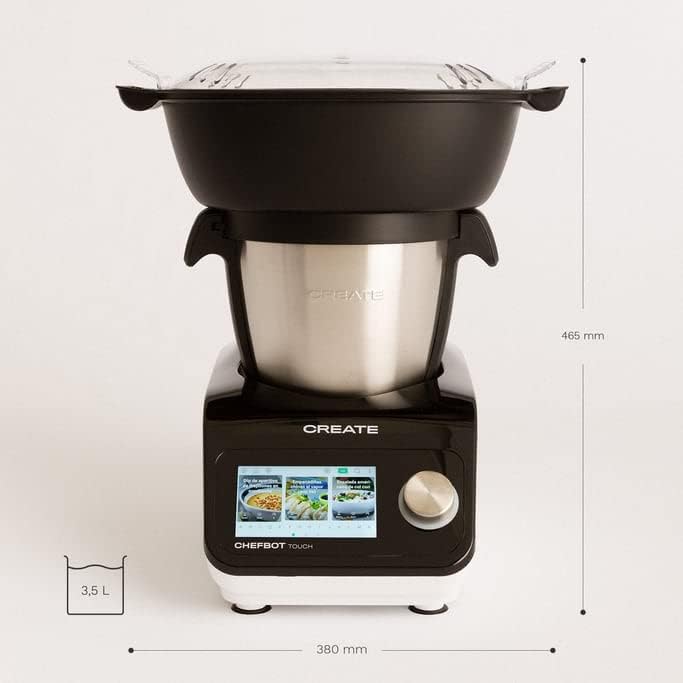
تصویر: سائیڈ view of the Chefbot Touch, showing its depth dimension of 380mm.
9. وارنٹی اور سپورٹ
For information regarding warranty coverage, terms, and conditions, please refer to the documentation included with your purchase or visit the official CREATE webسائٹ
If you require technical assistance, have questions about your product, or need to report an issue, please contact CREATE customer support through their official channels.
مینوفیکچرر: IKOHS بنائیں


