تعارف
This manual provides detailed instructions for the safe and effective operation of your Minolta MN4K25NV 4K Ultra HD Camcorder. Please read this manual thoroughly before using the device to ensure proper functionality and to maximize your recording experience. Keep this manual for future reference.
The Minolta MN4K25NV camcorder is designed for capturing high-quality video and still images. It features 4K Ultra HD video recording, 30MP still photo capabilities, infrared night vision, and a 3-inch touchscreen display for intuitive control.
پروڈکٹ ختمview
Familiarize yourself with the components and controls of your camcorder.

تصویر 1: سامنے والا view of the Minolta MN4K25NV camcorder with the 3-inch touchscreen display open, showing a family playing outdoors.
اہم خصوصیات میں شامل ہیں:
- 4K الٹرا ایچ ڈی ویڈیو: Records video at 24 frames per second (fps).
- 1080p مکمل ایچ ڈی ویڈیو: Records video at 60 frames per second (fps).
- 30MP اسٹیل تصاویر: High-resolution image capture.
- انفراریڈ نائٹ ویژن: Built-in IR LEDs for recording in low-light or total darkness up to 35 feet.
- 16X ڈیجیٹل زوم: Allows for closer viewدور کے مضامین کے s.
- 3.0" IPS Touchscreen: For easy framing, playback, and menu navigation.
- اینٹی شیک استحکام: کیمرے کی نقل و حرکت سے دھندلا پن کو کم کرتا ہے۔
- تخلیقی خصوصیات: Time-Lapse, Loop Recording, Intelligent Scene Modes, Face Detection.

تصویر 2: Diagram illustrating the camcorder's core capabilities: 4K Ultra HD video, 30MP high-resolution stills, 16X digital zoom, and intelligent scene modes.
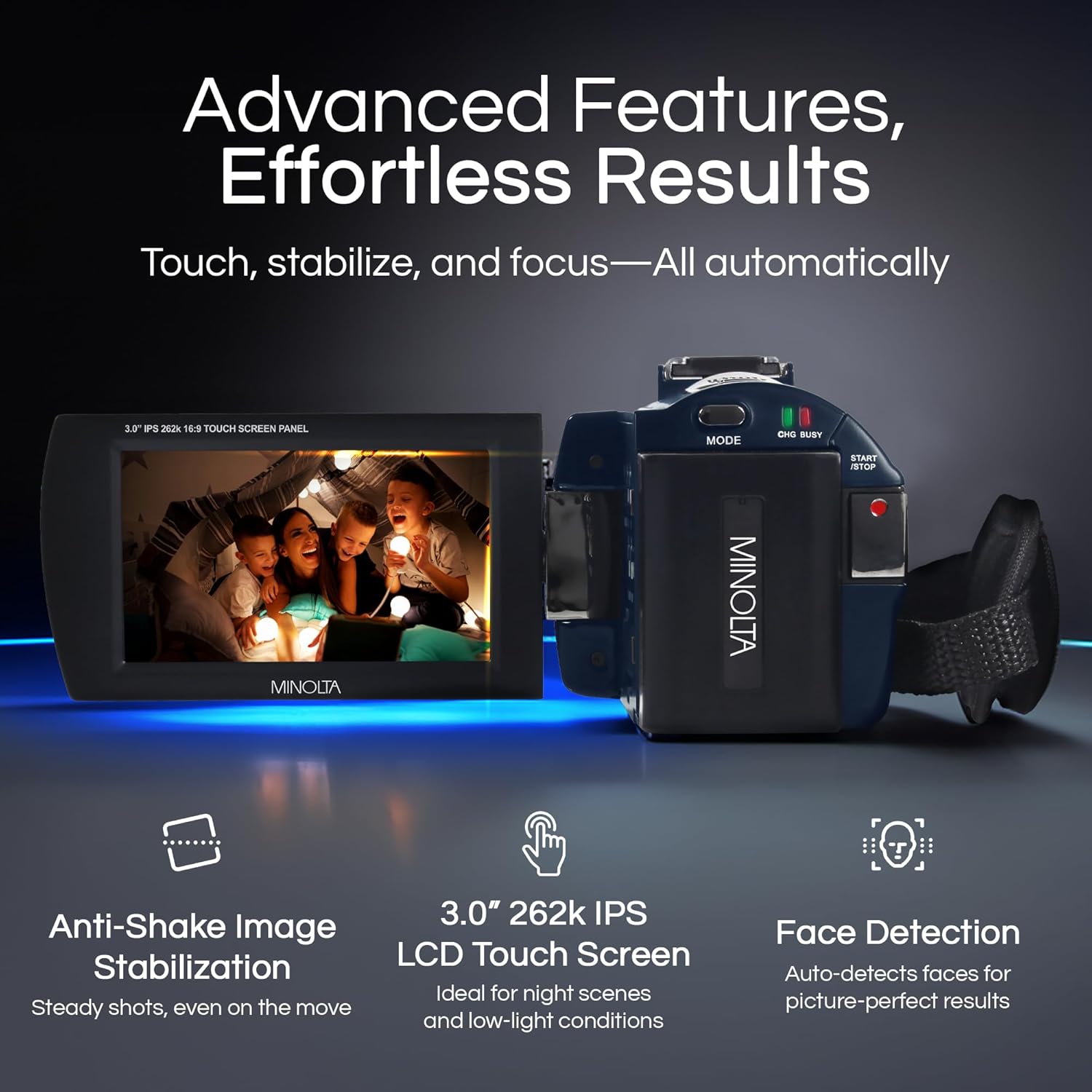
تصویر 3: Visual representation of advanced features: Anti-Shake Image Stabilization for steady shots, the 3.0" IPS LCD Touch Screen for intuitive control, and Face Detection for optimized portraits.
سیٹ اپ
1. بیٹری چارج کرنا
The camcorder uses a rechargeable Lithium-Ion battery. Before first use, fully charge the battery using the provided AC adaptor and USB cable. The charging indicator light will typically show the charging status and turn off or change color when fully charged.
2 ایس ڈی کارڈ داخل کرنا
The Minolta MN4K25NV supports SDXC memory cards up to 128GB. A 32GB SD card is included with your purchase.
- Locate the SD card slot on the camcorder.
- SD کارڈ کو دھاتی رابطوں کے ساتھ داخل کریں جس کا رخ صحیح سمت ہو (اگر دستیاب ہو تو سلاٹ کے قریب کا خاکہ دیکھیں) جب تک کہ یہ اپنی جگہ پر کلک نہ کرے۔
- To remove, gently press the card until it springs out, then pull it out.
نوٹ: Ensure the camcorder is powered off before inserting or removing the SD card to prevent data corruption.
3. ابتدائی پاور آن
Press and hold the power button to turn on the camcorder. The 3.0" IPS touchscreen will illuminate, displaying the live view or menu interface.
آپریٹنگ ہدایات
ویڈیو ریکارڈنگ
- کیمکارڈر کو آن کریں۔
- Ensure the camcorder is in video recording mode (usually indicated by an icon on the screen).
- Frame your shot using the touchscreen display.
- Press the Record/Stop button to start recording. A red indicator or on-screen timer will confirm recording is active.
- Press the Record/Stop button again to stop recording.
فوٹو کھینچنا
- Switch the camcorder to photo mode.
- اپنے موضوع کو فریم کریں۔
- Press the Shutter button (often separate from the Record button) to capture a 30MP still image.
Night Vision with IR LEDs
To record in low-light or complete darkness:
- Access the menu settings to enable the Infrared (IR) Night Vision function.
- The built-in IR LEDs will activate, allowing the camcorder to capture clear footage up to 35 feet.
- The display will typically show a monochrome (black and white) image when IR is active.

تصویر 4: The camcorder demonstrating its built-in IR night vision capability, capturing a scene in total darkness up to 35 feet.
ڈیجیٹل زوم کا استعمال
Use the zoom controls (usually a rocker switch or on-screen buttons) to adjust the 16X digital zoom. Zoom in to magnify distant subjects or zoom out for a wider field of view.
خصوصی خصوصیات
- وقت گزر جانے کے: Set intervals (1s - 30min) to capture a series of photos over time and compile them into a video.
- لوپ ریکارڈنگ: سب سے قدیم foo کو اوور رائٹ کرتے ہوئے، حصوں میں ویڈیو ریکارڈ کرتا ہے۔tage جب میموری کارڈ بھرا ہوا ہو۔
- ذہین منظر کے طریقوں: Automatically adjusts settings for optimal results in various shooting environments.
- چہرہ شناخت: Optimizes focus and exposure for faces in the frame.
- اینٹی شیک استحکام: Electronically minimizes camera shake for smoother video and sharper photos.
کنیکٹوٹی
HDMI آؤٹ پٹ
Connect the camcorder to an HDTV or monitor using the provided HDMI cable to view your recordings in high definition.
USB کنکشن
Use the USB cable to connect the camcorder to a computer for transferring files (videos and photos) or for charging the battery.
دیکھ بھال
صفائی
- Use a soft, dry cloth to clean the camcorder body.
- For the lens and touchscreen, use a specialized lens cleaning cloth and solution to avoid scratches.
- سخت کیمیکل یا کھرچنے والے مواد کا استعمال نہ کریں۔
ذخیرہ
When not in use, store the camcorder in a cool, dry place, away from direct sunlight and extreme temperatures. Remove the battery if storing for extended periods.
خرابی کا سراغ لگانا
If you encounter issues with your camcorder, refer to the following common solutions:
- کیمکارڈر آن نہیں ہوتا ہے: یقینی بنائیں کہ بیٹری پوری طرح سے چارج ہے اور صحیح طریقے سے ڈالی گئی ہے۔
- ریکارڈ نہیں کیا جا سکتا: Check if an SD card is inserted and has sufficient free space. Ensure the card is not locked (write-protected).
- خراب تصویر/ویڈیو کوالٹی: Clean the lens. Ensure adequate lighting. Adjust settings if in a specific scene mode.
- ٹچ اسکرین غیر جوابدہ: Power off and restart the camcorder.
For further assistance, please consult the manufacturer's support resources.
وضاحتیں
| فیچر | تفصیل |
|---|---|
| ماڈل نمبر | MN4K25NV |
| ویڈیو کیپچر ریزولوشن | 4K (24fps), 1080p (60fps) |
| فوٹو ریزولوشن | 30 میگا پکسلز |
| فوٹو سینسر ٹیکنالوجی | CMOS |
| اسکرین کا سائز | 3.0 انچ آئی پی ایس ٹچ اسکرین |
| ڈیجیٹل زوم۔ | 16X |
| نائٹ ویژن رینج۔ | Up to 35 feet (with IR LEDs) |
| فلیش میموری کی قسم | SD (SDXC compatible up to 128GB) |
| کنیکٹوٹی ٹیکنالوجی | HDMI, USB, Infrared |
| بیٹریاں | 1 لتیم آئن بیٹری (شامل) |
| شے کا وزن | 10.4 اونس |
| مصنوعات کے طول و عرض | 2.18 x 5.12 x 2.4 انچ |
باکس میں کیا ہے۔
مکمل پیکیج میں شامل ہیں:
- Minolta MN4K25NV Camcorder
- تھیلی
- USB کیبل
- HDMI کیبل
- ریموٹ کنٹرول
- لینس کیپ
- ریچارج ایبل لتیم آئن بیٹری
- 32 جی بی میموری کارڈ
- AC اڈاپٹر
وارنٹی اور سپورٹ
For warranty information and customer support, please refer to the documentation included with your purchase or visit the official Minolta webسائٹ وارنٹی کے دعووں کے لیے اپنی خریداری کا ثبوت رکھیں۔


