تعارف
This manual provides detailed instructions for the setup, operation, maintenance, and troubleshooting of your 3PLUS Vibe Pro Smart Watch. Please read this manual thoroughly to ensure proper use and to maximize the features of your device.

Image: The 3PLUS Vibe Pro Smart Watch, featuring a black watch body with a black silicone band, accompanied by an additional pink silicone band. The watch display shows time, date, activity metrics, and weather.
سیٹ اپ
1. ڈیوائس کو چارج کرنا
Before initial use, fully charge your 3PLUS Vibe Pro Smart Watch. Connect the magnetic charging cable to the charging contacts on the back of the watch and plug the USB end into a power adapter (not included) or a computer USB port. The watch display will indicate charging status.
2. ایپ کی تنصیب
To unlock the full potential of your smart watch, download the official 3Plus app on your smartphone. The app is compatible with both iPhone and Android devices.
- تلاش کریں۔ "3Plus" in the Apple App Store (for iOS) or Google Play Store (for Android).
- ایپلیکیشن ڈاؤن لوڈ اور انسٹال کریں۔
- Follow the on-screen prompts to create an account or log in.
3. اپنی سمارٹ واچ کو جوڑنا
یقینی بنائیں کہ آپ کے اسمارٹ فون کا بلوٹوتھ فعال ہے۔
- Open the 3Plus app on your smartphone.
- Navigate to the device pairing section (usually found under 'Devices' or 'Profile')۔
- Select 'Add New Device' or similar option.
- The app will search for nearby 3PLUS Vibe Pro Smart Watches. Select your watch from the list.
- اپنی گھڑی اور اسمارٹ فون دونوں پر جوڑا بنانے کی درخواست کی تصدیق کریں۔
آپریٹنگ ہدایات
بنیادی نیویگیشن
- ٹچ اسکرین: مینوز اور اسکرینز کے ذریعے نیویگیٹ کرنے کے لیے بائیں/دائیں، اوپر/نیچے سوائپ کریں۔ ایک اختیار منتخب کرنے کے لیے تھپتھپائیں۔
- سائیڈ بٹن: ہوم اسکرین پر واپس جانے کے لیے دبائیں یا ڈیوائس کو جگائیں۔ پاور آپشنز کے لیے دیر تک دبائیں۔
کلیدی خصوصیات
GPS ٹریکنگ
The integrated GPS allows for accurate tracking of outdoor activities without needing your phone. Ensure GPS is enabled in the watch settings for outdoor workouts.
دل کی شرح کی نگرانی
گھڑی آپ کے دل کی دھڑکن کی مسلسل نگرانی کرتی ہے۔ View real-time data on the watch or detailed trends in the 3Plus app.
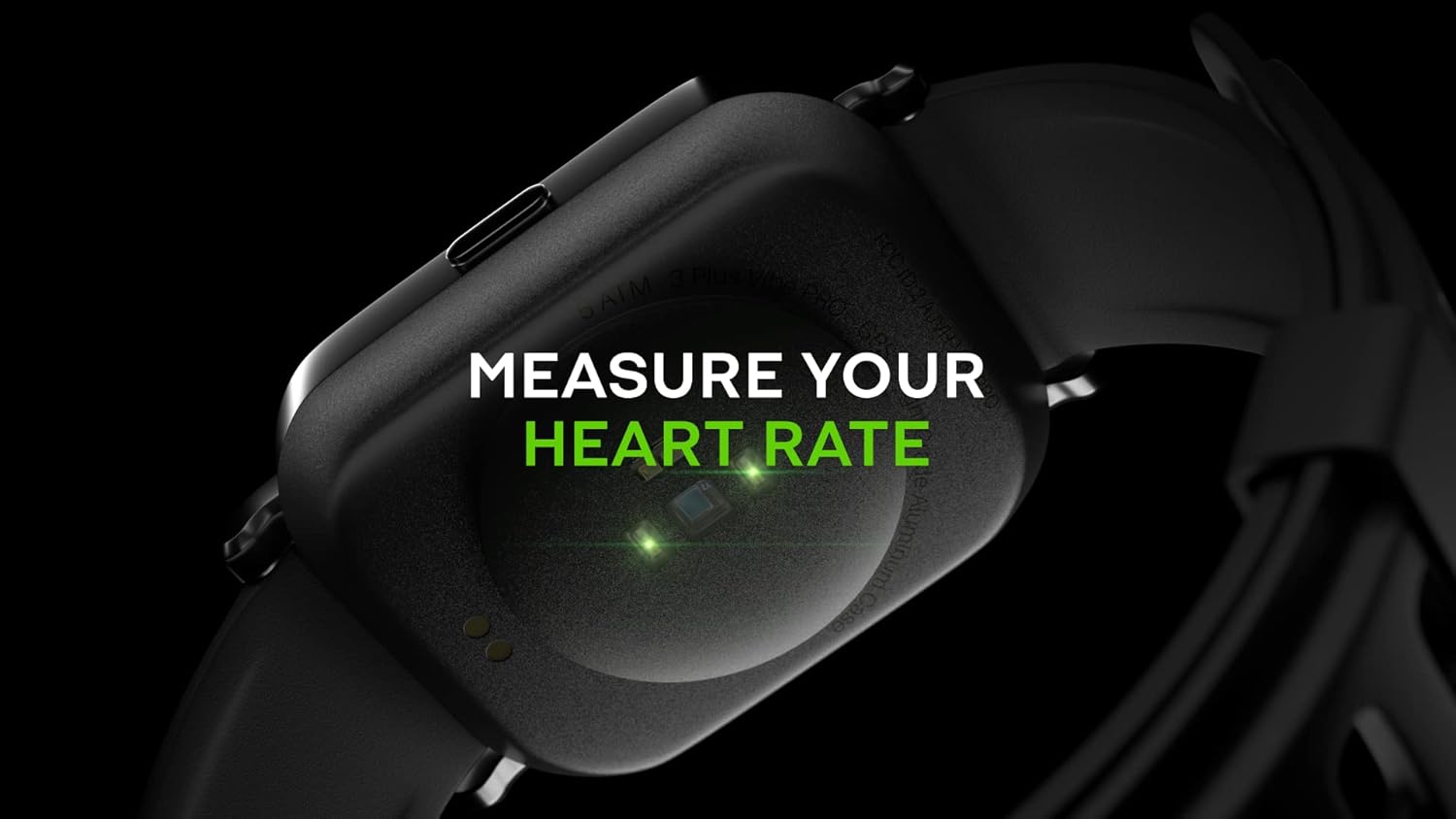
Image: Close-up of the back of the 3PLUS Vibe Pro Smart Watch, showing green LED lights indicating heart rate measurement in progress. Text overlay reads "MEASURE YOUR HEART RATE".
بلڈ آکسیجن (SpO2) کی نگرانی
Measure your blood oxygen saturation levels directly from your wrist. For accurate readings, remain still during measurement.

Image: The 3PLUS Vibe Pro Smart Watch display showing a blood oxygen measurement in progress, with a circular animation and text instructing the user to stay still. Text overlay reads "MEASURE YOUR BLOOD OXYGEN".
نیند کی نگرانی
گھڑی خود بخود آپ کی نیند کے پیٹرن کو ٹریک کرتی ہے، بشمول گہری نیند، ہلکی نیند، اور جاگنے کے اوقات۔ دوبارہview your sleep data in the 3Plus app to understand your sleep quality.

Image: A person sleeping with the 3PLUS Vibe Pro Smart Watch on their wrist, showing the watch display with sleep data (deep sleep, light sleep, awake time). Text overlay indicates "6 HOURS 52 MINUTES SLEPT".
متعدد اسپورٹس موڈز
Select from various sports modes to track specific activities like running, cycling, basketball, and more. Each mode provides relevant metrics for your workout.

Image: The 3PLUS Vibe Pro Smart Watch display showing a list of workout modes, including Basketball and Soccer, with a basketball player in the background. Text overlay reads "MULTIPLE SPORTS MODES".
سمارٹ اطلاعات
اپنے اسمارٹ فون سے منسلک ہونے پر براہ راست اپنی کلائی پر کالز، پیغامات اور ایپ الرٹس کے لیے اطلاعات موصول کریں۔

Image: The 3PLUS Vibe Pro Smart Watch display showing various notifications from messaging apps like Messenger, Instagram, and Facebook. Speech bubbles representing these apps are floating around the watch.
5ATM پانی کے خلاف مزاحمت
The watch is rated 5ATM water resistant, meaning it can withstand pressures equivalent to a depth of 50 meters. It is suitable for swimming and showering but not for diving or high-pressure water activities.

Image: The 3PLUS Vibe Pro Smart Watch covered in water droplets, emphasizing its water resistance. Text overlay reads "5 ATM RATED WATER RESISTANT".
دیکھ بھال
اپنی اسمارٹ واچ کو صاف کرنا
- Regularly clean the watch body and bands with a soft, damp کپڑا
- For the charging contacts and sensors on the back, use a dry cotton swab to gently remove any dirt or debris.
- Avoid using harsh chemicals or abrasive materials, as they may damage the device.
بینڈ کیئر
If your watch comes with silicone bands, clean them regularly with mild soap and water to prevent skin irritation, especially after workouts or prolonged wear. Ensure the band is completely dry before reattaching it to the watch.
خرابی کا سراغ لگانا
آن نہیں ہوتے دیکھیں
- یقینی بنائیں کہ گھڑی پوری طرح سے چارج ہے۔ اسے چارجر سے کم از کم 30 منٹ تک جوڑیں۔
- Try performing a soft reset by pressing and holding the side button for 10-15 seconds.
اسمارٹ فون کے ساتھ جوڑا نہیں بن سکتا
- یقینی بنائیں کہ آپ کے اسمارٹ فون پر بلوٹوتھ فعال ہے۔
- Ensure the watch is within Bluetooth range (typically 10 meters or 33 feet).
- اپنی گھڑی اور اسمارٹ فون دونوں کو دوبارہ شروع کریں۔
- چیک کریں کہ آیا 3Plus ایپ کو تازہ ترین ورژن میں اپ ڈیٹ کیا گیا ہے۔
- اگر پہلے جوڑا بنایا گیا ہو تو اپنے فون کی بلوٹوتھ سیٹنگز سے ڈیوائس کا جوڑا ختم کرنے کی کوشش کریں اور پھر ایپ کے ذریعے دوبارہ جوڑا بنائیں۔
Inaccurate Readings (Heart Rate, SpO2, Sleep)
- یقینی بنائیں کہ گھڑی آپ کی کلائی پر اچھی طرح پہنی ہوئی ہے، آپ کی کلائی کی ہڈی کے اوپر تقریباً ایک انگلی کی چوڑائی۔
- سینسر کو صاف اور گندگی یا پسینے سے پاک رکھیں۔
- For SpO2, remain still during the measurement.
اطلاعات ظاہر نہیں ہو رہی ہیں۔
- تصدیق کریں کہ گھڑی بلوٹوتھ کے ذریعے آپ کے اسمارٹ فون سے منسلک ہے۔
- Check notification settings within the 3Plus app to ensure app notifications are enabled.
- Ensure your phone's notification settings allow the 3Plus app to send notifications.
وضاحتیں
| فیچر | تفصیلات |
|---|---|
| ماڈل کا نام | وائب پرو اسمارٹ واچ |
| ڈسپلے سائز | 1.78 Inches AMOLED Color Touchscreen |
| پانی کی مزاحمت | 5ATM (up to 50 meters) |
| کنیکٹوٹی | بلوٹوتھ |
| جی پی ایس | بلٹ ان GPS |
| سینسر | Heart Rate Monitor, Blood Oxygen Monitor |
| مطابقت | iPhone & Android |
| شے کا وزن | 7.8 اونس |
| پیکیج کے طول و عرض | 6.69 x 4.09 x 2.28 انچ |
| سب سے پہلے دستیاب ہے۔ | 14 جنوری 2022 |
وارنٹی اور سپورٹ
For warranty information and customer support, please refer to the official 3Plus website or contact their customer service directly. Details can typically be found on the product packaging or within the 3Plus mobile application.
Official 3Plus Store: Visit the 3Plus Store on Amazon
آفیشل پروڈکٹ ویڈیوز
فراہم کردہ ڈیٹا میں اس پروڈکٹ کے لیے کوئی آفیشل سیلر ویڈیوز نہیں ملے۔


