1. تعارف
Thank you for choosing the realme TechLife Portable Room Air Purifier. This manual provides essential information for the safe and efficient operation, maintenance, and troubleshooting of your device. Please read this manual thoroughly before use and retain it for future reference.
2. حفاظتی ہدایات
برقی جھٹکا، آگ، یا چوٹ کے خطرے کو کم کرنے کے لیے، براہ کرم درج ذیل حفاظتی تدابیر پر عمل کریں:
- صاف کرنے، دیکھ بھال کرنے، یا استعمال میں نہ ہونے سے پہلے ہمیشہ ایئر پیوریفائر کو ان پلگ کریں۔
- یونٹ کو خراب شدہ ڈوری یا پلگ سے نہ چلائیں۔ اگر ڈوری یا پلگ خراب ہو جائے تو کسٹمر سپورٹ سے رابطہ کریں۔
- Do not block air inlets or outlets. Ensure adequate space around the unit for proper airflow.
- گیلے یا ڈی میں ہوا صاف کرنے والا استعمال نہ کریں۔amp ماحول، جیسے باتھ روم یا لانڈری۔
- یونٹ کو گرمی کے ذرائع، براہ راست سورج کی روشنی اور آتش گیر مواد سے دور رکھیں۔
- یہ آلات کم جسمانی، حسی یا دماغی صلاحیتوں، یا تجربے اور علم کی کمی والے افراد (بشمول بچوں) کے استعمال کے لیے نہیں ہے، جب تک کہ ان کی حفاظت کے لیے ذمہ دار کسی فرد کی جانب سے آلات کے استعمال سے متعلق نگرانی یا ہدایات نہ دی گئی ہوں۔
- Only use genuine realme replacement filters.
3. پیکیج کے مشمولات
تصدیق کریں کہ تمام اشیاء پیکیج میں موجود ہیں:
- realme TechLife Portable Room Air Purifier Unit
- HEPA H12 Filter (pre-installed or separate)
- پاور اڈاپٹر
- صارف دستی
4. پروڈکٹ ختمview
4.1 اجزاء
The image below illustrates the main components of the realme TechLife Portable Room Air Purifier.
شکل 1: سامنے view of the realme TechLife Portable Room Air Purifier. The unit is white with a sleek, minimalist design.
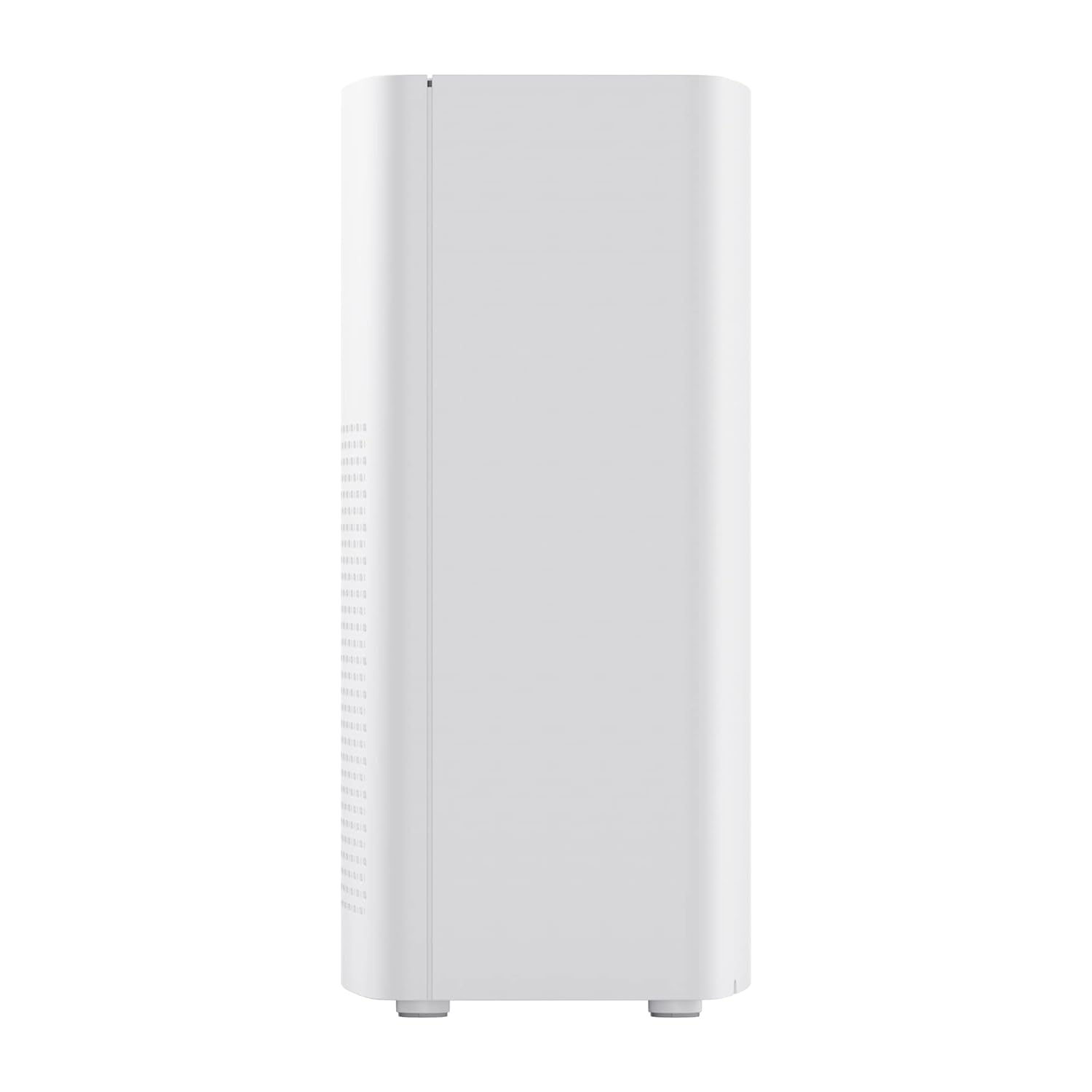
شکل 2: طرف view of the realme TechLife Portable Room Air Purifier, showing its compact and lightweight profile.
4.2 کنٹرول پینل
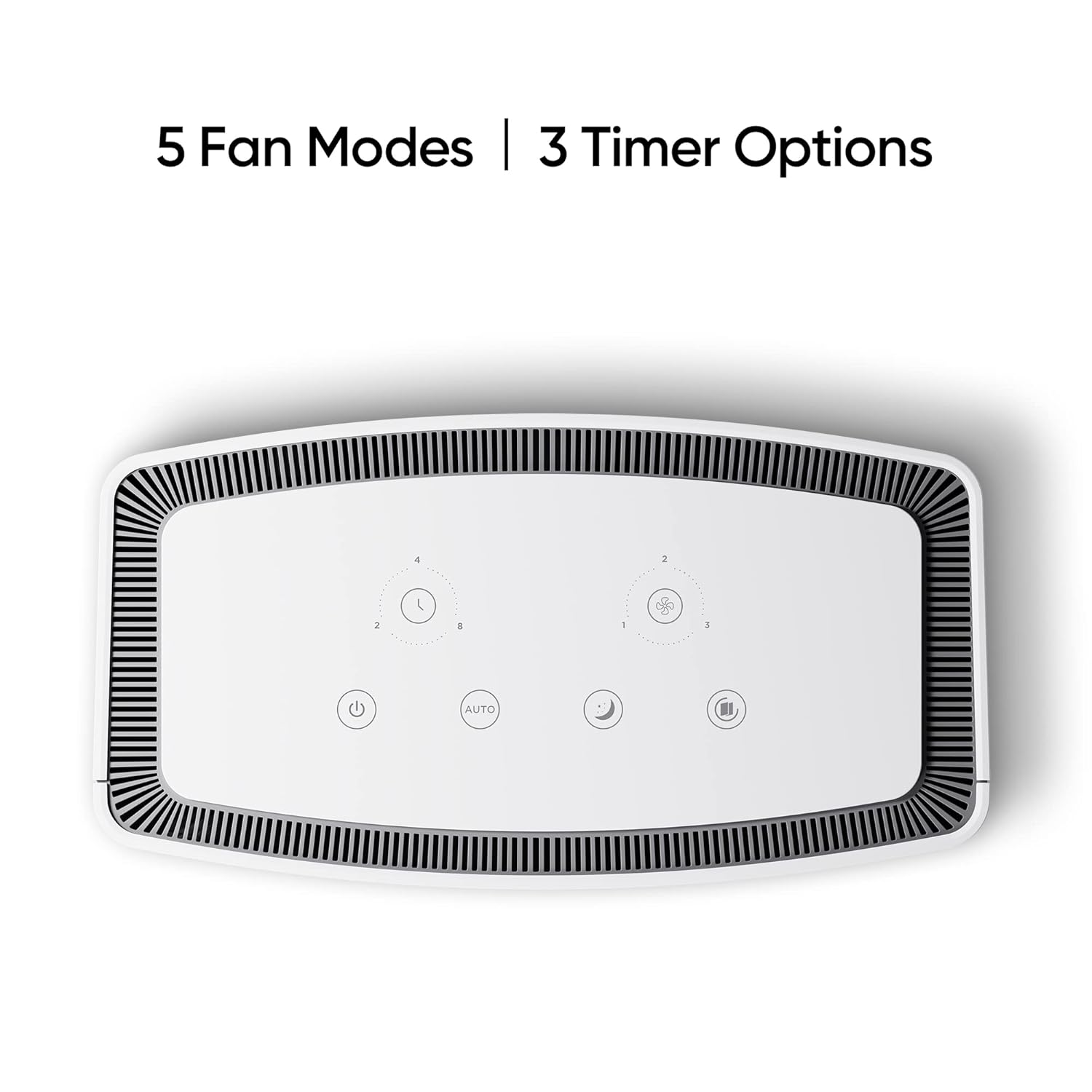
کنٹرول پینل ایئر پیوریفائر کے اوپری حصے پر واقع ہے اور اس میں مختلف افعال کے لیے ٹچ حساس بٹن موجود ہیں۔

شکل 3: اوپر سے نیچے view of the control panel, displaying touch buttons for power, auto mode, sleep mode, fan speed, and timer settings.
- پاور بٹن: یونٹ کو آن یا آف کرتا ہے۔
- AUTO Mode Button: Activates automatic fan speed adjustment based on air quality.
- سلیپ موڈ بٹن: Sets the fan to its lowest speed for quiet operation.
- پنکھے کی رفتار کا بٹن: Cycles through manual fan speed settings (e.g., Level 1, 2, 3).
- ٹائمر بٹن: Sets the operating duration (e.g., 2, 4, 8 hours).
- ہوا کے معیار کا اشارے: Displays current air quality (color-coded).
5. سیٹ اپ
5.1 فلٹر کی تنصیب
The HEPA filter may be pre-installed or require installation before first use.
- Unpack the air purifier and place it on a stable, flat surface.
- Locate the filter compartment cover, usually at the bottom or rear of the unit.
- Open the cover and remove any plastic packaging from the HEPA filter.
- Insert the filter into the compartment, ensuring it is seated correctly.
- فلٹر کمپارٹمنٹ کور کو محفوظ طریقے سے بند کریں۔
5.2 جگہ کا تعین
For optimal performance, place the air purifier in a location with good air circulation, away from walls or furniture that might obstruct airflow. Avoid placing it near windows or vents.
5.3 پاور کنکشن
Connect the power adapter to the air purifier's power port, then plug the adapter into a standard electrical outlet.
6. آپریٹنگ ہدایات
6.1 پاور آن/آف
دبائیں پاور بٹن once to turn the air purifier on. Press it again to turn the unit off.
6.2 Fan Speed Modes
- آٹو موڈ: دبائیں آٹو بٹن. The purifier will automatically adjust its fan speed based on the detected air quality.
- نیند موڈ: دبائیں سلیپ موڈ بٹن. The fan operates at its lowest speed for quiet purification, ideal for nighttime use.
- دستی پنکھے کی رفتار: دبائیں پنکھے کی رفتار کا بٹن repeatedly to cycle through different fan speed levels (e.g., Level 1, Level 2, Level 3).
6.3 ٹائمر کی ترتیبات
دبائیں ٹائمر بٹن repeatedly to set the desired operating duration (e.g., 2 hours, 4 hours, 8 hours). The unit will automatically turn off after the set time expires.
6.4 ایئر کوالٹی انڈیکیٹر
The air quality indicator light changes color to reflect the current air quality:
- سبز: اچھا ہوا کا معیار
- پیلا/نارنجی: اعتدال پسند ہوا کا معیار
- سرخ: خراب ہوا کا معیار
7 دیکھ بھال
7.1 فلٹر کی تبدیلی
The HEPA filter has a limited lifespan and needs regular replacement to maintain purification efficiency. The filter life depends on usage and air quality. A filter replacement indicator light will typically illuminate when replacement is due.
- پاور آؤٹ لیٹ سے ایئر پیوریفائر کو ان پلگ کریں۔
- فلٹر ٹوکری کا احاطہ کھولیں۔
- پرانے فلٹر کو ہٹا دیں اور اسے صحیح طریقے سے ٹھکانے لگائیں۔
- Insert a new, genuine realme HEPA H12 replacement filter.
- فلٹر کمپارٹمنٹ کور کو محفوظ طریقے سے بند کریں۔
- Plug in the air purifier and reset the filter life indicator (refer to specific model instructions if available, usually by pressing and holding the filter button for a few seconds).
Note: Replacement filters may need to be purchased separately. Ensure availability of replacement filters for continued use of the product.
7.2 یونٹ کی صفائی
Regular cleaning helps maintain performance and appearance.
- یونٹ کے بیرونی حصے کو نرم، خشک کپڑے سے صاف کریں۔
- کھرچنے والے کلینر، موم یا سالوینٹس کا استعمال نہ کریں۔
- Gently vacuum the air inlet and outlet grilles to remove dust accumulation.
8 خرابیوں کا سراغ لگانا
اگر آپ کو اپنے ایئر پیوریفائر کے ساتھ مسائل کا سامنا ہے، تو عام مسائل اور حل کے لیے نیچے دیے گئے جدول سے رجوع کریں۔
| مسئلہ | ممکنہ وجہ | حل |
|---|---|---|
| یونٹ آن نہیں ہوتا ہے۔ | No power supply; Power adapter not connected; Unit damaged. | Check power cord and outlet; Ensure adapter is securely connected; Contact customer support if damaged. |
| کمزور ہوا کا بہاؤ | Air inlets/outlets blocked; Filter clogged; Filter not installed correctly. | Clear obstructions; Replace filter; Reinstall filter correctly. |
| غیر معمولی شور۔ | Foreign object inside; Unit not on a flat surface; Filter not seated correctly. | Unplug and check for obstructions; Place on a stable surface; Reinstall filter. |
| ہوا کے معیار کے اشارے ہمیشہ سرخ/نارنجی ہوتے ہیں۔ | High pollution level; Sensor dirty; Sensor malfunction. | Allow more time for purification; Clean the sensor area (if accessible); Contact customer support. |
If the problem persists after trying these solutions, please contact realme customer support.
9. وضاحتیں
Technical specifications for the realme TechLife Portable Room Air Purifier:
| فیچر | تفصیلات |
|---|---|
| برانڈ | realme |
| ماڈل | TechLife Portable Room Air Purifier |
| رنگ | سفید |
| فلٹر کی قسم | HEPA H12۔ |
| آلودہ فلٹریشن | 99.97% |
| کنٹرولر کی قسم | ٹچ کنٹرول |
| خصوصی خصوصیات | High Precision Air Quality Sensor, Lightweight |
| شے کا وزن | 5 کلو 780 جی |
| طاقت کا منبع | Battery Powered (Please refer to product label for specific power input) |
10. وارنٹی اور سپورٹ
The realme TechLife Portable Room Air Purifier comes with a limited warranty. Please refer to the warranty card included with your product for detailed terms and conditions, including warranty period and coverage.
For technical support, service, or to purchase genuine replacement parts and filters, please visit the official realme website or contact realme customer service through the contact information provided in your warranty documentation.
وارنٹی دعووں کے لیے خریداری کے ثبوت کے طور پر اپنی خریداری کی رسید رکھیں۔


