1. اہم حفاظتی معلومات
ڈیہومیڈیفائر کو چلانے سے پہلے براہ کرم تمام ہدایات کو بغور پڑھیں۔ مستقبل کے حوالے کے لیے اس دستی کو برقرار رکھیں۔
- Ensure the unit is placed on a level, stable surface to prevent water spillage.
- Maintain adequate clearance (at least 20 cm) around the unit for proper airflow.
- Do not operate the unit with a damaged power cord. Contact customer support for replacement.
- صفائی یا دیکھ بھال کرنے سے پہلے ڈیہومیڈیفائر کو ان پلگ کریں۔
- اشیاء کو ایئر انلیٹ یا آؤٹ لیٹ میں داخل نہ کریں۔
- یونٹ کو گرمی کے ذرائع اور براہ راست سورج کی روشنی سے دور رکھیں۔
- یہ آلات کم جسمانی، حسی یا دماغی صلاحیتوں، یا تجربے اور علم کی کمی والے افراد (بشمول بچوں) کے استعمال کے لیے نہیں ہے، جب تک کہ ان کی حفاظت کے لیے ذمہ دار کسی فرد کی جانب سے آلات کے استعمال سے متعلق نگرانی یا ہدایات نہ دی گئی ہوں۔
2. پروڈکٹ ختمview
The Waykar 80 Pints Dehumidifier is designed to efficiently remove excess moisture from your environment, improving air quality and comfort. It is suitable for spaces up to 5,000 square feet.

شکل 2.1: سامنے view of the Waykar 80 Pints Dehumidifier.

Figure 2.2: Dehumidifier operating in a room, illustrating its coverage capability and adjustable humidity range (30-80% RH).
اہم خصوصیات میں شامل ہیں:
- 80 پنٹ کی صلاحیت: فی دن نمی کے 80 پنٹس تک ہٹاتا ہے۔
- انرجی سٹار مصدقہ: Designed for high energy efficiency.
- Wide-Angle Swing: Automatic 30°-90° swing function for improved air circulation.
- خاموش آپریشن: 42 dB تک کم کام کرتا ہے۔
- اسمارٹ ٹچ کنٹرول: Intuitive panel for easy settings adjustment.
- 24 گھنٹے کا ٹائمر: Schedule operations for convenience.
- Auto Defrost & Memory Restart: Ensures stable performance and resumes settings after power interruption.
- Flexible Drainage: Options for manual tank emptying or continuous drainage.
- دھو سکتے ایئر فلٹر: صاف اور برقرار رکھنے کے لئے آسان.
- 360° Swivel Wheels & Integrated Handle: آسان نقل و حرکت کے لیے۔
3. سیٹ اپ اور انسٹالیشن
3.1 پیک کھولنا
Carefully remove the dehumidifier from its packaging. Inspect the unit for any signs of damage. If any damage is found, do not operate the unit and contact customer support.
3.2 جگہ کا تعین
Place the dehumidifier on a firm, level surface in a location where the ambient temperature will not fall below 5°C (41°F). Ensure there is at least 20 cm (8 inches) of space around the unit for proper air circulation. Avoid placing the unit near heat-generating appliances or in direct sunlight.

Figure 3.1: The dehumidifier features 360° swivel wheels and an integrated handle for easy movement, along with tidy cable storage.
3.3 پاور کنکشن
پاور کورڈ کو گراؤنڈڈ برقی آؤٹ لیٹ میں لگائیں۔ والیوم کو یقینی بنائیںtage and frequency of the power supply match the specifications on the unit's rating label.
4. آپریٹنگ ہدایات
کنٹرول پینل آپ کو dehumidifier کے تمام افعال کو منظم کرنے کی اجازت دیتا ہے۔
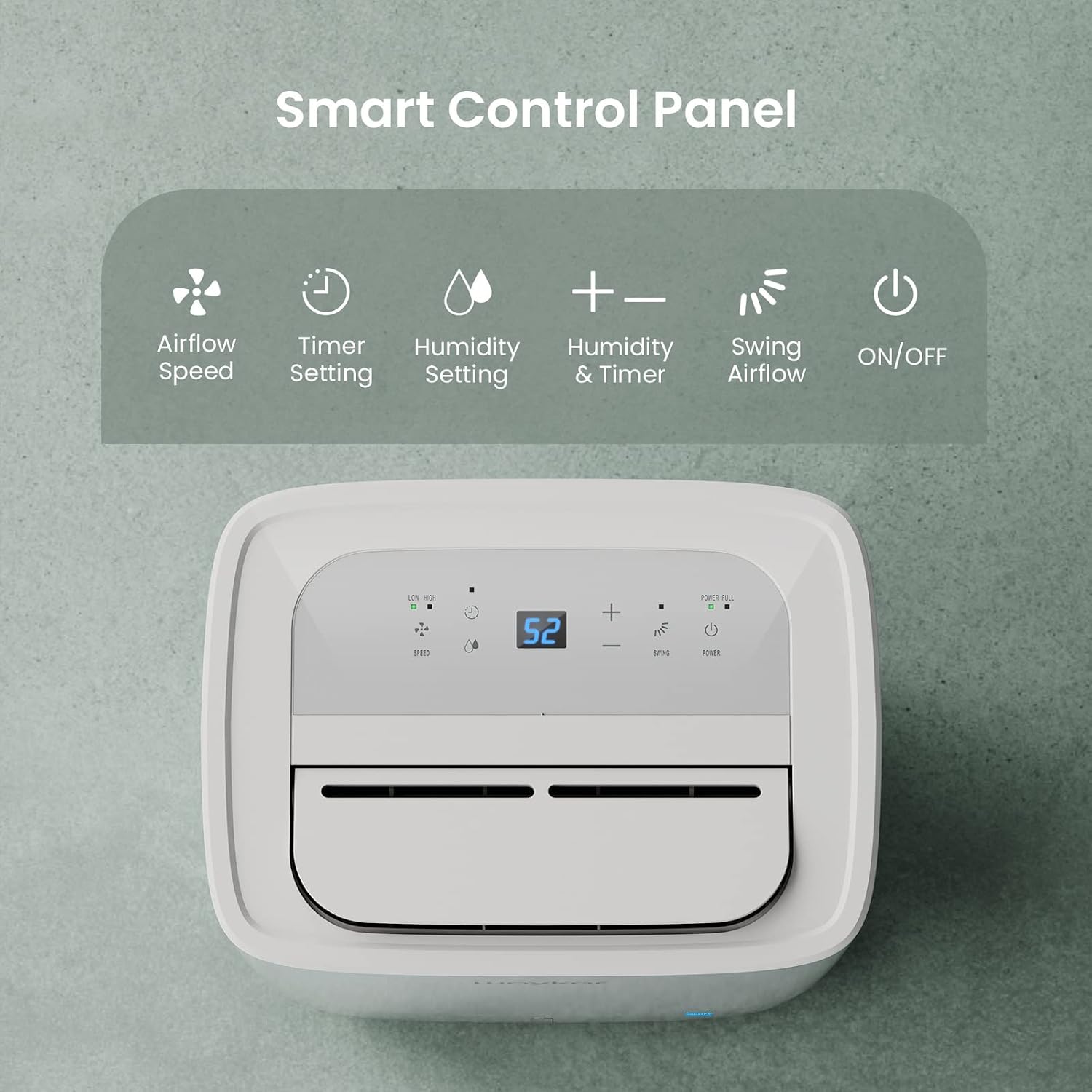
Figure 4.1: Smart Control Panel with buttons for Airflow Speed, Timer Setting, Humidity Setting, Swing Airflow, and ON/OFF.
4.1 پاور آن/آف
- دبائیں طاقت یونٹ کو آن یا آف کرنے کے لیے بٹن۔
4.2 نمی کی سطح کا تعین کرنا
- دبائیں + or - buttons to adjust the desired humidity level between 30% and 80% Relative Humidity (RH). The unit will operate until the set humidity level is reached, then cycle ON/OFF to maintain it.
4.3 پنکھے کی رفتار
- دبائیں رفتار button to toggle between Low and High fan speeds.
4.4 ٹائمر فنکشن
- دبائیں ٹائمر button to set a delay for the unit to turn ON or OFF. The timer can be set from 0.5 to 24 hours.
4.5 Swing Airflow
- دبائیں جھولنا button to activate the automatic 30°-90° airflow oscillation. This helps distribute dehumidified air more evenly.
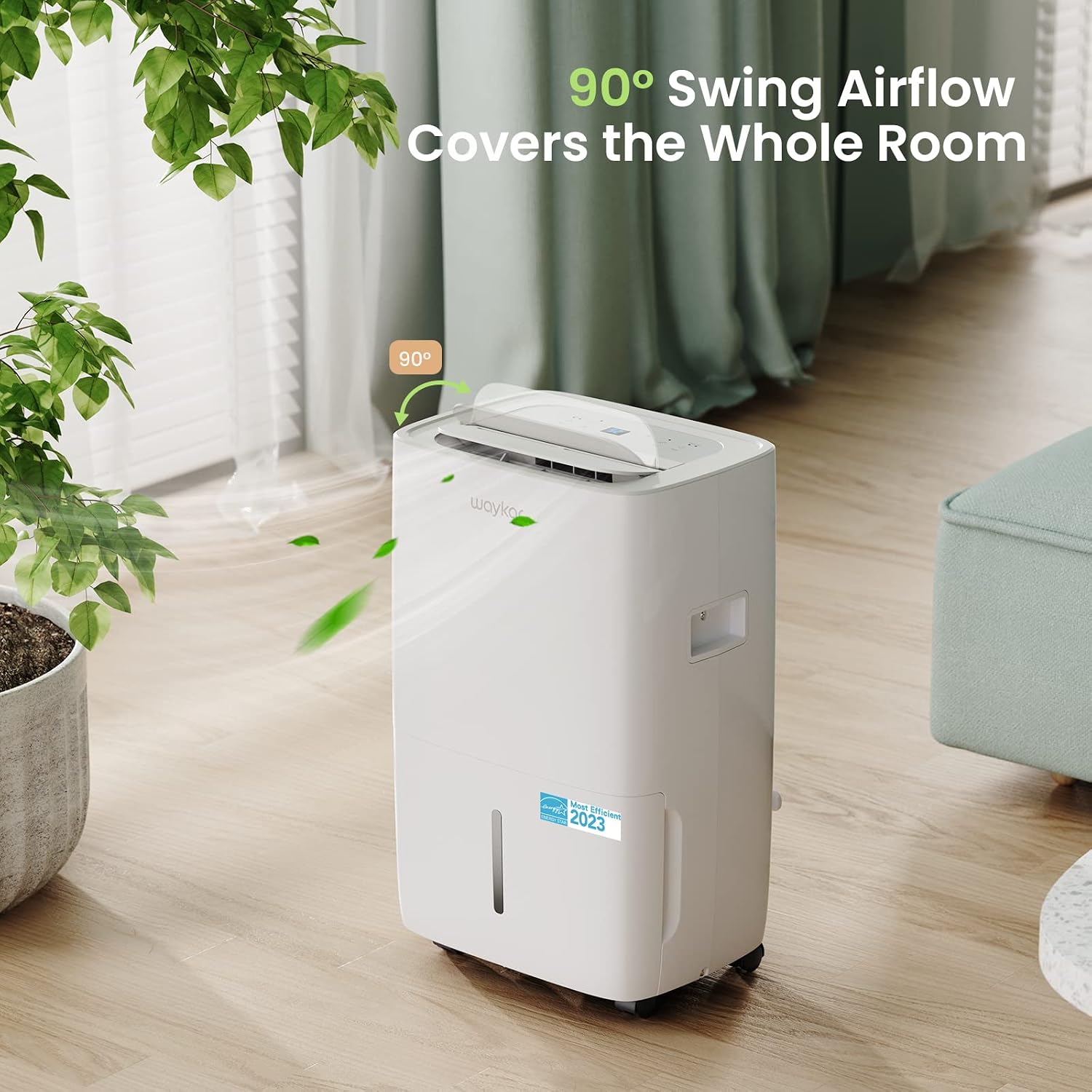
Figure 4.2: The 90° swing airflow feature helps cover the entire room for efficient dehumidification.
4.6 چائلڈ لاک۔
- چائلڈ لاک کو فعال کرنے کے لیے، دبائیں اور دبائے رکھیں ٹائمر button for 3 seconds. The control panel will be locked to prevent accidental changes. Repeat to unlock.
4.7 Auto Defrost and Memory Restart
- The unit features an automatic defrost function that activates when frost builds up on the evaporator coils, ensuring efficient operation in cooler environments.
- ایک طاقت ou کی صورت میںtage, the Memory Restart function will automatically resume the previous settings once power is restored.
5. نکاسی آب کے اختیارات
The Waykar dehumidifier offers two convenient drainage methods:
5.1 دستی نکاسی (پانی کا ٹینک)
- When the 1.14-gallon (4.3L) water tank is full, the unit will automatically shut off and an indicator light will illuminate on the control panel.
- یونٹ کے سامنے سے پانی کے ٹینک کو احتیاط سے باہر نکالیں۔
- جمع شدہ پانی کو خالی کریں۔
- Slide the empty tank back into the unit until it clicks into place. The unit will then resume operation.
5.2 Continuous Drainage (Drain Hose)
- For continuous operation without needing to empty the tank, attach the included 3.3 ft (1 m) drain hose to the drainage outlet at the back of the unit.
- Ensure the hose is securely tightened to prevent leaks.
- Direct the other end of the hose to a suitable drain (e.g., floor drain, sink). Ensure the hose is sloped downwards to allow gravity drainage.

Figure 5.1: Illustration of both manual drainage (left) and continuous drainage (right) options.
6 دیکھ بھال
باقاعدگی سے دیکھ بھال آپ کے dehumidifier کی بہترین کارکردگی اور لمبی عمر کو یقینی بناتی ہے۔
6.1 ایئر فلٹر کی صفائی
The washable air filter should be cleaned regularly (approximately every 250 hours of operation or when the filter indicator light illuminates) to maintain efficiency.
- یونٹ کو بند کریں اور اسے پاور آؤٹ لیٹ سے ان پلگ کریں۔
- یونٹ کے پچھلے حصے سے ایئر فلٹر کو ہٹا دیں۔
- فلٹر کو گرم، صابن والے پانی سے دھوئے۔ اچھی طرح سے کللا کریں۔
- فلٹر کو یونٹ میں دوبارہ داخل کرنے سے پہلے اسے مکمل طور پر خشک ہونے دیں۔
- Once the filter is reinstalled, press and hold the فلٹر button for 3 seconds to reset the filter indicator.

Figure 6.1: The detachable and washable water tank, featuring a visible water level indicator.
6.2 پانی کے ٹینک کی صفائی
Clean the water tank periodically to prevent mold and bacteria growth.
- یونٹ سے پانی کے ٹینک کو ہٹا دیں۔
- ٹینک کو گرم پانی اور ہلکے صابن سے دھوئے۔
- اسے دوبارہ ڈیہومیڈیفائر میں رکھنے سے پہلے اچھی طرح دھو لیں اور خشک کریں۔
6.3 بیرونی صفائی
- یونٹ کے بیرونی حصے کو نرم سے صاف کریں، ڈیamp کپڑا سخت کیمیکل یا کھرچنے والے کلینر کا استعمال نہ کریں۔
7. ٹربل شوٹنگ گائیڈ
کسٹمر سپورٹ سے رابطہ کرنے سے پہلے، براہ کرم درج ذیل عام مسائل اور حل دیکھیں:
| مسئلہ | ممکنہ وجہ | حل | ||||||||||
|---|---|---|---|---|---|---|---|---|---|---|---|---|
| Dehumidifier does not turn ON | No power supply; Power cord not plugged in; Water tank full or incorrectly installed. | Check power outlet; Plug in power cord securely; Empty and correctly reinstall water tank. | ||||||||||
| Unit is running but not dehumidifying | ایئر فلٹر بھرا ہوا؛ کمرے کا درجہ حرارت بہت کم؛ نمی کی ترتیب بہت زیادہ ہے۔ | Clean air filter; Ensure room temperature is above 5°C (41°F); Lower desired humidity setting. | ||||||||||
| یونٹ شور ہے۔ | یونٹ سطح کی سطح پر نہیں ہے؛ ایئر فلٹر بند۔ | ایک فلیٹ، مستحکم سطح پر یونٹ رکھیں؛ ایئر فلٹر صاف کریں۔ | ||||||||||
| یونٹ سے پانی کا اخراج | Water tank incorrectly installed; Drain hose not securely attached (continuous drainage). | Reinstall water tank correctly; Securely tighten drain hose connection. | ||||||||||
ایرر کوڈ
متعلقہ دستاویزات - JD025CE-80-CA
|


