1. پروڈکٹ ختمview
The FITORCH V10 is a compact and powerful Everyday Carry (EDC) flashlight designed for versatile use. It features a high-brightness main LED, multi-color side lights including UV, red, green, and blue, and a magnetic tail cap. This manual provides instructions for safe and effective operation.

Image 1.1: FITORCH V10 EDC Flashlight, showing the device, a USB-C charging cable, and a keyring. The flashlight is compact and features two main light emitters and side lights.

تصویر 1.2: ختمview of FITORCH V10 features, including high brightness, beeping warning, multi-source sidelights, USB-C charging, magnetic adsorption, and mini portable design.
2. پیکیج کے مشمولات
تصدیق کریں کہ تمام اشیاء پیکیج میں موجود ہیں:
- 1 x FITORCH V10 EDC Flashlight
- 1 X USB-C چارجنگ کیبل
- 1 ایکس کلید کی انگوٹی
- 1 ایکس یوزر مینوئل (یہ دستاویز)
3. سیٹ اپ اور چارجنگ
3.1 ابتدائی چارجنگ
Before first use, fully charge the flashlight. The FITORCH V10 features a built-in 1000mAh rechargeable battery.
- ڈیوائس پر USB-C چارجنگ پورٹ کا پتہ لگائیں۔
- Connect the provided USB-C cable to the flashlight and a compatible USB power source (e.g., computer, wall adapter).
- During charging, a red light will flash.
- مکمل چارج ہونے کے بعد، اشارے کی روشنی ٹھوس سبز ہو جائے گی۔
Charging time is approximately 120-180 minutes (2-3 hours).

Image 3.1: Illustration of the FITORCH V10's internal 1000mAh built-in battery, highlighting its capacity for extended use.

Image 3.2: The bottom right panel shows the USB-C charging port and the indicator lights: red flashing for charging, green solid for full charge.
4. آپریٹنگ ہدایات
The FITORCH V10 features two main buttons: a Power button (left) and a Mode button (right).
4.1 مین لائٹ آپریشن
The main light provides up to 1000 lumens of brightness with multiple modes.
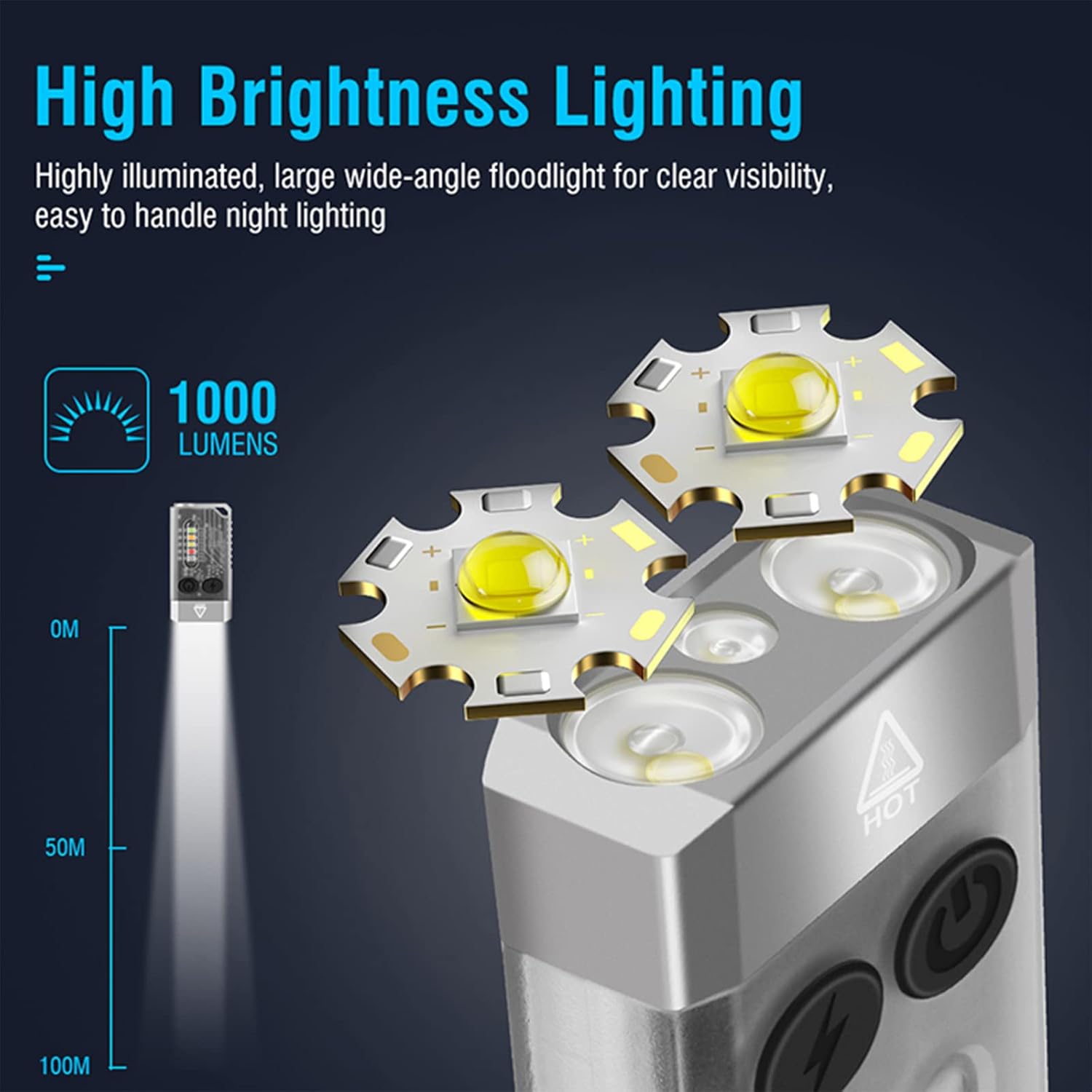
Image 4.1: Illustration of the FITORCH V10's high brightness main light, capable of 1000 lumens and projecting light up to 100 meters.
- آن/آف کریں: Double-click the Power button to turn the main light ON. Long press the Power button to turn it OFF.
- سوئچ موڈز: While the main light is ON, click the Power button to cycle through High, Medium, Low, and Economic modes.
- ٹربو موڈ: Long press the Power button from any state to activate Turbo mode. Release the button to turn off Turbo mode.
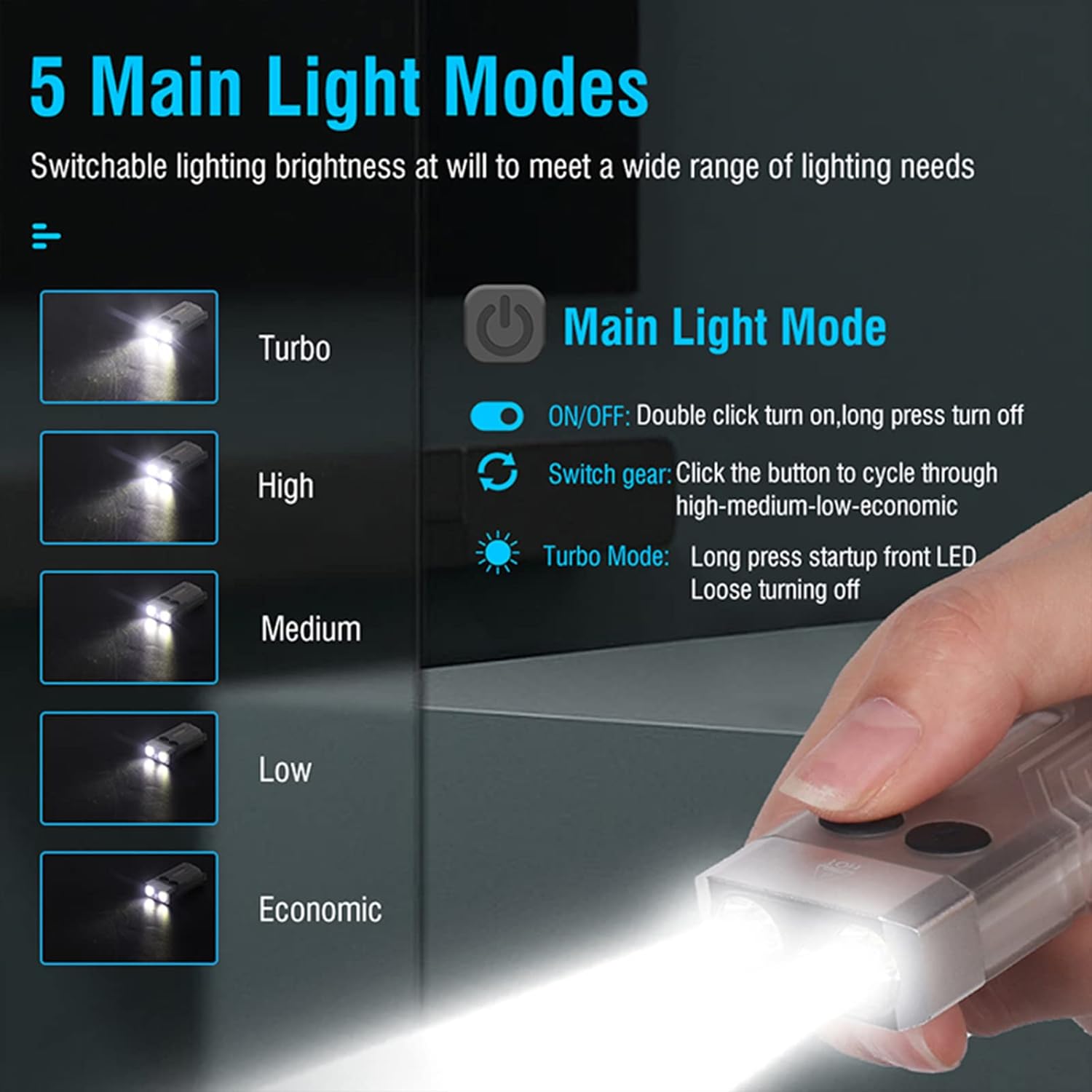
Image 4.2: Diagram illustrating the 5 main light modes (Turbo, High, Medium, Low, Economic) and their activation methods using the Power button.
4.2 سائیڈ لائٹ آپریشن
The side lights offer various colors and functions, including UV light.
- آن/آف کریں: Double-click the Mode button to turn the side light ON. Long press the Mode button to turn it OFF.
- سوئچ موڈز: While the side light is ON, click the Mode button to cycle through White, Warm, Green, Red, Blue, Red Flash, Red & Blue Flash.
- UV موڈ: Triple-click the Mode button from any state to enter UV mode.

Image 4.3: Diagram illustrating the multi-source sidelights (White, Warm, Green, Red, Blue, Red Flash, Red & Blue Strobe, UV Light) and their activation methods using the Mode button.

تصویر 4.4: مثال کے طور پرamples of 365nm UV light applications, including money inspection, antique appraisal, fluorescent agent detection, and treasure hunt.
4.3 الارم فنکشن
The flashlight includes an 80dB beeping alarm with flashing red and blue lights.
- الارم کو چالو کریں: Triple-click the Power button from any state to activate the alarm (beeping + red and blue flashing).
- الارم کو غیر فعال کریں: Long press the Power button to turn off the alarm.
4.4 مقناطیسی دم کی ٹوپی
The FITORCH V10 features a magnetic tail cap for convenient attachment to metal surfaces, allowing for hands-free operation.
Image 4.5: The top left panel shows the FITORCH V10 attached to a metal surface via its magnetic tail cap, illuminating an engine bay.
5 دیکھ بھال
5.1 صفائی
- ٹارچ کے جسم کو نرم سے صاف کریں، ڈیamp کپڑا
- کھرچنے والے کلینر یا سالوینٹس کا استعمال نہ کریں۔
- چارجنگ پورٹ کو دھول اور ملبے سے پاک رکھیں۔
5.2 اسٹوریج
- ٹارچ کو کسی ٹھنڈی، خشک جگہ پر براہ راست سورج کی روشنی سے دور رکھیں۔
- طویل مدتی اسٹوریج کے لیے، بیٹری کی صحت کو برقرار رکھنے کے لیے ہر 3-6 ماہ بعد تقریباً 50% تک بیٹری چارج کریں۔
5.3 بیٹری کی دیکھ بھال
- بیٹری کو بار بار مکمل طور پر ختم کرنے سے گریز کریں۔
- چارج کرنے کے لیے صرف فراہم کردہ USB-C کیبل یا تصدیق شدہ مساوی استعمال کریں۔
- بلٹ ان بیٹری کو تبدیل کرنے کی کوشش نہ کریں۔
6 خرابیوں کا سراغ لگانا
- ٹارچ آن نہیں ہو رہی ہے:
- یقینی بنائیں کہ بیٹری چارج ہے۔ پاور سورس سے جڑیں اور چارجنگ انڈیکیٹر چیک کریں۔
- Verify correct operation: Double-click the Power button for the main light, double-click the Mode button for side lights.
- روشنی کی پیداوار مدھم ہے:
- بیٹری کم ہو سکتی ہے۔ ٹارچ کو ری چارج کریں۔
- یقینی بنائیں کہ لینس صاف اور رکاوٹوں سے پاک ہے۔
- Flashlight gets warm during use:
- It is normal for high-power LED flashlights to generate heat, especially in Turbo or High modes. This is a normal operating characteristic.
- If the flashlight becomes excessively hot, reduce the brightness mode or turn it off to allow it to cool.
- چارجنگ کام نہیں کر رہی:
- Check the USB-C cable for damage and ensure it is properly connected to both the flashlight and the power source.
- ایک مختلف USB-C کیبل یا پاور اڈاپٹر آزمائیں۔
- یقینی بنائیں کہ چارجنگ پورٹ صاف ہے۔
7. وضاحتیں
| فیچر | تفصیل |
|---|---|
| ماڈل | V10 |
| برانڈ | FITORCH |
| مواد | ایلومینیم کھوٹ |
| روشنی کے منبع کی قسم | ایل ای ڈی |
| چمک | 1000 Lumens تک |
| بیٹری کی صلاحیت | 1000mAh (Built-in Rechargeable) |
| چارجنگ انٹرفیس | USB-C |
| وول چارج کرناtage | 4.5V-5V |
| چارج کرنے کا وقت | 120-180 منٹ |
| مصنوعات کے طول و عرض | 2.6" x 1.3" x 0.6" (66mm x 33mm x 15mm) |
| شے کا وزن | 1.76 اونس (50 گرام) |
| پانی کی مزاحمت | IPX4 (سپلیش پروف) |
| خصوصی خصوصیات | UV Light, Red/Green/Blue Side Lights, Magnetic Tail, Alarm Function |
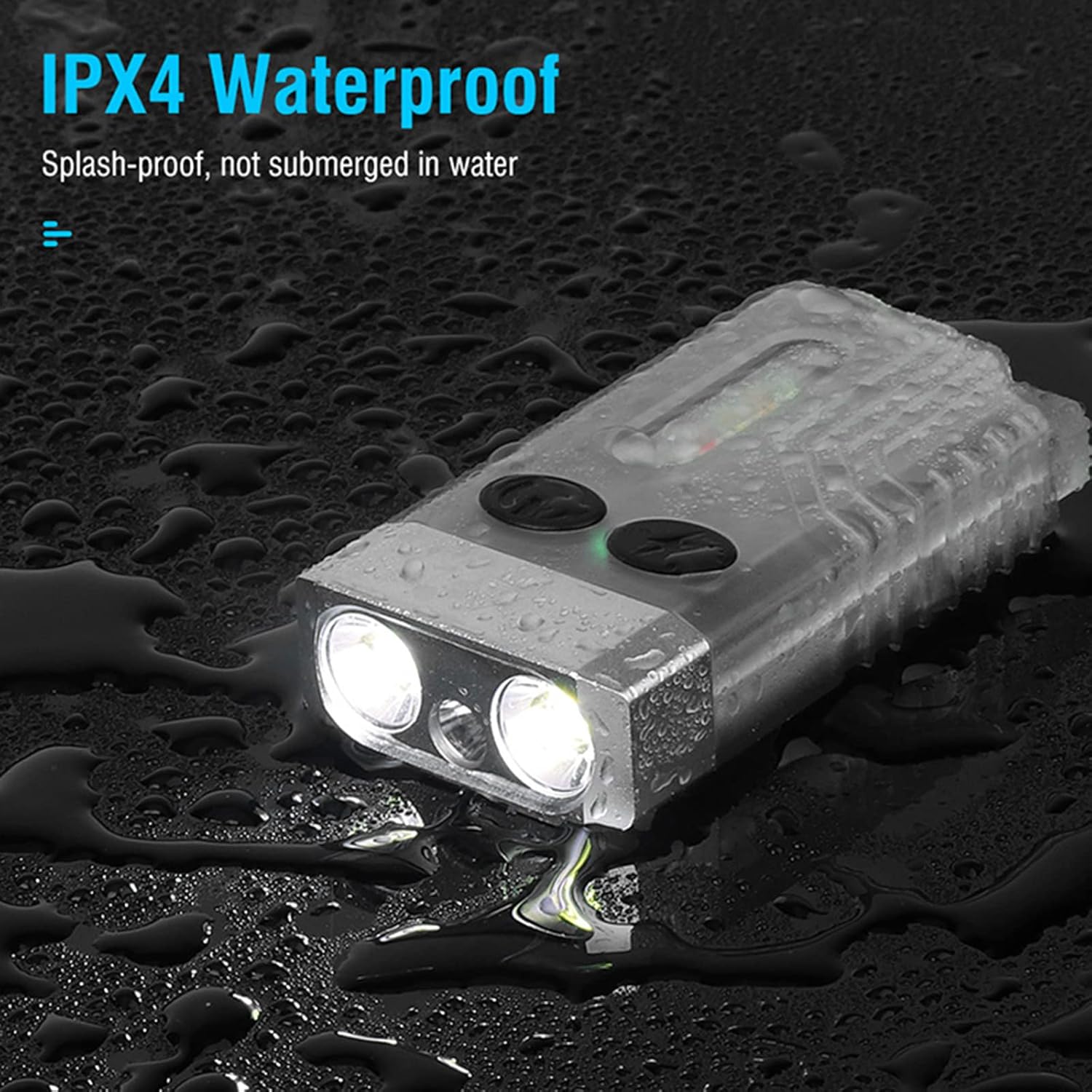
Image 7.1: The FITORCH V10 demonstrating its IPX4 splash-proof water resistance, indicating it is protected against water splashes from any direction.
8. وارنٹی اور سپورٹ
FITORCH products are manufactured to high-quality standards. For warranty information or technical support, please refer to the official FITORCH webسائٹ یا اپنے خوردہ فروش سے رابطہ کریں۔
وارنٹی کے دعووں کے لیے براہ کرم اپنی خریداری کا ثبوت اپنے پاس رکھیں۔


