تعارف
Thank you for choosing the ZEBRONICS Zeb-Rainbow 400 Multimedia Speaker. This manual provides essential information for the proper setup, operation, and maintenance of your speaker system. Please read it carefully before use and retain it for future reference.
حفاظتی ہدایات
- آگ یا بجلی کے جھٹکے سے بچنے کے لیے یونٹ کو بارش یا نمی کے سامنے نہ رکھیں۔
- Do not open the speaker cabinet. Refer all servicing to qualified personnel.
- یونٹ کے ارد گرد مناسب وینٹیلیشن کو یقینی بنائیں. وینٹیلیشن کے کسی بھی سوراخ کو مسدود نہ کریں۔
- بجلی کی تار کو چلنے یا چوٹکی ہونے سے بچائیں۔
- بجلی کے طوفان کے دوران یا طویل عرصے تک غیر استعمال ہونے پر یونٹ کو ان پلگ کریں۔
- Keep the product away from direct sunlight, heat sources, and strong magnetic fields.
پیکیج کے مشمولات
براہ کرم درج ذیل آئٹمز کے لیے باکس کو چیک کریں:
- سب ووفر یونٹ
- سیٹلائٹ اسپیکر (4 یونٹ)
- ریموٹ کنٹرول
- Audio Input Cable (3.5mm to RCA)
- صارف دستی
پروڈکٹ ختمview
The ZEBRONICS Zeb-Rainbow 400 is a 4.1 channel multimedia speaker system designed for versatile audio playback. It features multiple connectivity options including Bluetooth, AUX, USB, and FM radio. The system includes a powerful subwoofer and four satellite speakers for an immersive audio experience, complemented by integrated RGB lighting.
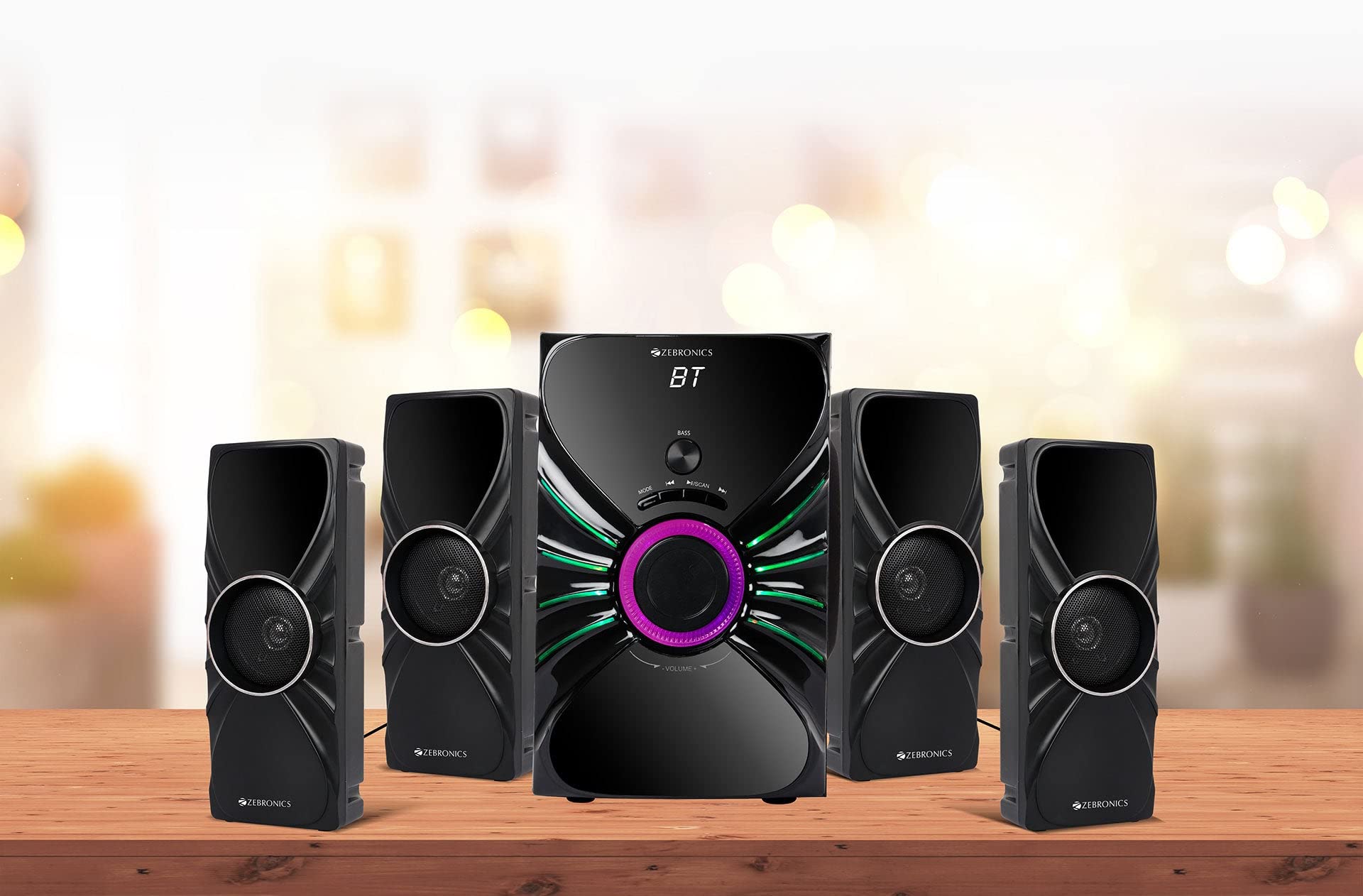
Image: The complete ZEBRONICS Zeb-Rainbow 400 multimedia speaker system, showing the subwoofer, four satellite speakers, and remote control.
سیٹ اپ
1 پیک کھولنا
پیکیجنگ سے تمام اجزاء کو احتیاط سے ہٹا دیں۔ مستقبل کی نقل و حمل یا اسٹوریج کے لیے پیکیجنگ مواد کو اپنے پاس رکھیں۔
2. اسپیکر کی جگہ کا تعین
Place the subwoofer on a stable, flat surface, preferably on the floor for optimal bass response. Position the four satellite speakers around your listening area for a balanced sound field. Ensure adequate space for ventilation.

Image: A visual representation of the 4.1 speaker setup, illustrating the subwoofer and four satellite speakers.
3. Connecting Satellite Speakers
Connect each of the four satellite speakers to the corresponding output ports on the rear panel of the subwoofer unit. Ensure the connections are secure.
4. آڈیو ذرائع کو جوڑنا
- AUX ان پٹ: Use the provided 3.5mm to RCA cable to connect your audio device (e.g., smartphone, tablet, PC) to the AUX input ports on the subwoofer.
- USB ان پٹ: MP3 آڈیو پر مشتمل USB فلیش ڈرائیو داخل کریں۔ files into the USB port on the subwoofer.
5. پاور کنکشن
پاور کیبل کو سب ووفر یونٹ سے جوڑیں اور پھر اسے معیاری AC پاور آؤٹ لیٹ میں لگائیں۔
آپریٹنگ ہدایات
1. پاور آن/آف
Press the Power button on the front panel of the subwoofer or on the remote control to turn the speaker system on or off.
2. موڈ سلیکشن
Press the 'MODE' button on the front panel or remote control to cycle through the available input modes: Bluetooth (BT), AUX, USB, and FM Radio.

Image: Close-up of the subwoofer's front panel, showing the control buttons (Mode, Play/Pause, Next/Previous, Bass, Volume) and the integrated RGB lighting.
3. والیوم کنٹرول
Rotate the 'VOLUME' knob on the front panel of the subwoofer or use the Volume Up/Down buttons on the remote control to adjust the overall sound level. The 'BASS' knob can be used to adjust the bass intensity.
4. بلوٹوت وضع
- Switch the speaker to Bluetooth mode using the 'MODE' button. The display will show 'BT'.
- اپنے موبائل ڈیوائس یا کمپیوٹر پر بلوٹوتھ کو فعال کریں۔
- تلاش کریں۔ available devices and select "Zeb-Rainbow 400" to pair.
- Once paired, you can play audio from your device through the speakers.
5. آکس موڈ
Connect your audio source using the 3.5mm to RCA cable. Switch the speaker to AUX mode. Audio from your connected device will play automatically.
6. USB موڈ
Insert a USB flash drive into the USB port. The speaker will automatically switch to USB mode and begin playing MP3 files from the drive. Use the Play/Pause, Next, and Previous buttons to control playback.
7. ایف ایم ریڈیو موڈ
- اسپیکر کو ایف ایم موڈ میں تبدیل کریں۔
- Press and hold the 'SCAN' button (often combined with Play/Pause) to automatically scan and save available FM stations.
- محفوظ کردہ اسٹیشنوں پر تشریف لے جانے کے لیے اگلا/پچھلا بٹن استعمال کریں۔
8. ریموٹ کنٹرول
The included remote control provides full functionality for power, mode selection, volume, track control, and FM station tuning. Ensure the remote has working batteries and is pointed towards the subwoofer's sensor.

Image: The ZEBRONICS Zeb-Rainbow 400 subwoofer unit shown with its remote control, highlighting the main controls.
9. آرجیبی لائٹس
The subwoofer features integrated RGB lights. These lights typically cycle through various colors and patterns automatically. Refer to the remote control for any specific buttons to change light modes, if available.
دیکھ بھال
1. صفائی
Wipe the speaker surfaces with a soft, dry cloth. Do not use abrasive cleaners, waxes, or solvents as they may damage the finish. Avoid spraying liquids directly onto the speakers.
2. ذخیرہ
If storing the speakers for an extended period, unplug them from the power outlet and store them in a cool, dry place, away from direct sunlight and extreme temperatures.
خرابی کا سراغ لگانا
| مسئلہ | ممکنہ وجہ | حل |
|---|---|---|
| کوئی طاقت نہیں۔ | Power cable not connected; Power outlet faulty; Unit switched off | Ensure power cable is securely connected. Check power outlet with another device. Press the Power button. |
| کوئی آواز نہیں۔ | Volume too low; Incorrect input mode; Audio cable loose/faulty; Device volume low | Increase volume. Select correct input mode. Check audio cable connections. Increase volume on connected device. |
| بلوٹوتھ کنیکٹ نہیں ہو رہا ہے۔ | Speaker not in BT mode; Device not in pairing mode; Interference | Switch speaker to BT mode. Ensure device Bluetooth is on and searching. Move devices closer. Restart both devices. |
| ریموٹ کنٹرول کام نہیں کر رہا ہے۔ | Batteries depleted; Obstruction; Remote not pointed at sensor | Replace batteries. Remove any obstructions. Point remote directly at the subwoofer's IR sensor. |
| ناقص ایف ایم کا استقبال۔ | Weak signal; Antenna position | Adjust the position of the FM antenna. Rescan for stations. |
وضاحتیں
| فیچر | تفصیلات |
|---|---|
| برانڈ | زیبراونکس |
| ماڈل نمبر | Zeb Rainbow 400 |
| پروڈکٹ کے طول و عرض (LxWxH) | 21 x 39 x 32 سینٹی میٹر |
| شے کا وزن | 9 کلو 350 جی |
| کنیکٹوٹی ٹیکنالوجی | Auxiliary, Bluetooth, USB, Wireless |
| طاقت کا منبع | AC |
| ہم آہنگ آلات | اسمارٹ فون، ٹیبلٹ |
| سب ووفر ڈرائیو کا سائز | 16.51 سینٹی میٹر |

Image: A visual highlighting the 16.51 cm subwoofer drive of the ZEBRONICS Zeb-Rainbow 400.
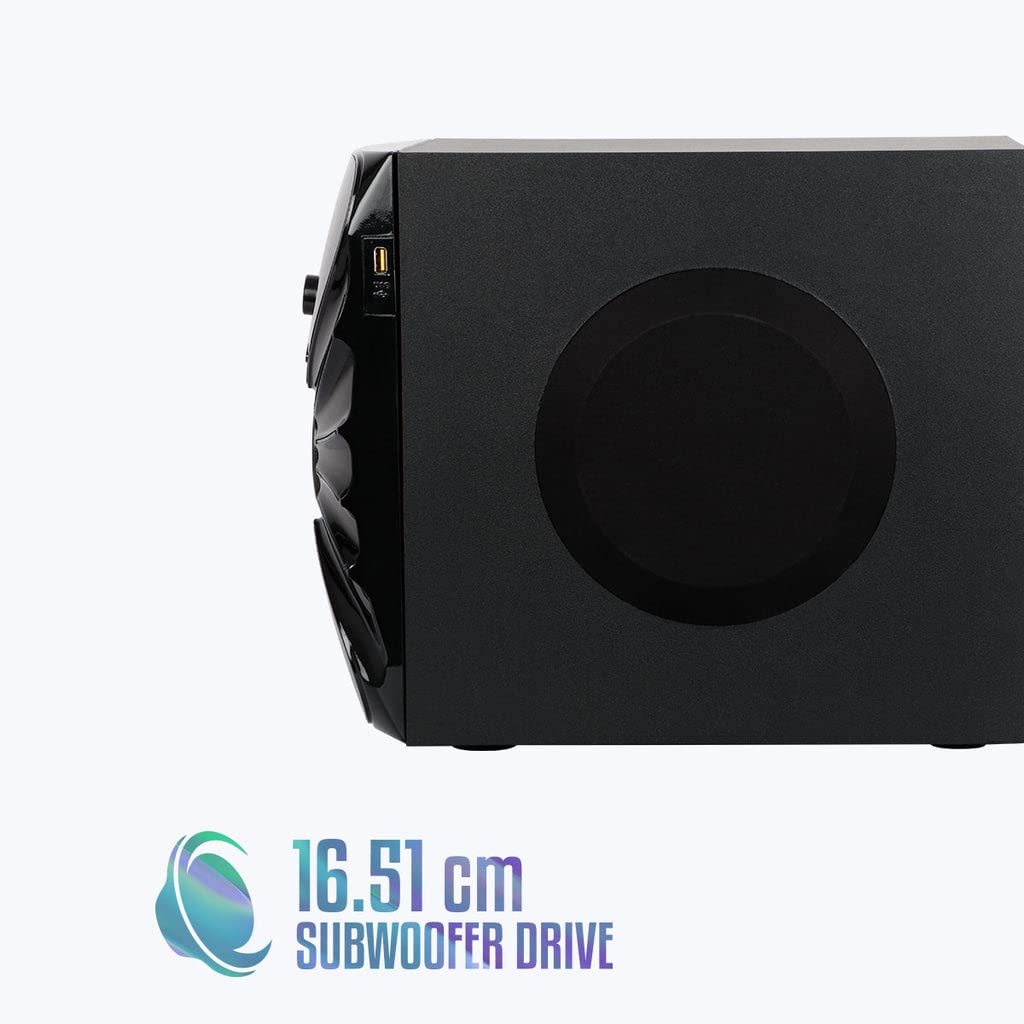
تصویر: سائیڈ view of the ZEBRONICS Zeb-Rainbow 400 subwoofer, showing the USB port and overall dimensions.
وارنٹی اور سپورٹ
This product comes with a minimum six-month seller warranty. For any issues or support, please contact your seller or refer to the official ZEBRONICS support channels. Keep your purchase receipt for warranty claims.


