1. تعارف
خریداری کے لیے آپ کا شکریہasing the Ledwood XTREM140 Portable Bluetooth Speaker. This manual provides important information regarding the setup, operation, maintenance, and troubleshooting of your device. Please read this manual thoroughly before using the product to ensure proper functionality and to prevent damage.
The Ledwood XTREM140 is a robust and versatile portable speaker designed for outdoor and indoor use. Its waterproof design (IPX5) allows for use in various environments, and the integrated LED light show enhances your audio experience.
2. حفاظتی معلومات
آلہ کو پہنچنے والے نقصان یا اپنے آپ کو چوٹ سے بچانے کے لیے براہ کرم درج ذیل حفاظتی احتیاطی تدابیر پر عمل کریں:
- طویل عرصے تک اسپیکر کو انتہائی درجہ حرارت یا براہ راست سورج کی روشنی کے سامنے نہ رکھیں۔
- Do not immerse the speaker in water. While it is IPX5 water-resistant, it is not designed for submersion.
- اسپیکر کو الگ کرنے یا اس میں ترمیم کرنے کی کوشش نہ کریں۔ اس سے وارنٹی ختم ہو جائے گی اور نقصان ہو سکتا ہے۔
- اسپیکر کو مضبوط مقناطیسی شعبوں سے دور رکھیں۔
- صرف فراہم کردہ چارجنگ کیبل اور لوازمات استعمال کریں۔
- اسپیکر کو نرم، خشک کپڑے سے صاف کریں۔ کھرچنے والے کلینر یا سالوینٹس کا استعمال نہ کریں۔
3. پیکیج کے مشمولات
یقینی بنائیں کہ تمام اشیاء پیکیج میں موجود ہیں:
- Ledwood XTREM140 Portable Bluetooth Speaker
- USB-C چارجنگ کیبل
- 3.5 ملی میٹر آکس کیبل۔
- صارف دستی (یہ دستاویز)
- FestiNight Ouni LED Light (if included with your model)
4. پروڈکٹ ختمview
Familiarize yourself with the components and controls of your Ledwood XTREM140 speaker.
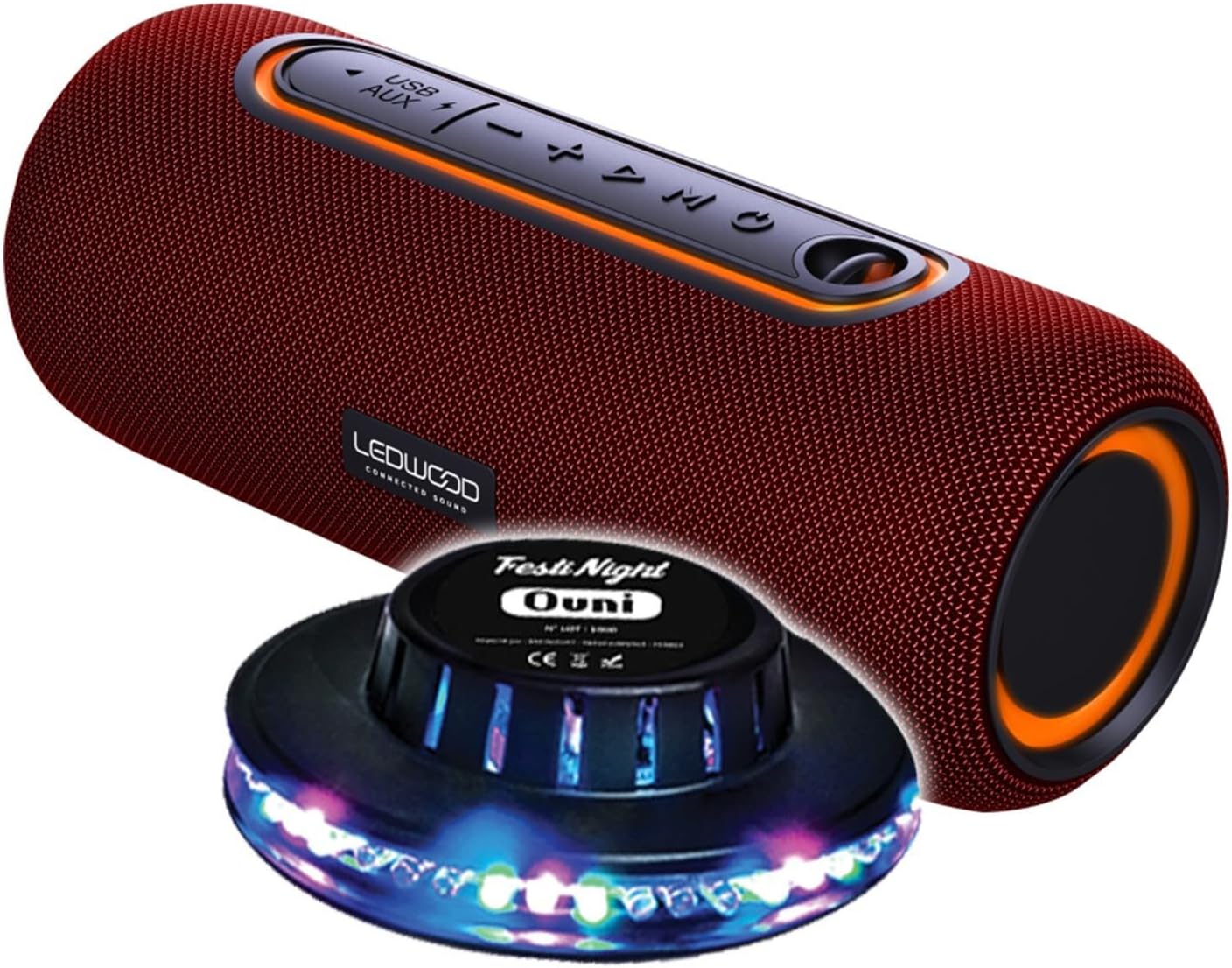
Figure 1: Ledwood XTREM140 Portable Bluetooth Speaker with included FestiNight Ouni LED light. The speaker is red with black accents and control buttons on top. The light is a black disc with multi-colored LEDs.

Figure 2: Ledwood XTREM140 Portable Bluetooth Speaker shown with its integrated carrying strap. The speaker is cylindrical, red, with control buttons on the top surface.
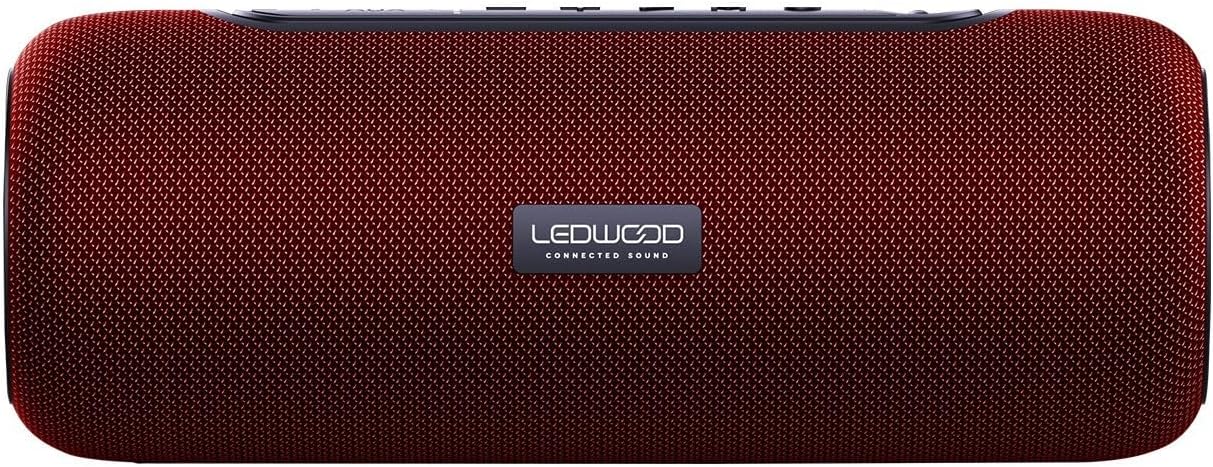
تصویر 3: اوپر view of the Ledwood XTREM140 Portable Bluetooth Speaker, highlighting the control panel. From left to right, buttons include USB/AUX port, minus volume/previous track, play/pause, plus volume/next track, and mode button. There is also a power button.

Figure 4: A collage showing the FestiNight Ouni LED light projecting various colors and patterns. The light is a black disc with LEDs around its circumference, creating dynamic light effects.
4.1. کنٹرول پینل
- پاور بٹن: آن/آف کرنے کے لیے دبائیں اور تھامیں۔
- موڈ بٹن (M): Press to switch between Bluetooth, AUX, and USB modes.
- پلے/پاز بٹن (►▮▮): Press to play or pause audio. In call mode, press to answer/end calls.
- والیوم کم / پچھلا ٹریک (-): والیوم کو کم کرنے کے لیے دبائیں۔ پچھلے ٹریک پر جانے کے لیے دبائے رکھیں۔
- والیوم اپ / اگلا ٹریک (+): حجم بڑھانے کے لیے دبائیں۔ اگلے ٹریک پر جانے کے لیے دبائے رکھیں۔
- USB پورٹ: USB پلے بیک کے لیے۔
- آکس پورٹ: For wired audio connection via 3.5mm jack.
- USB-C چارجنگ پورٹ: اسپیکر چارج کرنے کے لیے۔
5. سیٹ اپ
5.1. اسپیکر کو چارج کرنا
- Connect the provided USB-C charging cable to the speaker's USB-C charging port.
- USB-C کیبل کے دوسرے سرے کو USB پاور اڈاپٹر (شامل نہیں) یا کمپیوٹر کے USB پورٹ سے جوڑیں۔
- The charging indicator light will illuminate. Once fully charged, the light may change color or turn off. A full charge provides approximately 6 hours of playback.
5.2. ابتدائی پاور آن
دبائیں اور تھامیں۔ پاور بٹن for a few seconds until you hear an audible prompt or see an indicator light, indicating the speaker is powered on.
6. آپریٹنگ ہدایات
6.1. بلوٹوت کنکشن
- یقینی بنائیں کہ سپیکر بلوٹوتھ موڈ پر اور آن ہے (ایک مخصوص آواز یا روشنی سے ظاہر ہوتا ہے)۔ اگر نہیں، تو دبائیں موڈ بٹن (M) بلوٹوتھ موڈ میں تبدیل کرنے کے لیے۔
- اپنے آلے پر (اسمارٹ فون، ٹیبلیٹ، کمپیوٹر)، بلوٹوتھ کو فعال کریں اور دستیاب آلات تلاش کریں۔
- Select "XTREM140" from the list of found devices.
- Once connected, you will hear a confirmation sound. You can now play audio through the speaker.
6.2. آکس موڈ
- 3.5mm AUX آڈیو کیبل کے ایک سرے کو اسپیکر کے AUX پورٹ سے جوڑیں۔
- دوسرے سرے کو اپنے آلے کے آڈیو آؤٹ پٹ جیک سے جوڑیں۔
- دبائیں موڈ بٹن (M) AUX موڈ پر سوئچ کرنے کے لیے۔
- آڈیو اب آپ کے منسلک آلے سے اسپیکر کے ذریعے چلے گا۔
6.3. USB پلے بیک
- آڈیو پر مشتمل USB فلیش ڈرائیو داخل کریں۔ files اسپیکر کے USB پورٹ میں۔
- دبائیں موڈ بٹن (M) USB موڈ پر سوئچ کرنے کے لیے۔
- اسپیکر خود بخود آڈیو چلانا شروع کر دے گا۔ files USB ڈرائیو سے۔
6.4. حقیقی وائرلیس سٹیریو (TWS) فنکشن
The TWS function allows you to pair two XTREM140 speakers together for a stereo sound experience.
- Ensure both XTREM140 speakers are powered on and in Bluetooth pairing mode.
- اسپیکرز میں سے ایک پر، دبائیں اور تھامیں پلے/پاز بٹن for a few seconds until you hear a pairing sound. The speakers will automatically connect to each other.
- جوڑا بننے کے بعد، اپنے آلے کو بلوٹوتھ کے ذریعے اسپیکرز میں سے ایک سے جوڑیں جیسا کہ سیکشن 6.1 میں بیان کیا گیا ہے۔
- دونوں اسپیکر اب سٹیریو میں آڈیو چلائیں گے۔
6.5. FestiNight Ouni LED Light Operation
If your package includes the FestiNight Ouni LED light, connect it to a USB power source. The light will automatically project multi-colored patterns, synchronizing with the music if placed near the speaker (no direct connection required for synchronization).
7 دیکھ بھال
7.1. صفائی
اسپیکر کو نرم، خشک، لنٹ سے پاک کپڑے سے صاف کریں۔ مائع کلینر، ایروسول یا سالوینٹس استعمال نہ کریں۔
7.2. ذخیرہ
When not in use for extended periods, store the speaker in a cool, dry place, away from direct sunlight and extreme temperatures. It is recommended to fully charge the speaker before storing it for a long time and to recharge it every few months to maintain battery health.
8 خرابیوں کا سراغ لگانا
| مسئلہ | ممکنہ وجہ | حل |
|---|---|---|
| سپیکر آن نہیں ہوتا۔ | بیٹری ختم ہو گئی ہے۔ | فراہم کردہ USB-C کیبل کا استعمال کرتے ہوئے اسپیکر کو چارج کریں۔ |
| اسپیکر کی طرف سے کوئی آواز نہیں۔ | Volume is too low or muted. Incorrect mode selected. Device not connected. | Increase volume on both the speaker and your connected device. Press the Mode button to select the correct input (Bluetooth, AUX, USB). Ensure Bluetooth is paired or AUX/USB cable is properly connected. |
| بلوٹوتھ کنکشن ناکام ہو جاتا ہے۔ | Speaker is too far from the device. Interference. Speaker not in pairing mode. | Move the speaker closer to your device. Avoid obstacles. Ensure the speaker is in Bluetooth pairing mode. Forget the device on your phone and re-pair. |
| خراب آڈیو کوالٹی۔ | Low battery. Device volume too high (distortion). Interference. | Charge the speaker. Adjust volume levels. Move away from other electronic devices. |
| TWS جوڑا ناکام ہوجاتا ہے۔ | مقررین بہت دور ہیں۔ ایک اسپیکر پہلے سے ہی ایک ڈیوائس سے منسلک ہے۔ | TWS جوڑا بنانے سے پہلے یقینی بنائیں کہ دونوں اسپیکر ایک دوسرے کے قریب ہیں اور کسی دوسرے بلوٹوتھ ڈیوائس سے منسلک نہیں ہیں۔ |
9. وضاحتیں
| فیچر | تفصیل |
|---|---|
| ماڈل کا نام | XTREM140 |
| بلوٹوتھ ورژن | 5.0 |
| پانی کی مزاحمت کی درجہ بندی | IPX5 |
| RMS پاور آؤٹ پٹ | 10W RMS |
| Total Admissible Power | 100W |
| سپیکر ڈرائیورز | 2 x 3.5 inch (9cm) |
| بیٹری کی زندگی | 6 گھنٹے تک |
| بیٹری کی صلاحیت | 5V، 2000mAh |
| تعدد رسپانس | 80Hz-16KHz |
| کنیکٹوٹی | بلوٹوتھ، USB، 3.5 ملی میٹر جیک (AUX) |
| خصوصی خصوصیات | TWS Function, Vocal Assistance, Multicolored UFO LED Light (FestiNight Ouni) |
| طول و عرض (L x H x D) | 24.2 سینٹی میٹر x 9.2 سینٹی میٹر x 9.2 سینٹی میٹر (9.53 x 3.62 x 3.62 انچ) |
| وزن | 1.6 کلوگرام (3.53 پونڈ) |
10. وارنٹی کی معلومات
Ledwood products are covered by a limited warranty from the date of purchase. This warranty covers defects in materials and workmanship under normal use. It does not cover damage caused by misuse, accident, unauthorized modification, or external causes.
For specific warranty terms and conditions, please refer to the warranty card included with your product or contact Ledwood customer support.
11. کسٹمر سپورٹ
If you encounter any issues or have questions not covered in this manual, please contact Ledwood customer support:
- Webسائٹ: www.ledwood.fr (Please check the official Ledwood webتازہ ترین رابطے کی معلومات کے لیے سائٹ۔)
- ای میل: مصنوعات کی پیکیجنگ یا آفیشل سے رجوع کریں۔ webسپورٹ ای میل کے لیے سائٹ۔
- فون: مصنوعات کی پیکیجنگ یا آفیشل سے رجوع کریں۔ webسپورٹ فون نمبر کے لیے سائٹ۔
When contacting support, please have your product model (XTREM140) and purchase details ready.


