1. تعارف
This manual provides detailed instructions for the installation, operation, and maintenance of your NOVOSTELLA 100W Smart LED Flood Light. Please read this manual thoroughly before use to ensure proper function and safety. This smart flood light offers versatile lighting options for both indoor and outdoor environments, featuring color-changing capabilities, dimming, and smart control via the Smart Life App and voice assistants.

Image 1.1: NOVOSTELLA 100W Smart LED Flood Light, showcasing its sleek design and powerful illumination.
2. حفاظتی معلومات
آگ، برقی جھٹکا، اور ذاتی چوٹ کے خطرے کو کم کرنے کے لیے برقی مصنوعات کا استعمال کرتے وقت ہمیشہ بنیادی حفاظتی احتیاطی تدابیر پر عمل کریں۔
- یقینی بنائیں کہ تنصیب یا دیکھ بھال سے پہلے بجلی بند ہے۔
- مصنوعات کو جدا یا ترمیم نہ کریں۔
- آتش گیر مواد سے دور رہیں۔
- This product is rated IP66 waterproof for outdoor use, but avoid submerging it in water.
- Use only with compatible voltage and power sources.
- If any damage is observed, discontinue use immediately and contact support.
3. پیکیج کے مشمولات
تصدیق کریں کہ تمام اشیاء پیکیج میں موجود ہیں:
- LED flood light (1 unit)
- صارف دستی
4. مصنوعات کی خصوصیات
The NOVOSTELLA 100W Smart LED Flood Light is designed with advanced features for enhanced lighting control and durability:
- Second-Generation Patented Antenna: Features an upgraded integrated design for improved waterproof performance and a modern aesthetic. The operating distance extends up to 80ft/25m, offering 2.5 times the range compared to models without an antenna.
- اسمارٹ کنٹرول: Compatible with Amazon Alexa (Echo/Dot/Tap) and Google Assistant for voice control. Easy remote control is available via the Smart Life App under a 2.4GHz Wi-Fi network (5GHz not supported).
- Color and Mode Variety: Offers 16 million colors and 8 dynamic lighting modes. The light can synchronize with music melodies, allowing for dynamic or soft music-responsive lighting.
- Group Control, Timing, and Memory: Group multiple lights for simultaneous control via the app or voice commands. Set schedules for automatic on/off times, and the light retains its last settings upon power cycle.
- IP66 Weather-resistant: Designed with an IP66 waterproof rating and efficient heat dissipation for stable performance in various weather conditions. Suitable for both indoor and outdoor use.

Image 4.1: Visual representation of the multi-function capabilities including 16 million colors, easy dimming, waterproof design, smart control, timer, voice control, group control, and 8 scenes.
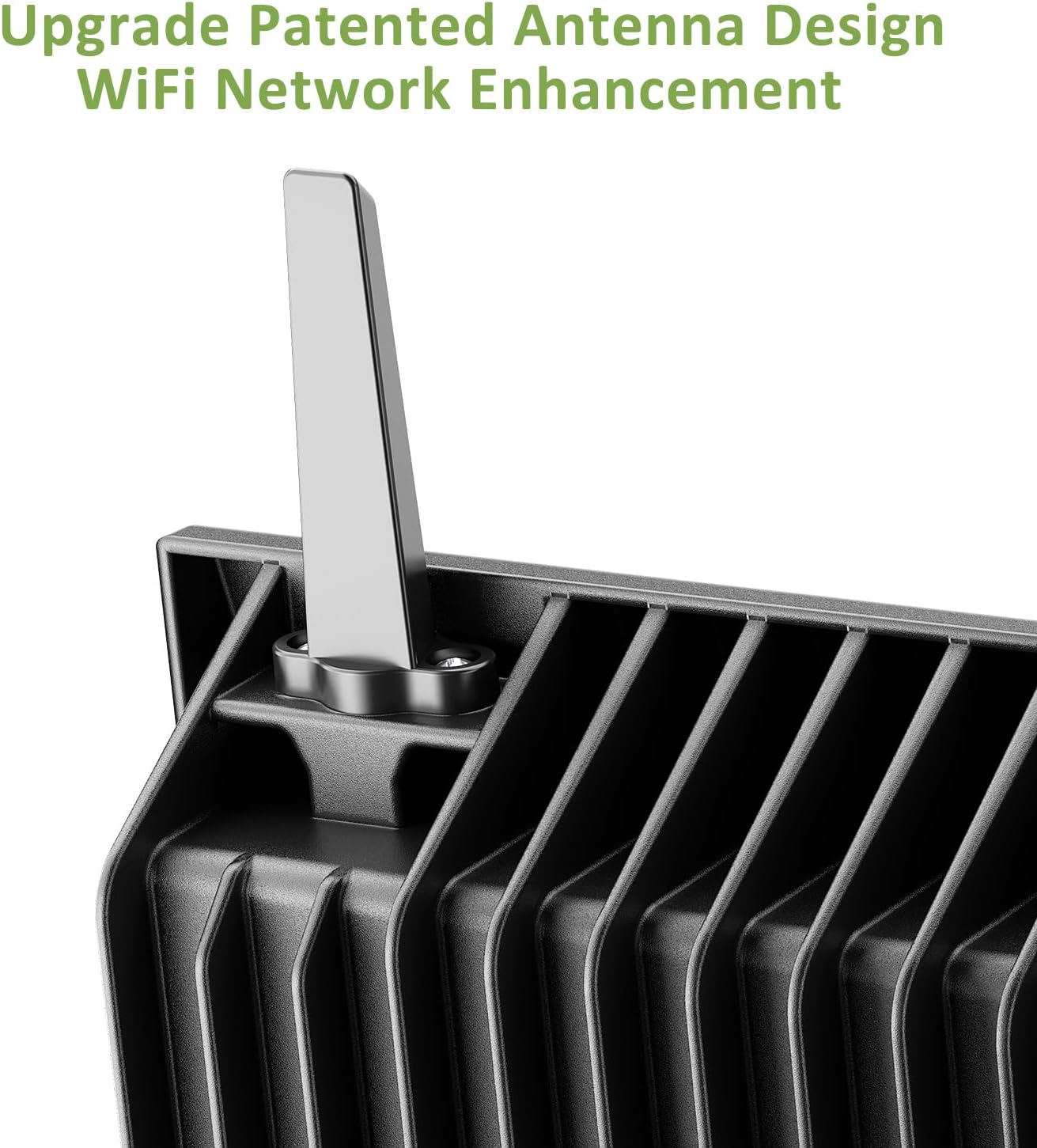
Image 4.2: The flood light demonstrating its IP66 waterproof rating under simulated rain conditions.
5. سیٹ اپ ہدایات
5.1 ایپ ڈاؤن لوڈ اور رجسٹریشن
- ڈاؤن لوڈ کریں۔ اسمارٹ لائف ایپ ایپ اسٹور (iOS) یا Google Play Store (Android) سے۔
- کسی اکاؤنٹ کے لیے رجسٹر ہوں یا لاگ ان کریں اگر آپ کے پاس پہلے سے موجود ہے۔
Video 5.1: A visual guide on how to set up the NOVOSTELLA Smart Floodlight using the Smart Life App, including app download and initial pairing steps.
5.2. پاور آن اور جوڑا بنانا
- Connect the flood light to a power source. The light should flash, indicating it is in pairing mode.
- If the light does not flash, turn it off and on three times consecutively to enter pairing mode.
- Open the Smart Life App, navigate to the home page, and tap "Add Device".
- The app will discover the flood light. Select the device and follow the on-screen prompts to complete the pairing process.
- You can rename the device for easier identification.
5.3. جسمانی تنصیب
The flood light can be mounted on a wall or placed on the ground. Ensure the mounting surface is stable and can support the weight of the light. The integrated design simplifies installation.

Image 5.1: Detailed dimensions of the NOVOSTELLA 100W Smart LED Flood Light, useful for planning installation.
6. آپریٹنگ ہدایات
6.1. Basic Control via Smart Life App
- رنگ کا انتخاب: Use the color wheel in the app to choose from 16 million colors.
- چمک ایڈجسٹمنٹ: Adjust the light intensity using the dimming slider.
- موڈ کا انتخاب: Choose from 8 preset modes, including flash, jump, and breath modes, or create custom scenes.
- موسیقی کی مطابقت پذیری: Enable music synchronization to have the light change colors according to the rhythm of your music.
6.2. گروپ کنٹرول
To control multiple flood lights simultaneously, create a group in the Smart Life App:
- In the Smart Life App, select one of your paired flood lights.
- Tap the icon at the top right corner (usually a pencil or three dots) to access device settings.
- Select "Create Group".
- Add the desired devices to the group and tap "Save".
- Edit the group name for easy identification.
Video 6.1: Instructions on how to group multiple NOVOSTELLA Smart Floodlights for synchronized control within the Smart Life App.
6.3. وائس کنٹرول
Integrate your flood light with Amazon Alexa or Google Assistant for convenient voice commands:
- Ensure your Alexa or Google Home device is set up and connected to the same Wi-Fi network as your flood light.
- Alexa یا Google Home ایپ کھولیں۔
- Enable the "Smart Life" skill/service.
- Discover devices. Your NOVOSTELLA flood light(s) should appear.
- اب آپ صوتی کمانڈ استعمال کر سکتے ہیں جیسے:
- "Alexa/Hey Google, turn on [Device Name]."
- "Alexa/Hey Google, set [Device Name] to blue."
- "Alexa/Hey Google, dim [Device Name] to 50%."

Image 6.1: Demonstrating voice control capabilities with Amazon Alexa and Google Assistant for the smart flood light.
6.4 شیڈولنگ اور ٹائمر
Set schedules for automated operation:
- In the Smart Life App, select your flood light or a group.
- "ٹائمر" یا "شیڈول" سیکشن پر جائیں۔
- Set desired on/off times and days of the week.
- You can also set countdown timers for temporary operation.

Image 6.2: Illustration of the scheduling feature, showing lights turning on at 19:00 and off at 22:00.
7 دیکھ بھال
To ensure the longevity and optimal performance of your NOVOSTELLA Smart LED Flood Light, follow these maintenance guidelines:
- صفائی: Periodically clean the light's surface with a soft, damp کپڑا سخت کیمیکل یا کھرچنے والے کلینر کا استعمال نہ کریں۔
- معائنہ: Regularly check the power cord and housing for any signs of damage. If damage is found, disconnect the power and contact customer support.
- ذخیرہ: If storing the light for an extended period, ensure it is clean, dry, and stored in a cool, dry place away from direct sunlight.
8 خرابیوں کا سراغ لگانا
If you encounter issues with your flood light, refer to the following common solutions:
| مسئلہ | ممکنہ وجہ | حل |
|---|---|---|
| لائٹ آن نہیں ہوتی۔ | بجلی نہیں، ڈھیلا کنکشن، یا ناقص یونٹ۔ | Check power supply and connections. Ensure the outlet is functional. If still not working, contact support. |
| Wi-Fi/App سے منسلک نہیں ہو سکتا۔ | Incorrect Wi-Fi band (5GHz not supported), incorrect password, or light not in pairing mode. | Ensure your router is 2.4GHz. Verify Wi-Fi password. Turn the light off and on three times to enter pairing mode. Move closer to the router. |
| صوتی کنٹرول کام نہیں کر رہا ہے۔ | Incorrect device name, Smart Life skill not enabled, or connectivity issue. | Check device name in the app. Ensure Smart Life skill is enabled and devices are discovered in Alexa/Google Home app. |
| Light color/mode not changing. | App not connected, or temporary software glitch. | Ensure the app is connected to the device. Restart the app or the flood light. |
9. وضاحتیں
| فیچر | تفصیل |
|---|---|
| ماڈل نمبر | این ٹی ایف |
| برانڈ | نووسٹیلا |
| واٹtage | 100 واٹ |
| چمک | 1600 Lumens |
| روشنی کے منبع کی قسم | ایل ای ڈی |
| رنگ | RGB (16 ملین رنگ) |
| مواد | ایلومینیم |
| ختم کی قسم | پاؤڈر لیپت |
| آئی پی کی درجہ بندی | IP66 (واٹر پروف) |
| طاقت کا منبع | کورڈڈ الیکٹرک |
| مصنوعات کے طول و عرض | 10"L x 2"W x 8"H |
| شے کا وزن | 1 اونس |
| کنیکٹوٹی | 2.4GHz WiFi (not 5GHz) |
| کنٹرول کے طریقے | Smart Life App, Amazon Alexa, Google Assistant |
10. وارنٹی اور سپورٹ
NOVOSTELLA products are manufactured to high-quality standards. For warranty information, technical support, or customer service, please refer to the contact details provided on the product packaging or the official NOVOSTELLA webسائٹ خریداری کے ثبوت کے طور پر اپنی خریداری کی رسید اپنے پاس رکھیں۔


