1. تعارف
This manual provides instructions for the VTech CS2051 DECT 2 Handset Cordless Home Telephone with Answering Machine. It covers setup, operation, maintenance, and troubleshooting to ensure optimal performance of your device. Please read these instructions carefully before using your telephone.
2. پیکیج کے مشمولات
تصدیق کریں کہ آپ کے پیکیج میں درج ذیل آئٹمز ہیں:
- 1 ایکس بیس یونٹ
- 2 ایکس کورڈ لیس ہینڈ سیٹس
- 2 ایکس ہینڈ سیٹ چارجرز
- 2 x AC Adaptors (for base unit and chargers)
- 2 x Battery Packs (AAA batteries required, included)
- 1 ایکس ٹیلی فون لائن کی ہڈی
- 1 ایکس کوئیک اسٹارٹ گائیڈ

Image: The VTech CS2051 system, showing the main base unit with one handset, and a separate charger with the second handset.
3. سیٹ اپ
3.1 بیٹری کی تنصیب
- ہر ہینڈ سیٹ کے پچھلے حصے میں بیٹری کے کمپارٹمنٹ کور کو کھولیں۔
- Insert the supplied AAA battery pack, ensuring correct polarity.
- بیٹری کے کمپارٹمنٹ کور کو بند کریں۔
- Place each handset on its respective charger or the base unit to charge for at least 16 hours before first use.
3.2 بیس یونٹ کنکشن
- ٹیلیفون لائن کی ہڈی کے ایک سرے کو بیس یونٹ پر لائن پورٹ سے جوڑیں۔
- ٹیلی فون لائن کی ہڈی کے دوسرے سرے کو اپنے ٹیلی فون وال ساکٹ سے جوڑیں۔
- Connect the AC adaptor to the POWER port on the base unit.
- Plug the AC adaptor into a mains power outlet.
- For the additional charger, connect its AC adaptor to the charger and then to a mains power outlet.
3.3 ہینڈ سیٹ رجسٹریشن
Your handsets are typically pre-registered to the base unit. If a handset displays 'Unregistered' or 'Register Handset', follow these steps:
- بیس یونٹ پر، دبائیں اور تھامیں صفحہ button for approximately 5 seconds until the registration indicator light flashes.
- On the handset, navigate to the 'Registration' menu (refer to the Quick Start Guide for specific menu navigation).
- Select 'Register Handset' and enter the system PIN (default is usually 0000).
- The handset will display 'Registering...' and then 'Handset Registered' upon successful completion.
4. آپریٹنگ ہدایات
4.1 کال کرنا اور وصول کرنا
- کال کرنے کے لیے: دبائیں بات کریں۔ button, then dial the number. Alternatively, dial the number first and then press بات کریں۔.
- کال وصول کرنے کے لیے: جب فون بجتا ہے، دبائیں بات کریں۔ بٹن
- کال ختم کرنے کے لیے: دبائیں END بٹن لگائیں یا ہینڈ سیٹ کو واپس بیس یونٹ/چارجر پر رکھیں۔
4.2 ڈیجیٹل جواب دینے والی مشین
The base unit includes a digital answering machine to record messages when you are unavailable.
- پیغامات چلانا: دبائیں پلے/سٹاپ button on the base unit. The display will show the number of new messages.
- پیغامات کو حذف کرنا: During message playback, press the حذف کریں۔ بیس یونٹ پر بٹن.
- ترتیب دینا: Access the answering machine settings via the handset menu to record your outgoing message or adjust settings.

Image: The base unit of the VTech CS2051, highlighting the digital answering system with a message count display.
4.3 Nuisance Call Blocker
This feature allows you to block unwanted incoming calls.
- نمبر بلاک کرنا: During or after a call, access the call blocker menu on the handset. You can add numbers to a block list.
- Blocking Unknown Numbers: The system can be configured to block calls from numbers not stored in your phonebook or from withheld numbers.

Image: A VTech CS2051 handset, illustrating the call blocker feature for managing unwanted calls.
4.4 کالر آئی ڈی اور کال ویٹنگ
These features require subscription from your telephone service provider.
- کالر ID: The handset display shows the caller's number (and name if stored in your phonebook) before you answer. The phone stores up to 20 incoming call records.
- کال کا انتظار: If you are on a call and another call comes in, you will hear a tone. You can switch between calls.

Image: A close-up of the VTech CS2051 handset display showing an incoming call number, demonstrating the Caller ID feature.
4.5 اسپیکر فون
The speakerphone function allows for hands-free conversations.
- چالو کرنے کے لئے: کال کے دوران ، دبائیں اسپیکر بٹن
- غیر فعال کرنے کے لیے: دبائیں اسپیکر دوبارہ بٹن دبائیں یا ہینڈ سیٹ کو اپنے کان تک اٹھا لیں۔
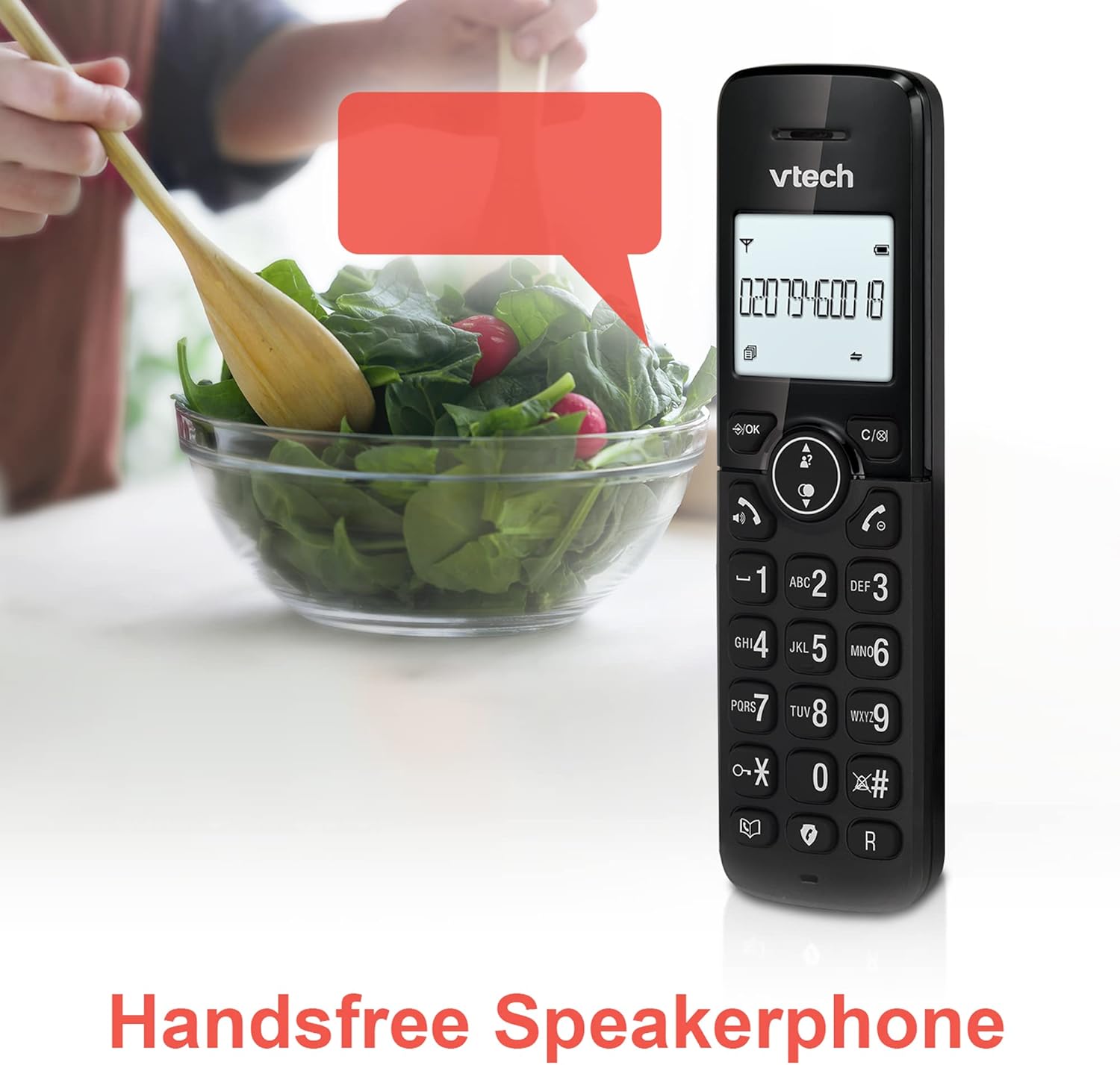
Image: A VTech CS2051 handset positioned for hands-free use, illustrating the speakerphone capability.
4.6 انٹرکام
You can use the handsets to communicate with each other internally.
- To Initiate: دبائیں آئی این ٹی button on one handset and select the desired handset to call.
4.7 Adjustable Ring Volume and Melody
Customize the ringtone and volume to your preference.
- Access the 'Ringtone Settings' or 'Volume Settings' menu on the handset to choose from available melodies and adjust the ring volume.

Image: A VTech CS2051 handset, highlighting the controls for adjusting ring volume and melody settings.
4.8 Alarm and Mute Function
- الارم: ہینڈ سیٹ مینو کے ذریعے الارم سیٹ کریں۔
- خاموش کریں: کال کے دوران ، دبائیں گونگا اپنے مائیکروفون کو عارضی طور پر خاموش کرنے کے لیے بٹن۔ چالو کرنے کے لیے دوبارہ دبائیں۔

Image: Illustrates the alarm function (represented by a clock icon) and the mute function (represented by a musical note icon) available on the VTech CS2051.
5 دیکھ بھال
- صفائی: Wipe the telephone and handsets with a soft, damp کپڑا کھرچنے والے کلینر یا سالوینٹس کا استعمال نہ کریں۔
- بیٹری کی دیکھ بھال: Ensure handsets are placed on the charger when not in use to maintain battery life. Replace batteries when performance significantly degrades.
- مقام: Place the base unit in a central location, away from other electrical appliances that may cause interference.
6 خرابیوں کا سراغ لگانا
- کوئی ڈائل ٹون نہیں: Ensure the telephone line cord is securely connected to both the base unit and the wall socket. Check if the AC adaptor is properly plugged in.
- ہینڈ سیٹ چارج نہیں ہو رہا ہے: Verify the handset is correctly seated in the charger/base unit. Clean the charging contacts on both the handset and charger with a dry cloth.
- ناقص کال کوالٹی/مداخلت: Move the base unit away from other electronic devices (e.g., Wi-Fi routers, microwaves). Ensure the handset is within range of the base unit.
- Handset Displays 'Unregistered': Follow the handset registration steps in Section 3.3.
- جواب دینے والی مشین ریکارڈنگ نہیں کر رہی: Check the answering machine settings via the handset menu to ensure it is enabled and has sufficient recording time.
7. وضاحتیں
| فیچر | تفصیلات |
|---|---|
| ماڈل | CS2051 |
| ٹیلی فون کی قسم | DECT Cordless |
| ہینڈ سیٹس کی تعداد | 2 |
| جواب دینے والے سسٹم کی قسم | Digital (up to 15 minutes record time) |
| کالر کی شناخت | ہاں (سبسکرپشن درکار ہے) |
| Nuisance Call Blocker | جی ہاں |
| ڈسپلے | 1.8-inch Backlit Display |
| بیٹریاں | 4 AAA بیٹریاں درکار ہیں (شامل) |
| مواد | Acrylonitrile Butadiene Styrene (ABS) |
| طاقت کا منبع | بیٹری سے چلنے والا |
| ملٹی لائن آپریشن | جی ہاں |
8. وارنٹی اور سپورٹ
This VTech CS2051 product is supplied as an Amazon Renewed item. For specific warranty details and support, please refer to the Amazon Renewed program terms and conditions or contact Amazon Renewed customer service directly. VTech provides manufacturing support for its products. For technical assistance or further information, please visit the official VTech support website or consult the full user manual if available from the manufacturer.


