1. تعارف
This manual provides detailed instructions for the installation, operation, and maintenance of your Tiandy TC-C32XN 2MP Fixed IP Dome Turret Camera. Please read this manual thoroughly before using the product to ensure correct usage and optimal performance. Keep this manual for future reference.
2. حفاظتی معلومات
- Ensure the power supply matches the camera's requirements to prevent damage.
- کیمرہ کو انتہائی درجہ حرارت، نمی، یا سنکنرن ماحول کے سامنے نہ رکھیں۔
- Avoid pointing the camera directly at strong light sources for extended periods, as this may damage the image sensor.
- Handle the camera with care. Do not drop or subject it to strong vibrations.
- All installation and service should be performed by qualified personnel.
- صفائی یا دیکھ بھال کرنے سے پہلے بجلی منقطع کریں۔
3. پیکیج کے مشمولات
تصدیق کریں کہ تمام اشیاء آپ کے پیکیج میں موجود ہیں:
- Tiandy TC-C32XN 2MP Fixed IP Dome Turret Camera
- اڈاپٹر
- بڑھتے ہوئے پیچ اور وال پلگ
- فوری آغاز گائیڈ (اگر شامل ہو)
4. پروڈکٹ ختمview
The Tiandy TC-C32XN is a 2MP Fixed IP Dome Turret Camera designed for reliable surveillance. It features Smart IR for clear night vision up to 30 meters, a built-in microphone, and an SD card slot for local storage.

شکل 4.1: سامنے view of the Tiandy TC-C32XN camera, showing the lens and IR illuminators.
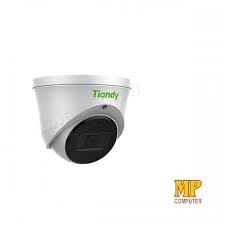
شکل 4.2: طرف view of the Tiandy TC-C32XN camera, highlighting its dome turret form factor.
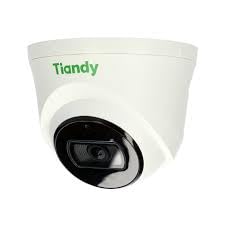
شکل 4.3: زاویہ دار view of the Tiandy TC-C32XN camera, showcasinجی اس کا کمپیکٹ ڈیزائن۔
5. سیٹ اپ اور انسٹالیشن
5.1 چڑھنا
- ایک مقام منتخب کریں: Choose a suitable outdoor or indoor location (IP67 rated for outdoor use) that provides the desired viewing angle and is within reach of power and network connections. The camera is designed for protruding mounting.
- سوراخ ڈرل: Use the provided mounting template (if applicable) to mark and drill holes for the mounting screws.
- کیمرے کو محفوظ کریں: Attach the camera base securely to the mounting surface using the provided screws and wall plugs.
5.2 وائرنگ
- پاور کنکشن: Connect the provided adapter to the camera's power input and then to a power outlet. The camera operates on corded electric power.
- نیٹ ورک کنکشن: Connect an Ethernet cable from your network router or PoE switch to the camera's Ethernet port. This camera supports Ethernet connectivity for data transmission.
5.3 ابتدائی کنفیگریشن
- پاور آن: Once wired, power on the camera.
- Network Discovery: Use the Tiandy client software or a network scanner tool to discover the camera's IP address on your local network.
- کیمرے تک رسائی: کھولنا a web براؤزر اور اس تک رسائی کے لیے کیمرے کا IP ایڈریس درج کریں۔ web interface. Log in using the default credentials (refer to the quick start guide for default username/password).
- ڈیفالٹ پاس ورڈ تبدیل کریں: For security, immediately change the default password upon first login.
- NVR Integration: If using with an NVR, add the camera to your NVR system following the NVR's instructions. This camera is compatible with all brand NVRs.
- موبائل ایپ سیٹ اپ: Download the official Tiandy mobile application (available for Android and iOS) and follow the in-app instructions to add your camera for remote viewing اور کنٹرول.
6. آپریٹنگ ہدایات
6.1 لائیو View اور ریکارڈنگ
کیمرے کے لائیو تک رسائی حاصل کریں۔ view کے ذریعے web interface, NVR, or mobile app. Configure recording schedules and methods (continuous, motion-triggered) via the camera's settings.
6.2 Smart IR and Night Vision
The camera features Smart IR technology, which automatically adjusts the intensity of its infrared LEDs to prevent overexposure of objects close to the camera, ensuring clear images in low-light conditions up to 30 meters. It also supports 'Night Color' low light technology for enhanced visibility.
6.3 حرکت کا پتہ لگانا اور الرٹس
Configure motion detection zones and sensitivity in the camera settings. The camera supports 'Motion Only' alert types. When motion is detected, the camera can trigger recordings, send notifications to your mobile device, or activate other configured actions. It also supports advanced features like tripwire and perimeter intrusion detection.
6.4 آڈیو فنکشنلٹی
The built-in microphone allows for audio monitoring of the surveillance area. Audio settings can be adjusted in the camera's web interface or NVR.
6.5 SD Card Storage
Insert a compatible SD card into the camera's SD card slot for local storage of recordings. Ensure the card is formatted correctly via the camera's settings. The camera supports SD flash memory type.
6.6 ری سیٹ بٹن
A reset button is included for restoring the camera to its factory default settings. Consult the quick start guide for the exact location and procedure for your model.
7 دیکھ بھال
- صفائی: نرم، خشک کپڑے سے کیمرے کے لینس اور جسم کو آہستہ سے صاف کریں۔ سخت کیمیکل یا کھرچنے والے کلینر کا استعمال نہ کریں۔
- فرم ویئر اپ ڈیٹس: Regularly check the Tiandy official website for firmware updates. Keeping your camera's firmware up-to-date ensures optimal performance and security.
- کیبل معائنہ: وقتاً فوقتاً تمام کیبلز کو پہننے یا نقصان کی علامات کے لیے معائنہ کریں، خاص طور پر بیرونی تنصیبات کے لیے۔
8 خرابیوں کا سراغ لگانا
- کوئی طاقت نہیں: یقینی بنائیں کہ پاور اڈاپٹر محفوظ طریقے سے جڑا ہوا ہے اور پاور آؤٹ لیٹ فعال ہے۔
- کوئی ویڈیو نہیں: Check network cable connections. Verify the camera's IP address and network settings. Ensure the camera is properly added to your NVR or viewسافٹ ویئر.
- خراب تصویری معیار: Clean the camera lens. Adjust focus if applicable. Check lighting conditions and camera placement.
- نیٹ ورک کنکشن کے مسائل: Verify router and network cable functionality. Restart the camera and network devices.
- رسائی نہیں ہو سکتی Web انٹرفیس: Ensure your computer is on the same network segment as the camera. Verify the camera's IP address. Try resetting the camera to factory defaults if necessary (this will erase all settings).
9. وضاحتیں
| فیچر | تفصیلات |
|---|---|
| ماڈل | TC-C32XN |
| موثر پھر بھی قرارداد | 2 MP (1920x1080) |
| فریم ریٹ | 30 فریم فی سیکنڈ |
| فوٹو سینسر ٹیکنالوجی | CMOS (1/2.8") |
| نائٹ ویژن رینج۔ | 30 Metres (Smart IR) |
| کم روشنی والی ٹیکنالوجی | رات کا رنگ |
| آپٹیکل زوم | 3 ایکس |
| بلٹ ان مائیکروفون | جی ہاں |
| ایس ڈی کارڈ سلاٹ | Yes (Flash Memory Type: SD) |
| انتباہ کی قسم | Motion Only (supports tripwire and perimeter) |
| کنیکٹوٹی ٹیکنالوجی | Wireless (IR), Ethernet |
| طاقت کا منبع | کورڈڈ الیکٹرک |
| بین الاقوامی تحفظ کی درجہ بندی | آئی پی 67 |
| فارم فیکٹر | Dome Turret |
| چڑھنے کی قسم | پھیلاؤ |
| آپریٹنگ سسٹم کی مطابقت | اینڈرائیڈ، آئی او ایس |
| پروڈکٹ کے طول و عرض (L x W x H) | 50 x 50 x 70 ملی میٹر |
| شے کا وزن | 20 گرام |
| شامل اجزاء | اڈاپٹر |
| رنگ | سفید |
10. وارنٹی اور سپورٹ
For warranty information and technical support, please refer to the warranty card included with your product or visit the official Tiandy website. Contact the seller or manufacturer directly for assistance with product issues or inquiries.


