تعارف
This manual provides detailed instructions for the safe and efficient operation of your YABER E1 Mini Projector. Please read this manual thoroughly before using the product and retain it for future reference.
اہم حفاظتی معلومات
- براہ راست پروجیکٹر کے لینس میں مت دیکھیں جب ایلamp پر ہے
- زیادہ گرمی سے بچنے کے لیے پروجیکٹر کے ارد گرد مناسب وینٹیلیشن کو یقینی بنائیں۔
- پروجیکٹر کے ساتھ فراہم کردہ پاور اڈاپٹر ہی استعمال کریں۔
- پروجیکٹر کو پانی یا دیگر مائعات سے دور رکھیں۔
- پروجیکٹر کو غیر مستحکم سطحوں پر رکھنے سے گریز کریں۔
- پروجیکٹر کو خود سے جدا کرنے یا مرمت کرنے کی کوشش نہ کریں۔ مدد کے لیے کسٹمر سپورٹ سے رابطہ کریں۔
باکس میں کیا ہے۔
پیک کھولنے پر، براہ کرم تصدیق کریں کہ درج ذیل تمام اشیاء شامل ہیں:
- 1 E1 Projector
- ریموٹ کنٹرول
- پاور کی ہڈی
- HDMI کیبل
- کلیننگ کٹ
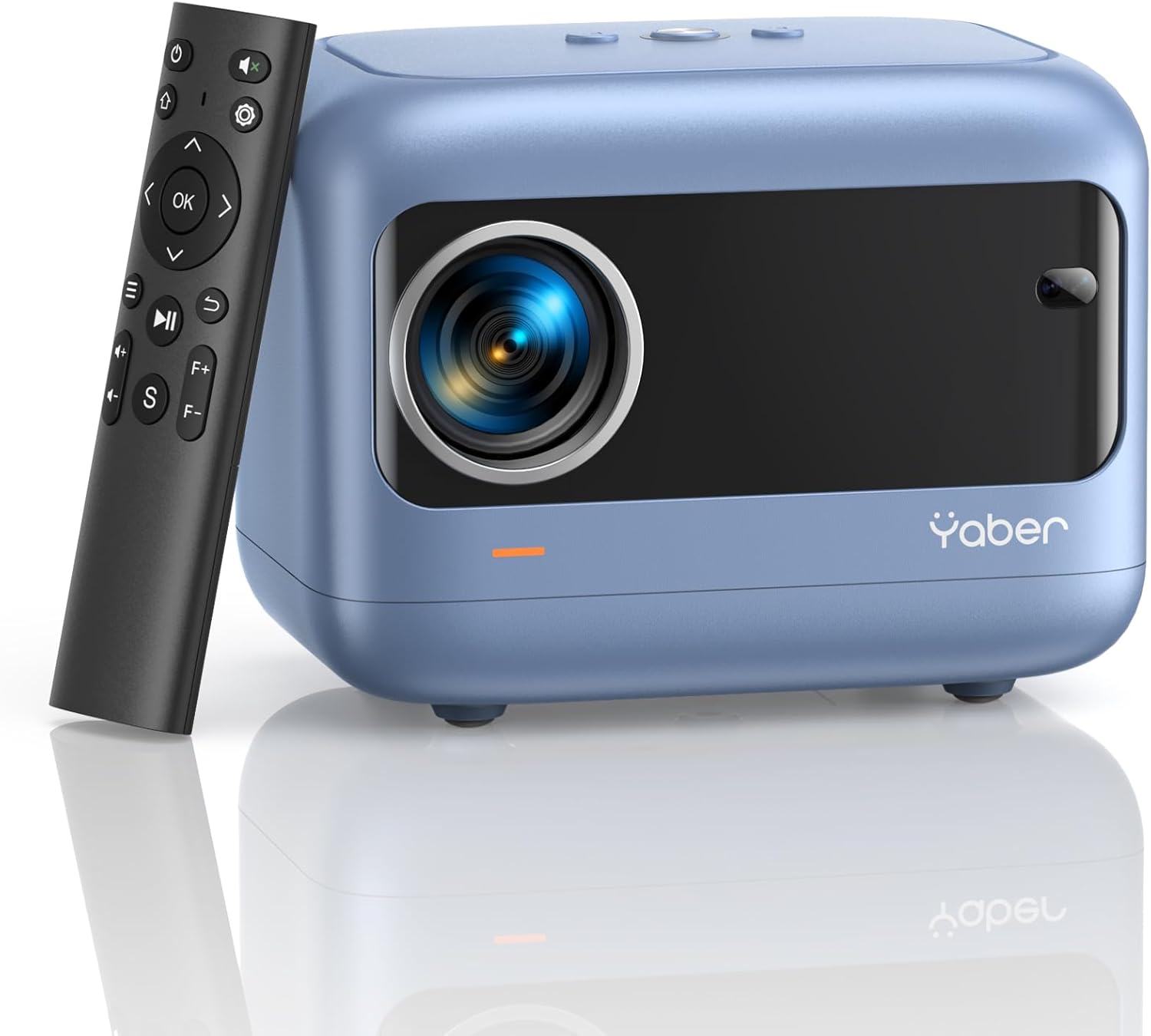
Image: YABER E1 Mini Projector with its remote control.
سیٹ اپ گائیڈ
1 فزیکل پلیسمنٹ
Place the projector on a stable, flat surface. Ensure there is adequate space around the projector for ventilation. The optimal projection distance ranges from 2.6 feet to 16.4 feet, allowing for a screen size of 50 to 200 inches.
2. پاور کنکشن
فراہم کردہ پاور کورڈ کو پروجیکٹر کے پاور ان پٹ سے اور پھر پاور آؤٹ لیٹ سے جوڑیں۔
3. Initial Adjustments: Electric Focus and Keystone Correction
The YABER E1 features advanced electric focus and keystone correction for optimal image clarity and shape. Use the remote control or the buttons on the projector panel to adjust these settings.
- الیکٹرک فوکس: Automatically adjusts the lens position for precise focus.
- کلیدی پتھر کی اصلاح: Corrects image distortion (up to ±40° vertical) when the projector is not perfectly perpendicular to the screen.

Image: Adjusting electric focus using the remote control.

Image: Illustrating vertical keystone correction.
آپریٹنگ ہدایات
1. کنیکٹیویٹی کے اختیارات
The YABER E1 offers various connectivity methods to display your content.
- Wireless Connectivity (5GHz WiFi): Supports wireless screen mirroring for iOS, Android, and Windows devices. Navigate to the WiFi settings in the projector menu to connect to your home network and enable screen mirroring from your device.
- بلوٹوتھ 5.2: Connect external Bluetooth speakers, headphones, or other audio equipment for an enhanced sound experience. Access Bluetooth settings in the menu to pair devices.
- وائرڈ کنکشن: The projector includes multiple ports for wired connections:
- 2 ایکس USB پورٹس
- 1 x HDMI پورٹ
- 1 x 3.5mm audio port
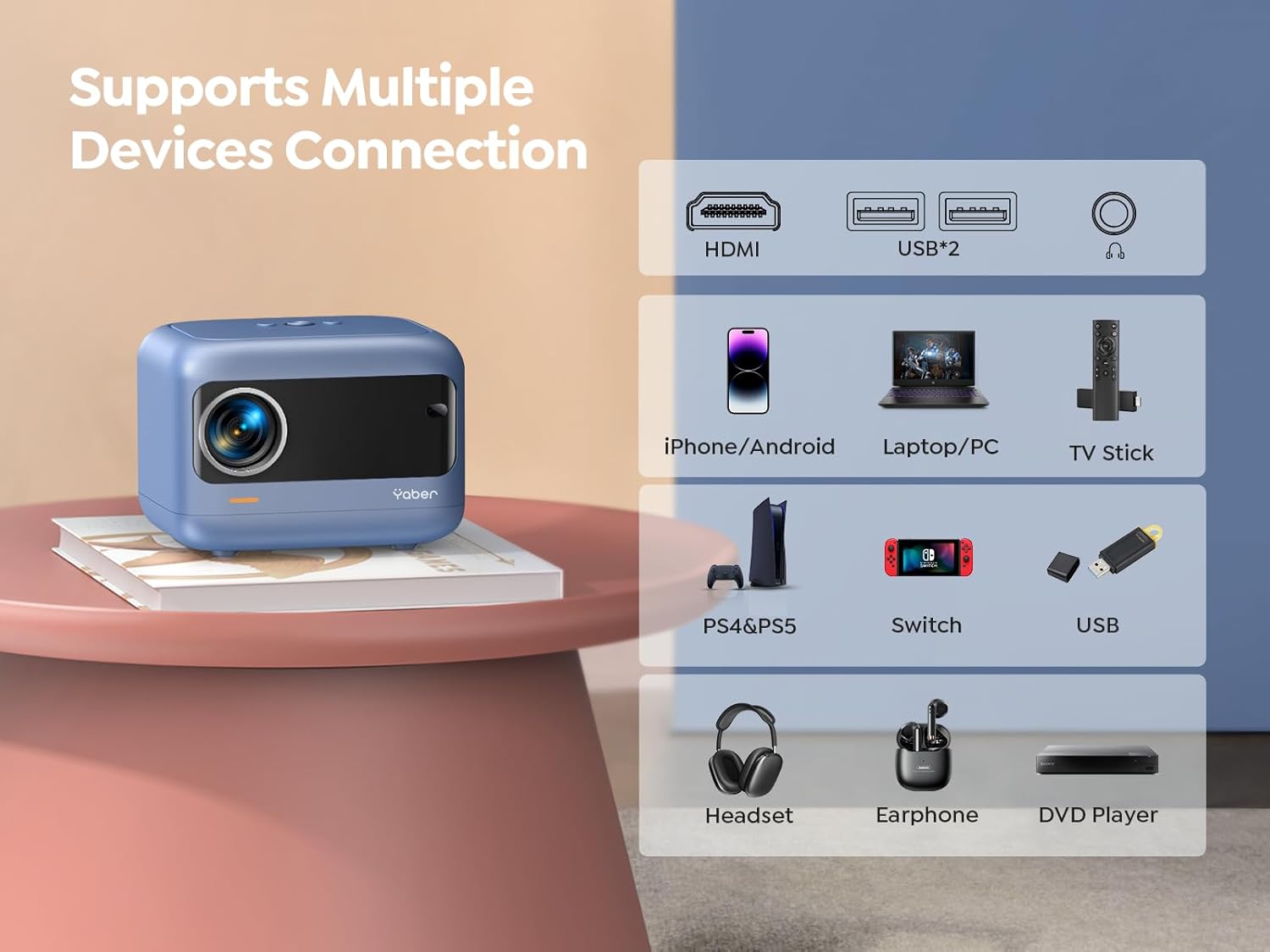
تصویر: ختمview of available ports and compatible devices.

Image: Demonstrating 5G and 2.4G WiFi connectivity for streaming.

Image: Connecting external audio devices via Bluetooth 5.2.
2. Screen Zoom Function
The zoom function allows you to adjust the screen size without moving the projector. This is useful for fine-tuning the image to fit your projection surface.
3. آڈیو آؤٹ پٹ۔
The YABER E1 includes dual 6W built-in speakers. For a more immersive audio experience, connect external speakers or headphones via Bluetooth 5.2 or the 3.5mm audio jack.
دیکھ بھال
- لینس کی صفائی: Use the provided cleaning kit or a soft, lint-free cloth to gently clean the projector lens. Avoid abrasive materials that could scratch the lens.
- دھول ہٹانا: Regularly clean the projector's vents to ensure proper airflow and prevent dust buildup, which can affect performance and lifespan.
- ذخیرہ: When not in use, store the projector in a cool, dry place, ideally with the lens cap on to protect it from dust and damage.
خرابی کا سراغ لگانا
For common issues such as signal loss, sound problems, or connectivity difficulties, please refer to the detailed troubleshooting guide available on the product detail page or contact YABER customer support.
- کوئی تصویر/سگنل نہیں: Check all cable connections (HDMI, USB) and ensure the correct input source is selected on the projector. For wireless connections, verify WiFi settings and screen mirroring activation on your device.
- دھندلی تصویر: Use the electric focus function to sharpen the image. Ensure the projector is placed within the recommended projection distance.
- مسخ شدہ تصویر: Utilize the keystone correction feature to adjust the image shape.
- کوئی آواز نہیں: Check the volume settings on both the projector and the connected device. If using external speakers, ensure they are properly connected and powered on. Verify Bluetooth pairing if applicable.

Image: General troubleshooting tips for quick resolution.
وضاحتیں
| فیچر | تفصیل |
|---|---|
| مصنوعات کے طول و عرض | 6.26 x 4.92 x 4.61 انچ |
| شے کا وزن | 2.11 پاؤنڈ |
| ماڈل نمبر | YABER E1 |
| ڈسپلے ریزولوشن | 1920 x 1080 (مکمل ایچ ڈی) |
| کنیکٹوٹی ٹیکنالوجی | Wireless (5G WiFi), Bluetooth 5.2, HDMI, USB |
| خصوصی خصوصیات | Electric Focus, ±40° Keystone Correction, Dual 6W Speakers, Wireless Screen Mirroring |
| تجویز کردہ استعمال | ہوم سنیما |
وارنٹی اور سپورٹ
YABER offers comprehensive customer support for your E1 Mini Projector.
- سروس: 24/7 customer service team.
- متبادل: 3-year free replacement policy.
- سپورٹ: زندگی بھر تکنیکی مدد۔
- رابطہ: For any questions or assistance, please contact us via email at support03@yaberauto.com.

تصویر: ختمview of YABER's customer service commitments.


