تعارف
Thank you for choosing the MOES 16A Smart Plug with Energy Monitoring. This smart plug is designed to enhance your home automation experience by allowing you to control connected devices remotely, monitor energy consumption, and integrate with popular smart home platforms like Apple HomeKit, Amazon Alexa, and Google Home. Please read this manual carefully before use to ensure proper installation and operation.
حفاظتی معلومات
- ڈیوائس کو جدا یا ترمیم نہ کریں۔
- Keep the device away from water, fire, and high humidity environments.
- Ensure the connected appliance's power consumption does not exceed the smart plug's maximum rating (16A, 3680W).
- یہ آلہ صرف اندرونی استعمال کے لیے ہے۔
- For safety, do not connect multiple smart plugs in series.
پروڈکٹ ختمview
The MOES Smart Plug features a compact design with essential controls and indicators.

تصویر 1: سامنے اور طرف view of the MOES Smart Plug, highlighting the On/Off & Reset Button/LED, 16A current rating, electricity monitoring feature, and dimensions (85mm length, 50mm width, 50mm height). The plug supports AC 85-250V, 50/60Hz, with a maximum power of 3680W.
- On/Off & Reset Button/LED: Press to manually turn the plug on or off. Press and hold for several seconds to initiate pairing mode or factory reset. The LED indicates the plug's status (e.g., solid for on, blinking for pairing).
- پاور ریٹنگ: 16 تک سپورٹ کرتا ہے۔ Amperes and 3680 Watts.
- Electricity Monitoring: Tracks real-time and historical power consumption of connected devices.
سیٹ اپ
1. ابتدائی پلگ ان
- Plug the MOES Smart Plug into a standard wall outlet.
- The LED indicator will start blinking, indicating it's in pairing mode. If not, press and hold the On/Off & Reset button for 5 seconds until it blinks rapidly.
2. ایپ کی تنصیب اور جوڑا بنانا
The MOES Smart Plug supports multiple smart home ecosystems. Choose your preferred method:
ایپل ہوم کٹ کے لیے:
- Open the Apple Home app on your iOS device (iOS 16.0 or above required).
- Tap the "+" icon and select "Add Accessory."
- Scan the HomeKit setup code located on the smart plug or its packaging.
- جوڑا بنانے کے عمل کو مکمل کرنے کے لیے اسکرین پر دی گئی ہدایات پر عمل کریں۔
For Amazon Alexa / Google Home (via Tuya Smart or MOES App):
First, install the Tuya Smart app or MOES app on your smartphone (Android 8.1+ or iOS 16.0+).
- Download the "Tuya Smart" or "MOES" app from the App Store or Google Play Store.
- رجسٹر یا اپنے اکاؤنٹ میں لاگ ان کریں۔
- نیا آلہ شامل کرنے کے لیے ایپ میں "+" آئیکن کو تھپتھپائیں۔
- Select "Electrical Outlet" or "Smart Plug" from the device list.
- Confirm the LED indicator is blinking rapidly. If not, reset the plug.
- Enter your 2.4GHz Wi-Fi network credentials. Note: The plug may not connect to 5GHz Wi-Fi networks. If you experience issues, temporarily disable 5GHz on your router during setup.
- جوڑا بنانے کے لیے درون ایپ ہدایات پر عمل کریں۔
- Once paired with the Tuya Smart/MOES app, you can link it to Alexa or Google Home via their respective apps' "Skills" or "Works with Google" sections.

تصویر 2: Compatibility table detailing app versions and gateway device requirements for Tuya Smart, Home (Apple HomeKit), Google Home, Amazon Alexa, and MOES apps. For example, Google Home requires Android 8.1 and above, Google Play service 22.46.17 and above, and Bluetooth Low Energy 4.2 and above.
آپریٹنگ ہدایات
دستی کنٹرول
Press the physical button on the side of the smart plug to manually turn the connected appliance on or off.
ایپ کنٹرول
Use the MOES, Tuya Smart, Apple Home, Google Home, or Amazon Alexa app to remotely control the smart plug from anywhere with an internet connection. You can turn it on/off, set schedules, and monitor energy.

تصویر 3: Illustration of remote control functionality, showing a mobile phone displaying the MOES app interface controlling various smart devices like lamps, air conditioners, ovens, washing machines, and coffee machines within a home environment.
وائس کنٹرول
Integrate with Amazon Alexa or Google Assistant for hands-free control.
- الیکسا کے لیے: Say "Alexa, turn on [device name]" or "Alexa, turn off [device name]".
- گوگل اسسٹنٹ کے لیے: Say "Hey Google, turn on [device name]" or "Hey Google, turn off [device name]".
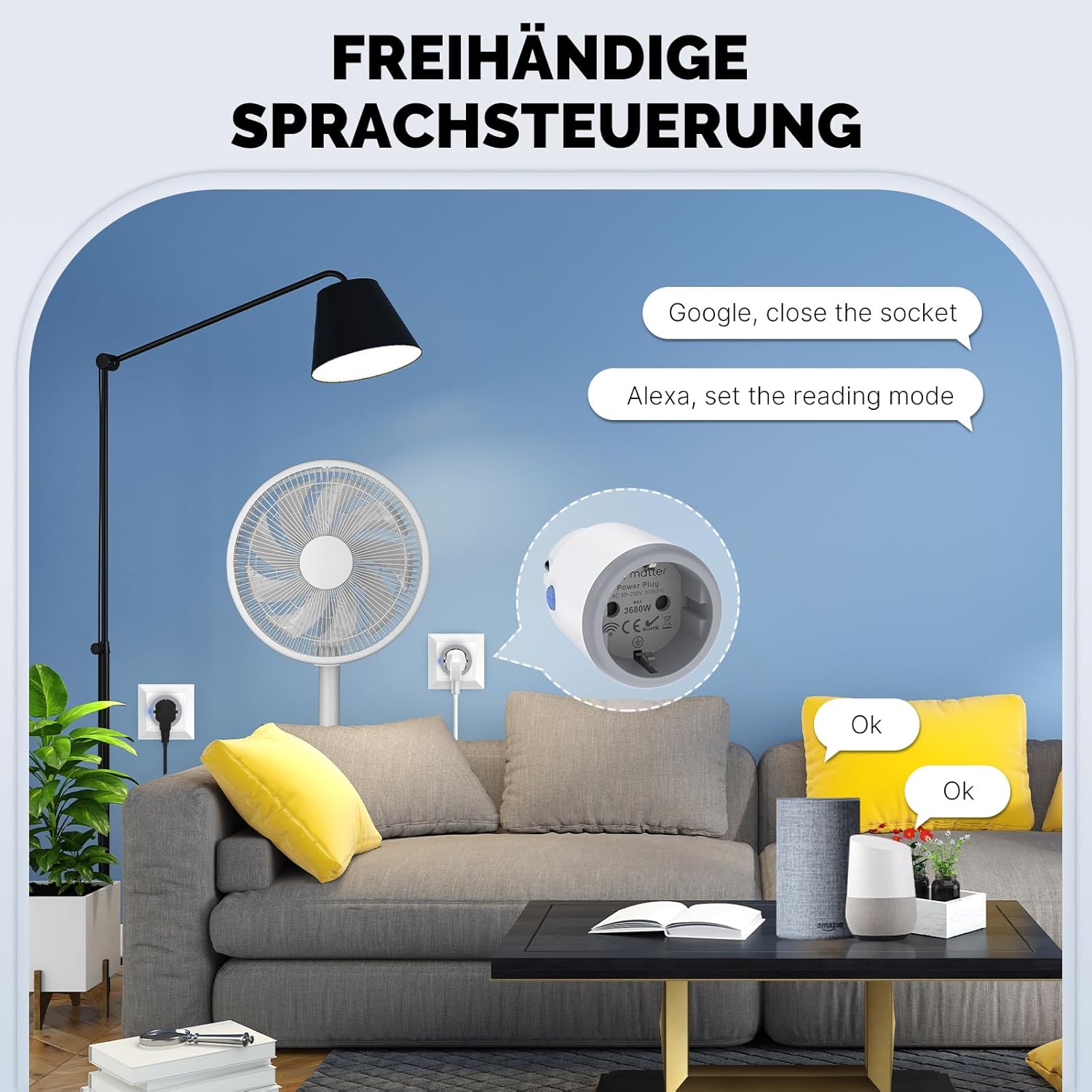
تصویر 4: Depiction of hands-free voice control, showing a user interacting with Amazon Alexa and Google Assistant devices to control the smart plug. Examples include "Google, close the socket" and "Alexa, set the reading mode."
شیڈولنگ اور ٹائمر
Set up custom schedules, countdown timers, or random on/off cycles through the app to automate your devices.

تصویر 5: Visual representation of personalized scheduling features within the app, including options for setting specific schedules (e.g., turn on lights daily at 18:00), circulating schedules (e.g., turn on AC daily from 20:00 to 8:00), random on/off, and delay-off functions (e.g., TV turns off automatically after 3 hours).
توانائی کی نگرانی
View real-time and historical power consumption data for devices connected to the smart plug within the app. This helps you understand and manage your energy usage.
دیکھ بھال
- Clean the smart plug with a dry, soft cloth. Do not use liquid cleaners.
- صاف کرنے سے پہلے یقینی بنائیں کہ پلگ پاور آؤٹ لیٹ سے منقطع ہے۔
- ڈیوائس کو انتہائی درجہ حرارت یا براہ راست سورج کی روشنی میں بے نقاب کرنے سے گریز کریں۔
خرابی کا سراغ لگانا
- Plug not responding: Ensure the plug is securely inserted into the wall outlet and the power supply is active.
- Wi-Fi سے منسلک نہیں ہو سکتا:
- Ensure your Wi-Fi network is 2.4GHz. This device may not be compatible with 5GHz networks. Temporarily disable 5GHz on your router during setup if necessary.
- اپنا Wi-Fi پاس ورڈ چیک کریں۔
- سمارٹ پلگ کو اپنے Wi-Fi راؤٹر کے قریب لے جائیں۔
- Reset the smart plug by pressing and holding the button for 5 seconds until the LED blinks rapidly, then try pairing again.
- صوتی کنٹرول کام نہیں کر رہا ہے:
- Ensure the smart plug is successfully linked to your Alexa or Google Home account.
- Check the device name in your smart home app; use this exact name for voice commands.
- اپنے انٹرنیٹ کنکشن کی تصدیق کریں۔
- Energy monitoring data incorrect: Ensure the connected appliance is functioning correctly and the plug is receiving stable power.
وضاحتیں
| ماڈل نمبر | MT-WP-EU-MS |
| برانڈ | MOES |
| ریٹیڈ کرنٹ | 16 Ampپہلے |
| میکس واٹ۔tage | 3680 واٹ |
| آپریٹنگ موڈ | آن آف آن |
| کنٹرولر کی قسم | Amazon Alexa, Apple HomeKit, Google Home (via Tuya/MOES App) |
| مواد | پلاسٹک |
| شے کا وزن | 103 گرام |
| طول و عرض | 9.6 x 5.7 x 5.4 سینٹی میٹر |
وارنٹی اور سپورٹ
MOES products come with a standard manufacturer's warranty. For specific warranty details, please refer to the warranty card included with your purchase or visit the official MOES website. For technical support, troubleshooting assistance, or any inquiries, please contact MOES customer service through their official channels.
You can visit the MOES store on Amazon for more information: MOES Store
ضائع کرنے کی معلومات
This symbol on the product or its packaging indicates that this product shall not be treated as household waste. Instead, it shall be handed over to the applicable collection point for the recycling of electrical and electronic equipment. By ensuring this product is disposed of correctly, you will help prevent potential negative consequences for the environment and human health, which could otherwise be caused by inappropriate waste handling of this product.


