1. تعارف
خریداری کے لیے آپ کا شکریہasing the TCL 40L5AG 40-inch Google TV Smart Television. This television combines a Full HD display with advanced image processing, smart features powered by Google TV, and immersive audio to provide a comprehensive entertainment experience. Please read this manual thoroughly before using the product to ensure proper operation and to maximize your viewخوشی
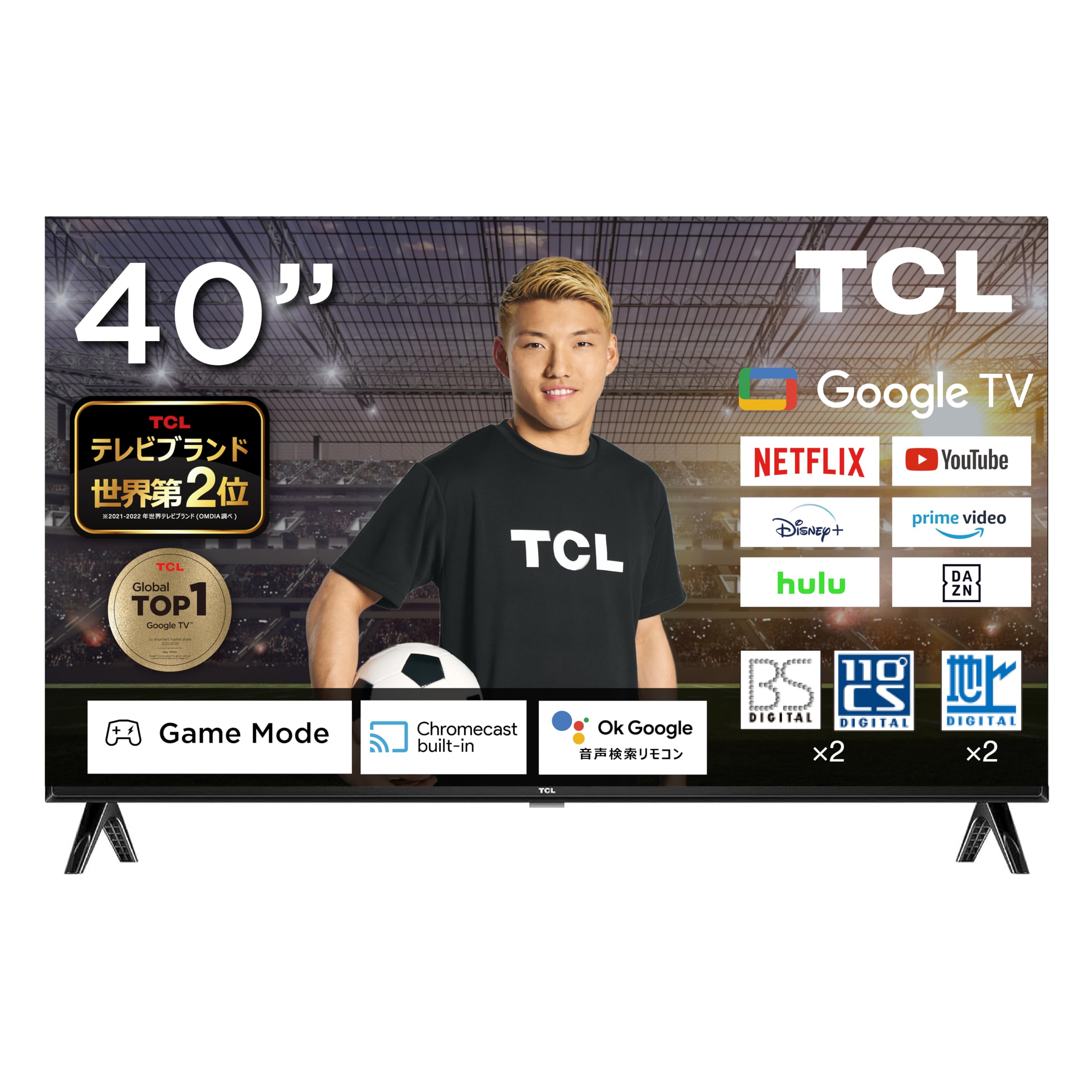
Figure 1: TCL 40L5AG 40-inch Google TV Smart Television. This image shows the front view of the television with its slim bezels and stand.
2. سیٹ اپ
2.1 پیک کھولنا اور اسمبلی
احتیاط سے ٹیلی ویژن کو اس کی پیکیجنگ سے ہٹا دیں۔ یقینی بنائیں کہ تمام اجزاء موجود ہیں:
- TCL 40L5AG Television
- ریموٹ کنٹرول
- ریموٹ کنٹرول کے لیے بیٹریاں
- ٹی وی اسٹینڈ (اگر قابل اطلاق ہو)
- پاور کی ہڈی
- صارف دستی (یہ دستاویز)
If using the TV stand, attach it securely according to the instructions provided in the quick start guide. For wall mounting, refer to a compatible VESA wall mount kit (sold separately) and follow its installation instructions.
2.2 کنیکٹنگ کیبلز
Connect the necessary cables to the appropriate ports on the rear of the television.

شکل 2: پیچھے view of the TCL 40L5AG showing various connection terminals. This diagram illustrates the locations of the Optical Digital Audio Output, LAN, Headphone Output, Video Input, Antenna Input, HDMI Inputs (1-2), miniB-CAS Card Slot, and USB Terminal.
- طاقت: پاور کورڈ کو ٹی وی سے اور پھر پاور آؤٹ لیٹ سے جوڑیں۔
- اینٹینا: Connect your terrestrial, BS, or 110-degree CS digital antenna cable to the Antenna Input terminal.
- HDMI: For external devices like Blu-ray players or gaming consoles, connect HDMI cables to HDMI Input 1 or 2.
- LAN: For a wired internet connection, connect an Ethernet cable to the LAN terminal.
- USB: For connecting USB storage devices (e.g., for HDD recording), use the USB terminal.
- miniB-CAS Card: Insert the miniB-CAS card into the designated slot for digital broadcast reception.
- آپٹیکل ڈیجیٹل آڈیو آؤٹ پٹ: بیرونی آڈیو سسٹم سے منسلک ہونے کے لیے۔
- ہیڈ فون آؤٹ پٹ: مربوط ہیڈ فون کے لئے۔
- ویڈیو ان پٹ: For connecting older video devices.
2.3 ابتدائی پاور آن اور سیٹ اپ وزرڈ
After connecting all cables, plug in the power cord. The TV will power on and guide you through the initial setup process, which includes:
- زبان کا انتخاب
- نیٹ ورک کنکشن (وائی فائی یا وائرڈ)
- Google account login (recommended for full Google TV features)
- Channel scanning for terrestrial, BS, and 110-degree CS digital broadcasts
- ٹائم زون اور دیگر بنیادی ترتیبات
3. ٹیلی ویژن چلانا
3.1 ٹی وی کے بنیادی افعال
Use the remote control to navigate the television. Key functions include:
- پاور بٹن: ٹی وی کو آن یا آف کرتا ہے۔
- والیوم اوپر/نیچے: آڈیو والیوم کو ایڈجسٹ کرتا ہے۔
- چینل اوپر/نیچے: ٹی وی چینلز بدلتے ہیں۔
- ان پٹ/ماخذ: ان پٹ سورس (HDMI، AV، TV) کو منتخب کرتا ہے۔
- ہوم بٹن: گوگل ٹی وی ہوم اسکرین تک رسائی حاصل کرتا ہے۔
- نیویگیشن بٹن (اوپر/نیچے/بائیں/دائیں) اور ٹھیک ہے: مینو نیویگیشن اور انتخاب کے لیے۔
3.2 گوگل ٹی وی انٹرفیس
The Google TV interface organizes your content from various streaming services and apps into a personalized home screen. Google AI recommends content based on your viewing history and preferences.

Figure 3: The Google TV home screen displaying recommended content and various streaming applications.
You can add favorite content to a "Watchlist" which will be saved across your Google account and accessible from other devices.
3.3 Google Assistant (Voice Search)
The TCL 40L5AG supports Google Voice Search and Google Assistant. Press the dedicated Google Assistant button on your remote control and speak into the microphone to search for content, get information, or control smart home devices.

Figure 4: A user interacting with the Google Assistant feature on the TCL TV, demonstrating voice command functionality.
3.4 Chromecast بلٹ ان
With Chromecast built-in, you can cast videos, photos, music, and other content from your smartphone, tablet, or computer directly to your TV screen. Ensure your device and TV are connected to the same Wi-Fi network.

Figure 5: An illustration of Chromecast in action, showing a smartphone screen mirroring content to the TCL television.
3.5 سٹریمنگ سروسز تک رسائی
The TV comes with popular streaming services like Netflix and YouTube pre-installed. You can also download other apps from the Google Play Store. Supported services include YouTube, Amazon Prime Video, Netflix, Hulu, Disney+, Apple TV+, U-NEXT, and more.

Figure 6: A family enjoying various streaming services and content on the TCL television.
4. کلیدی خصوصیات
4.1 Algo Engine Lite
The Algo Engine Lite utilizes an advanced image analysis algorithm to process TV broadcasts and online video content, delivering high-quality visual beauty with enhanced texture and clarity.

Figure 7: A visual representation of the Algo Engine Lite processor, highlighting its role in image analysis.
4.2 Algo Engine - Detail Restoration
This feature minimizes noise, including wave-like patterns in flat image areas, beyond just text and edge noise. It also skillfully upscales HD and 2K content to 4K resolution, reproducing highly detailed images.

Figure 8: Comparison of an image before and after Algo Engine's detail restoration, showing enhanced clarity in a canal scene.
4.3 Algo Engine - Superior Contrast (Micro Dimming)
Equipped with "Micro Dimming," the Algo Engine analyzes image information in detail for each zone. This allows for clear separation of light and dark areas, even in subtle details, creating a more realistic sense of depth in landscapes.

Figure 9: A city night scene demonstrating the improved contrast and depth with Algo Engine's Micro Dimming feature.
4.4 Algo Engine - Precise Color Management
Through 3D color management, the Algo Engine minimizes color gamut loss during color transitions. It accurately reproduces gradations and colors from the darkest to the brightest areas of an image.

Figure 10: A visual comparison of fruit bowls, illustrating the enhanced color accuracy and vibrancy achieved with Algo Engine's precise color management.
4.5 Algo Engine - Evolved HDR Expression
The Algo Engine thoroughly analyzes High Dynamic Range (HDR) images and flexibly adapts to a wide range of brightness levels. This ensures faithful depiction of both bright and dark areas, supporting HDR10/HLG formats (1080p only).

Figure 11: A sunset scene demonstrating the enhanced dynamic range and detail in bright and dark areas with Algo Engine's HDR expression.
4.6 Full HD LCD Panel
The television features a Full HD LCD panel with direct-lit LED backlighting, providing bright and high-quality images across the entire screen. The panel resolution is twice that of standard High Vision, allowing for rich expression of diverse content with high-precision visuals.

Figure 12: A comparison showing the difference between HD and Full HD display quality, highlighting the clarity of the Full HD LCD panel.
4.7 ڈولبی آڈیو
Experience clear and powerful sound with Dolby Audio support, enhancing your overall entertainment experience.

Figure 13: A waterfall scene illustrating the immersive sound experience provided by Dolby Audio.
4.8 Bezel-less Design
The television features an ultra-thin metal frame, enhancing immersion and contributing to a sleek aesthetic in your living space.

تصویر 14: کلوز اپ views of the TCL television's ultra-thin bezel, showcasing its modern, immersive design.
5 دیکھ بھال
5.1 Cleaning the Screen and Exterior
- صاف کرنے سے پہلے ہمیشہ ٹی وی کو ان پلگ کریں۔
- اسکرین کو آہستہ سے صاف کرنے کے لیے نرم، لنٹ سے پاک کپڑا استعمال کریں۔ ضدی نشانات کے لیے، تھوڑا سا ڈیampur پانی کے ساتھ کپڑا یا سکرین کی صفائی کا محلول خاص طور پر الیکٹرانکس کے لیے ڈیزائن کیا گیا ہے۔ مائع کو براہ راست اسکرین پر نہ چھڑکیں۔
- باہر کا صفایا کریں casing ایک نرم، خشک کپڑے کے ساتھ. کھرچنے والے کلینر، موم یا سالوینٹس کے استعمال سے گریز کریں کیونکہ وہ ختم کو نقصان پہنچا سکتے ہیں۔
5.2 سافٹ ویئر اپ ڈیٹس
Your TCL Google TV may receive automatic software updates to improve performance and add new features. Ensure your TV is connected to the internet for these updates. You can also manually check for updates in the TV's settings menu.
6 خرابیوں کا سراغ لگانا
اگر آپ کو اپنے ٹیلی ویژن کے ساتھ مسائل کا سامنا ہے، تو درج ذیل عام حلوں کا حوالہ دیں:
| مسئلہ | حل |
|---|---|
| کوئی طاقت نہیں۔ | Ensure the power cord is securely plugged into both the TV and the wall outlet. Check if the outlet is working by plugging in another device. |
| کوئی تصویر نہیں، لیکن آواز موجود ہے۔ | Check the input source. Press the "Input" button on the remote to cycle through sources. Ensure external devices are powered on and connected correctly. |
| کوئی آواز نہیں لیکن تصویر موجود ہے۔ | Check the volume level and ensure the TV is not muted. If using external audio, check its connections and settings. |
| Wi-Fi سے منسلک نہیں ہو سکتا | یقینی بنائیں کہ آپ کا وائی فائی روٹر آن اور کام کر رہا ہے۔ Wi-Fi پاس ورڈ دوبارہ درج کریں۔ ٹی وی اور راؤٹر دونوں کو دوبارہ شروع کرنے کی کوشش کریں۔ |
| ریموٹ کنٹرول کام نہیں کر رہا ہے۔ | بیٹریاں چیک کریں اور تبدیل کریں۔ یقینی بنائیں کہ ریموٹ اور ٹی وی کے IR سینسر کے درمیان کوئی رکاوٹ نہیں ہے۔ |
| تصویر کے معیار کے مسائل (مثلاً، دھندلی، مسخ شدہ) | Check the cable connections. Adjust picture settings in the TV menu. For broadcast issues, check antenna connection. |
| Smart features (Google TV, apps) not responding | Ensure a stable internet connection. Try restarting the TV by unplugging it for a few minutes and plugging it back in. If issues persist, consider a factory reset (see below). |
6.1 فیکٹری ری سیٹ
If troubleshooting steps do not resolve the issue, a factory reset may be necessary. This will erase all personal settings and installed apps, returning the TV to its original factory state. Refer to the TV's settings menu for the exact steps to perform a factory reset.
7. وضاحتیں
The following table outlines the key technical specifications for the TCL 40L5AG television:
| فیچر | تفصیلات |
|---|---|
| برانڈ | ٹی سی ایل |
| ماڈل نمبر | 40L5AG |
| ڈسپلے کی قسم | LCD |
| اسکرین کا سائز | 40 انچ |
| قرارداد | مکمل HD (1920 x 1080) |
| پہلو کا تناسب | 1.77:1 |
| کنٹراسٹ ریشو | 5000:1 |
| کنیکٹوٹی ٹیکنالوجی | بلوٹوتھ ، وائی فائی |
| HDMI پورٹس | 2 |
| آؤٹ پٹ طریقہ | USB, Digital Audio Output |
| انٹرنیٹ سروسز سپورٹ | یوٹیوب، نیٹ فلکس |
| اسپیکر کی خصوصیات | 16W 2ch |
| پروڈکٹ کے طول و عرض (D x W x H) | 18 x 71.6 x 46.8 سینٹی میٹر |
| پروڈکٹ کا وزن | 8 کلوگرام |
| سالانہ بجلی کی کھپت | 76 کلو واٹ فی سال |
| Wall Mount Compatible | جی ہاں |
| ریلیز کا سال | 2020 |

Figure 15: Diagram showing the dimensions of the TCL 40L5AG television, including width, height, and depth, along with recommended room size and optimal viewفاصلہ
8. وارنٹی اور سپورٹ
For warranty information and customer support, please refer to the warranty card included with your product or visit the official TCL website for your region. You may also contact TCL customer service for assistance with product registration, technical support, or service inquiries.
آن لائن مدد: www.tcl.com


