1. تعارف
Thank you for choosing the CRUA 30" Curved Gaming Monitor. This manual provides essential information for setting up, operating, and maintaining your monitor. Please read it thoroughly before use to ensure optimal performance and safety.
This monitor features a 30-inch WFHD (2560x1080) 1500R curved VA screen, offering a 21:9 aspect ratio for an immersive viewing experience. It supports a high refresh rate of up to 200Hz and AMD FreeSync technology for smooth, tear-free visuals. With 120% sRGB color gamut, 300 cd/m² brightness, and a 3000:1 contrast ratio, it delivers vibrant and true-to-life colors.
2. حفاظتی معلومات
Please observe the following safety precautions to prevent damage to your monitor or injury to yourself:
- مانیٹر کو غیر مستحکم کارٹ، اسٹینڈ یا میز پر نہ رکھیں۔
- وینٹیلیشن کے آغاز کو روکیں نہ۔
- Do not use near water or sources of heat.
- صرف مینوفیکچرر کی طرف سے فراہم کردہ پاور اڈاپٹر استعمال کریں۔
- بجلی کے طوفان کے دوران یا طویل عرصے تک غیر استعمال ہونے پر مانیٹر کو ان پلگ کریں۔
- تمام سروسنگ کو اہل سروس اہلکاروں سے رجوع کریں۔
3. پیکیج کے مشمولات
تصدیق کریں کہ تمام اشیاء آپ کے پیکیج میں موجود ہیں:
- 29.5 انچ گیمنگ مانیٹر
- پاور اڈاپٹر
- ڈی پی کیبل
- Base and Support
- صارف دستی
4. سیٹ اپ
4.1. اسٹینڈ اسمبلی
مانیٹر اسٹینڈ کو جمع کرنے کے لیے:
- Carefully remove the monitor from its packaging, keeping it protected.
- Attach the stand base to the stand support using the provided screws.
- جمع شدہ اسٹینڈ کو مانیٹر کی پشت پر بڑھتے ہوئے پوائنٹس کے ساتھ سیدھ کریں۔
- فراہم کردہ پیچ کا استعمال کرتے ہوئے اسٹینڈ کو مانیٹر پر محفوظ کریں۔

شکل 1: پیچھے کی نگرانی کریں۔ view showing stand attachment points.

Figure 2: Monitor with stand fully assembled.
4.2. وال ماؤنٹ کی تنصیب
The monitor supports VESA wall mount installation (100x100mm). To install using a wall mount (sold separately):
- اسٹینڈ کو مانیٹر سے ہٹا دیں اگر یہ پہلے سے منسلک ہے۔
- Attach your VESA-compatible wall mount bracket to the monitor's mounting holes.
- Follow the instructions provided with your wall mount for secure installation.

شکل 3: پیچھے کی نگرانی کریں۔ view highlighting VESA mount compatibility.
4.3. آلات سے جڑنا
Connect your monitor to your computer or other devices using the available ports:
- دوہری HDMI پورٹس: 120Hz ریفریش ریٹ تک سپورٹ کرتا ہے۔
- Dual DisplayPort (DP) Ports: 200Hz ریفریش ریٹ تک سپورٹ کرتا ہے۔
- 3.5 ملی میٹر آڈیو پورٹ: ہیڈ فون یا بیرونی اسپیکر کو جوڑنے کے لیے۔
- ڈی سی پاور ان پٹ: فراہم کردہ پاور اڈاپٹر کو یہاں جوڑیں۔

شکل 4: کنیکٹیویٹی پورٹس کی نگرانی کریں۔
5. آپریٹنگ ہدایات
5.1. پاور آن/آف
To power on the monitor, press the power button located on the back or bottom of the monitor. Press it again to power off.
5.2 آن اسکرین ڈسپلے (OSD) مینو نیویگیشن
The OSD menu allows you to adjust various monitor settings. Buttons for navigation are typically located on the back or bottom of the monitor. Use these buttons to:
- Access the main OSD menu.
- Navigate through menu options (Up/Down, Left/Right).
- اختیارات منتخب کریں اور ترتیبات کی تصدیق کریں۔
- OSD مینو سے باہر نکلیں۔
5.3. ڈسپلے کی خصوصیات
- ریفریش ریٹ: Enjoy ultra-smooth visuals with a refresh rate of up to 200Hz (via DisplayPort) or 120Hz (via HDMI). Adjust this setting in your computer's display settings for optimal performance.
- AMD FreeSync: This technology synchronizes the monitor's refresh rate with your GPU's frame rate, eliminating screen tearing and stuttering for fluid gameplay. Ensure FreeSync is enabled in both your monitor's OSD and your graphics card's control panel.
- 1500R خمیدہ سکرین: 1500R گھماؤ ایک عمیق فراہم کرتا ہے۔ viewing experience by wrapping the display around your field of vision, reducing eye strain during extended use.
- رنگین پہلو: With 120% sRGB color gamut, 300 cd/m² brightness, and a 3000:1 contrast ratio, the monitor delivers vibrant, accurate, and true-to-life colors.
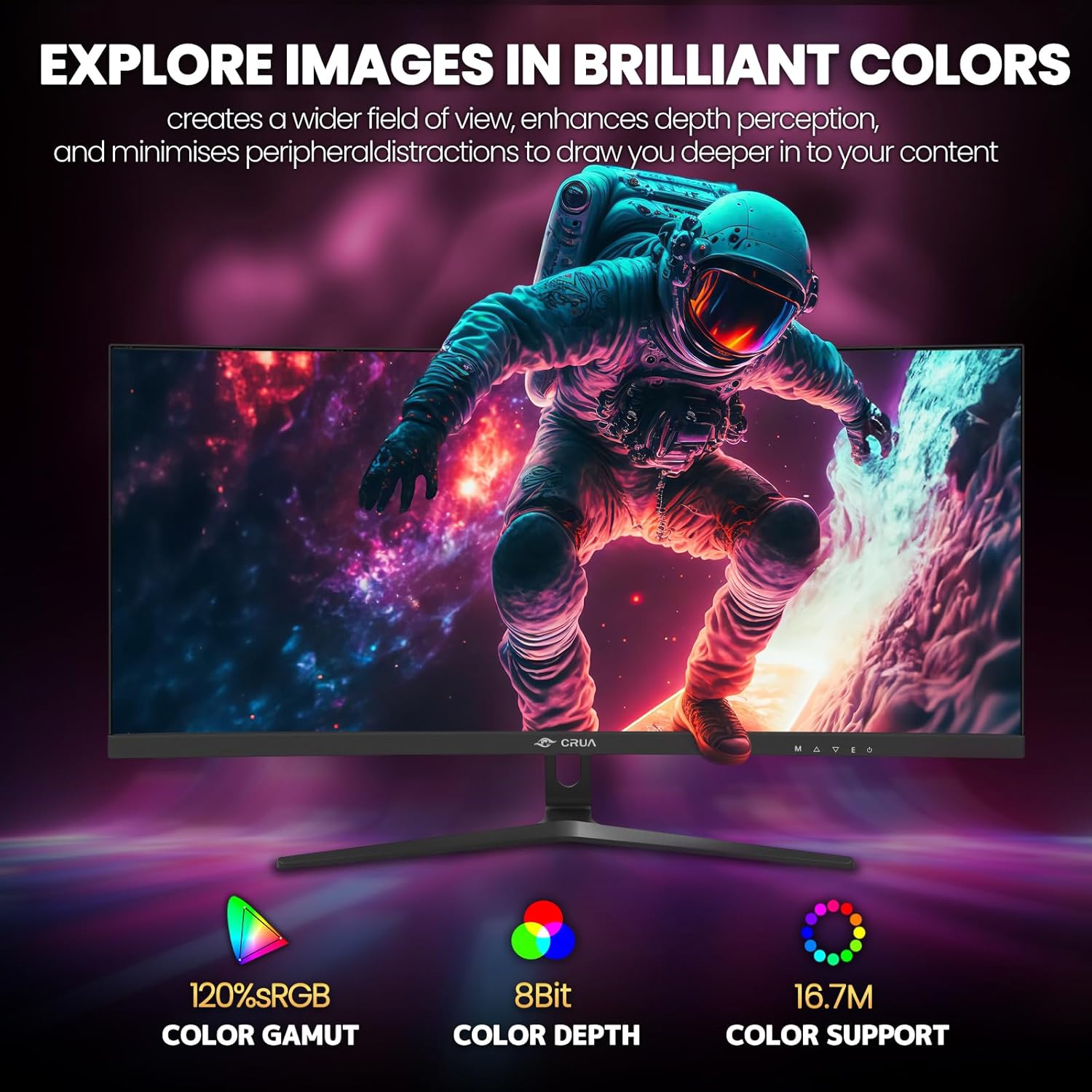
Figure 5: Immersive 1500R curved display.

Figure 6: Brilliant color reproduction with 120% sRGB.
6 دیکھ بھال
To ensure the longevity and optimal performance of your monitor:
- صفائی: نرم، لنٹ فری کپڑے سے اسکرین کو آہستہ سے صاف کریں۔ ضدی نشانات کے لیے، سکرین کی صفائی کا محلول کپڑے پر لگائیں، نہ کہ براہ راست سکرین پر۔
- دیکھ بھال: Avoid placing heavy objects on the monitor or its cables. Keep the monitor away from direct sunlight, excessive heat, and moisture.
- وینٹیلیشن: اس بات کو یقینی بنائیں کہ مانیٹر کے پچھلے حصے میں وینٹیلیشن کے سوراخ زیادہ گرم ہونے سے روکنے کے لیے مسدود نہیں ہیں۔
7 خرابیوں کا سراغ لگانا
اگر آپ کو اپنے مانیٹر کے ساتھ مسائل کا سامنا کرنا پڑتا ہے، تو درج ذیل عام حل سے رجوع کریں:
- کوئی طاقت نہیں: Ensure the power adapter is securely connected to both the monitor and a working power outlet. Check if the power indicator light is on.
- سگنل نہیں ہیں: Verify that the video cable (HDMI or DisplayPort) is correctly connected to both the monitor and your computer. Ensure the correct input source is selected on the monitor (via the OSD menu).
- Flickering/Tearing: Ensure AMD FreeSync is enabled in both the monitor's OSD and your graphics card settings. Check your refresh rate settings in your computer's display options.
- ناقص تصویر کا معیار: Adjust brightness, contrast, and color settings via the OSD menu. Ensure your display resolution is set to the native 2560x1080.
8. وضاحتیں
| فیچر | تفصیل |
|---|---|
| کھڑے اسکرین ڈسپلے سائز | 30 انچ |
| اسکرین ریزولوشن | 2560x1080 |
| زیادہ سے زیادہ سکرین ریزولوشن | 2560 x 1080 پکسلز |
| برانڈ | CRUA |
| سلسلہ | CR300HD |
| آئٹم ماڈل نمبر | CR300HD |
| شے کا وزن | 11.3 پاؤنڈ |
| مصنوعات کے طول و عرض | 27 x 3.3 x 16 انچ |
| رنگ | سیاہ |
| طاقت کا منبع | DC |
| اسکرین کا سائز | 30 انچ |
| قرارداد | FHD 1080p Ultra Wide + |
| پہلو کا تناسب | 21:9 |
| اسکرین کی سطح کی تفصیل | میٹ |
9. وارنٹی اور سپورٹ
CRUA is committed to providing high-quality computer monitors and premium services. If you have any questions or require assistance, please do not hesitate to contact us. We are here to serve you and solve all your problems.
For support, please refer to the contact information provided in your product packaging or visit the official CRUA webسائٹ


