تعارف
This manual provides essential information for the safe and effective operation of your Gemini Sound GSP-L2200PK Powered DJ Speaker System. This bundle includes a 2200W 15-inch powered Bluetooth PA speaker with sound-reactive LED lighting, a speaker stand, a Polsen M-85 microphone with cable, two Auray MS-5230F tripod microphone stands, and an XLR-XLR cable. Please read this manual thoroughly before use and retain it for future reference.
اہم حفاظتی ہدایات
- ان ہدایات کو پڑھیں۔
- یہ ہدایات رکھیں۔
- تمام انتباہات پر دھیان دیں۔
- تمام ہدایات پر عمل کریں۔
- اس آلے کو پانی کے قریب استعمال نہ کریں۔
- صرف خشک کپڑے سے صاف کریں۔
- وینٹیلیشن کے کسی بھی سوراخ کو مسدود نہ کریں۔ کارخانہ دار کی ہدایات کے مطابق انسٹال کریں۔
- گرمی کے کسی بھی ذرائع جیسے ریڈی ایٹرز، ہیٹ رجسٹر، چولہے، یا دیگر آلات (بشمول amplifiers) جو گرمی پیدا کرتی ہے۔
- پولرائزڈ یا گراؤنڈنگ قسم کے پلگ کے حفاظتی مقصد کو شکست نہ دیں۔ پولرائزڈ پلگ میں دو بلیڈ ہوتے ہیں جن میں سے ایک دوسرے سے چوڑا ہوتا ہے۔ گراؤنڈنگ قسم کے پلگ میں دو بلیڈ اور تیسرا گراؤنڈ کانگ ہوتا ہے۔ چوڑا بلیڈ یا تیسرا کانٹا آپ کی حفاظت کے لیے فراہم کیا گیا ہے۔ اگر فراہم کردہ پلگ آپ کے آؤٹ لیٹ میں فٹ نہیں ہوتا ہے، تو متروک آؤٹ لیٹ کو تبدیل کرنے کے لیے الیکٹریشن سے رجوع کریں۔
- بجلی کی ہڈی کو چلنے یا چوٹنے سے بچائیں خاص طور پر پلگ، سہولت رسیپٹیکلز، اور اس مقام پر جہاں وہ آلات سے باہر نکلتے ہیں۔
- صرف مینوفیکچرر کی طرف سے مخصوص منسلکات/لوازمات استعمال کریں۔
- صرف کارٹ، اسٹینڈ، تپائی، بریکٹ، یا ٹیبل کے ساتھ استعمال کریں جو مینوفیکچرر کی طرف سے بتائی گئی ہے، یا اپریٹس کے ساتھ فروخت کی گئی ہے۔ جب کوئی ٹوکری استعمال کی جاتی ہے تو، ٹپ اوور سے چوٹ سے بچنے کے لیے کارٹ/اپریٹس کے امتزاج کو حرکت دیتے وقت احتیاط برتیں۔
- بجلی کے طوفان کے دوران یا طویل عرصے تک غیر استعمال ہونے پر اس آلات کو ان پلگ کریں۔
- تمام سروسنگ کو اہل سروس اہلکاروں سے رجوع کریں۔ سروسنگ کی ضرورت اس وقت ہوتی ہے جب اپریٹس کو کسی بھی طرح سے نقصان پہنچا ہو، جیسے کہ پاور سپلائی کی ہڈی یا پلگ کو نقصان پہنچا ہو، مائع پھیل گیا ہو یا کوئی چیز اپریٹس میں گر گئی ہو، اپریٹس بارش یا نمی کے سامنے آ گیا ہو، عام طور پر کام نہیں کرتا ہے۔ ، یا گرا دیا گیا ہے۔
پیکیج کے مشمولات
براہ کرم تصدیق کریں کہ نیچے دی گئی تمام اشیاء آپ کے پیکیج میں شامل ہیں:
- 1x Gemini 2200W 15" Powered Bluetooth PA Speaker with Lights
- 1x اسپیکر اسٹینڈ
- 1x Polsen M-85 Professional Dynamic Handheld Microphone
- 1x Microphone Cable (XLR to 1/4")
- 1x پاور کارڈ
- 1x XLR-XLR Cable (20")
- 2x Auray MS-5230F Tripod Microphone Stand with Fixed Boom
- 2x Cable-Guide Clip (for mic stands)
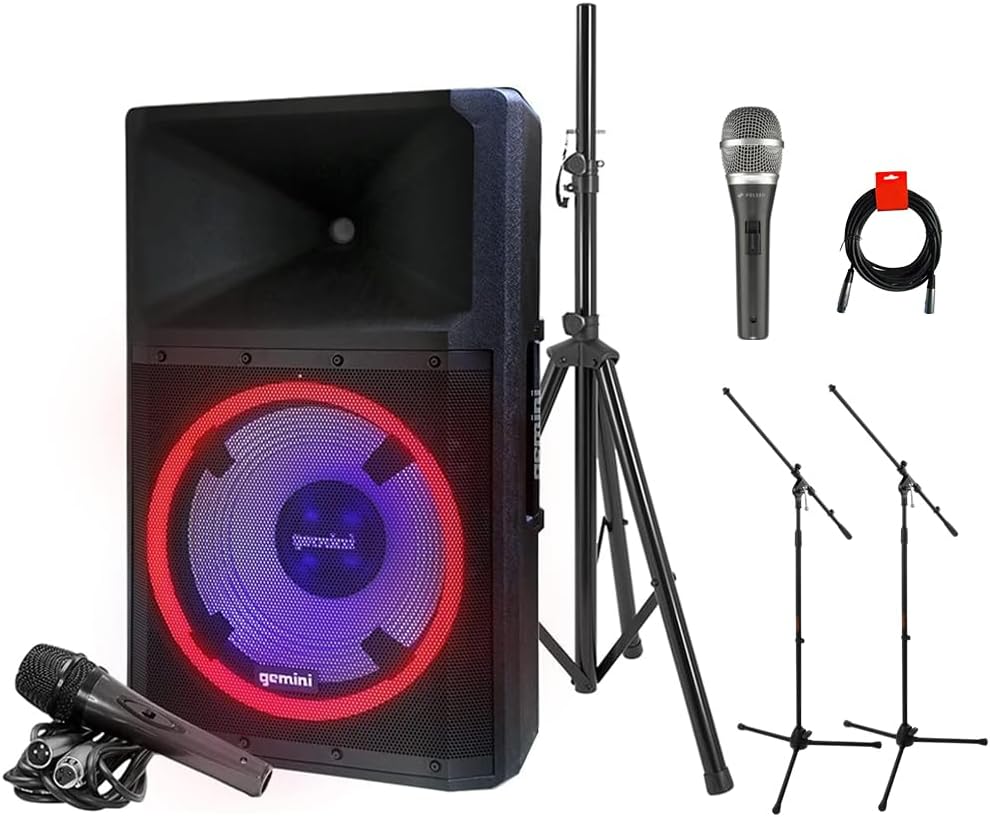
Image: The complete GSP-L2200PK bundle, showing the main speaker, a speaker stand, a Polsen M-85 microphone, two tripod microphone stands, and an XLR cable.
پروڈکٹ ختمview
Gemini GSP-L2200PK Powered Speaker
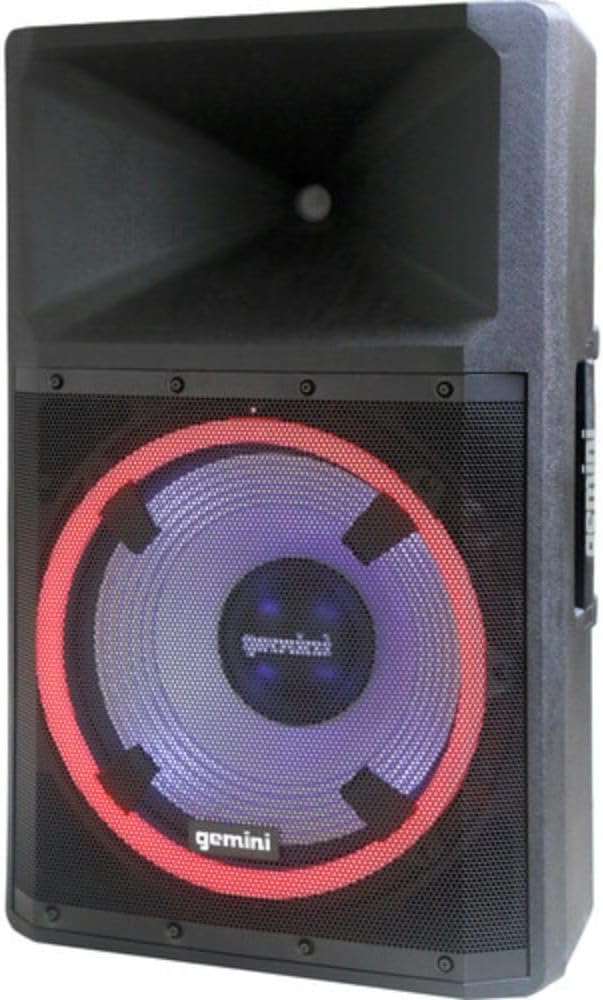
تصویر: سامنے view of the Gemini GSP-L2200PK speaker, highlighting the 15-inch woofer with its illuminated LED ring and the horn tweeter.

Image: Rear panel of the Gemini GSP-L2200PK speaker, displaying the various input and output connections, volume controls, and the built-in media player interface.
The GSP-L2200PK is a powerful 15-inch bi-amped PA speaker featuring a 2200W peak output. It includes a 15" low-frequency woofer, a 3" voice coil, and a 1.35" tweeter for clear audio reproduction. The speaker is equipped with a three-channel mixer, individual gain controls, and a built-in media player that supports Bluetooth, SD cards, and USB drives. It also features adjustable full-color LED party lighting and a telescopic handle with wheels for portability.
Polsen M-85 Professional Dynamic Handheld Microphone

Image: The Polsen M-85 Professional Dynamic Handheld Microphone, a cardioid microphone with durable all-metal construction and an on/off switch.
The Polsen M-85 is a cardioid dynamic microphone designed for clear vocal reproduction. It features durable all-metal construction and a balanced XLR output connector for reliable performance.
Auray MS-5230F Tripod Microphone Stands
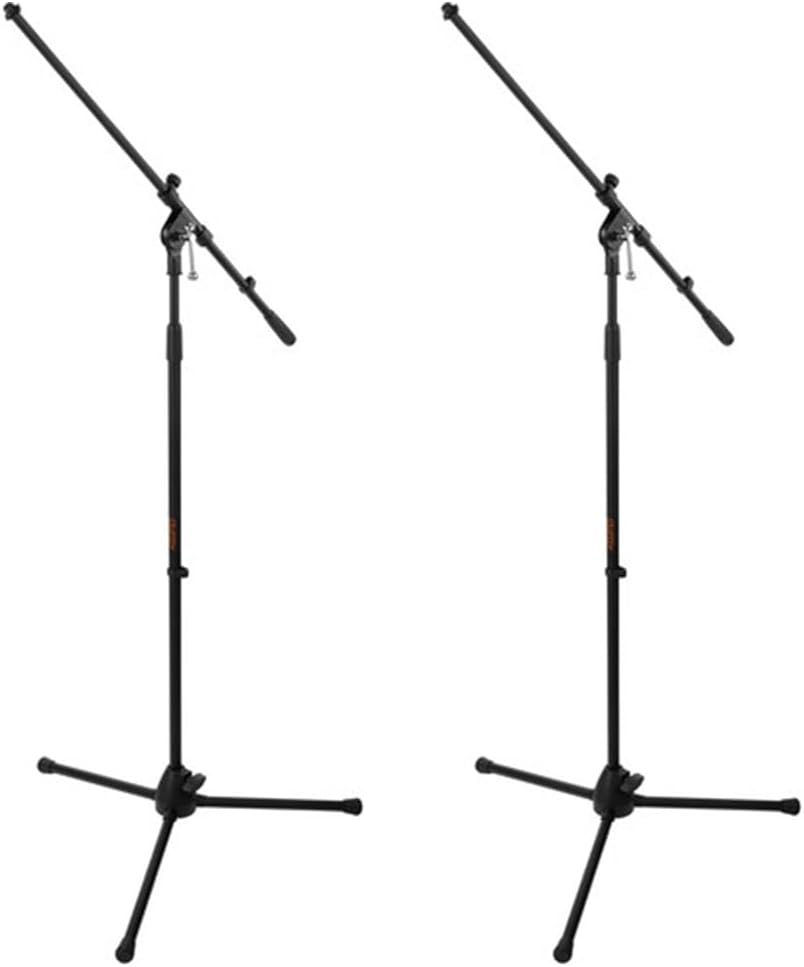
Image: Two Auray MS-5230F Tripod Microphone Stands, featuring a stable tripod base and a fixed boom arm for microphone positioning.
The MS-5230F stands feature durable steel construction with a stable tripod base and a fixed boom arm, ideal for various microphone placements.
کیبلز

Image: A coiled 20-inch XLR-XLR cable, used for connecting audio equipment.
The bundle includes a power cord for the speaker, an XLR to 1/4" cable for the Polsen M-85 microphone, and a 20-inch XLR-XLR cable for linking speakers or other audio devices.
سیٹ اپ گائیڈ
1. اسپیکر کی جگہ کا تعین
- Unpack the GSP-L2200PK speaker and the speaker stand.
- Extend the legs of the speaker stand to form a stable tripod base. Ensure the locking mechanisms are securely fastened.
- Carefully lift the GSP-L2200PK speaker and place it onto the pole of the speaker stand. Ensure it is seated firmly and securely.
- Position the speaker in a central location, elevated for optimal sound dispersion. Avoid placing it directly against walls or in corners, which can affect bass response.
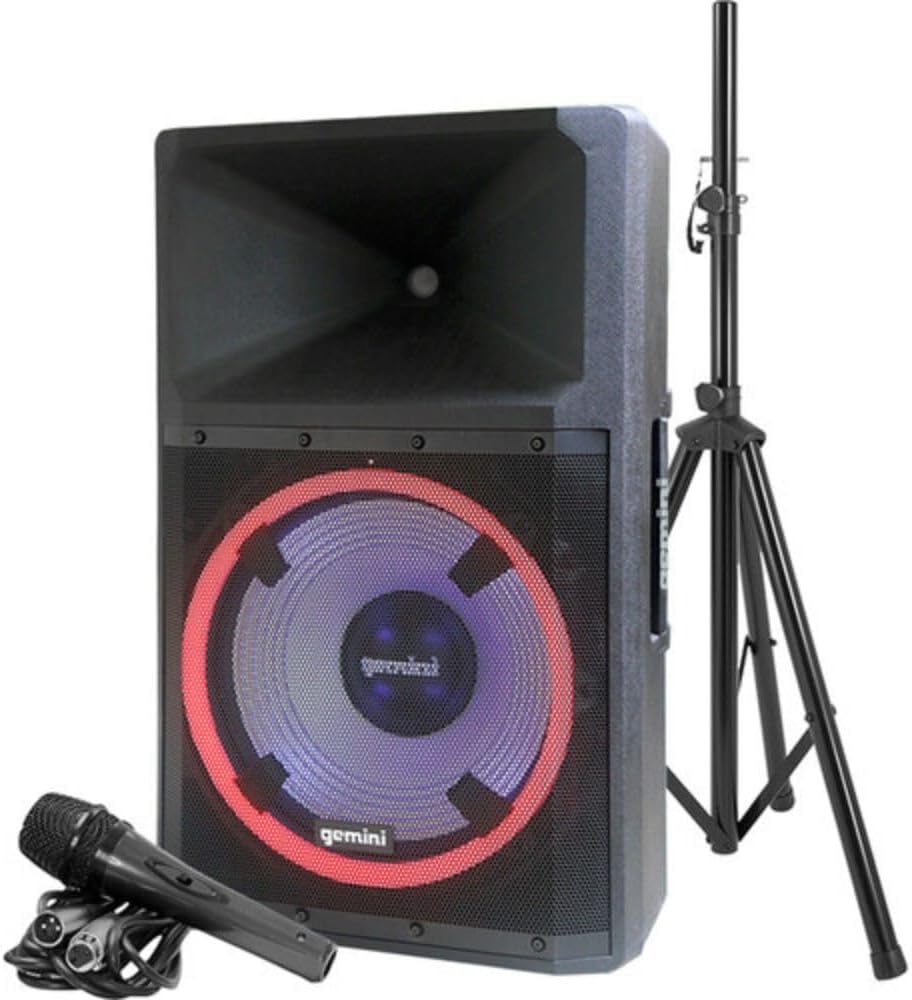
Image: The Gemini GSP-L2200PK speaker correctly mounted on its included stand, with the Polsen M-85 microphone positioned in front.
2. مائیکروفون سیٹ اپ
- Assemble the Auray MS-5230F tripod microphone stands by extending the legs and attaching the fixed boom arm.
- Attach the microphone clip to the boom arm of the stand.
- Insert the Polsen M-85 microphone into the microphone clip.
- Connect the XLR end of the provided microphone cable (XLR to 1/4") to the Polsen M-85 microphone.
- Connect the 1/4" end of the microphone cable to one of the Microphone Input (XLR/1/4" Combo) jacks on the rear panel of the GSP-L2200PK speaker.
3. پاور کنکشن
- یقینی بنائیں کہ اسپیکر کا پاور سوئچ آف پوزیشن میں ہے۔
- Connect the provided power cord to the AC INLET on the rear panel of the speaker.
- پاور کورڈ کے دوسرے سرے کو ایک مناسب AC پاور آؤٹ لیٹ میں لگائیں۔
آپریٹنگ ہدایات
1. Powering On and Initial Volume Settings
- Before powering on, ensure all volume knobs (Master, Mic, Line, Media Player) are set to their minimum (counter-clockwise) position.
- Flip the POWER switch on the rear panel to the ON position. The power indicator light will illuminate.
- Slowly increase the MASTER VOLUME to a low listening level.
2. بلوٹوت جوڑی بنانا
- On the speaker's media player, select the Bluetooth mode. The Bluetooth indicator will flash, indicating it's ready for pairing.
- On your smartphone, tablet, or computer, enable Bluetooth and search for available devices.
- Select "GSP-L2200PK" from the list of devices. Once paired, the Bluetooth indicator on the speaker will become solid.
- You can now stream audio wirelessly to the speaker. Adjust the MEDIA PLAYER VOLUME knob for the desired level.
3. Wired Audio Inputs
- مائکروفون آدانوں: Connect your Polsen M-85 microphone (or other XLR/1/4" microphones) to the MIC INPUT 1 or MIC INPUT 2 jacks. Adjust the corresponding MIC VOLUME knob.
- لائن ان پٹ: For other audio sources (e.g., mixer, instrument, non-Bluetooth player), use the LINE INPUTS (XLR, RCA, or 3.5mm AUX). Connect your device and adjust the LINE VOLUME knob.
- گٹار ان پٹ: The 1/4" input can also be used for guitar connection.
4۔ ایل ای ڈی لائٹنگ کنٹرول
The GSP-L2200PK features built-in LED lights with several operational modes. Refer to the controls on the rear panel to cycle through different lighting effects, including sound-reactive modes, or to turn the lights off.
5. TWS Linking (True Wireless Stereo)
For a stereo sound experience, you can wirelessly link two GSP-L2200PK speakers. Consult the speaker's specific TWS linking instructions, usually involving pressing a dedicated TWS button on both units until they pair.
6. XLR آؤٹ پٹ
The XLR OUTPUT allows you to link additional powered speakers or send the mixed audio signal to another sound system. Use the provided XLR-XLR cable for this connection.
دیکھ بھال
- صفائی: Always unplug the speaker before cleaning. Use a soft, dry cloth to wipe down the exterior surfaces. Do not use abrasive cleaners, waxes, or solvents.
- ذخیرہ: When not in use for extended periods, store the speaker and accessories in a cool, dry place, away from direct sunlight and extreme temperatures.
- کیبلز: Inspect all cables regularly for signs of wear or damage. Replace any damaged cables immediately to ensure safe operation.
- وینٹیلیشن: Ensure that the ventilation openings on the speaker are not blocked to prevent overheating.
خرابی کا سراغ لگانا
| مسئلہ | ممکنہ وجہ | حل |
|---|---|---|
| کوئی طاقت نہیں۔ | Power cord not connected; Power outlet not active; Speaker power switch off. | Ensure power cord is securely connected; Test outlet with another device; Turn speaker power switch ON. |
| کوئی آواز آؤٹ پٹ نہیں ہے۔ | Volume knobs too low; Incorrect input selected; Source device not playing; Damaged cable. | Increase MASTER, MIC, LINE, or MEDIA PLAYER volume; Ensure correct input is active; Check source device playback; Replace cable if damaged. |
| بلوٹوتھ جوڑا نہیں بن رہا ہے۔ | Speaker not in pairing mode; Device too far; Incorrect device selected. | Ensure speaker is in Bluetooth pairing mode (flashing indicator); Move device closer to speaker; Select "GSP-L2200PK" from device list. |
| مسخ شدہ آواز | Volume too high (clipping); Input signal too strong; Damaged speaker component. | Reduce MASTER or input volume; Lower output level from source device; Contact customer support if distortion persists at low volumes. |
| مائکروفون کام نہیں کر رہا ہے۔ | Microphone switch off; Cable not connected properly; MIC VOLUME too low. | Ensure microphone switch is ON; Check cable connection at both ends; Increase MIC VOLUME. |
وضاحتیں
| فیچر | تفصیل |
|---|---|
| ماڈل نمبر | GSP-L2200PK |
| آؤٹ پٹ واٹtage | 2200 واٹ (چوٹی) |
| ووفر سائز | 15 انچ |
| ٹویٹر سائز۔ | 1.35 انچ |
| چینلز کی تعداد | 3 (Mic 1, Mic 2, Line/Media Player) |
| کنیکٹوٹی ٹیکنالوجی | Bluetooth, XLR, 1/4" TRS or TS, RCA |
| آڈیو آدانوں | XLR microphones, 1/4'' instrument inputs, RCA, 3.5mm auxiliary inputs |
| آڈیو آؤٹ پٹ | XLR لنک آؤٹ پٹ |
| طاقت کا منبع | کورڈڈ الیکٹرک |
| مواد | Steel (stands), Durable Enclosure (speaker) |
| رنگ | سیاہ |
| شے کا وزن | 58 پاؤنڈز (کل بنڈل) |
| پیکیج کے طول و عرض | 30.5 x 21 x 16.13 انچ |
| چڑھنے کی قسم | قطب پہاڑ |
| تجویز کردہ استعمال | Events, speaking engagements, fitness programs, DJ parties, karaoke, indoor events |
وارنٹی اور سپورٹ
For warranty information and technical support, please refer to the warranty card included with your product or visit the official Gemini Sound webسائٹ کسی بھی وارنٹی دعووں کے لیے اپنی خریداری کا ثبوت رکھیں۔
Gemini Customer Support: For assistance with your GSP-L2200PK system, please contact Gemini customer support. Contact details can typically be found on the manufacturer's webسائٹ یا مصنوعات کی پیکیجنگ پر۔


