1. تعارف
This manual provides detailed instructions for the operation and maintenance of the LAUNCH CRP129E Plus OBD2 Scanner. Please read this manual thoroughly before using the device to ensure proper and safe operation. The CRP129E Plus is a comprehensive diagnostic tool designed for automotive professionals and enthusiasts, offering full system diagnostics and various service reset functions.
2. پروڈکٹ ختمview
2.1. ڈیوائس کے اجزاء
The LAUNCH CRP129E Plus features a user-friendly interface with a 5-inch touchscreen and physical buttons for navigation.

تصویر 2.1: The LAUNCH CRP129E Plus OBD2 Scanner and its protective carrying case.
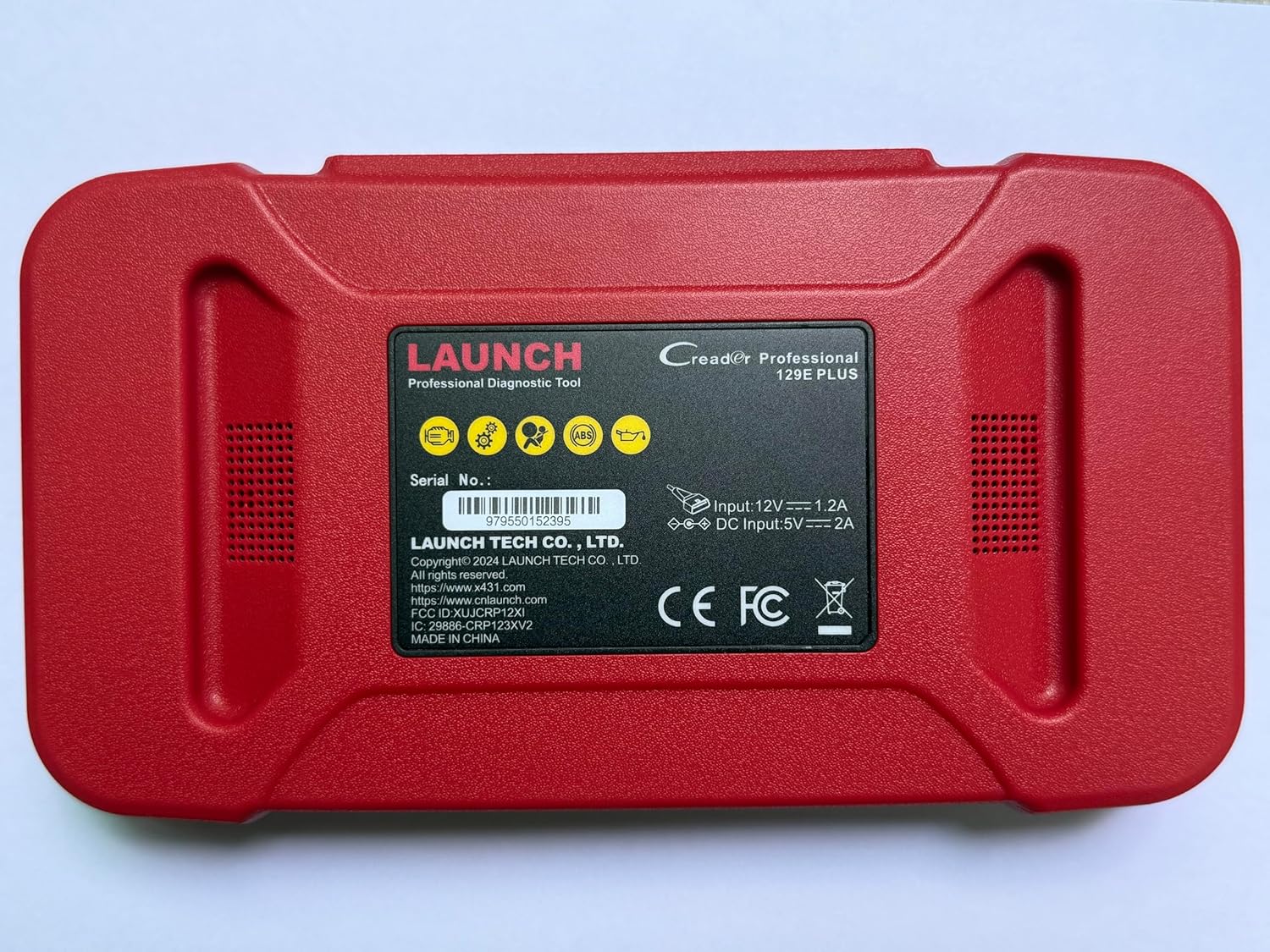
تصویر 2.2: پیچھے view of the CRP129E Plus, displaying input voltage, current specifications, and serial number (e.g., 979550152395).
2.2. پیکیج کے مشمولات
ان باکس کرنے پر، تصدیق کریں کہ نیچے دی گئی تمام اشیاء موجود ہیں:
- CRP129E PLUS OBD2 Scanner (x1)
- OBDII Cable (x1)
- 5V DC Charging Cable (x1)
- یوزر مینوئل (x1)
- فوری اسٹارٹ گائیڈ (x1)
- Carrying Bag (x1)

تصویر 2.3: Visual representation of the CRP129E Plus package contents.
3. سیٹ اپ اور ابتدائی استعمال
3.1. ڈیوائس کو چارج کرنا
Before first use, ensure the device is fully charged using the provided 5V DC charging cable. Connect the cable to the device and a suitable power source.
3.2. پر / آف پاور
- پاور آن: اسکرین روشن ہونے تک پاور بٹن کو دبائے رکھیں۔
- بجلی بند: Press and hold the power button, then select "Power Off" from the options.
3.3. گاڑی سے جڑنا
Locate the vehicle's OBDII port, typically under the dashboard on the driver's side. Connect the provided OBDII cable from the CRP129E Plus to the vehicle's OBDII port. Ensure the vehicle's ignition is in the ON position (engine off or running, depending on the diagnostic task).
3.4. Wi-Fi Connection and Updates
The CRP129E Plus supports one-click Wi-Fi updates. Connect the device to a stable Wi-Fi network to download the latest software and vehicle data. Regular updates ensure compatibility with new vehicle models and improved diagnostic functions.
- From the main menu, tap "Settings".
- Select "WLAN" and connect to an available network.
- Return to the main menu and tap "Upgrade".
- Select the desired software updates and tap "Update".

تصویر 3.1: The device interface showing options for updates, DTC lookup, live data stream, and battery test.
4. آپریٹنگ ہدایات
4.1. آٹو VIN اسکین
The device can automatically identify vehicle information. After connecting to the vehicle, select "Diagnose" and the device will attempt an Auto VIN scan to quickly identify the vehicle's make, model, and year.

تصویر 4.1: Visual representation of the Auto VIN scan process and systems covered by diagnosis.
4.2 مکمل نظام کی تشخیص
The CRP129E Plus can access and diagnose all available vehicle systems. This includes, but is not limited to, Engine, ABS, SRS, SAS, TCM, TPMS, Body, Chassis, Powertrain, Fuel System, and Lighting System.
- مین مینو سے، "تشخیص" کو منتخب کریں۔
- Choose "Health Report" or select specific systems for diagnosis.
- The device will scan for Diagnostic Trouble Codes (DTCs) and display results.
- You can read fault codes, clear fault codes, and view live data streams.

تصویر 4.2: ختمview of the comprehensive system diagnostic capabilities.
4.3 OBD2 فنکشنز
The device supports all 10 modes of OBDII testing for emissions-related issues.
- DTCs پڑھیں/صاف کریں: تشخیصی پریشانی کے کوڈز کو بازیافت اور مٹا دیں۔
- لائیو ڈیٹا سٹریم: View real-time data from the vehicle's sensors.
- I/M تیاری: اخراج سے متعلق مانیٹر کی حیثیت کو چیک کریں۔
- فریز ڈیٹا: View a snapshot of vehicle conditions when a fault code was set.
- O2 سینسر ٹیسٹ: O2 سینسر مانیٹر ٹیسٹ کے نتائج بازیافت کریں۔
- آن بورڈ مانیٹر ٹیسٹ: Retrieve results for emission-related powertrain components.
- EVAP سسٹم ٹیسٹ: Initiate a test of the evaporative emission system.
- گاڑی کی معلومات: گاڑی کا شناختی نمبر (VIN)، کیلیبریشن ID، اور کیلیبریشن تصدیقی نمبر (CVN) بازیافت کریں۔
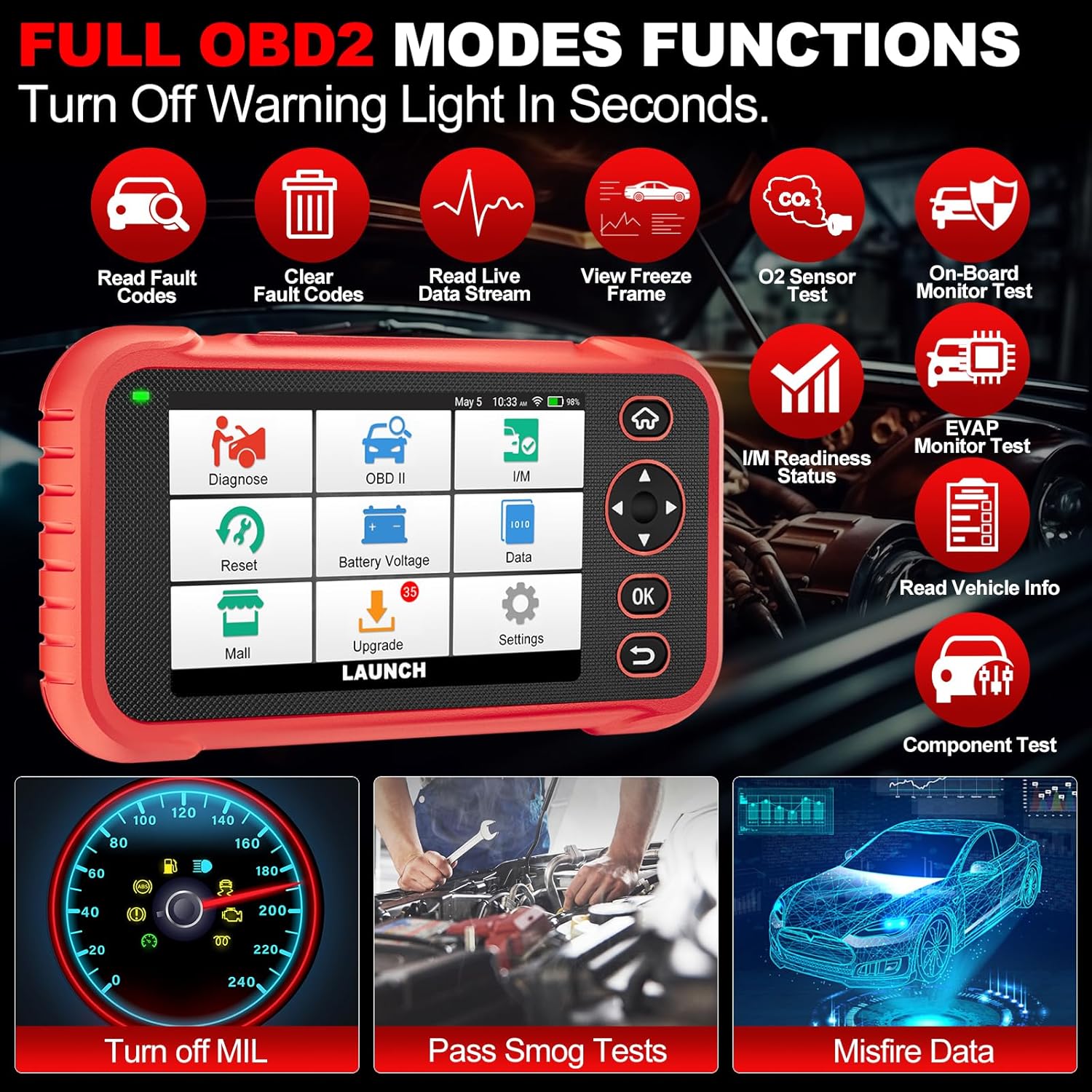
تصویر 4.3: Main menu options for OBD2 functions.
4.4. Service Reset Functions
The CRP129E Plus offers 12+ essential service reset functions for common maintenance tasks.
- آئل ری سیٹ: تیل کی تبدیلی کے بعد تیل کی زندگی کے نظام کو دوبارہ ترتیب دیتا ہے۔
- تھروٹل موافقت: تھروٹل ایکچیوٹرز کو ڈیفالٹ حالت میں شروع کرتا ہے۔
- Adblue Reset: Resets the urea after the diesel exhaust fluid (AdBlue) is replaced or refilled.
- سرخیamp مماثلت: Calibrates the adaptive front lighting system.
- TPMS ری سیٹ: ٹائر پریشر مانیٹرنگ سسٹم کے سینسر کو دوبارہ سیٹ کرتا ہے۔
- SAS ری سیٹ: اسٹیئرنگ اینگل سینسر کیلیبریٹ کرتا ہے۔
- Battery Matching (BMS Reset): نئی بیٹری کی تبدیلی کو رجسٹر کرتا ہے۔
- A/F ری سیٹ: ہوا / ایندھن کے تناسب کے پیرامیٹرز کو ایڈجسٹ کرتا ہے۔
- ڈی پی ایف کی تخلیق نو: DPF فلٹر سے ذرات کو صاف کرتا ہے۔
- انجیکٹر کوڈنگ: نئے انجیکٹر نمبروں کو ECU میں کوڈ کرتا ہے۔
- EPB ری سیٹ: Resets the electronic parking brake pads after replacement.
- ABS خون بہنا: Performs bleeding of the brake system.

تصویر 4.4: ختمview of available service reset functions.
4.5. Live Data Graphing and Recording
The device can display live data streams in merged quadrant graphs, allowing for comprehensive analysis of up to four parameters simultaneously. Data can also be recorded and played back for further review.

تصویر 4.5: Example of 4-in-1 live data graphing and diagnostic report generation.
4.6. بیٹری والیومtagای ٹیسٹ
گاڑی کی بیٹری والیوم کی نگرانی کریں۔tage in real-time to assess its status and identify potential issues.

تصویر 4.6: بیٹری جلدtage test interface and other diagnostic support features.
5 دیکھ بھال
- صفائی: آلے کو صاف کرنے کے لیے نرم، خشک کپڑا استعمال کریں۔ کھرچنے والے کلینر یا سالوینٹس سے پرہیز کریں۔
- ذخیرہ: استعمال میں نہ ہونے پر آلے کو اس کے لے جانے والے کیس میں ٹھنڈی، خشک جگہ پر اسٹور کریں۔
- سافٹ ویئر اپ ڈیٹس: Regularly check for and install software updates via Wi-Fi to ensure optimal performance and vehicle compatibility.
- بیٹری کی دیکھ بھال: بیٹری کو بار بار مکمل طور پر خارج کرنے سے گریز کریں۔ بیٹری کی صحت کو برقرار رکھنے کے لیے آلہ کو باقاعدگی سے چارج کریں، چاہے فعال استعمال میں نہ ہوں۔
6 خرابیوں کا سراغ لگانا
| مسئلہ | ممکنہ وجہ | حل |
|---|---|---|
| ڈیوائس آن نہیں ہوتی ہے۔ | کم بیٹری؛ ناقص پاور بٹن. | Charge the device for at least 30 minutes. If issue persists, contact support. |
| گاڑی کے ساتھ مواصلت کی خرابی۔ | Loose OBDII connection; vehicle ignition off; incompatible vehicle protocol. | Ensure cable is securely connected. Turn ignition to ON. Verify vehicle compatibility. |
| Unable to update software. | No Wi-Fi connection; unstable internet; insufficient storage. | Check Wi-Fi connection. Ensure stable internet. Free up storage if necessary. |
| اسکرین غیر جوابدہ۔ | سافٹ ویئر کی خرابی؛ جسمانی نقصان. | Restart the device. If issue persists, contact support. |
7. وضاحتیں
- ماڈل: CRP129E PLUS
- آپریٹنگ سسٹم: اینڈرائیڈ 7.0
- ڈسپلے: 5 انچ ٹچ اسکرین
- یادداشت: 16 جی بی
- بیٹری: 6100mAh
- کنیکٹوٹی: وائی فائی
- طول و عرض: 7.09 x 6.3 x 2.36 انچ
- آئٹم کا وزن: 2.27 پاؤنڈ
- تعاون یافتہ پروٹوکول: OBDII/EOBD
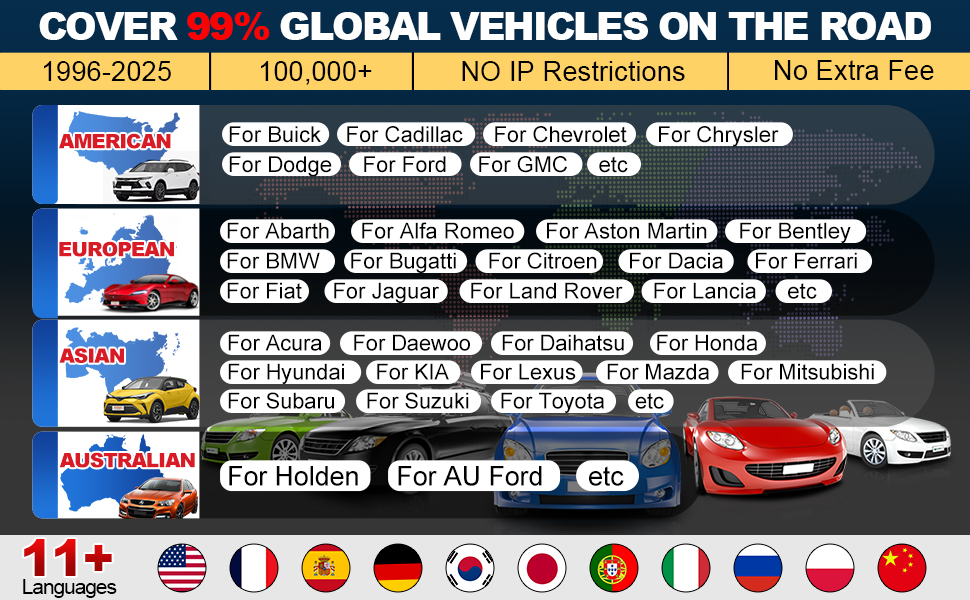
- گاڑیوں کی کوریج: Over 85 brands (1996-2025)
- UPC: 884508007774
تصویر 7.1: Summary of key hardware and software specifications.

تصویر 7.2: Extensive vehicle brand coverage and multi-language support.
8. وارنٹی اور سپورٹ
The LAUNCH CRP129E Plus comes with a manufacturer's warranty. Please refer to the official LAUNCH webمخصوص وارنٹی شرائط و ضوابط کے لیے سائٹ یا آپ کی خریداری کی دستاویزات۔
- وارنٹی: 5 Years (as per product information)
- Return/Replace Policy: 90 Days (as per product information)
- تکنیکی معاونت: 24/7 technical support is available. For assistance, please contact LAUNCH customer service.
- Online Feedback: The device supports online feedback for quick resolution of diagnostic issues.
For further assistance or to provide feedback, please visit the official LAUNCH support channels.


