1. تعارف
Thank you for choosing the Baseus E13 TWS Bowie Headphones. This manual provides essential information for setting up, operating, and maintaining your new wireless earbuds. Please read it carefully before use to ensure optimal performance and longevity of your device.
2. پیکیج کے مشمولات
تصدیق کریں کہ تمام اشیاء آپ کے پیکیج میں موجود ہیں:
- Baseus E13 TWS Bowie Headphones (Left and Right Earbuds)
- چارجنگ کیس
- USB چارجنگ کیبل
- کان کے کشن (مختلف سائز)
- صارف دستی (یہ دستاویز)

Image: The Baseus E13 TWS Bowie Headphones, including the earbuds, charging case, and the included USB charging cable.
3. پروڈکٹ ختمview
The Baseus E13 TWS Bowie Headphones feature a compact design with a charging case for portability and extended battery life.

Image: The Baseus E13 TWS Bowie Headphones, showing both earbuds resting in their open charging case.
4. سیٹ اپ
4.1 ایئربڈز اور کیس کو چارج کرنا
- ابتدائی چارج: پہلے استعمال سے پہلے، ایئربڈز اور چارجنگ کیس کو پوری طرح سے چارج کریں۔
- کیس چارج کرنا: Connect the provided USB charging cable to the charging port on the case and a compatible USB power source. The indicator light on the case will show charging status.
- ایئربڈز کو چارج کرنا: ایئربڈز کو چارجنگ کیس میں رکھیں۔ یقینی بنائیں کہ وہ صحیح طریقے سے بیٹھے ہیں۔ ایئربڈس پر اشارے کی روشنی چارج ہونے کی تصدیق کرے گی۔
مکمل چارج چارجنگ کیس کے ساتھ کل پلے بیک وقت کے 30 گھنٹے تک فراہم کرتا ہے۔
4.2 بلوٹوتھ جوڑی
- پاور آن: چارجنگ کیس کھولیں۔ ایئربڈز خود بخود آن ہو جائیں گے اور پیئرنگ موڈ میں داخل ہو جائیں گے۔
- بلوٹوتھ کو چالو کریں: اپنے آلے پر (اسمارٹ فون، ٹیبلیٹ وغیرہ)، بلوٹوتھ کو فعال کریں۔
- ڈیوائس منتخب کریں: تلاش کریں۔ "Baseus E13" in the list of available Bluetooth devices and select it to connect.
- تصدیق: ایک صوتی اشارہ کامیاب جوڑی کی تصدیق کرے گا۔
کیس سے باہر نکالے جانے پر ایئربڈز خود بخود آخری جوڑی والے آلے سے دوبارہ جڑ جائیں گے، اگر ڈیوائس پر بلوٹوتھ فعال ہے۔
4.3 ایپ کنٹرول
Enhance your experience by downloading the official Baseus app. The app allows for customizable controls, EQ settings, and other features.
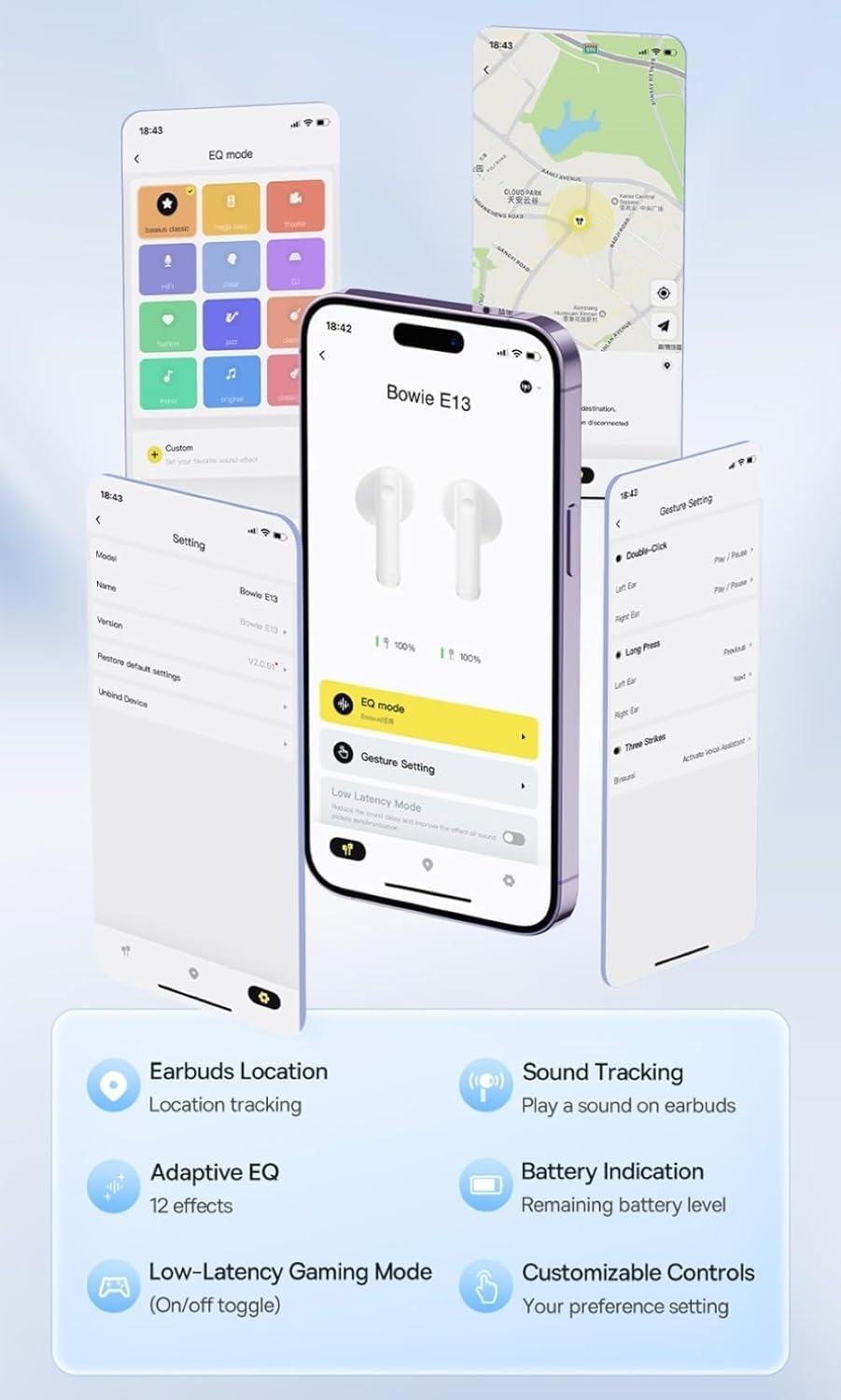
Image: Multiple smartphone screens displaying the Baseus app interface, highlighting features such as EQ mode, gesture settings, low-latency gaming mode, earbud location tracking, sound tracking, adaptive EQ with 12 effects, battery indication, and customizable controls.
5. آپریشن
5.1 بنیادی کنٹرولز
The Baseus E13 TWS Bowie Headphones feature touch controls for easy management of audio and calls. Specific gestures can be customized via the Baseus app.
- چلائیں/روکیں: دونوں ایئربڈ پر ایک بار تھپتھپائیں۔
- اگلا ٹریک: دائیں ایئربڈ پر دو بار تھپتھپائیں۔
- پچھلا ٹریک: بائیں ایئربڈ پر دو بار تھپتھپائیں۔
- جواب / کال ختم کریں: دونوں ایئربڈ پر ایک بار تھپتھپائیں۔
- کال مسترد کریں: دونوں ایئربڈ پر دیر تک دبائیں۔
- متحرک صوتی معاون: دونوں ایئربڈ پر تین بار تھپتھپائیں۔
5.2 Low-Latency Gaming Mode
For an optimized gaming experience, activate the 0.06s ultra-low latency gaming mode through the Baseus app. This reduces audio delay, providing faster response times.
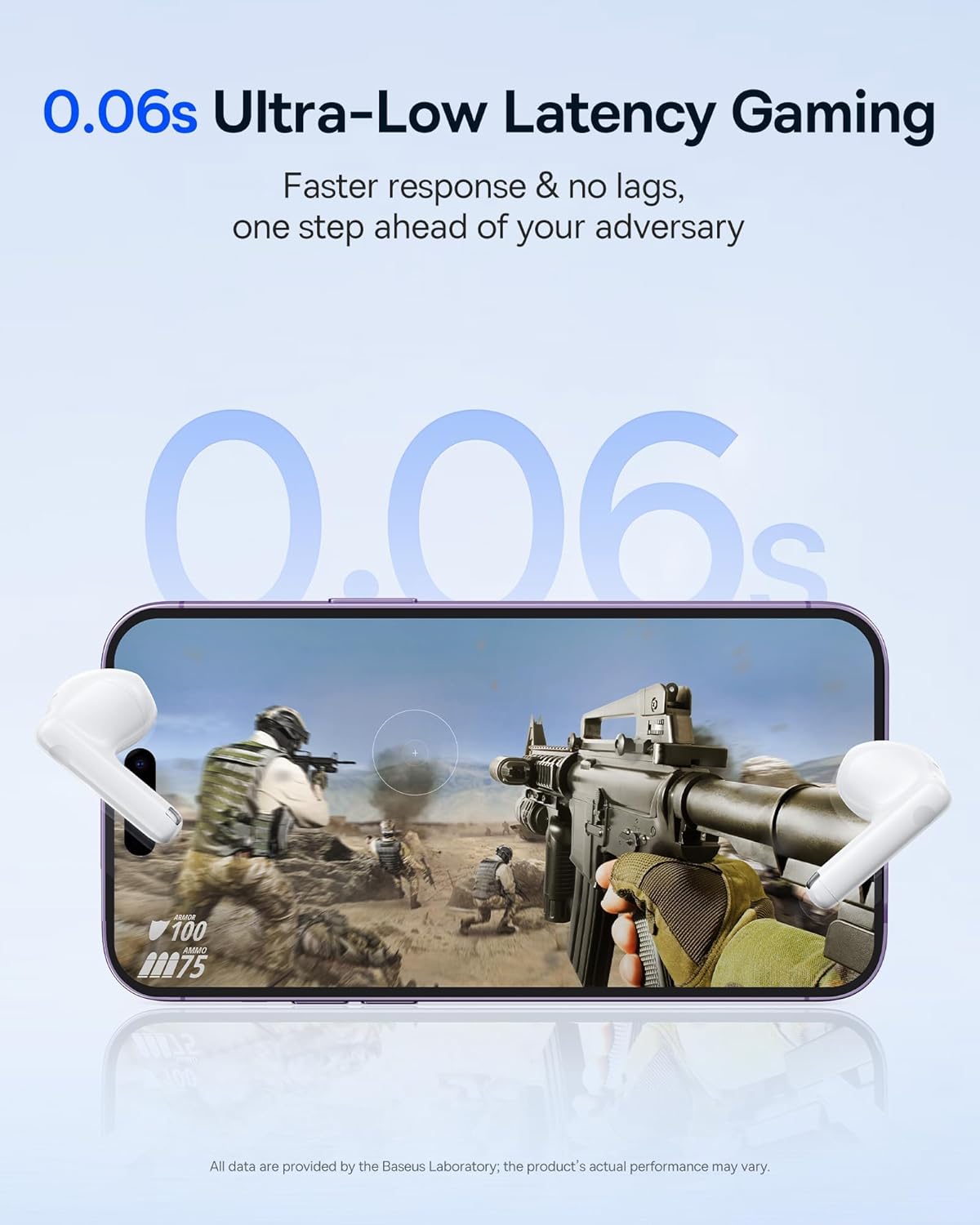
Image: The Baseus E13 TWS Bowie Headphones positioned near a smartphone screen displaying a fast-paced first-person shooter game, emphasizing the 0.06s ultra-low latency feature for gaming.
5.3 آڈیو پلے بیک
Enjoy up to 30 hours of continuous audio playback with the assistance of the charging case. Each earbud provides several hours of playback on a single charge, with the case offering multiple recharges.

Image: The Baseus E13 TWS Bowie Headphones and their charging case, overlaid with a graphic prominently displaying '30H', signifying the total audio playback time achievable with the case.
5.4 آواز کا معیار
The earbuds are equipped with a large 12mm diaphragm, designed to restore each note with remarkable depth and accuracy, providing a powerful low-frequency audio experience.

Image: A detailed cutaway diagram of a Baseus E13 TWS earbud, focusing on the internal structure of the large 12mm diaphragm and its contribution to sound quality.
5.5 کنیکٹیویٹی
Utilizing Bluetooth 5.3 technology, the headphones offer a faster and more stable wireless connection, ensuring smooth audio transmission and enhanced sound quality.

تصویر: ایک شفاف view of a Baseus E13 TWS earbud, revealing its internal circuitry and specifically highlighting the integrated Bluetooth 5.3 chip for advanced wireless connectivity.
6. ایئربڈز پہننا
The earbuds are designed with a mini stem and a lightweight profile, featuring a 45° wearing angle for a comfortable and secure fit.

Image: A woman wearing a Baseus E13 TWS earbud, illustrating the ergonomic design with a mini stem and lightweight construction for a comfortable user experience.
7 دیکھ بھال
- صفائی: ائیر بڈز اور چارجنگ کیس کو نرم، خشک، لنٹ سے پاک کپڑے سے باقاعدگی سے صاف کریں۔ سخت کیمیکل یا کھرچنے والے مواد کا استعمال نہ کریں۔
- پانی کی مزاحمت: The earbuds are water resistant. Avoid submerging them in water or exposing them to excessive moisture. Dry thoroughly if they come into contact with liquids.
- ذخیرہ: استعمال میں نہ ہونے پر، ایئربڈز کو ان کے چارجنگ کیس میں محفوظ کریں تاکہ ان کی حفاظت ہو اور انہیں چارج کیا جا سکے۔ انتہائی درجہ حرارت سے دور ٹھنڈی، خشک جگہ پر اسٹور کریں۔
- بیٹری کی دیکھ بھال: بیٹری کی زندگی کو محفوظ رکھنے کے لیے، ایئر بڈز اور کیس کو بار بار مکمل طور پر ڈسچارج کرنے سے گریز کریں۔ انہیں باقاعدگی سے چارج کریں، چاہے مسلسل استعمال میں نہ ہوں۔
8 خرابیوں کا سراغ لگانا
If you encounter issues with your Baseus E13 TWS Bowie Headphones, refer to the following common solutions:
- کوئی آواز نہیں:
- یقینی بنائیں کہ ایئربڈز چارج ہیں۔
- اپنے آلے سے بلوٹوتھ کنکشن چیک کریں۔
- ایئربڈز اور منسلک ڈیوائس دونوں پر والیوم کو ایڈجسٹ کریں۔
- ایئربڈس جوڑا نہیں بن رہے ہیں:
- ایئر بڈز کو کیس میں واپس رکھیں، بند کریں، پھر پیئرنگ موڈ میں دوبارہ داخل ہونے کے لیے دوبارہ کھولیں۔
- Forget "Baseus E13" from your device's Bluetooth list and attempt to pair again.
- یقینی بنائیں کہ ایئربڈز آپ کے آلے کی حد کے اندر ہیں۔
- چارجنگ کے مسائل:
- تصدیق کریں کہ چارجنگ کیبل کیس اور پاور سورس دونوں سے محفوظ طریقے سے منسلک ہے۔
- ایک مختلف USB پورٹ یا پاور اڈاپٹر آزمائیں۔
- Ensure charging contacts on earbuds and in case are clean and free of debris.
- ایک ایئربڈ کام نہیں کر رہا:
- یقینی بنائیں کہ دونوں ایئربڈز چارج ہیں۔
- Try resetting the earbuds (refer to app or Baseus support for specific instructions).
9. وضاحتیں
| برانڈ | بیسیس |
| ماڈل کا نام | E13 TWS |
| کنیکٹوٹی ٹیکنالوجی | وائرلیس (بلوٹوتھ 5.3) |
| کان کی جگہ کا تعین | کان میں |
| فارم فیکٹر | حقیقی وائرلیس |
| رکاوٹ | 32 اوہم |
| کنٹرول کی قسم | Touch controls, App |
| مواد | پلاسٹک |
| شے کا وزن | 0.07 کلوگرام |
| پانی کی مزاحمت کی سطح | پانی مزاحم |
| زیادہ سے زیادہ آپریٹنگ فاصلہ | 10 میٹر |
| بیٹری کی اوسط زندگی | 30 گھنٹے تک (چارجنگ کیس کے ساتھ) |
| خصوصی خصوصیات | 0.06s ultra-low latency, Faster and more stable 5.3 wireless chip, Lightweight and Mini Design, Powerful low frequency controller |
10. وارنٹی اور سپورٹ
Baseus products are designed for reliability and performance. For warranty information, please refer to the warranty card included with your purchase or visit the official Baseus website. For technical support or further assistance, please contact Baseus customer service or visit the Baseus Store on Amazon.


