1. تعارف
Thank you for choosing the JIMTAB Ultra-Slim Bluetooth Keyboard. This manual provides detailed instructions for setting up, operating, and maintaining your new keyboard. Please read this manual thoroughly before use to ensure optimal performance and longevity of your device.
2. پروڈکٹ ختمview
The JIMTAB Ultra-Slim Bluetooth Keyboard is a portable and rechargeable wireless keyboard designed for broad compatibility across iOS, Android, and Windows systems. Its compact and lightweight design makes it ideal for on-the-go use with tablets, smartphones, and other Bluetooth-enabled devices.
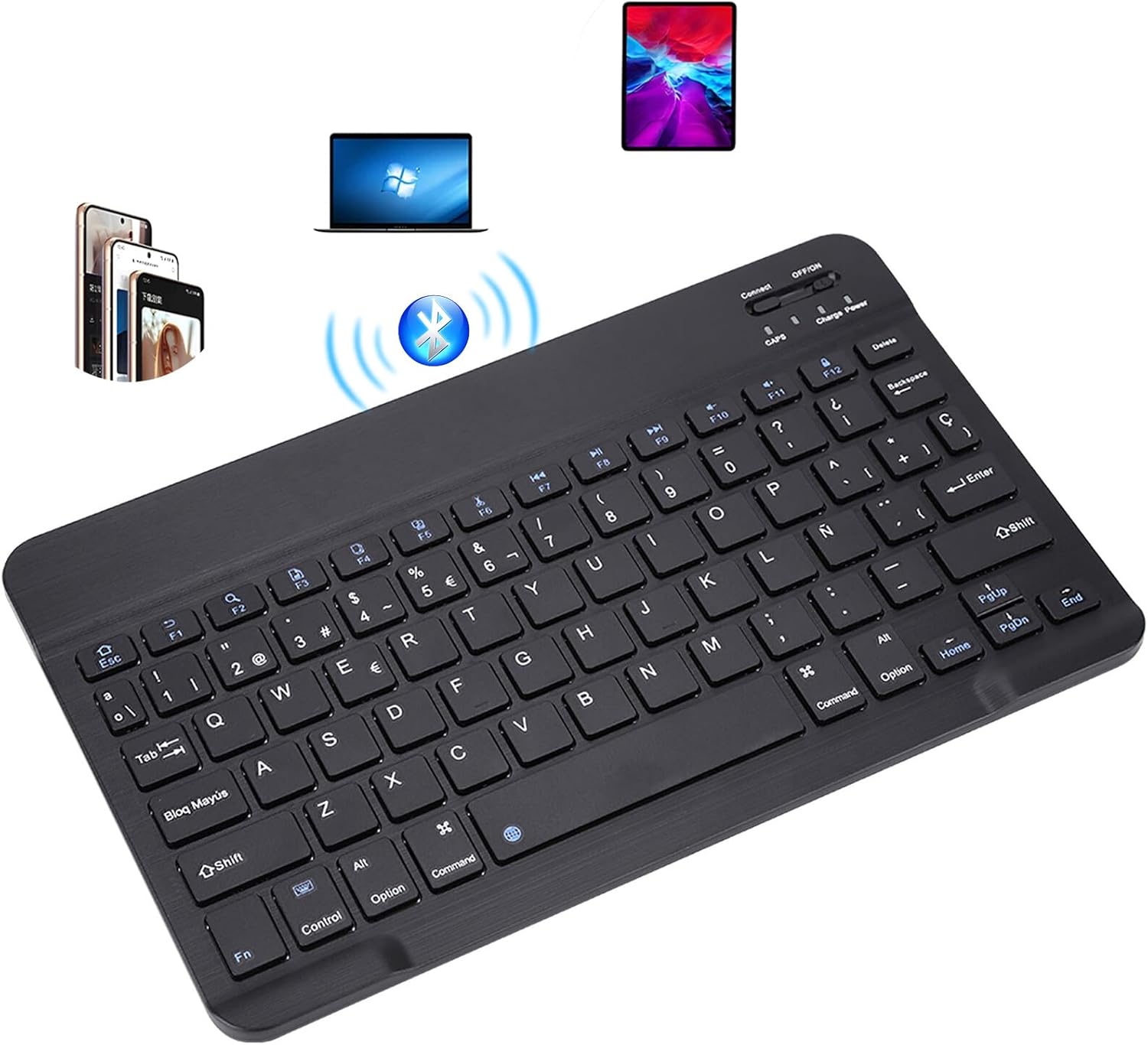
Figure 2.1: JIMTAB Ultra-Slim Bluetooth Keyboard, showcasing its sleek black design and compatibility with various devices like laptops, tablets, and smartphones.
اہم خصوصیات:
- بہترین مطابقت: Compatible with iOS, Android, and Windows systems, suitable for Apple iPhone, iPad, Samsung tablets, and various smartphones.
- Light, Portable, and Compact: Much lighter and smaller than traditional keyboards, easy to carry. Dimensions: 25 x 15 x 0.6 cm (9.84 x 5.9 x 0.24 inches), Weight: 180g (6.35 ounces).
- طویل مدتی استعمال: Built-in rechargeable lithium battery provides over 20 days of use (2 hours/day continuous use) on a full charge. Automatic sleep mode after 10 minutes of inactivity to save power.
- آرام دہ ٹائپنگ: Features scissor-structure keys and square chocolate keycap ergonomic design for quiet and pleasant typing.
- Stable Bluetooth Connection: Utilizes Bluetooth 3.0 technology with a working distance of up to 10m. US QWERTY layout with hotkeys for volume control, play/pause, etc.
- پائیدار ڈیزائن: Brushed front and ultra-thin, smooth aluminum alloy back.

Figure 2.2: The keyboard features a built-in rechargeable Li-ion battery, offering 1-2 hours charge time, 1 month standby, and 168 hours of uninterrupted work.
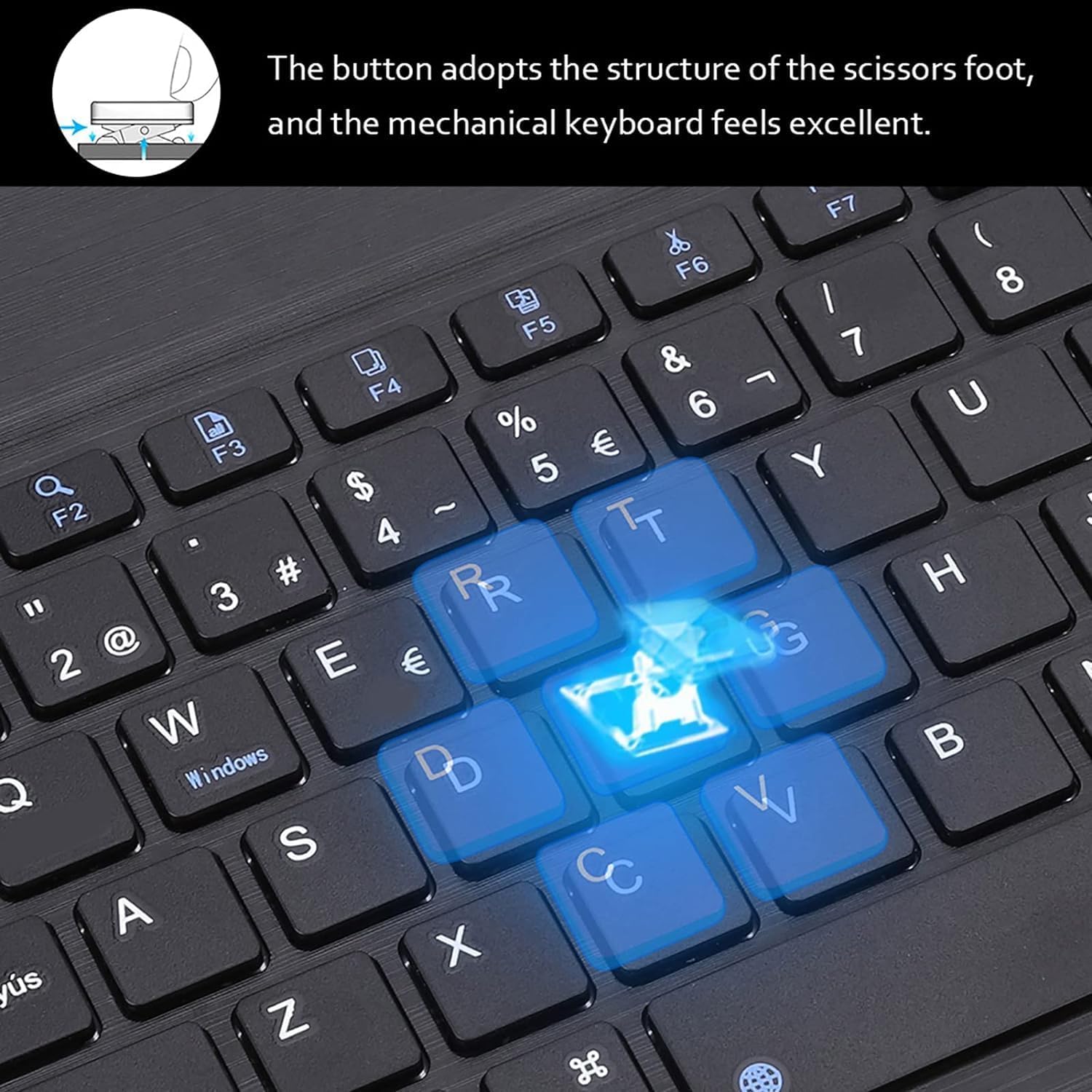
تصویر 2.3: کلوز اپ view of the keyboard's scissor switch key mechanism, designed for excellent mechanical feel and quiet operation.

Figure 2.4: The keyboard is magnetically detachable, allowing it to be removed from a case or stand when not needed for typing.

Figure 2.5: The keyboard's compact and sleek design makes it a good companion for professionals on the go.

Figure 2.6: The keyboard being used in different settings, demonstrating its versatility for various tasks and environments.
3. سیٹ اپ
Follow these steps to connect your JIMTAB Bluetooth Keyboard to your device:
- کی بورڈ کو چارج کریں: Before first use, ensure the keyboard is fully charged. Connect the USB-C charging cable to the keyboard's charging port and a power source. The Charge LED will light up when charging and turn off when fully charged.
- پاور آن: Slide the power switch (OFF/ON) located on the top right of the keyboard to the 'ON' position. The Power LED will light up briefly.
- Activate Bluetooth Pairing Mode: Press the "Connect" button (usually located near the power switch) for 3 seconds. The blue Bluetooth LED will blink, indicating the keyboard is in pairing mode.
- اپنے ڈیوائس پر بلوٹوتھ کو فعال کریں: On your tablet, phone, or computer, go to the Settings menu and enable Bluetooth.
- کی بورڈ منتخب کریں: In the list of available Bluetooth devices, locate and select "Bluetooth 3.0 Keyboard" (or similar name). Your device may prompt you to enter a pairing code. If so, type the code on the JIMTAB keyboard and press Enter.
- کنکشن کی تصدیق کریں: Once successfully paired, the Bluetooth LED on the keyboard will stop blinking and remain solid or turn off, and your device will show the keyboard as "Connected".

Figure 3.1: Visual guide for the 4-step Bluetooth connection process: Power ON, press Connect, activate Bluetooth on device, and select "Bluetooth 3.0 Keyboard".

Figure 3.2: Detailed steps for connecting the keyboard, showing the power switch, connect button, and device Bluetooth settings.

Figure 3.3: The keyboard features a USB-C port for super fast charging, allowing for quick power-ups.
Video 3.1: This video demonstrates the power-on, Bluetooth connection, and basic typing functions of the JIMTAB Bluetooth Keyboard with various devices.
4. آپریٹنگ ہدایات
سسٹم سوئچنگ:
The keyboard supports multiple operating systems. Use the following key combinations to switch between modes for optimal performance:
- Android: دبائیں Fn + W
- ونڈوز: دبائیں Fn + E
- iOS (Apple): دبائیں Fn + Q

Figure 4.1: The keyboard is compatible with Android, Windows, and iOS, with specific Fn key combinations for quick switching.
Multimedia and Hotkeys:
The keyboard includes dedicated multimedia and hotkeys for quick access to common functions. These keys are typically activated by pressing the Fn key in combination with the corresponding function key (F1-F12).
- Fn+F1: گھر
- Fn+F2: تلاش کریں
- Fn+F3: سبھی کو منتخب کریں۔
- Fn+F4: کاپی
- Fn+F5: چسپاں کریں۔
- Fn+F6: کاٹنا
- Fn+F7: پچھلا ٹریک
- Fn+F8: چلائیں/روکیں۔
- Fn+F9: اگلا ٹریک
- Fn+F10: خاموش
- Fn+F11: والیوم کم
- Fn+F12: والیوم اپ
- Fn + حذف کریں: لاک اسکرین
پاور سیونگ موڈ:
To conserve battery life, the keyboard automatically enters sleep mode after 10 minutes of inactivity. To wake it up, simply press any key. The keyboard will reconnect to the last paired device.

Figure 4.2: The power switch allows you to turn off the keyboard when not in use, further saving energy.
5 دیکھ بھال
- صفائی: کی بورڈ کی سطح کو صاف کرنے کے لیے نرم، خشک کپڑا استعمال کریں۔ ضدی گندگی کے لیے، قدرے ڈیampur کپڑے میں پانی یا ہلکے صفائی کے محلول سے۔ ضرورت سے زیادہ نمی سے بچیں۔
- ذخیرہ: When not in use for extended periods, turn off the keyboard using the power switch to preserve battery life. Store in a cool, dry place away from direct sunlight and extreme temperatures.
- چارج کرنا: Charge the keyboard regularly to maintain battery health. Avoid completely draining the battery frequently.
- ہینڈلنگ: Avoid dropping the keyboard or exposing it to strong impacts, which can damage internal components.
6 خرابیوں کا سراغ لگانا
| مسئلہ | ممکنہ وجہ | حل |
|---|---|---|
| کی بورڈ متصل/جوڑا نہیں ہے۔ | Keyboard is off; battery low; not in pairing mode; device Bluetooth off; interference. | Ensure keyboard is ON and charged. Press "Connect" button to enter pairing mode. Turn device Bluetooth OFF and ON. Move closer to the device. Remove other Bluetooth devices. |
| کلیدیں جواب نہیں دے رہی ہیں یا ان پٹ میں تاخیر کر رہی ہیں۔ | Low battery; out of range; interference; incorrect system mode. | Charge the keyboard. Move closer to the device (within 10m). Ensure correct system mode (Fn+Q/W/E). Restart both keyboard and device. |
| کی بورڈ اکثر منقطع ہوجاتا ہے۔ | Low battery; too far from device; strong interference. | Charge the keyboard. Keep the keyboard within the optimal operating range. Avoid placing near other wireless devices. |
| Some function keys not working. | Incorrect system mode selected. | Ensure you have selected the correct operating system mode (Fn+Q for iOS, Fn+W for Android, Fn+E for Windows). |
7. وضاحتیں
- ماڈل نمبر: KB001
- مصنوعات کے طول و عرض: 9.84 x 5.4 x 0.24 انچ (25 x 15 x 0.6 سینٹی میٹر)
- آئٹم کا وزن: 8.1 اونس (180 گرام)
- کنیکٹوٹی ٹیکنالوجی: بلوٹوتھ 3.0
- آپریٹنگ فاصلہ: 10 میٹر (33 فٹ) تک
- بیٹری کی قسم: 1 لتیم پولیمر بیٹری (شامل)
- چارجنگ پورٹ: USB-C
- کام کرنے کا وقت: تقریباً 168 گھنٹے (مسلسل استعمال)
- اسٹینڈ بائی ٹائم: تقریبا 1 XNUMX ماہ۔
- ہم آہنگ آلات: Laptop, Personal Computer, Tablet, Smartphone, Television (with Bluetooth capability)
- خصوصی خصوصیت: Hotkeys and Media Keys
8. وارنٹی اور سپورٹ
JIMTAB products are designed and manufactured to the highest quality standards. For any issues or questions regarding your product, please contact our customer support team.
کسٹمر سپورٹ:
- For assistance, please refer to the contact information provided with your purchase or visit the official JIMTAB webسائٹ
- You can also find helpful resources and FAQs on the JIMTAB Store on Amazon.


