1. تعارف
This manual provides detailed instructions for the FREEWOLF RK-K8 Wireless Mechanical Gaming Keyboard. Please read this manual thoroughly before using the product to ensure proper operation and to maximize your user experience.
اہم خصوصیات:
- Triple-Mode Connectivity: Supports Type-C wired, 2.4GHz wireless, and Bluetooth 5.0 connections.
- Hot-Swappable Switches: Compatible with most 3-pin mechanical switches for customization.
- Gasket Mounted Structure: Enhances typing feel and reduces hollow sound.
- Customizable Rainbow Backlight: Features 18 backlight effects.
- Long-Lasting Battery: Equipped with a 4000mAh battery.
- 96% Layout: 100-key design that saves space while retaining essential keys.
- Wide Compatibility: Supports Windows and Mac operating systems.
2. پیکیج کے مشمولات
براہ کرم تصدیق کریں کہ تمام اشیاء آپ کے پیکیج میں موجود ہیں:
- 1 x FREEWOLF RK-K8 Mechanical Keyboard
- 1 x USB Receiver (2.4Ghz)
- 1 x Type-C to USB-A Braided Coiled Cable
- 1 ایکس کی کیپ پلر
- 1 ایکس سوئچ پلر
- 2 x Original Switches (spare)
- 1 ایکس یوزر مینوئل (یہ دستاویز)

Image 2.1: Contents of the FREEWOLF RK-K8 package, showing the keyboard, coiled USB-C cable, USB 2.4G receiver, keycap puller, switch puller, and two spare switches.
3. سیٹ اپ اور کنکشن
3.1 کی بورڈ کو چارج کرنا
Before first use, it is recommended to fully charge the keyboard. Connect the provided Type-C cable to the keyboard's Type-C port and the USB-A end to a power source (e.g., computer USB port, USB wall adapter). The keyboard features a 4000mAh battery.
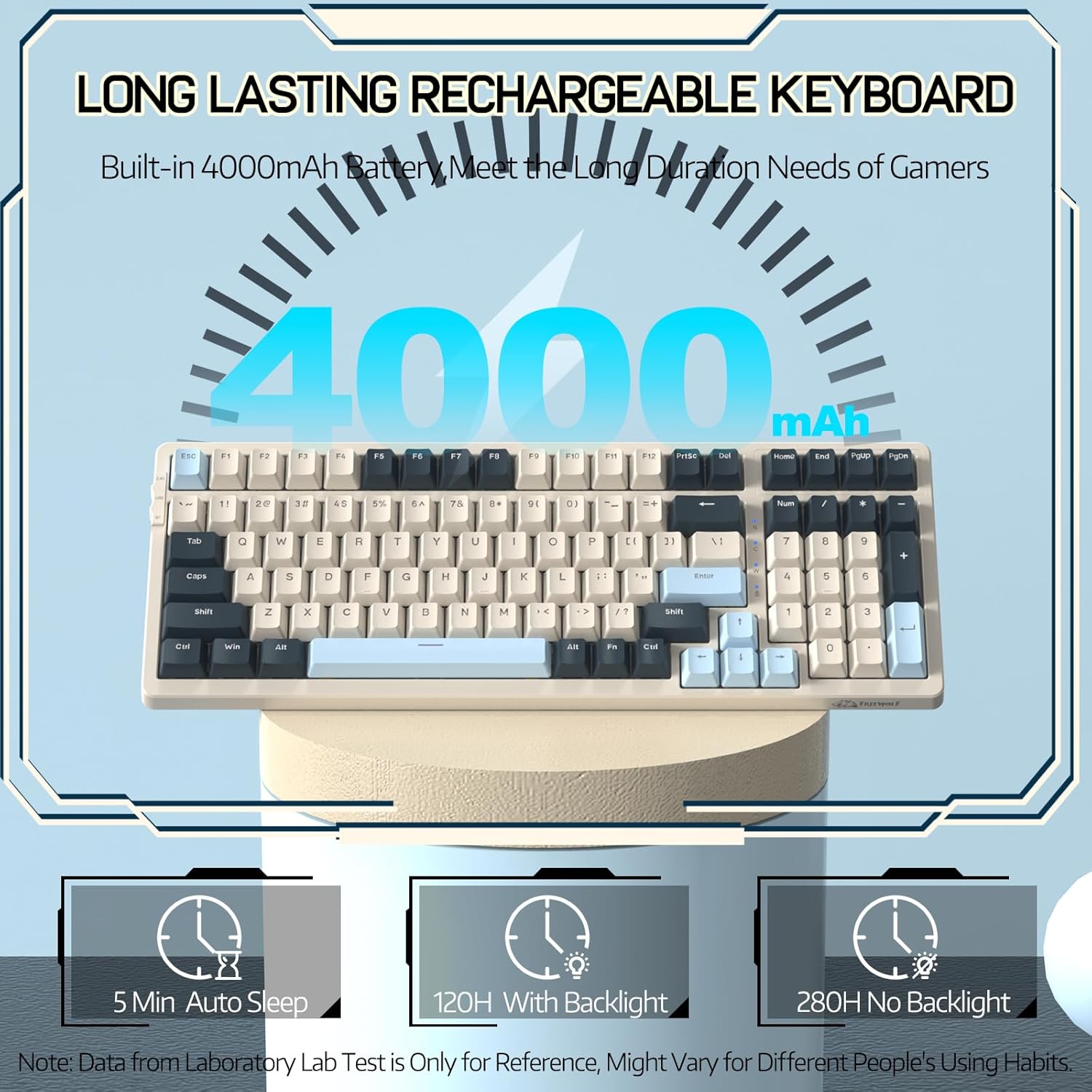
Image 3.1: The keyboard's 4000mAh battery capacity, indicating extended usage time.
3.2 کنکشن موڈز
The RK-K8 keyboard supports three connection modes: Wired, 2.4GHz Wireless, and Bluetooth 5.0.

Image 3.2: Visual guide for switching between 2.4G wireless, wired, and Bluetooth connection modes.
3.2.1 وائرڈ موڈ
- Connect the provided Type-C coiled cable to the keyboard's Type-C port.
- Connect the USB-A end of the cable to your computer's USB port.
- Ensure the mode switch on the keyboard is set to "USB" (or wired mode indicator).
- کی بورڈ خود بخود آپ کے سسٹم کے ذریعہ پہچان لیا جائے گا۔

Image 3.3: The Type-C to USB-A braided coiled cable, featuring a metal aviation connector for wired connection.
3.2.2 2.4GHz وائرلیس موڈ
- Locate the 2.4GHz USB receiver, typically stored in a slot on the keyboard.
- USB ریسیور کو اپنے کمپیوٹر پر دستیاب USB پورٹ میں لگائیں۔
- Toggle the mode switch on the keyboard to "2.4G".
- کی بورڈ خود بخود جڑ جانا چاہیے۔
3.2.3 Bluetooth 5.0 Mode
کی بورڈ تین بلوٹوتھ ڈیوائسز سے منسلک ہونے کی حمایت کرتا ہے۔
- Toggle the mode switch on the keyboard to "BT".
- جوڑا بنانے کے موڈ میں داخل ہونے کے لیے، دبائے رکھیں FN+Q, ایف این + ڈبلیو، یا ایف این + ای۔ for 3-5 seconds. The corresponding key's backlight will flash rapidly, indicating it's ready to pair.
- On your device (PC, Mac, tablet, phone), open Bluetooth settings and search for "RK-K8" or a similar device name.
- Select the keyboard to pair. Once connected, the backlight on the chosen key (Q, W, or E) will stop flashing and remain steadily lit.
- جوڑا بنائے گئے بلوٹوتھ آلات کے درمیان سوئچ کرنے کے لیے، بس دبائیں۔ FN+Q, ایف این + ڈبلیو، یا ایف این + ای۔.
3.3 سسٹم کی مطابقت
The RK-K8 keyboard is compatible with both Windows and Mac operating systems. Use the appropriate FN key combinations for specific functions on each system.
ویڈیو 3.1: ایک اوورview of the FREEWOLF K8 mechanical keyboard, showcasing its features including customizable keycaps, lighting effects, hot-swappable design, compact layout, and multi-device compatibility across Windows, Mac, and mobile devices.
4. آپریشن
4.1 بیک لائٹ کنٹرول
The RK-K8 features 18 customizable rainbow backlight effects.
- FN + |: Switch between 18 backlight effects.
- FN + ↑ / ↓: بیک لائٹ کی چمک کو ایڈجسٹ کریں۔
- FN + ← / →: Adjust the flowing speed of dynamic backlight effects.
- ایف این + ایکس۔: Turn on/off backlight.
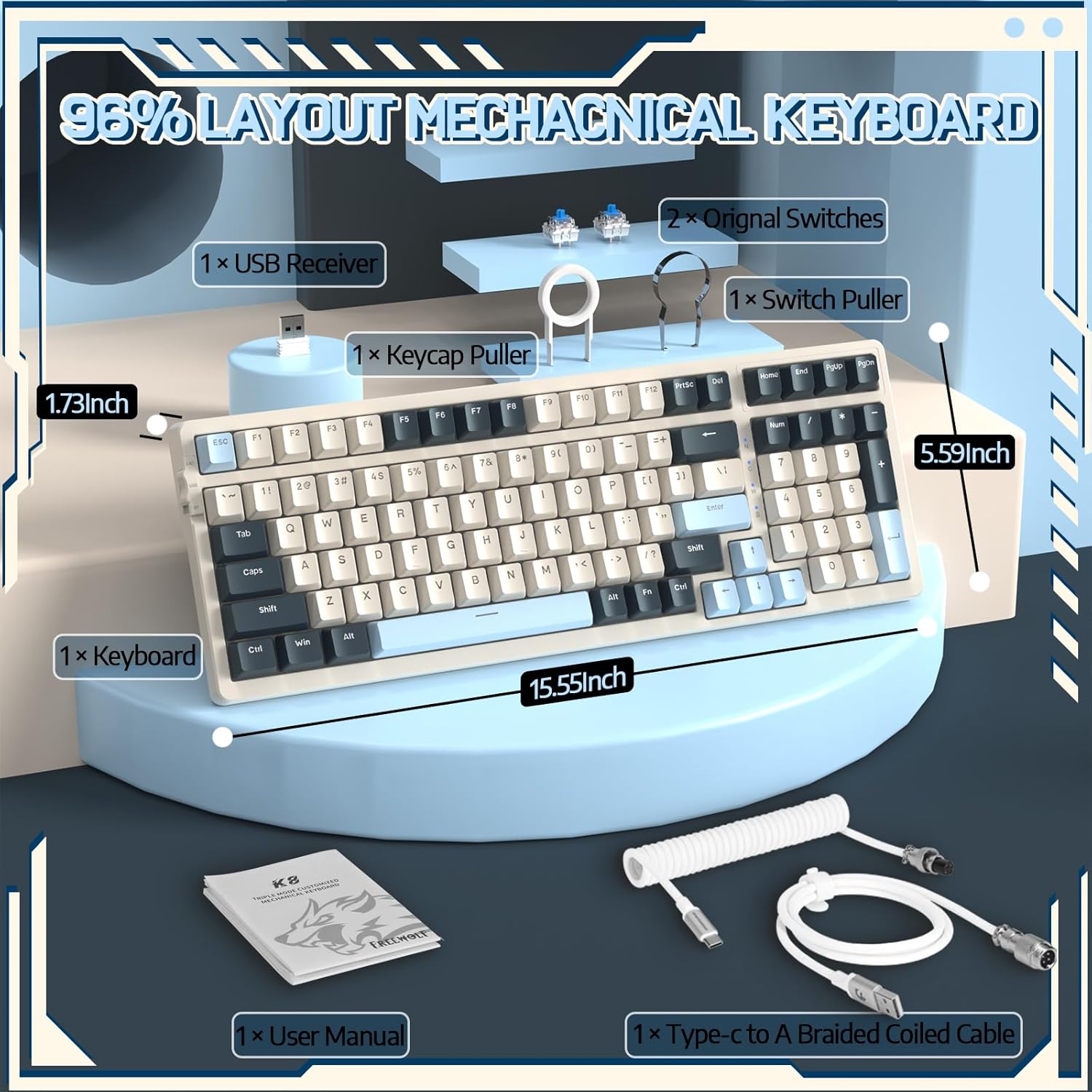
Image 4.1: The RK-K8 keyboard displaying various customizable rainbow backlight patterns.
4.2 گرم تبدیل کرنے کے قابل سوئچز
The keyboard is equipped with a hot-swappable PCB, allowing you to change switches without soldering. It is compatible with most 3-pin mechanical switches (e.g., Cherry MX, Gateron, Kailh Box, AKKO, Epomaker, Glorious switches).
- Use the provided switch puller to carefully remove the existing switch. Grip the switch firmly and pull straight up.
- Align the pins of the new 3-pin switch with the holes on the PCB.
- Gently press the new switch into place until it clicks. Ensure the switch is seated properly and the pins are not bent.
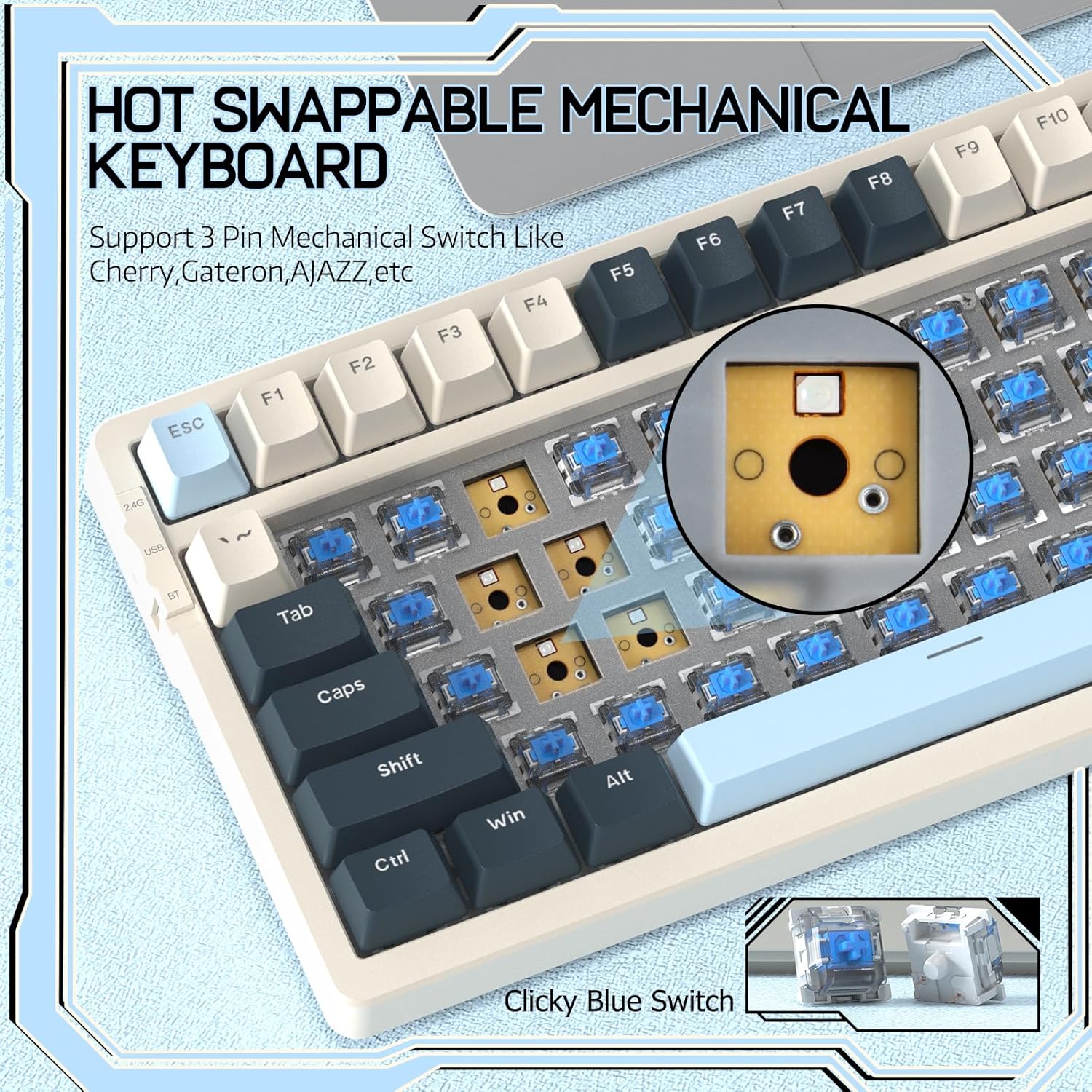
Image 4.2: Demonstrating the hot-swappable feature, showing a switch being removed from the keyboard.
4.3 Gasket Mounted Structure
The keyboard features a gasket-mounted design with sound-dampening materials between the plate and the housing. This construction reduces hollow sounds and provides a more consistent and comfortable typing experience.

Image 4.3: Diagram illustrating the internal layers of the gasket-mounted keyboard structure, designed for improved acoustics and feel.
4.4 کلیدی افعال اور ترتیب
The RK-K8 utilizes a 96% layout with 100 keys, retaining essential modifiers, arrow keys, a separate numpad, and function row while maintaining a compact form factor.
Refer to the keyboard layout for specific key placements. Many keys have secondary functions accessible via the FN کلید
- FN + F1-F12: Multimedia and system control functions (e.g., volume, play/pause).
- FN + جیت: Lock/unlock Windows key.
- ایف این + اے۔: Switch to Windows layout.
- ایف این + ایس: Switch to Mac layout.
5 دیکھ بھال
5.1 صفائی
کی بورڈ کی ظاہری شکل اور فعالیت کو برقرار رکھنے کے لیے:
- صاف کرنے سے پہلے کی بورڈ کو اپنے کمپیوٹر سے منقطع کریں۔
- تھوڑا سا نرم، لنٹ سے پاک کپڑا استعمال کریں۔ampکی کیپس اور چیسس کو مسح کرنے کے لیے پانی یا ہلکے صفائی کے محلول سے بند کریں۔
- For dust and debris between keycaps, use compressed air or the provided keycap puller to remove keycaps and clean underneath.
- سخت کیمیکلز، رگڑنے والے یا سالوینٹس کے استعمال سے پرہیز کریں۔
5.2 کی کیپ اور سوئچ کی تبدیلی
The provided keycap and switch pullers facilitate easy replacement of keycaps and switches. Refer to section 4.2 for switch replacement instructions.
6 خرابیوں کا سراغ لگانا
If you encounter issues with your FREEWOLF RK-K8 keyboard, please refer to the following common solutions:
- کی بورڈ جواب نہیں دے رہا ہے:
- یقینی بنائیں کہ کی بورڈ چارج ہے۔
- Check the connection mode switch (Wired, 2.4G, BT) matches your intended connection.
- For wired mode, ensure the cable is securely connected to both the keyboard and the computer.
- For 2.4G wireless, ensure the USB receiver is plugged in and the keyboard is in 2.4G mode.
- For Bluetooth, re-pair the device if necessary (see section 3.2.3).
- Keys repeating or not registering:
- This can sometimes occur with wireless connections. Try switching to wired mode to see if the issue persists.
- Ensure the switches are properly seated. If a switch is loose, carefully remove and re-insert it.
- متاثرہ کلید کے ارد گرد کسی بھی ملبے کو صاف کریں۔
- بیک لائٹ کام نہیں کر رہی یا پھنس گئی:
- یقینی بنائیں کہ بیک لائٹ بند نہیں ہے (دبائیں۔ ایف این + ایکس۔).
- استعمال کرتے ہوئے چمک کو ایڈجسٹ کریں۔ FN + ↑ / ↓.
- Try cycling through backlight effects with FN + |.
- بلوٹوتھ کنکشن کے مسائل:
- Ensure the keyboard is in Bluetooth mode and sufficient battery.
- Forget the device on your computer/phone and re-pair it.
- Ensure your device's Bluetooth is enabled and working correctly.
7. وضاحتیں
| فیچر | تفصیل |
|---|---|
| برانڈ | فری وولف |
| ماڈل | RK-K8 |
| کنیکٹوٹی ٹیکنالوجی | Bluetooth 5.0 / 2.4GHz Wireless / Wired (Type-C) |
| کی بورڈ کی تفصیل | مکینیکل |
| سوئچ کی قسم | Tactile Blue Switch (Hot-Swappable 3-pin) |
| بیٹری کی صلاحیت | 4000mAh |
| بیک لائٹ | Rainbow Backlit (18 effects) |
| لے آؤٹ | 96% (100 کلیدیں) |
| ہم آہنگ آلات | PC, Mac, PS4 (via USB) |
| مواد | Acrylonitrile Butadiene Styrene (ABS) |
| شے کا وزن | 2.25 پاؤنڈ (تقریباً 1.02 کلوگرام) |
| پیکیج کے طول و عرض | 16.14 x 6.69 x 2.01 انچ |
8. وارنٹی اور سپورٹ
For warranty information or technical support, please refer to the contact details provided with your purchase or visit the official FREEWOLF webسائٹ وارنٹی کے دعووں کے لیے اپنی خریداری کی رسید اپنے پاس رکھیں۔


