تعارف
Thank you for choosing the WEKOME Retro Game Style Wireless Bluetooth 5.3 Earbuds. These earbuds are designed to provide an immersive audio experience with advanced features such as Bluetooth 5.3 connectivity, Dual-Mic ENC technology for clear audio, and dedicated Game and Music modes. This manual will guide you through the setup, operation, and maintenance of your new earbuds.

Image: The WEKOME Retro Game Style Earbuds and their charging case, showcasing their unique design and key features.
باکس میں کیا ہے۔
تمام اشیاء موجود ہیں کو یقینی بنانے کے لیے براہ کرم اپنے پیکج کے مواد کو چیک کریں:
- WEKOME Retro Game Style Wireless Earbuds (Left and Right)
- وائرلیس چارجنگ کیس
- چارجنگ کیبل (Type-C)
- حفاظتی کیس
- صارف دستی (یہ دستاویز)
سیٹ اپ
1. ابتدائی چارجنگ
پہلے استعمال سے پہلے، ایئربڈز اور چارجنگ کیس کو پوری طرح سے چارج کریں۔
- فراہم کردہ Type-C چارجنگ کیبل کو کیس پر چارجنگ پورٹ سے جوڑیں۔
- کیبل کے دوسرے سرے کو USB پاور سورس سے جوڑیں (مثلاً وال اڈاپٹر، کمپیوٹر USB پورٹ)۔
- The indicator lights on the charging case will show the charging status. A full charge takes approximately 1.2 hours for the case.
- ایئربڈز کو چارجنگ کیس میں رکھیں۔ وہ خود بخود چارج ہونے لگیں گے۔

Image: The charging case connected to a Type-C cable, illustrating the charging process.
A fully charged case provides up to 36 hours of total usage time for the earbuds, with the earbuds themselves offering up to 6 hours of continuous playback on a single charge.
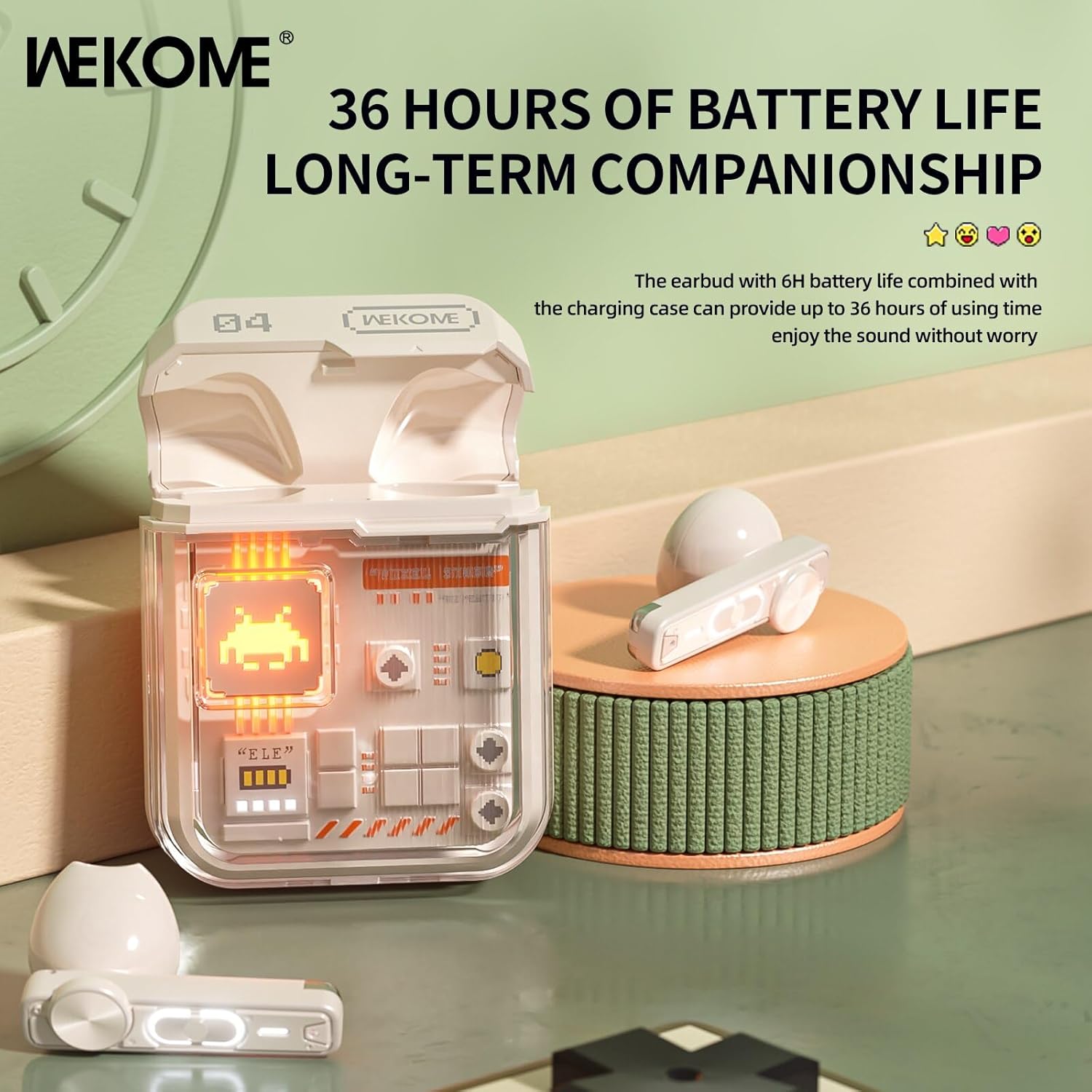
Image: The earbuds in their charging case, highlighting the extended battery life of up to 36 hours with the case.
2. اپنے آلے کے ساتھ جوڑا بنانا
The earbuds feature an auto-connect function for hassle-free pairing.
- Ensure Bluetooth is enabled on your smartphone, tablet, or laptop.
- چارجنگ کیس کھولیں اور دونوں ایئربڈز نکالیں۔ وہ خود بخود جوڑا بنانے کے موڈ میں داخل ہو جائیں گے۔
- On your device, search for Bluetooth devices and select "WEKOME VB04" (or similar name) from the list.
- ایک بار منسلک ہونے کے بعد، آپ کو ایک تصدیقی ٹون سنائی دے گا، اور ایئربڈز استعمال کے لیے تیار ہو جائیں گے۔
- After the initial pairing, the earbuds will automatically connect to the last paired device when taken out of the case.
آپریٹنگ ہدایات
اسمارٹ ٹچ کنٹرولز
The WEKOME earbuds feature intuitive touch controls on each earbud for easy management of music and calls.
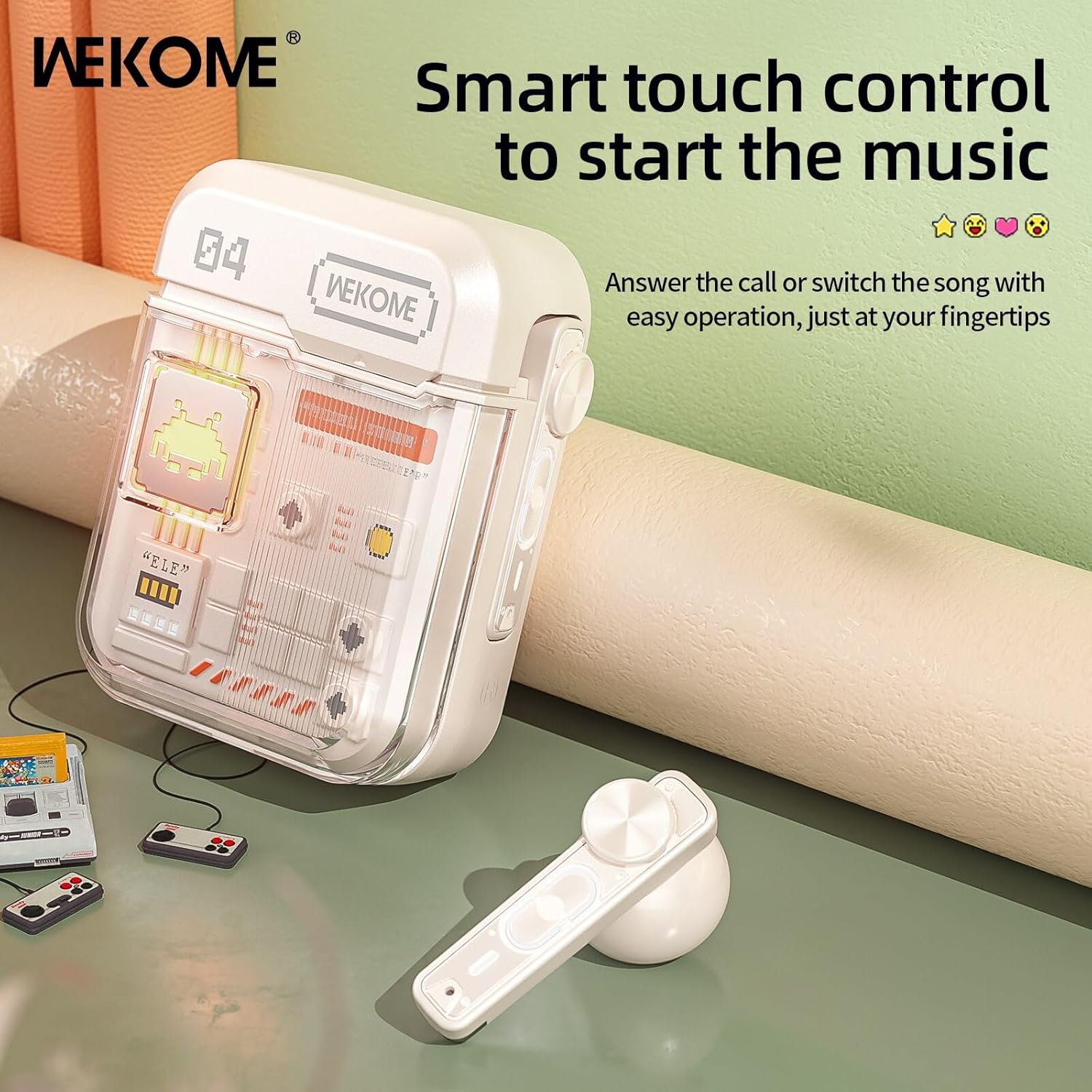
Image: The WEKOME earbuds demonstrating the touch control area for various functions.
| ایکشن | فنکشن |
|---|---|
| سنگل ٹیپ (بائیں/دائیں) | میوزک چلائیں/روکیں، کال کا جواب دیں/ختم کریں۔ |
| ڈبل تھپتھپائیں (دائیں) | اگلا گانا |
| دو بار تھپتھپائیں (بائیں) | پچھلا گانا |
| تین بار تھپتھپائیں (دائیں) | والیوم اپ |
| تین بار تھپتھپائیں (بائیں) | والیوم کم |
| دبائیں اور تھامیں (2 سیکنڈ) | کال کو مسترد کریں، وائس اسسٹنٹ کو فعال کریں۔ |
| Press and Hold (Right Earbud, 2 seconds) | Switch between Game Mode and Music Mode |
گیم موڈ اور میوزک موڈ
The earbuds offer two distinct audio modes optimized for different uses.
- گیم موڈ: Provides low latency (as low as 50ms) for synchronized picture and sound, crucial for gaming. This mode also activates cool lights on the earbuds.
- میوزک موڈ: Delivers balanced, high-resolution sound to restore more audio details, ideal for listening to music.
To switch between modes, press and hold the touch control area on the دایاں ایربڈ 2 سیکنڈ کے لئے.
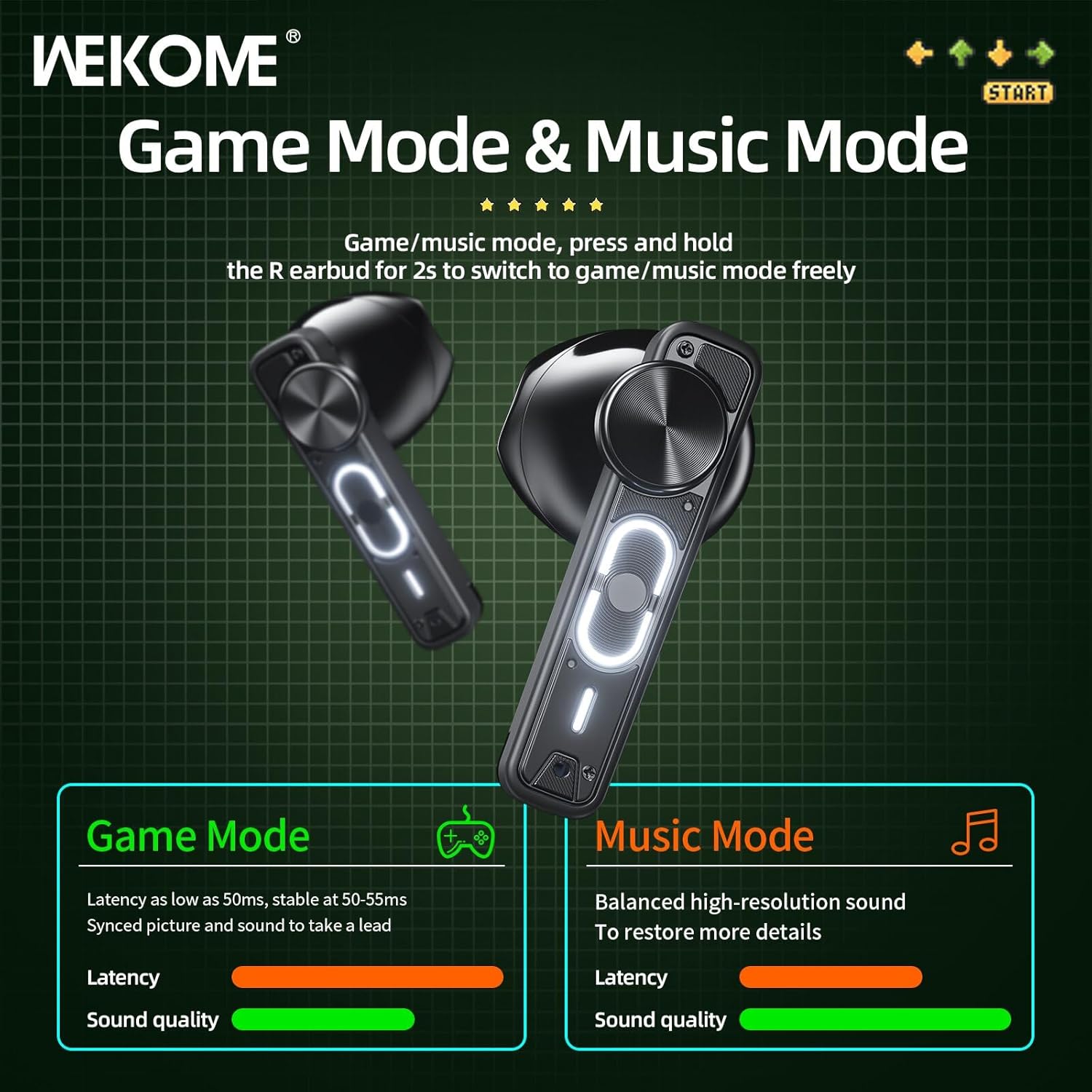
Image: Visual representation of the Game Mode and Music Mode, highlighting their respective benefits in latency and sound quality.
دیکھ بھال
- صفائی: ائیر بڈز اور چارجنگ کیس کو نرم، خشک، لنٹ سے پاک کپڑے سے باقاعدگی سے صاف کریں۔ سخت کیمیکل یا کھرچنے والے مواد کا استعمال نہ کریں۔
- ذخیرہ: استعمال میں نہ ہونے پر، ایئربڈز کو ان کے چارجنگ کیس میں محفوظ کریں تاکہ ان کی حفاظت ہو اور انہیں چارج کیا جا سکے۔ براہ راست سورج کی روشنی اور انتہائی درجہ حرارت سے دور ٹھنڈی، خشک جگہ پر اسٹور کریں۔
- پانی کی مزاحمت: یہ ایئربڈز ہیں۔ پنروک نہیں. Avoid exposure to water, rain, sweat, or excessive moisture.
- چارجنگ پورٹ: Type-C چارجنگ پورٹ کو دھول اور ملبے سے پاک رکھیں۔
خرابی کا سراغ لگانا
| مسئلہ | ممکنہ وجہ | حل |
|---|---|---|
| ایئربڈس جوڑا/کنیکٹ نہیں ہو رہا ہے۔ | Bluetooth is off, earbuds not in pairing mode, out of range, previously paired to another device. | Ensure Bluetooth is on. Place earbuds back in case, then take them out to re-enter pairing mode. Move closer to device. Forget "WEKOME VB04" from device's Bluetooth list and re-pair. |
| صرف ایک ایئربڈ کام کر رہا ہے۔ | Low battery on one earbud, earbuds not properly synced. | Place both earbuds back in the charging case, close the lid for a few seconds, then take them out again. Ensure both are charged. |
| کوئی آواز نہیں۔ | Volume too low, not connected, incorrect audio output selected on device. | Increase volume on both earbuds and connected device. Verify connection. Check device's audio output settings. |
| چارجنگ کیس چارج نہیں ہو رہا ہے۔ | ناقص کیبل/اڈاپٹر، گندا چارجنگ پورٹ۔ | Try a different Type-C cable and USB power adapter. Clean the charging port gently. |
وضاحتیں
| فیچر | تفصیل |
|---|---|
| ماڈل کا نام | Wekome VB04 |
| بلوٹوتھ ورژن | 5.3 |
| وائرلیس رینج | <10m |
| تعدد رسپانس | 20 - 20000 ہرٹز |
| ڈرائیور یونٹ | 13mm Composite Diaphragm Dynamic Unit |
| شور کنٹرول | Dual-Mic ENC Technology (Sound Isolation) |
| ایئربڈ بیٹری لائف | 6 گھنٹے تک |
| بیٹری کی کل زندگی (کیس کے ساتھ) | 36 گھنٹے تک |
| چارج کرنے کا وقت | تقریبا 1.2 گھنٹے (کیس) |
| چارج کرنے کا طریقہ | ٹائپ سی پورٹ |
| کنٹرول کی قسم | اسمارٹ ٹچ کنٹرولز |
| مواد | پیویسی |
| واٹر پروف | نہیں |
| ہم آہنگ آلات | Tablets, Telephones, iPhone, Laptops, Android |
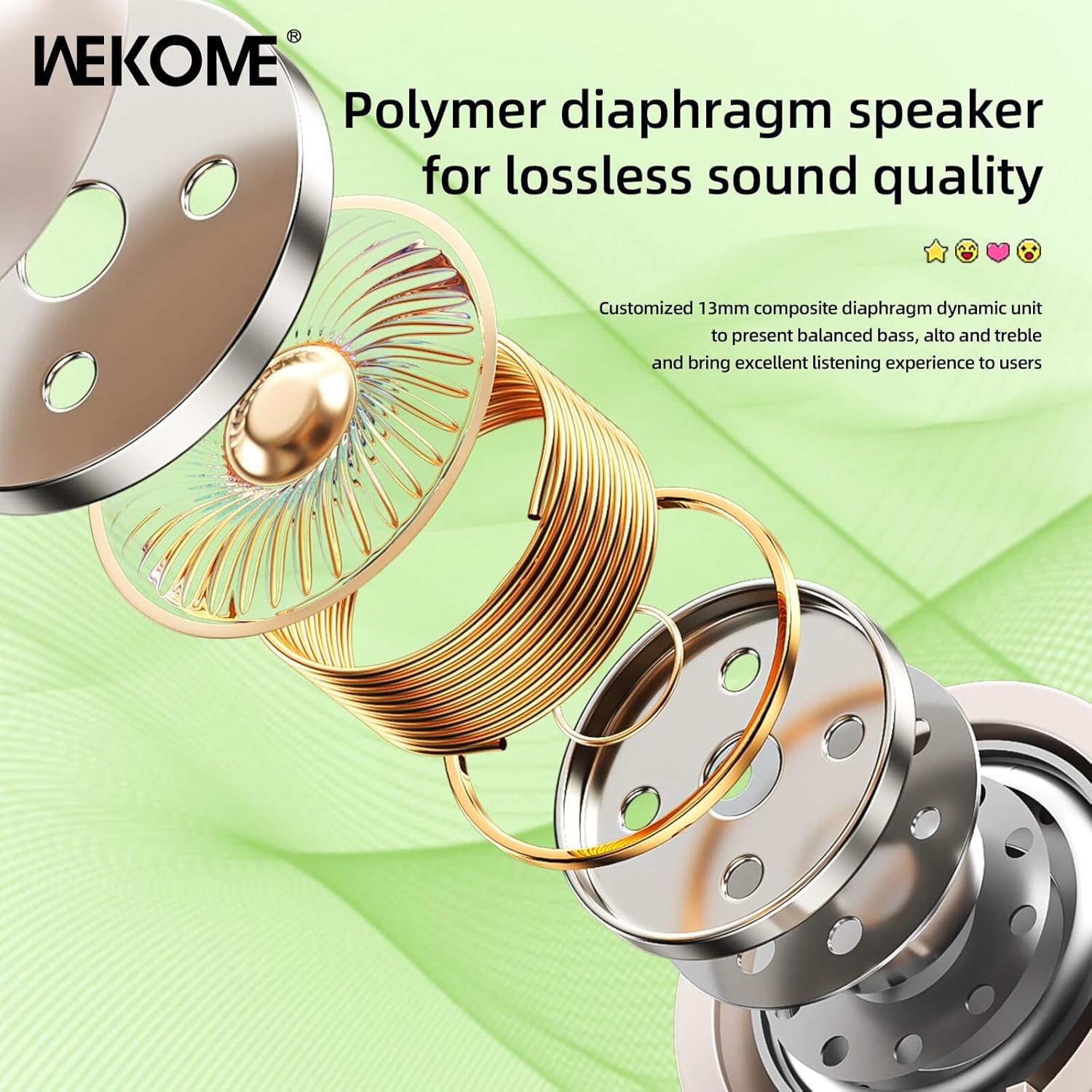
تصویر: ایک دھماکہ view illustrating the components of the 13mm composite diaphragm speaker, designed for lossless sound quality.
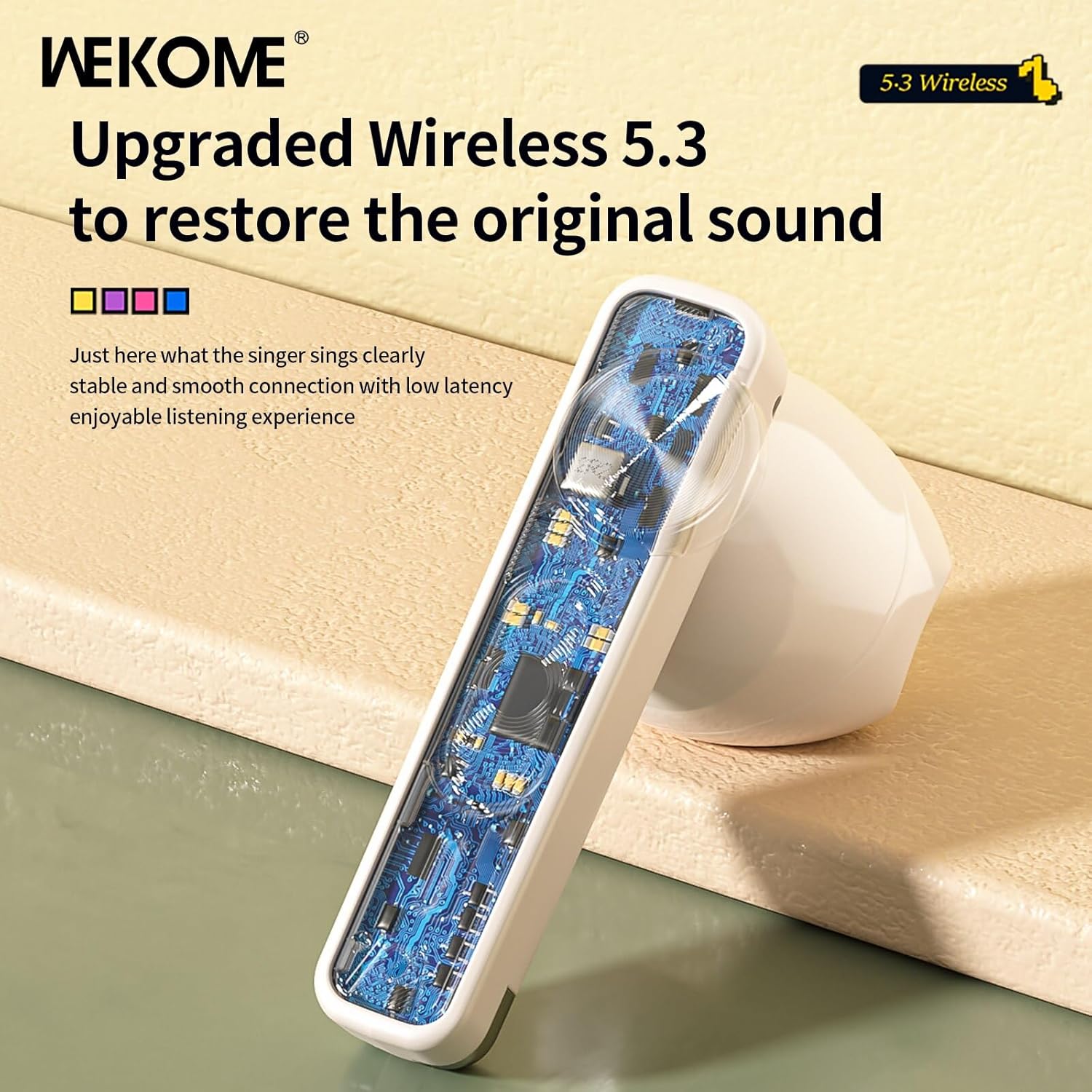
تصویر: ایک قریبی اپ view of an earbud's internal circuit board, highlighting the advanced Wireless 5.3 technology for stable and smooth connection.
وارنٹی اور سپورٹ
For warranty information and technical support, please refer to the contact details provided on the product packaging or the official WEKOME webسائٹ کسی بھی وارنٹی دعووں کے لیے خریداری کے ثبوت کے طور پر اپنی خریداری کی رسید رکھیں۔


