1. تعارف
This manual provides essential information for the safe and efficient operation of your GOBOULT Drift+ Smart Watch. Please read it thoroughly before using the device to ensure proper functionality and to understand all features. The GOBOULT Drift+ Smart Watch features a 1.85-inch HD display, Bluetooth calling capabilities, comprehensive health monitoring, and multiple sports modes.

Image 1.1: GOBOULT Drift+ Smart Watch overview.

Image 1.2: Key features of the GOBOULT Drift+ Smart Watch.
2. باکس میں کیا ہے۔
Upon opening your GOBOULT Drift+ Smart Watch package, please verify that all the following items are included:
- GOBOULT Drift+ Smart Watch
- چارجنگ کیبل
- صارف دستی (یہ دستاویز)
- وارنٹی کارڈ
3. سیٹ اپ
3.1. ڈیوائس کو چارج کرنا
Before initial use, fully charge your GOBOULT Drift+ Smart Watch. Connect the provided charging cable to the charging port on the back of the watch and a standard USB power adapter (not included). The watch typically takes approximately 2.5 hours to fully charge.
3.2. ایپ کی تنصیب اور جوڑا بنانا
To unlock the full potential of your smart watch, download and install the companion application on your smartphone. The app is compatible with both iOS and Android operating systems.
- Scan the QR code in the quick start guide or search for the official GOBOULT app in your smartphone's app store (Google Play Store for Android, Apple App Store for iOS).
- Install the application and create an account or log in.
- یقینی بنائیں کہ آپ کے اسمارٹ فون پر بلوٹوتھ فعال ہے۔
- Open the GOBOULT app, navigate to the device pairing section, and select your Drift+ Smart Watch from the list of available devices.
- Follow the on-screen prompts on both your watch and smartphone to complete the pairing process.
4. اپنی سمارٹ واچ کو چلانا
4.1 ڈسپلے اور نیویگیشن
The GOBOULT Drift+ features a 1.85-inch HD display with 500 nits brightness, ensuring clear visibility even in bright outdoor conditions. Navigate through menus and functions by swiping across the touchscreen and using the physical button on the side.
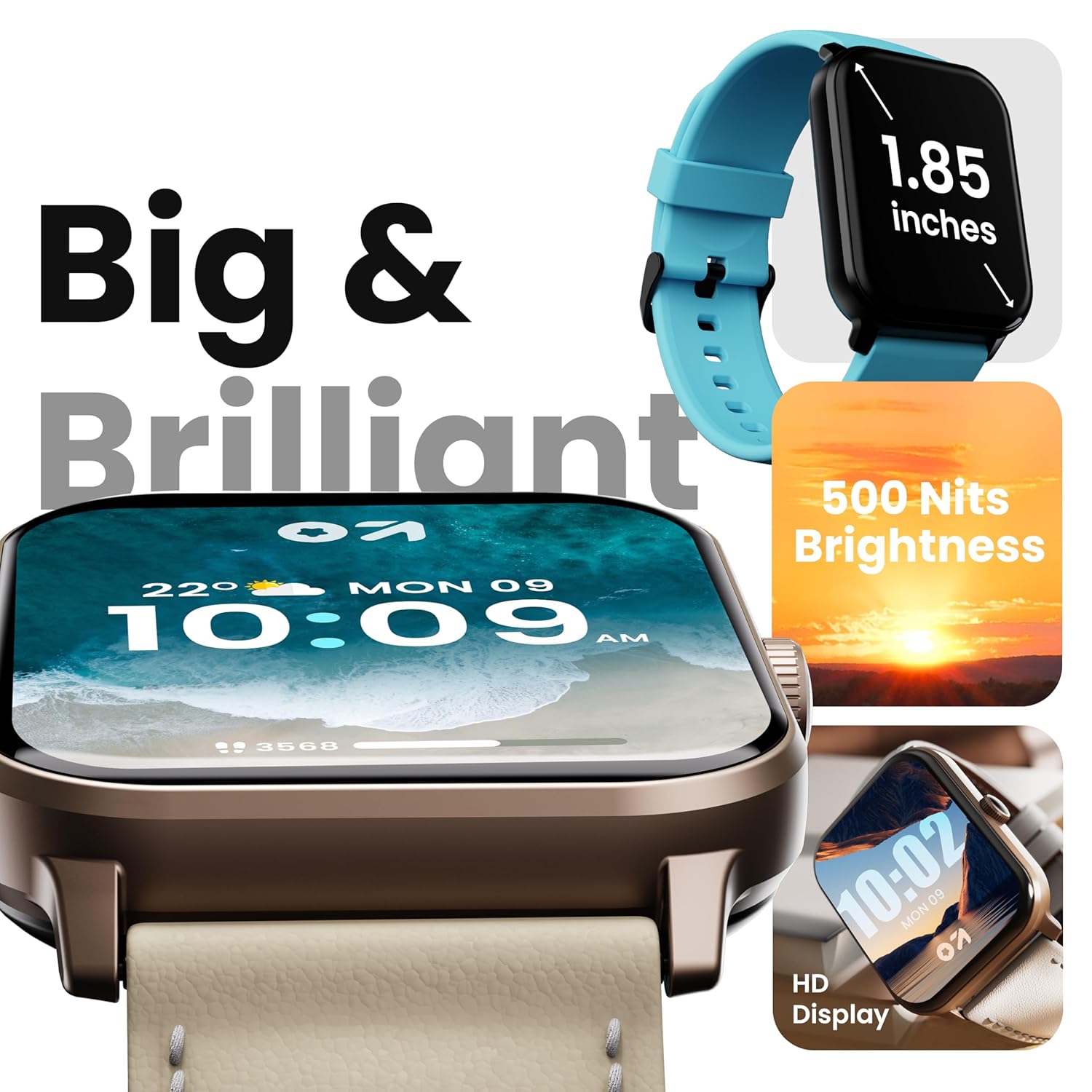
Image 4.1: High-definition display of the Drift+ Smart Watch.
4.2. بلوٹوتھ کالنگ
The smart watch supports seamless Bluetooth calling with a built-in speaker and microphone. Once paired with your smartphone, you can answer, reject, or make calls directly from your wrist.
- کالز کا جواب دینا: When an incoming call is received, tap the green icon on the watch screen.
- کال کرنا: Access the dial pad or contact list through the watch interface to initiate a call.

Image 4.2: Bluetooth calling feature in action.
4.3. صحت کی نگرانی
The Drift+ Smart Watch provides comprehensive health insights through various sensors:
- 24/7 دل کی دھڑکن کی نگرانی: دن بھر آپ کے دل کی دھڑکن کو مسلسل ٹریک کرتا ہے۔
- SpO2 Blood Oxygen Tracking: خون میں آکسیجن سنترپتی کی سطح کی پیمائش کرتا ہے۔
- بلڈ پریشر کی نگرانی: Provides estimates of blood pressure.
- خواتین کی ماہواری سے باخبر رہنا: ماہواری کے چکروں کو ٹریک کرنے اور پیش گوئی کرنے میں مدد کرتا ہے۔
- Drink Water Reminders: آپ کو ہائیڈریٹ رہنے کا اشارہ کرتا ہے۔
- بیہودہ یاد دہانیاں: غیرفعالیت کے ادوار کے بعد تحریک کی حوصلہ افزائی کرتا ہے۔
Note: Health monitoring data is for reference only and should not be used for medical diagnosis or treatment. Consult a medical professional for health-related concerns.

Image 4.3: Health monitoring features.
4.4. کھیلوں کے طریقے
The watch offers over 100 sports modes to track various physical activities. Select your desired sport from the watch menu to record data such as steps, distance, calories burned, and duration.

Image 4.4: Tracking activity with sports modes.
4.5. Watch Faces and Customization
Personalize your watch with over 150 cloud-based watch faces. You can also create custom watch faces through the companion app to match your style.

Image 4.5: Watch face customization options.
4.6. Smart Notifications and AI Voice Assistant
Receive notifications from your favorite social applications and messages directly on your watch. The integrated AI voice assistant provides hands-free assistance for various tasks.
5 دیکھ بھال
5.1. پانی کی مزاحمت (IP68)
The GOBOULT Drift+ Smart Watch is IP68 water-resistant, meaning it is protected against dust and can withstand immersion in water up to 1.5 meters for up to 30 minutes. It is suitable for daily use, such as hand washing or light rain exposure. Avoid using it during swimming, diving, or in hot water/steam environments.

Image 5.1: IP68 water resistance.
5.2. صفائی اور دیکھ بھال
اپنی گھڑی کی ظاہری شکل اور فعالیت کو برقرار رکھنے کے لیے:
- نرم، خشک کپڑے سے گھڑی اور پٹا کو باقاعدگی سے صاف کریں۔
- اگر ضروری ہو تو، تھوڑا سا ڈی کا استعمال کریںamp صفائی کے لیے کپڑا، پھر اچھی طرح خشک کریں۔
- سخت کیمیکلز، کھرچنے والے کلینر یا سالوینٹس کے استعمال سے پرہیز کریں۔
- Keep the charging contacts clean and dry.
5.3. بیٹری کا انتظام
The GOBOULT Drift+ offers extended battery life:
- Up to 7 days in regular usage mode.
- Up to 2-3 days with heavy Bluetooth calling.
- Up to 25 days in standby mode.
To optimize battery life, consider adjusting screen brightness, limiting background app refresh, and disabling unnecessary notifications.

Image 5.2: Battery life details.
6 خرابیوں کا سراغ لگانا
If you encounter issues with your GOBOULT Drift+ Smart Watch, refer to the following common solutions:
| مسئلہ | ممکنہ حل |
|---|---|
| گھڑی آن نہیں ہوتی | یقینی بنائیں کہ گھڑی پوری طرح سے چارج ہے۔ اسے چارجر سے کم از کم 30 منٹ تک جوڑیں۔ |
| اسمارٹ فون کے ساتھ جوڑا نہیں بنایا جا سکتا | Ensure Bluetooth is enabled on your phone and watch. Restart both devices. Make sure the watch is within range of your phone. Check if the app is updated. |
| صحت کا غلط ڈیٹا | اس بات کو یقینی بنائیں کہ گھڑی آپ کی کلائی پر اچھی طرح سے پہنی ہوئی ہے، زیادہ تنگ یا زیادہ ڈھیلی نہیں۔ گھڑی کے پیچھے سینسر کو صاف کریں۔ پیمائش کے دوران ضرورت سے زیادہ نقل و حرکت سے گریز کریں۔ |
| اطلاعات موصول نہیں ہوئیں | Check app permissions on your phone to ensure notifications are allowed. Verify that notifications are enabled within the GOBOULT app settings. Ensure the watch is connected via Bluetooth. |
| Bluetooth calling issues | Ensure the watch is properly connected for calls (sometimes a separate Bluetooth connection is needed for audio). Check volume settings on both watch and phone. |
7. وضاحتیں
| فیچر | تفصیل |
|---|---|
| برانڈ | گوبولٹ |
| ماڈل کا نام | Drift+ |
| آئٹم ماڈل نمبر | 8906133851347 |
| ڈسپلے سائز | 1.85 انچ |
| چمک | 500 نٹس |
| پانی کی مزاحمت | آئی پی 68 |
| کنیکٹوٹی | بلوٹوتھ 5.1 |
| آپریٹنگ سسٹم کی مطابقت | iOS، Android |
| بیٹری کی قسم | لتیم پولیمر |
| بیٹری چارج کرنے کا وقت | 2.5 گھنٹے |
| بیٹری کی اوسط زندگی | 7 Days (normal usage) |
| شے کا وزن | 38 گرام |
| شامل اجزاء | Smart Watch, Charging Cable, User Manual, Warranty Card |
8. وارنٹی اور سپورٹ
Your GOBOULT Drift+ Smart Watch comes with a standard manufacturer's warranty. Please refer to the included Warranty Card for specific terms, conditions, and duration of coverage. For technical support, service, or warranty claims, please contact GOBOULT customer service through the contact information provided on the warranty card or the official GOBOULT webسائٹ
Manufacturer: Exotic Mile Private Limited, Boult Audio, B-67 Wazirpur Industrial Area, New Delhi 110052


