1. تعارف
The ThermoPro TP60-3 is a digital wireless indoor/outdoor thermometer and hygrometer designed to monitor temperature and humidity levels in various environments. This device provides accurate readings for both indoor and outdoor conditions, featuring a long wireless range and the ability to connect with multiple remote sensors. It is suitable for use in homes, baby rooms, nurseries, cellars, basements, warehouses, and greenhouses to ensure optimal environmental control.
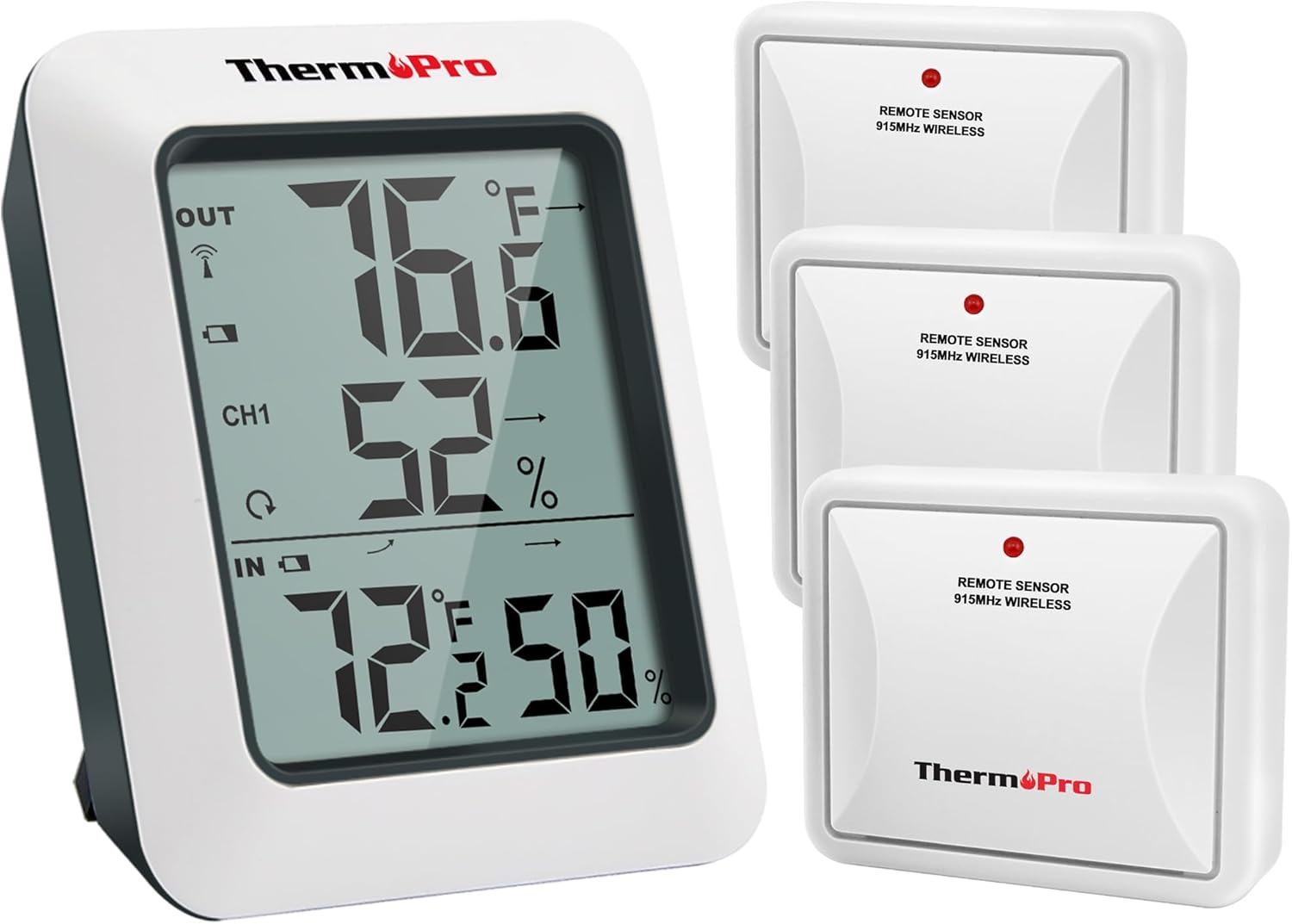
Image: The ThermoPro TP60-3 main display unit and three remote wireless sensors, illustrating the complete product package.
2. باکس میں کیا ہے۔
- 1 x Main Receiver Unit
- 3 x Remote Transmitter Sensors
- 8 ایکس اے اے اے بیٹریاں
3. پروڈکٹ ختمview
3.1 Main Receiver Unit
The main receiver unit features a large, easy-to-read LCD screen that displays indoor and outdoor temperature and humidity percentages. It also shows temperature and humidity trend indicator arrows, and daily high/low information. The unit is designed for tabletop placement with a built-in stand or can be wall-mounted.

Image: Close-up of the main display unit showing outdoor temperature and humidity, channel indicator, and indoor temperature and humidity with trend arrows.
3.2 Remote Transmitter Sensors
The remote sensors transmit temperature and humidity data wirelessly to the main unit. Each sensor is designed for outdoor use and should be placed in a location protected from direct sunlight and rain. The system supports up to three remote sensors, allowing monitoring of different locations simultaneously.

Image: Diagram showing the main unit receiving data from three remote sensors placed in a bedroom, storage room, and garden, highlighting multi-location monitoring.
4. سیٹ اپ
4.1 بیٹری کی تنصیب
- Open the battery compartment on the back of both the main receiver unit and each remote sensor.
- Insert the provided AAA Batteries, ensuring correct polarity (+/-).
- بیٹری کے حصوں کو محفوظ طریقے سے بند کریں۔
4.2 Synchronization Process
After installing batteries, the main unit and remote sensors should automatically synchronize. The RF signal icon on the upper left of the main unit's display will flash during synchronization. If connection is lost or batteries are replaced, follow these steps:
- یقینی بنائیں کہ بیٹریاں دونوں یونٹوں میں صحیح طریقے سے نصب ہیں۔
- Press the TX button on the remote sensor(s) to re-establish connection.
4.3 تقرری کے رہنما خطوط
- مین یونٹ: Place the main unit indoors on a tabletop using its built-in stand or mount it on a wall.
- ریموٹ سینسر:
- Place sensors in an open area, avoiding wall obstructions.
- Keep sensors away from routers and other electronic devices to prevent high-frequency signal interference.
- Avoid direct sunlight exposure, as this can lead to inaccurate temperature readings.
- Always place sensors upright to prevent rain from entering through vent holes.
- The wireless range is up to 500ft/150m in open areas.

Image: The main unit shown on a tabletop and a remote sensor mounted on an exterior wall, demonstrating flexible placement options.
5. آپریٹنگ ہدایات
5.1 ڈسپلے کی خصوصیات
- بیرونی درجہ حرارت اور نمی: Displayed at the top of the screen.
- چینل اشارے: Shows which remote sensor's data is currently displayed (CH1, CH2, CH3).
- اندرونی درجہ حرارت اور نمی: Displayed at the bottom of the screen.
- رجحان کے تیر: Indicate whether temperature and humidity are rising, falling, or remaining stable.
- MAX/MIN Records: Shows the highest and lowest temperature and humidity readings recorded over the last 24 hours or all-time since the last reset.
5.2 Unit Selection (°F/°C)
To switch between Fahrenheit (°F) and Celsius (°C), press the °F/°C button located on the back of the main receiver unit.
5.3 Viewing MAX/MIN Records
Press the MAX/MIN button on the back of the main unit to cycle through the 24-hour and all-time high and low records for temperature and humidity. To clear the records, press and hold the CLEAR button.
5.4 چینل کا انتخاب
If using multiple remote sensors, press the CHANNEL button on the back of the main unit to switch between the different sensor channels (CH1, CH2, CH3) and view their respective outdoor readings.
6 دیکھ بھال
- صفائی: ایک نرم کے ساتھ صاف مسح، ڈیamp کپڑا پانی میں نہ ڈوبیں۔
- بیٹری کی تبدیلی: Replace batteries when the low battery indicator appears on the display. Ensure correct polarity.
- ذخیرہ: If storing the device for an extended period, remove the batteries to prevent leakage.
7 خرابیوں کا سراغ لگانا
- کوئی ڈسپلے/کم بیٹری نہیں: بیٹری کی تنصیب کو چیک کریں اور اگر ضروری ہو تو تبدیل کریں۔
- No Remote Sensor Reading:
- Ensure remote sensor is within range (500ft/150m).
- Press the TX button on the remote sensor to re-sync.
- دوسرے الیکٹرانک آلات سے مداخلت کی جانچ کریں۔
- Replace remote sensor batteries.
- غلط پڑھنا:
- Ensure remote sensor is not in direct sunlight or exposed to rain.
- Verify proper placement away from heat sources or vents.
8. وضاحتیں
| برانڈ | ThermoPro |
| ماڈل کا نام | TP60S |
| اندرونی درجہ حرارت کی حد | -4 ° F سے 158 ° F (-20 ° C سے 70 ° C) |
| بیرونی درجہ حرارت کی حد | -4 ° F سے 158 ° F (-20 ° C سے 70 ° C) |
| نمی کی حد | 10% سے 99% |
| وائرلیس رینج | Up to 500ft/150m (in open area) |
| کنیکٹوٹی ٹیکنالوجی | Radio Frequency (RF) - ASK 433Mhz |
| طاقت کا منبع | Battery Powered (AAA) |
| ڈسپلے کی قسم | ڈیجیٹل LCD |
| مواد | پلاسٹک |
9. وارنٹی اور سپورٹ
For warranty information, technical support, or further assistance, please visit the official ThermoPro website or contact their customer service. Details can typically be found in the product packaging or on the manufacturer's webسائٹ
آپ ملاحظہ کر سکتے ہیں۔ ThermoPro Store مزید مصنوعات اور معلومات کے لیے۔


