تعارف
This manual provides detailed instructions for the setup, operation, maintenance, and troubleshooting of your Volkano Cyclone Series Portable Bluetooth Speaker. Please read this guide thoroughly before using the product to ensure proper function and longevity.
حفاظتی معلومات
- اسپیکر کو انتہائی درجہ حرارت، براہ راست سورج کی روشنی، یا زیادہ نمی کے سامنے نہ رکھیں۔
- Keep the speaker away from water and liquids. This product is not water-resistant.
- اسپیکر کو الگ کرنے یا اس میں ترمیم کرنے کی کوشش نہ کریں۔ یہ وارنٹی کو باطل کر سکتا ہے اور نقصان کا سبب بن سکتا ہے۔
- صرف مخصوص چارجنگ والیوم استعمال کریں۔tage (5V DC, 1A) to prevent damage to the battery and speaker.
- بچوں کی پہنچ سے دور رکھیں۔
پیکیج کے مشمولات
یقینی بنائیں کہ تمام اشیاء پیکیج میں موجود ہیں:
- Volkano Cyclone Series Portable Bluetooth Speaker
- USB چارجنگ کیبل
- معاون کیبل
- صارف دستی
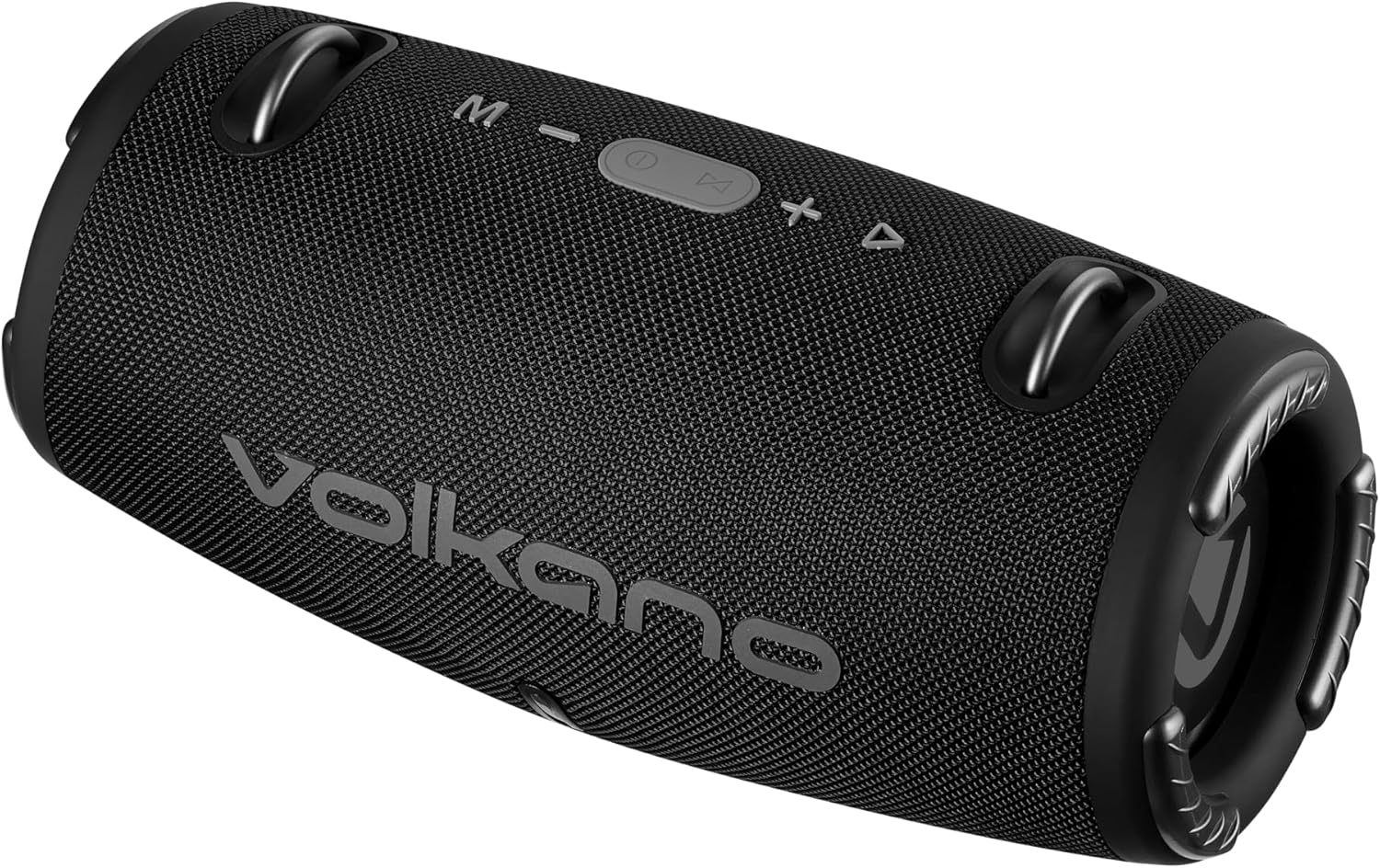
تصویر: سامنے view of the Volkano Cyclone Series Portable Bluetooth Speaker, showing the Volkano logo and control buttons on top.
پروڈکٹ ختمview
اسپیکر کے اجزاء اور کنٹرولز سے اپنے آپ کو واقف کرو۔
کنٹرول پینل
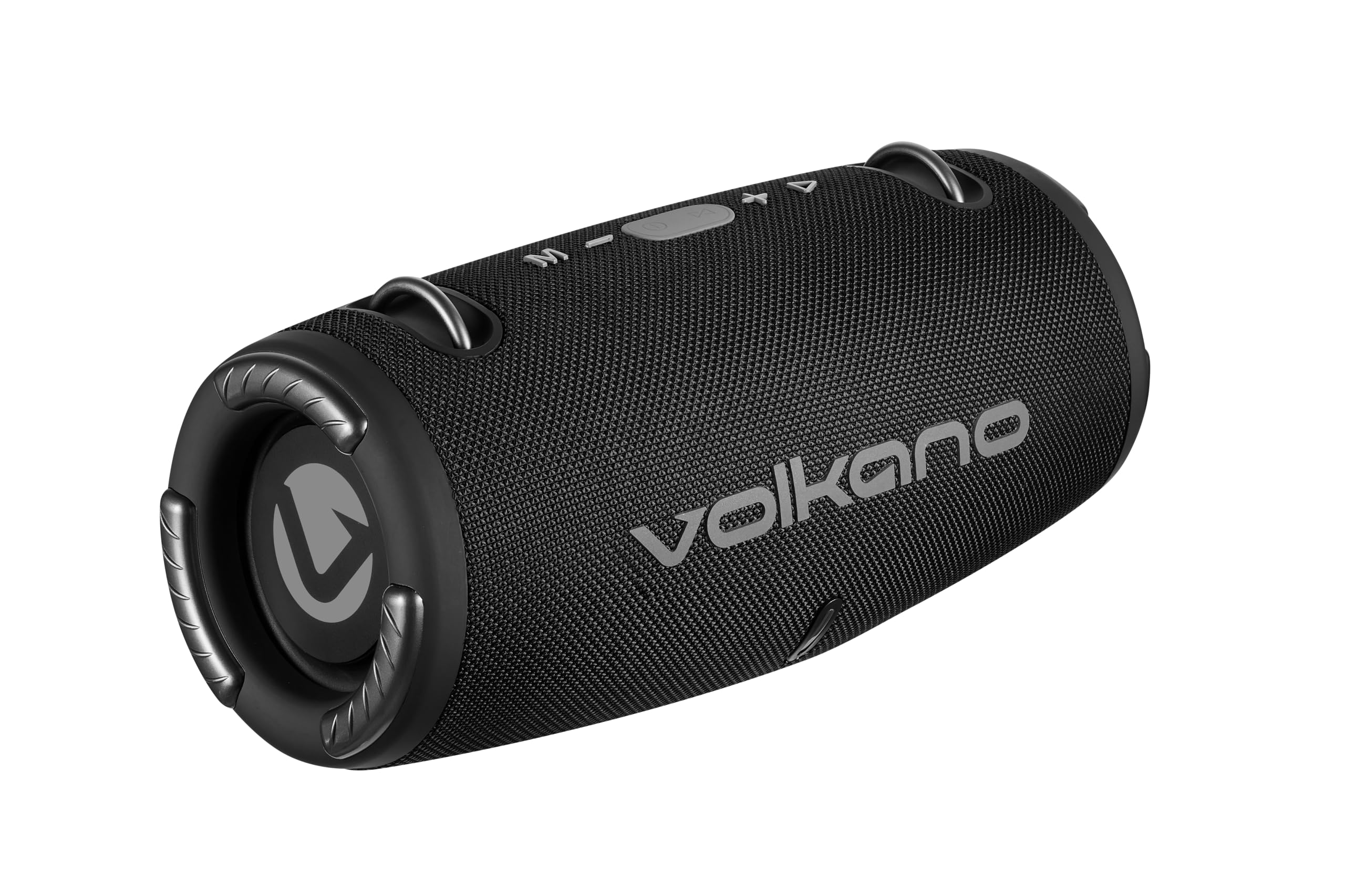
تصویر: اوپر view of the speaker, highlighting the control buttons: Mode (M), Volume Down (-), Play/Pause/Call (Power button), Volume Up (+), and Track Skip (triangle).
- ایم (موڈ) بٹن: Press to switch between Bluetooth, FM Radio, USB, and AUX modes.
- - (Volume Down) Button: والیوم کو کم کرنے کے لیے دبائیں۔ پچھلے ٹریک پر جانے کے لیے پکڑیں۔
- چلائیں/توقف/کال بٹن: Press to play or pause music. Press to answer or end calls. Hold to power on/off.
- + (Volume Up) Button: Press to increase volume. Hold to go to the next track.
- ایل ای ڈی اشارے: چارجنگ اسٹیٹس اور بلوٹوتھ پیئرنگ اسٹیٹس دکھاتا ہے۔
بندرگاہیں اور رابطے
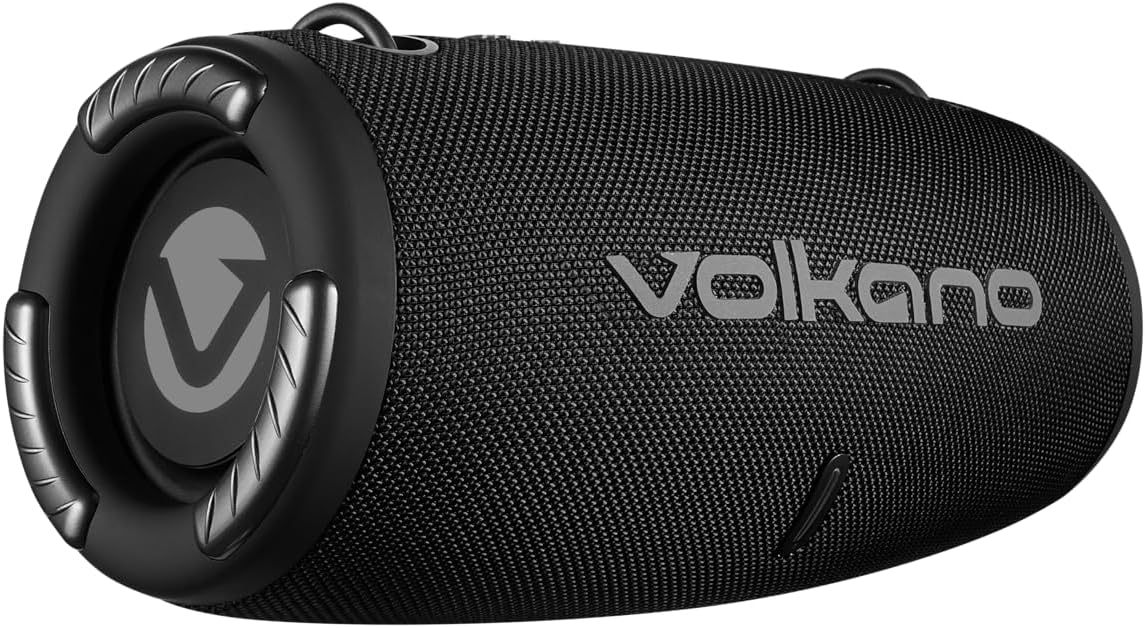
تصویر: پیچھے view of the speaker, showing the covered input ports for charging, USB, and AUX connections.
- DC 5V چارجنگ پورٹ: فراہم کردہ USB کیبل کا استعمال کرتے ہوئے اسپیکر کو چارج کرنے کے لیے۔
- USB پورٹ: USB فلیش ڈرائیو سے موسیقی چلانے کے لیے۔
- AUX ان پٹ: For connecting external audio devices via a 3.5mm auxiliary cable.
سیٹ اپ
اسپیکر کو چارج کرنا
- Connect the USB charging cable to the DC 5V port on the speaker.
- Connect the other end of the USB cable to a compatible USB power adapter (5V DC, 1A output) or a computer's USB port.
- The LED indicator will illuminate to show charging status. Charging takes approximately 3.5 hours.
- Once fully charged, the LED indicator will change (e.g., turn off or change color). Disconnect the charging cable.
پاورنگ آن/آف
- To power on, press and hold the Play/Pause/Call button until you hear an audible prompt.
- To power off, press and hold the Play/Pause/Call button until you hear an audible prompt and the LED indicator turns off.
آپریٹنگ ہدایات
بلوٹوت جوڑی بنانا
- Ensure the speaker is powered on and in Bluetooth mode (indicated by a flashing LED). If not, press the 'M' button to switch modes.
- Enable Bluetooth on your smartphone or tablet (e.g., Android, iPhone).
- تلاش کریں۔ دستیاب بلوٹوتھ ڈیوائسز۔
- Select "Volkano Cyclone" (or similar name) from the list.
- جوڑا بننے کے بعد، LED اشارے چمکنا بند کر دے گا اور ٹھوس رہے گا، اور آپ کو ایک تصدیقی آواز سنائی دے گی۔
- You can now play audio from your device through the speaker. The speaker has a wireless range of up to 10 meters.
میوزک چل رہا ہے۔
- بلوٹوت وضع: After pairing, play music directly from your connected device.
- USB موڈ: Insert a USB flash drive into the USB port. The speaker will automatically switch to USB mode and begin playing music.
- وکس وضع: Connect an external audio device (e.g., MP3 player) to the AUX input using a 3.5mm audio cable. Press the 'M' button to switch to AUX mode.
- ایف ایم ریڈیو موڈ: Press the 'M' button to switch to FM Radio mode. Use the Play/Pause button to auto-scan for stations. Use the +/- buttons to change stations.
حجم اور ٹریک کنٹرول
- والیوم ایڈجسٹمنٹ: حجم بڑھانے کے لیے '+' بٹن دبائیں، اور والیوم کم کرنے کے لیے '-' بٹن دبائیں۔
- اگلا ٹریک: Hold the '+' button.
- پچھلا ٹریک: Hold the '-' button.
- چلائیں/روکیں: Press the Play/Pause/Call button.
ہینڈز فری کالنگ
- When a call comes in while connected via Bluetooth, the music will pause.
- Press the Play/Pause/Call button to answer the call.
- Press the Play/Pause/Call button again to end the call.
- The speaker also supports voice control, allowing you to manage calls or music playback through voice commands if your connected device supports it.
دیکھ بھال
- اسپیکر کو نرم، خشک کپڑے سے صاف کریں۔ کھرچنے والے کلینر یا سالوینٹس کا استعمال نہ کریں۔
- سپیکر کو ٹھنڈی، خشک جگہ پر ذخیرہ کریں جب طویل مدت تک استعمال نہ ہو۔
- سپیکر کو شدید اثرات سے گریز کرنے یا اس کے تابع کرنے سے گریز کریں۔
- بیٹری کی صحت کو برقرار رکھنے کے لیے بیٹری کو باقاعدگی سے چارج کریں، چاہے اکثر استعمال میں نہ ہوں۔
خرابی کا سراغ لگانا
| مسئلہ | ممکنہ وجہ | حل |
|---|---|---|
| سپیکر پاور آن نہیں کرتا۔ | کم بیٹری۔ | اسپیکر کو کم از کم 3.5 گھنٹے تک چارج کریں۔ |
| بلوٹوتھ کے ذریعے جوڑا نہیں بنایا جا سکتا۔ | اسپیکر جوڑا بنانے کے موڈ میں نہیں ہے۔ ڈیوائس بلوٹوتھ آف؛ اسپیکر سے بہت دور | Ensure speaker is in Bluetooth mode (flashing LED). Turn device Bluetooth off/on. Move device closer (within 10m). |
| کوئی آواز نہیں۔ | حجم بہت کم؛ غلط موڈ منتخب؛ آلہ آڈیو نہیں چلا رہا ہے۔ | Increase speaker and device volume. Press 'M' to select correct input mode. Ensure audio is playing on the connected device. |
| ناقص آواز کا معیار۔ | آلہ بہت دور؛ مداخلت کم بیٹری. | Move device closer. Avoid obstacles. Charge the speaker. |
وضاحتیں
| فیچر | تفصیل |
|---|---|
| بلوٹوتھ ورژن | V5.1+EDR |
| بلوٹوتھ رینج | 10 میٹر تک |
| بیٹری کی صلاحیت | 3.7V، 1500mAh |
| پلے ٹائم | 2 - 9 hours (depending on volume) |
| چارجنگ ان پٹ | 5 وی ڈی سی ، 1 اے |
| چارج کرنے کا وقت | تقریباً 3.5 گھنٹے |
| Total RMS Power Output | 10 واٹ |
| ڈرائیور کا سائز | Dual 2.7 inch, 5 Watt drivers |
| رکاوٹ | 4 اوہم |
| تعدد رسپانس | 50 Hz - 20 kHz |
| حساسیت | 86 ڈی بی |
| پروڈکٹ کے طول و عرض (L x W x H) | 295 x 140 x 140 ملی میٹر |
| شے کا وزن | 1.38 کلوگرام |
| پانی کی مزاحمت | نہیں |
| آڈیو آؤٹ پٹ وضع | سٹیریو |
| کنٹرول کا طریقہ | آواز، بٹن |
| ہم آہنگ آلات | اینڈرائیڈ، آئی فون |
| کارخانہ دار | SMD TECHNOLOGIES |
وارنٹی اور سپورٹ
This Volkano Cyclone Series Portable Bluetooth Speaker comes with a محدود وارنٹی.
For warranty claims, technical support, or further inquiries, please contact the manufacturer, SMD TECHNOLOGIES, or your local retailer. Keep your proof of purchase for warranty validation.


