اہم حفاظتی ہدایات
Please read this manual carefully before operating your Pro Breeze 2500W Smart Oil Filled Radiator. Keep these instructions for future reference.
- Always ensure the appliance is placed on a firm, level surface.
- Do not cover the heater. Covering the heater can lead to overheating.
- آتش گیر مواد کو ہیٹر سے کم از کم 1 میٹر (3 فٹ) دور رکھیں۔
- اس ہیٹر کو نہانے، شاور یا سوئمنگ پول کے فوری ماحول میں استعمال نہ کریں۔
- This heater is equipped with an زیادہ گرمی سے بچاؤ کا نظام اور a ٹپ اوور سوئچ بہتر حفاظت کے لیے۔
- استعمال میں نہ ہونے پر ہیٹر کو پلگ لگائیں۔
- ہیٹر کو خراب شدہ ڈوری یا پلگ سے نہ چلائیں۔

Image: Safety features of the Pro Breeze Oil Filled Radiator, including overheat protection, child lock, and tip-over protection.

Image: Internal mechanism for overheat protection, ensuring safe operation by automatically adjusting heat or shutting down.

Image: The radiator's automatic shut-off feature, which activates if the unit is tilted or knocked over, preventing accidents.
سیٹ اپ کی ہدایات
پیک کھولنا اور اسمبلی
- Carefully remove the radiator from its packaging.
- نقصان کے کسی بھی نشان کے لیے آلات کا معائنہ کریں۔ اگر نقصان پہنچا ہے تو، استعمال نہ کریں اور کسٹمر سپورٹ سے رابطہ کریں۔
- Attach the castor wheels to the base of the radiator. Ensure they are securely fastened for stability and portability.
- Place the radiator on a stable, level surface, ensuring adequate clearance from walls and furniture (at least 1 meter).

Image: The Pro Breeze 2500W Smart Oil Filled Radiator, showcasing its main unit, remote control, and smartphone app interface.
ابتدائی پاور اپ
- بجلی کی تار کو ایک مناسب برقی آؤٹ لیٹ (230V) میں لگائیں۔
- The heater will emit a short beep, and the display will illuminate briefly.
آپریٹنگ ہدایات
کنٹرول پینل آپریشن
The radiator features a touch-sensitive control panel for direct adjustments.
- پاور بٹن: Press to turn the heater On or Off.
- موڈ بٹن (M): Cycle through available heating modes (e.g., Low, Medium, High, Eco).
- درجہ حرارت کی ایڈجسٹمنٹ (+/-): مطلوبہ درجہ حرارت میں اضافہ یا کمی.
- ٹائمر بٹن: خودکار آپریشن کے لیے 24 گھنٹے کا ٹائمر سیٹ کریں۔

تصویر: تفصیلی view of the radiator's touch control panel and the included remote control, illustrating manual operation.
ریموٹ کنٹرول آپریشن
The included remote control allows for convenient operation from a distance of up to 5 meters.
- Functions mirror those on the control panel (Power, Mode, Temperature, Timer).
- Ensure the remote control has working batteries (1 Lithium metal battery included).
Smart App Control (Wi-Fi)
Control your radiator remotely using the dedicated smartphone application, compatible with Amazon Alexa and Google Home.
- Download the Pro Breeze Smart App from your device's app store (iOS or Android).
- Follow the in-app instructions to connect your radiator to your home Wi-Fi network.
- Once connected, you can power the heater on/off, adjust temperature, select modes, and set schedules from anywhere.
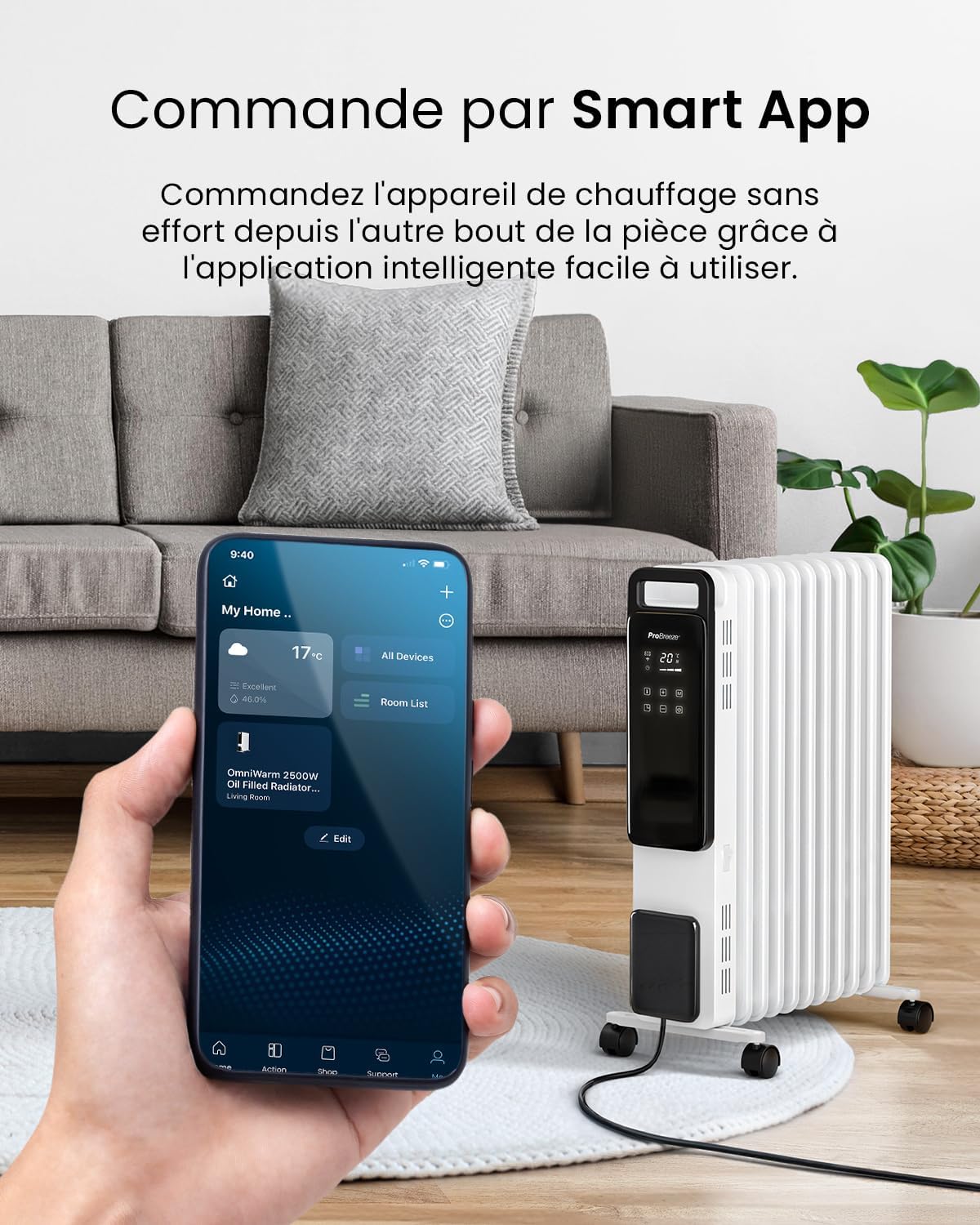
Image: A smartphone showing the Pro Breeze Smart App, demonstrating remote control capabilities for the radiator.
Heating Modes and Temperature Settings
- حرارت کی سطح: Choose from 1000W (Low), 1500W (Medium), or 2500W (High) to suit your heating needs.
- ایکو موڈ: This energy-saving mode intelligently adjusts power output to maintain your desired temperature efficiently, potentially reducing energy consumption.
- سایڈست ترموسٹیٹ: Set your preferred room temperature. The heater will automatically turn off once the set temperature is reached and reactivate if the temperature drops.

Image: The radiator's control panel displaying the three power levels: 1000W (Low), 1500W (Medium), and 2500W (High).

Image: A visual representation of the Eco Mode's energy-saving benefits, showing a comparison of energy consumption.
24 گھنٹے کا ٹائمر فنکشن
Utilize the 24-hour digital timer to program the heater's operating hours, optimizing energy efficiency.
- Set specific times for the heater to turn on and off automatically.
- This feature is accessible via the control panel, remote control, and the smart app.

Image: The smart app's scheduling feature, demonstrating how to set the 24-hour timer and activate the mute function for quiet operation.
دیکھ بھال
صفائی
- ہیٹر کو ہمیشہ ان پلگ کریں اور صفائی سے پہلے اسے مکمل طور پر ٹھنڈا ہونے دیں۔
- بیرونی سطحوں کو نرم سے صاف کریں، ڈیamp کپڑا کھرچنے والے کلینر یا سالوینٹس کا استعمال نہ کریں۔
- اس بات کو یقینی بنائیں کہ اندرونی اجزاء میں پانی داخل نہ ہو۔
- Dry thoroughly before plugging back in.
ذخیرہ
- When not in use for extended periods, store the heater in a cool, dry place.
- Utilize the cable tidy feature to wrap the power cord neatly.

Image: The compact design of the radiator, highlighting its dimensions (Height 61.8cm, Length 28cm, Depth 45.6cm) for easy placement and storage.
خرابی کا سراغ لگانا
| مسئلہ | ممکنہ وجہ | حل |
|---|---|---|
| ہیٹر آن نہیں ہوتا ہے۔ | بجلی کی فراہمی نہیں؛ ٹپ اوور سوئچ چالو ضرورت سے زیادہ گرمی سے تحفظ چالو۔ | Check power plug and outlet. Ensure heater is upright. Unplug and allow to cool for 30 minutes before restarting. |
| ہیٹر مؤثر طریقے سے گرم نہیں ہوتا ہے۔ | Incorrect heat setting; Room too large; Doors/windows open. | Increase heat setting. Ensure room is adequately sealed. Consider heater placement. |
| وائی فائی کنکشن کے مسائل۔ | Incorrect Wi-Fi password; Router too far; Network interference. | Verify Wi-Fi password. Move heater closer to router. Restart router and heater. |
اگر ان حلوں کو آزمانے کے بعد بھی مسئلہ برقرار رہتا ہے، تو براہ کرم کسٹمر سپورٹ سے رابطہ کریں۔
وضاحتیں
| فیچر | تفصیل |
|---|---|
| ماڈل نمبر | PB-H-24-WF |
| پاور آؤٹ پٹ | 2500W |
| پنکھوں کی تعداد | 11 |
| طول و عرض (L x W x H) | 28 x 44.2 x 61.8 سینٹی میٹر |
| وزن | 11.26 کلوگرام |
| والیومtage | 230V (AC) |
| کنٹرول کے طریقے | Touch Control Panel, Remote Control, Smart App (Wi-Fi) |
| خصوصی خصوصیات | Eco Mode, 24-Hour Timer, Adjustable Thermostat, Overheat Protection, Tip-over Switch, Child Lock |
| شامل اجزاء | Remote Control (with 1 Lithium metal battery) |
وارنٹی اور سپورٹ
مینوفیکچرر کی وارنٹی
This Pro Breeze product comes with a 1 سالہ صنعت کار کی وارنٹی خریداری کی تاریخ سے. وارنٹی کے دعووں کے لیے براہ کرم اپنی خریداری کا ثبوت اپنے پاس رکھیں۔
کسٹمر سپورٹ
For technical assistance, warranty claims, or general inquiries, please contact Pro Breeze customer support:
- Webسائٹ: www.probreeze.com/support (سابقampلی لنک، اصل لنک مختلف ہو سکتا ہے)
- Refer to the product packaging or the Pro Breeze webتازہ ترین رابطے کی معلومات کے لیے سائٹ۔


