1. تعارف
Thank you for choosing the Aolon GT5 Pro Smart Watch. This manual provides essential information for setting up, operating, and maintaining your device. Please read it carefully to ensure optimal performance and longevity of your smart watch.
2. پیکیج کے مشمولات
Upon opening the package, please verify that all items listed below are present:
- Aolon GT5 Pro Smart Watch (with one strap attached)
- Additional Strap (e.g., leather or silicone, depending on variant)
- مقناطیسی چارجنگ کیبل
- صارف دستی

Image: Contents of the Aolon GT5 Pro Smart Watch package, showing the watch, an extra strap, a magnetic charging cable, and the user manual.
3. پروڈکٹ ختمview
The Aolon GT5 Pro Smart Watch features a robust design with a 1.6-inch HD display and multiple physical buttons for intuitive control, especially during outdoor activities.
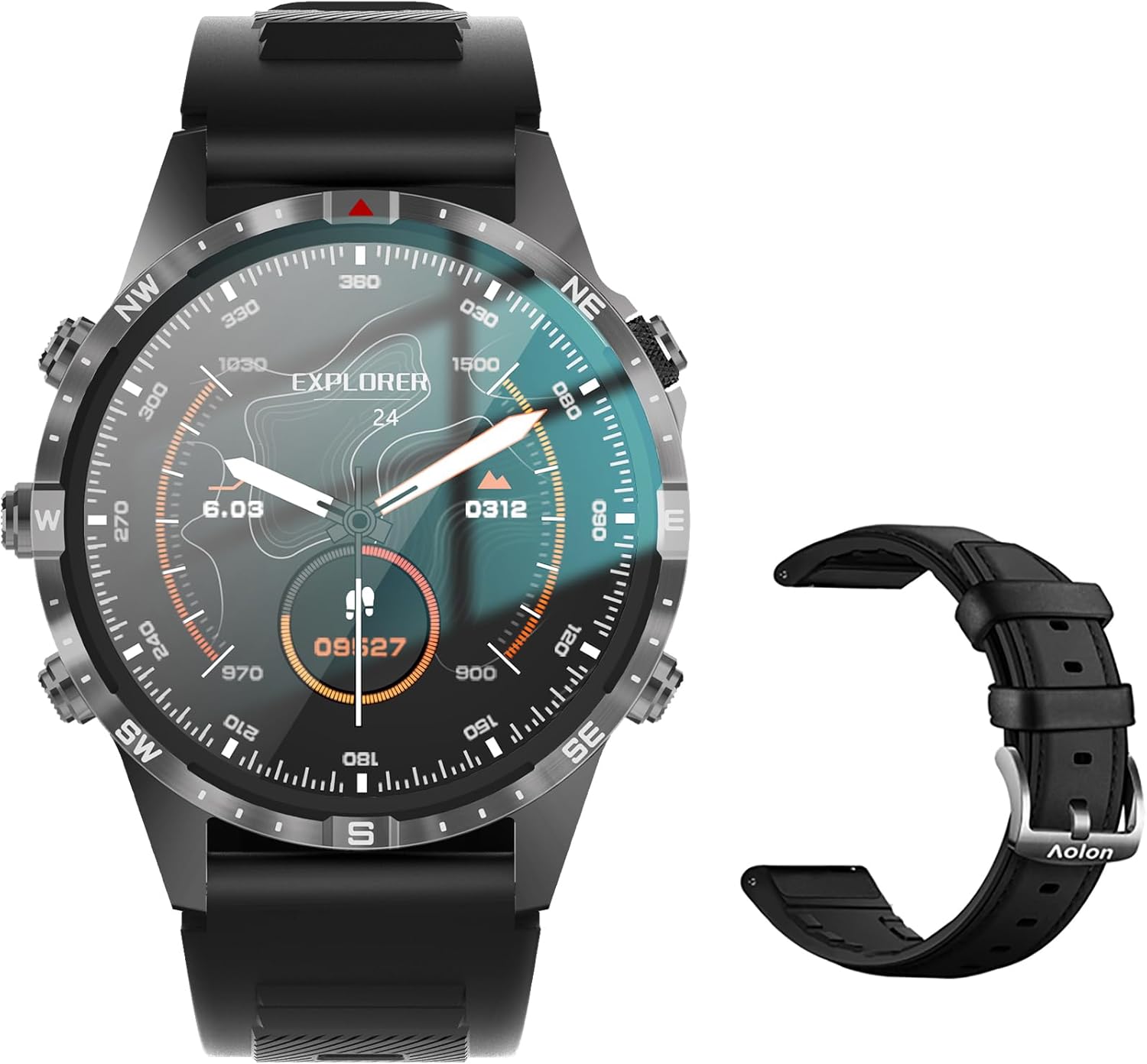
Image: The Aolon GT5 Pro Smart Watch displaying a compass-like watch face, alongside an additional black leather strap.
3.1 اجزاء دیکھیں
- ڈسپلے: 1.6-inch HD Large Screen (360x360 resolution IPS HD with ultra-narrow bezel).
- بٹن: 5 independent physical buttons for precise control and navigation.
- سینسر: Heart rate sensor, blood oxygen sensor, motion sensor.
- اسپیکر اور مائیکروفون: بلوٹوتھ کالنگ فعالیت کے لیے۔

تصویر: ایک قریبی اپ view of the Aolon GT5 Pro Smart Watch screen, emphasizing its 1.6-inch HD display with 360x360 pixel resolution and narrow bezel.
4. سیٹ اپ
4.1. اسمارٹ واچ کو چارج کرنا
Before first use, fully charge your Aolon GT5 Pro Smart Watch. Connect the magnetic charging cable to the charging points on the back of the watch and plug the USB end into a power adapter (not included) or a computer's USB port.
- چارج کرنے کا وقت: مکمل چارج کے لیے تقریباً 1.5 گھنٹے۔
- Battery Life: Up to 7-10 days with typical use, 30 days standby time.

Image: Visual representation of the Aolon GT5 Pro's battery performance, indicating 30 days standby, 7-10 days typical use, and 1.5 hours charging time.
4.2. ایپ کی تنصیب اور جوڑا بنانا
To unlock the full potential of your smart watch, download the companion app on your smartphone.
- ایپ ڈاؤن لوڈ کریں: Scan the QR code in the manual or on the watch screen, or search for the app name (usually mentioned in the quick start guide) in your phone's app store (App Store for iOS, Google Play Store for Android).
- رجسٹر/لاگ ان: ایپ کھولیں اور اکاؤنٹ بنانے یا لاگ ان کرنے کے لیے اسکرین پر دی گئی ہدایات پر عمل کریں۔
- گھڑی جوڑیں: Ensure Bluetooth is enabled on your smartphone. In the app, navigate to the device pairing section and select your Aolon GT5 Pro from the list of available devices. Confirm the pairing request on both your phone and watch.
5. آپریٹنگ ہدایات
5.1. بنیادی نیویگیشن
- اوپر/نیچے سوائپ کریں: مینوز اور اطلاعات کے ذریعے سکرول کریں۔
- بائیں/دائیں سوائپ کریں: Access quick functions or different widgets.
- بٹن دبائیں: Use the 5 independent buttons for specific functions like power on/off, back, or quick access to sports modes. Refer to the quick start guide for specific button assignments.
- اسکرین کو تھپتھپائیں: آئٹمز منتخب کریں یا کارروائیوں کی تصدیق کریں۔
5.2. بلوٹوتھ کالنگ
The Aolon GT5 Pro supports Bluetooth calling, allowing you to make and receive calls directly from your wrist.
- یقینی بنائیں کہ آپ کی گھڑی بلوٹوتھ کے ذریعے آپ کے فون سے منسلک ہے۔
- Access the call function on your watch to dial numbers or answer incoming calls.
- Receive message notifications from your phone's apps directly on your watch.

Image: The Aolon GT5 Pro Smart Watch showing its Bluetooth calling feature, with icons representing call, music, and contact functions.
5.3. کھیلوں کے طریقے
The watch supports over 100 sports modes, including swimming, running, cycling, and yoga. Select your desired activity to track specific metrics.
- Navigate to the Sports section on your watch.
- Choose your activity. The watch will record data such as calories burned, steps, distance, and pace.
- Connect to your phone's GPS via the app for detailed route tracking.
5.4. صحت کی نگرانی
The Aolon GT5 Pro continuously monitors various health metrics.
- دل کی دھڑکن: Dynamic heart rate measurement 24/7.
- خون کی آکسیجن: Low power consumption blood oxygen level monitoring.
- نیند سے باخبر رہنا: Records your sleep status in real-time, providing data on deep, light, and awake times.

Image: The Aolon GT5 Pro Smart Watch screen showing health monitoring features, including heart rate, blood pressure, and blood oxygen levels.

Image: The Aolon GT5 Pro Smart Watch screen illustrating sleep quality monitoring, detailing sleep stages اور مدت.
5.5. Compass Navigation
Utilize the built-in guide needle navigation for accurate direction during outdoor activities.
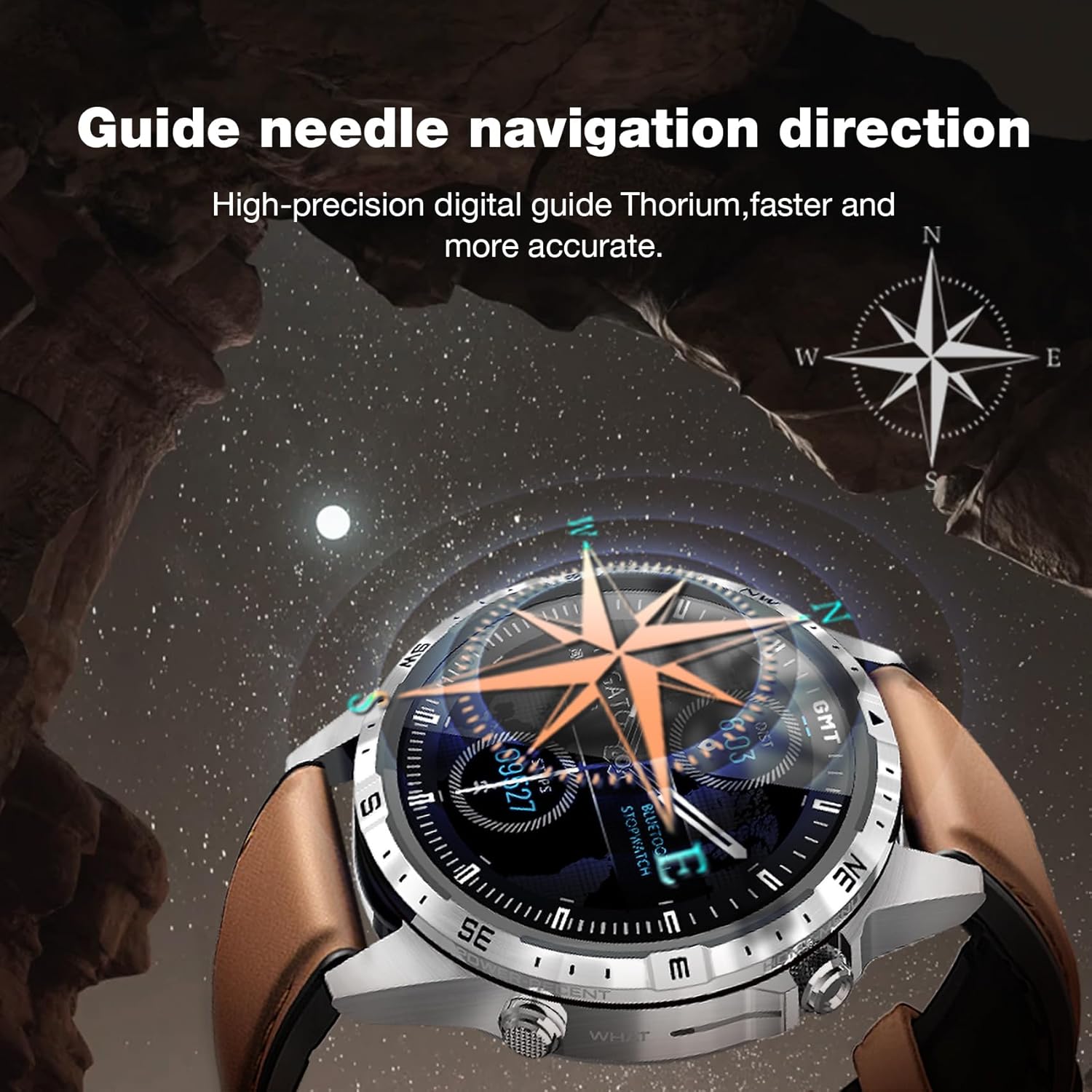
Image: The Aolon GT5 Pro Smart Watch showing its guide needle navigation feature, providing high-precision digital direction.
5.6. دیگر افعال
The watch includes various other essential functions:
- میوزک کنٹرول
- موسم کی پیشن گوئی
- اسٹاپ واچ
- ریموٹ کیمرہ کنٹرول
- Ambient Sound Monitoring
- میرا فون تلاش کریں۔
- الارم گھڑی
- بیہودہ یاد دہانی
- ادویات کی یاد دہانی
- Women's Menstrual Health Tips
5.7. گھڑی کے چہروں کو تبدیل کرنا
Personalize your watch by choosing from multiple types of dials available through the watch or the companion app.

Image: A selection of diverse watch faces for the Aolon GT5 Pro, demonstrating customization options.
6 دیکھ بھال
6.1. گھڑی کی صفائی
- گھڑی کی سکرین اور جسم کو نرم، لنٹ سے پاک کپڑے سے صاف کریں۔
- ضدی گندگی کے لیے، قدرے ڈیampپانی کے ساتھ کپڑے. سخت کیمیکلز یا کھرچنے والے مواد کے استعمال سے پرہیز کریں۔
- یقینی بنائیں کہ چارج کرنے سے پہلے چارجنگ رابطے صاف اور خشک ہیں۔
6.2. پانی کی مزاحمت
The Aolon GT5 Pro is IP67 waterproof. This means it is protected against dust and can withstand immersion in water up to 1 meter for 30 minutes.
- It is suitable for daily use, such as washing hands, face, or sweating during exercise.
- Avoid hot water, steam, or prolonged immersion in water.
- پانی کے اندر بٹنوں کو نہ چلائیں۔
6.3. Strap Care and Replacement
The watch comes with standard dual straps (silicone and leather). Clean straps regularly. The silicone strap is ideal for sports, while the leather strap offers a more formal look. Straps can be easily switched without tools.
7 خرابیوں کا سراغ لگانا
If you encounter issues with your Aolon GT5 Pro Smart Watch, refer to the following common solutions:
| مسئلہ | حل |
|---|---|
| گھڑی آن نہیں ہوتی | یقینی بنائیں کہ گھڑی پوری طرح سے چارج ہے۔ پاور بٹن کو کئی سیکنڈ تک دبائے رکھیں۔ |
| اسمارٹ فون کے ساتھ جوڑا نہیں بنایا جا سکتا | Ensure Bluetooth is enabled on your phone. Restart both the watch and phone. Make sure the watch is not already paired with another device. Check app permissions. |
| صحت کا غلط ڈیٹا | اس بات کو یقینی بنائیں کہ گھڑی آپ کی کلائی پر اچھی طرح سے پہنی ہوئی ہے، زیادہ تنگ یا زیادہ ڈھیلی نہیں۔ گھڑی کے پیچھے سینسر کے علاقے کو صاف کریں۔ |
| اطلاعات موصول نہیں ہوئیں | Check app notification settings on your phone and within the watch app. Ensure the watch is connected via Bluetooth. |
| مختصر بیٹری کی زندگی | Reduce screen brightness, turn off unnecessary features (e.g., continuous heart rate monitoring if not needed), and ensure proper charging. |
8. وضاحتیں
| فیچر | تفصیل |
|---|---|
| ماڈل | جی ٹی 5 پرو |
| ڈسپلے | 1.6-inch HD IPS, 360x360 Pixel Resolution |
| بیٹری کی صلاحیت | 340 ایم اے ایچ لتیم پولیمر |
| بیٹری کی زندگی | 7-10 days (typical use), 30 days (standby) |
| چارج کرنے کا وقت | تقریبا 1.5 گھنٹے |
| پانی کی مزاحمت | آئی پی 67 |
| کنیکٹوٹی | بلوٹوتھ |
| مطابقت | اینڈرائیڈ اور آئی او ایس |
| طول و عرض | 16.3 x 10 x 2.5 cm (Package); Watch: 47.5mm diameter, 22mm strap width |
| وزن | 180 گرام (پیکیج) |
9. حفاظتی معلومات
- گھڑی کو الگ کرنے یا تبدیل کرنے کی کوشش نہ کریں۔
- گھڑی کو انتہائی درجہ حرارت اور براہ راست سورج کی روشنی سے دور رکھیں۔
- Consult a medical professional before starting any new exercise regimen or if you have pre-existing health conditions. The health data provided by the watch is for reference only and should not be used for medical diagnosis or treatment.
- بچوں کی پہنچ سے دور رکھیں۔
10. وارنٹی اور سپورٹ
For warranty information and customer support, please refer to the warranty card included in your package or visit the official AOLON webسائٹ اگر آپ کو کوئی ایسا مسئلہ درپیش ہے جس کا اس دستی میں احاطہ نہیں کیا گیا ہے، تو براہ کرم مدد کے لیے کسٹمر سروس سے رابطہ کریں۔


