1. تعارف
This manual provides essential instructions for the safe and efficient use of your DREAME R10 Pro Cordless Stick Vacuum Cleaner. Please read this manual thoroughly before operating the appliance and retain it for future reference. The DREAME R10 Pro is designed for versatile cleaning across various surfaces, offering powerful suction and a long runtime for comprehensive home cleaning.
2. پروڈکٹ ختمview
The DREAME R10 Pro is a cordless stick vacuum cleaner featuring robust suction, a lightweight design, and an anti-tangle brush head. It is suitable for hard floors, carpets, and pet hair removal.
2.1 شامل اجزاء
- مین ویکیوم یونٹ
- ایکسٹینشن راڈ
- Multi-Surface Brush (V-shaped brush)
- نرم رولر برش
- کریائس نوزل
- وسیع امتزاج کا آلہ
- موٹرائزڈ منی برش
- تبادلہ بیٹری
- چارجر
- وال ماؤنٹ
- Filter (pre-installed and spare)

تصویر 2.1: ختمview of the DREAME R10 Pro Cordless Stick Vacuum Cleaner and its included accessories.
3. سیٹ اپ
3.1 اسمبلی
- Attach the desired brush head (Multi-Surface or Soft Roller) to the end of the extension rod.
- ایکسٹینشن راڈ کو مین ویکیوم یونٹ سے اس وقت تک جوڑیں جب تک کہ وہ اپنی جگہ پر کلک نہ کرے۔
- For handheld use, attach accessories directly to the main vacuum unit.
3.2 بیٹری چارج کرنا
Before first use, fully charge the battery. The battery can be charged while attached to the main unit or separately. Connect the charger to a power outlet and to the battery. The indicator lights on the main unit will show charging status. A full charge provides up to 65 minutes of runtime.
3.3 وال ماؤنٹ انسٹالیشن
The included wall mount allows for convenient storage and charging. Choose a suitable location near a power outlet. Secure the wall mount to the wall using appropriate fasteners (not included, depending on wall type). Ensure the mount is stable before hanging the vacuum cleaner.
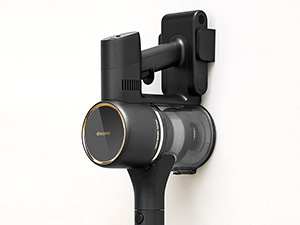
تصویر 3.1: The DREAME R10 Pro main unit mounted on its wall bracket for storage.
4. آپریٹنگ ہدایات
4.1 پاور آن اور سکشن موڈز
Press the power button to turn on the vacuum cleaner. The DREAME R10 Pro offers multiple suction modes. Use the mode selection button (often a push button or touch control) to cycle through different power levels (e.g., Eco, Standard, Boost) to suit your cleaning needs. The current mode and battery level are typically displayed on the unit's interface.

تصویر 4.1: The DREAME R10 Pro in use, demonstrating powerful suction on a carpeted surface.
4.2 مختلف سطحوں کی صفائی
The vacuum is equipped with a dual brush head design, including a V-shaped brush and a soft roller brush. These work together to effectively clean various surfaces, from hard floors to carpets, minimizing scratches and tangles. The anti-tangle design is particularly useful for pet hair.
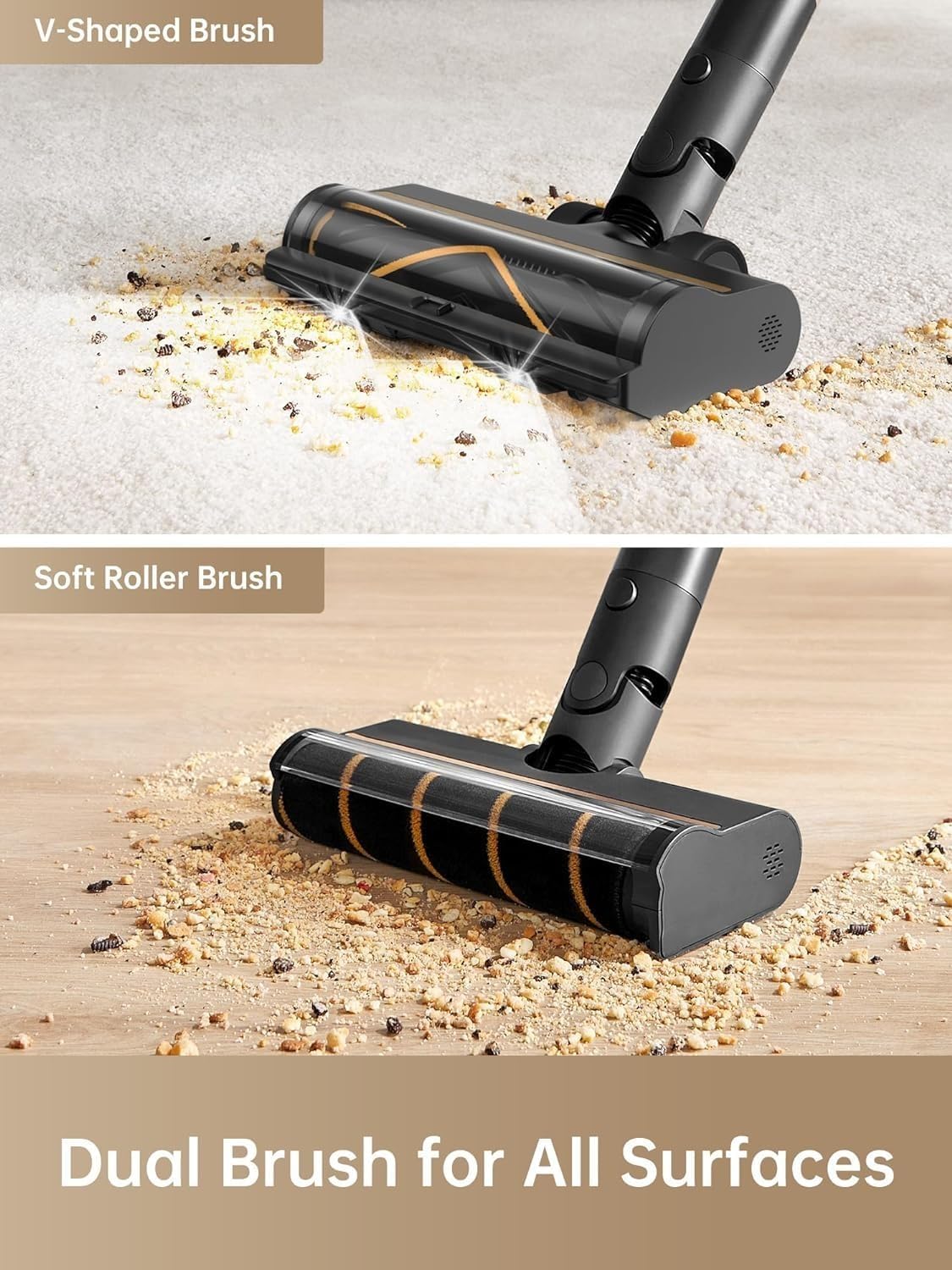
تصویر 4.2: Close-up of the DREAME R10 Pro's V-shaped brush and soft roller brush, designed for various floor types.
4.3 لوازمات کا استعمال
Utilize the various accessories for specialized cleaning tasks:
- کرائیس نوزل: تنگ خلا، کونوں اور کناروں کے لیے مثالی۔
- وسیع امتزاج کا آلہ: افولسٹری، پردے اور کار کے اندرونی حصوں کے لیے موزوں ہے۔
- موٹرائزڈ منی برش: Effective for pet hair on furniture and deep cleaning small areas.

تصویر 4.3: The DREAME R10 Pro configured as a handheld vacuum, cleaning tight spaces and surfaces.
4.4 روشن کرنے والی ایل ای ڈی لائٹس
The main brush head features bright LED lights that illuminate dirt and debris in dark areas, such as under furniture or in dimly lit corners, ensuring thorough cleaning.
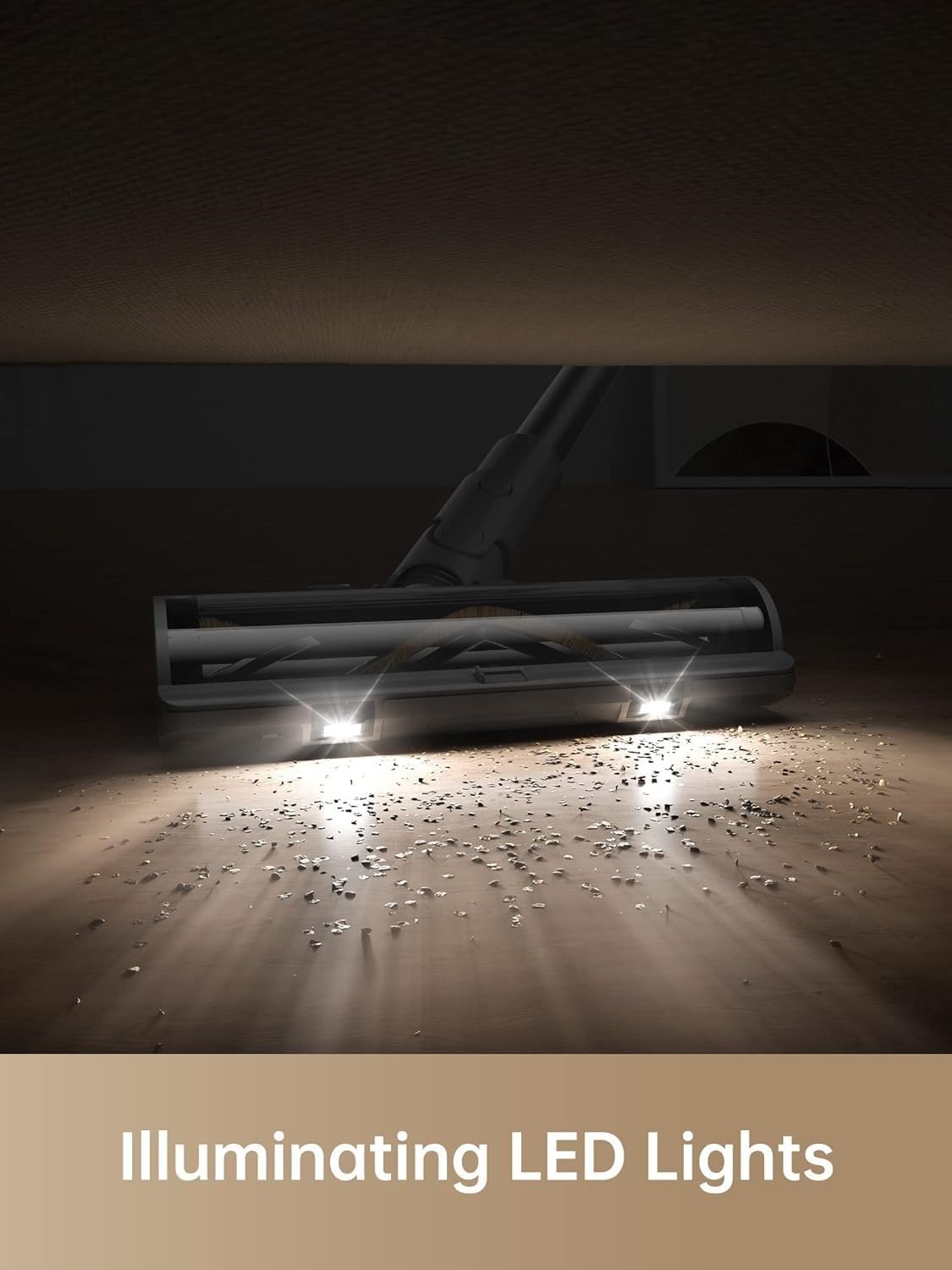
تصویر 4.4: The LED lights on the DREAME R10 Pro's brush head illuminating dust and debris on the floor.
5 دیکھ بھال
باقاعدگی سے دیکھ بھال بہترین کارکردگی کو یقینی بناتی ہے اور آپ کے ویکیوم کلینر کی عمر میں توسیع کرتی ہے۔
5.1 کوڑے دان کو خالی کرنا
Empty the dustbin regularly, especially when the MAX line is reached. To empty, detach the dustbin from the main unit and press the release button to open the bottom flap, allowing debris to fall into a waste bin.
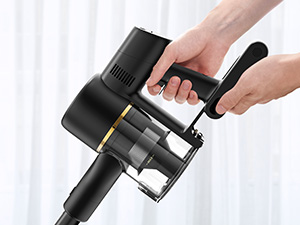
تصویر 5.1: A hand demonstrating how to empty the dustbin of the DREAME R10 Pro vacuum cleaner.
5.2 فلٹریشن سسٹم کی صفائی
The DREAME R10 Pro features a 5-layer filtration system that captures 99.9% of fine dust and particles. Regularly clean the filters to maintain suction power and air quality. Refer to the diagram below for filter components. Filters can typically be rinsed with water; ensure they are completely dry before reinstallation.

تصویر 5.2: پھٹا view of the DREAME R10 Pro's 5-stage filtration system, showing individual components.

تصویر 5.3: A hand rinsing a filter component of the DREAME R10 Pro under running water.
5.3 برش کے سروں کی صفائی
Periodically check the brush heads for tangled hair or debris. The anti-tangle design helps, but occasional manual cleaning may be necessary. Remove the brush roller from the head and use scissors or a cleaning tool to cut and remove any wrapped hair or fibers.
6 خرابیوں کا سراغ لگانا
If you encounter issues with your DREAME R10 Pro, refer to the following common problems and solutions:
| مسئلہ | ممکنہ وجہ | حل |
|---|---|---|
| ویکیوم آن نہیں ہوتا ہے۔ | بیٹری چارج نہیں ہے یا صحیح طریقے سے انسٹال نہیں ہے۔ | یقینی بنائیں کہ بیٹری مکمل طور پر چارج ہوئی ہے اور مین یونٹ میں صحیح طریقے سے داخل کی گئی ہے۔ |
| سکشن پاور میں کمی۔ | Dustbin is full, filters are clogged, or brush head is obstructed. | Empty the dustbin. Clean or replace filters. Remove any obstructions from the brush head or air ducts. |
| برش کا سر نہیں گھوم رہا ہے۔ | Brush roller is tangled with hair or debris, or the brush head is not properly attached. | Clean the brush roller. Ensure the brush head is securely attached to the extension rod or main unit. |
| مختصر بیٹری رن ٹائم۔ | Battery not fully charged, or operating in Boost mode for extended periods. | Ensure the battery is fully charged. Use lower suction modes for longer runtime. Consider purchasing an additional swappable battery for extended cleaning sessions. |
If the problem persists after attempting these solutions, please contact DREAME customer support.
7. وضاحتیں
| فیچر | تفصیل |
|---|---|
| ماڈل کا نام | R10 پرو |
| برانڈ | خواب |
| خصوصی خصوصیت | ہلکا پھلکا |
| فلٹر کی قسم | HEPA فلٹر |
| بے تار | جی ہاں |
| کوڑے دان کی گنجائش | 0.6 لیٹر |
| واٹtage | 350 واٹ |
| زیادہ سے زیادہ سکشن | 150 AW (ایئر واٹس) |
| تجویز کردہ استعمال | Hard floors, Carpets, Pet hair removal |
| فارم فیکٹر | چھڑی |
| مصنوعات کے طول و عرض | 75L x 17W x 35H سینٹی میٹر |
| شور کی سطح | 70 ڈیسیبل |
| بیٹری کی زندگی | 65 منٹ تک |
| موٹر ہارس پاور | 600 واٹ |
| کنٹرول کا طریقہ | ٹچ / پش بٹن |
| شے کا وزن | 4 کلوگرام |
8. وارنٹی اور سپورٹ
8.1 وارنٹی کی معلومات
The DREAME R10 Pro Cordless Stick Vacuum Cleaner comes with a 1 سال کی وارنٹی. This warranty covers manufacturing defects and malfunctions under normal use. Please retain your proof of purchase for warranty claims. For detailed terms and conditions, refer to the warranty card included with your product or contact customer support.
8.2 کسٹمر سپورٹ
For any inquiries, technical assistance, or warranty claims, please contact DREAME India Support:
- ای میل: Support.in@dreame.tech
- کسٹمر سپورٹ ہاٹ لائن: 18003093942
- کام کے اوقات:
- Monday to Saturday: 10:00 AM to 6:00 PM
- Sunday: 10:00 AM to 4:00 PM
DREAME offers support within 24 hours across India, including service centers in 165 cities, onsite service with pick-up and drop, virtual product demos, and onsite installation.

تصویر 8.1: DREAME India Support details, including contact information and service coverage map.


