تعارف
This manual provides comprehensive instructions for the safe and effective use of your boAt Nirvana Ivy True Wireless Stereo (TWS) Earbuds. Please read this manual thoroughly before using the product and retain it for future reference.
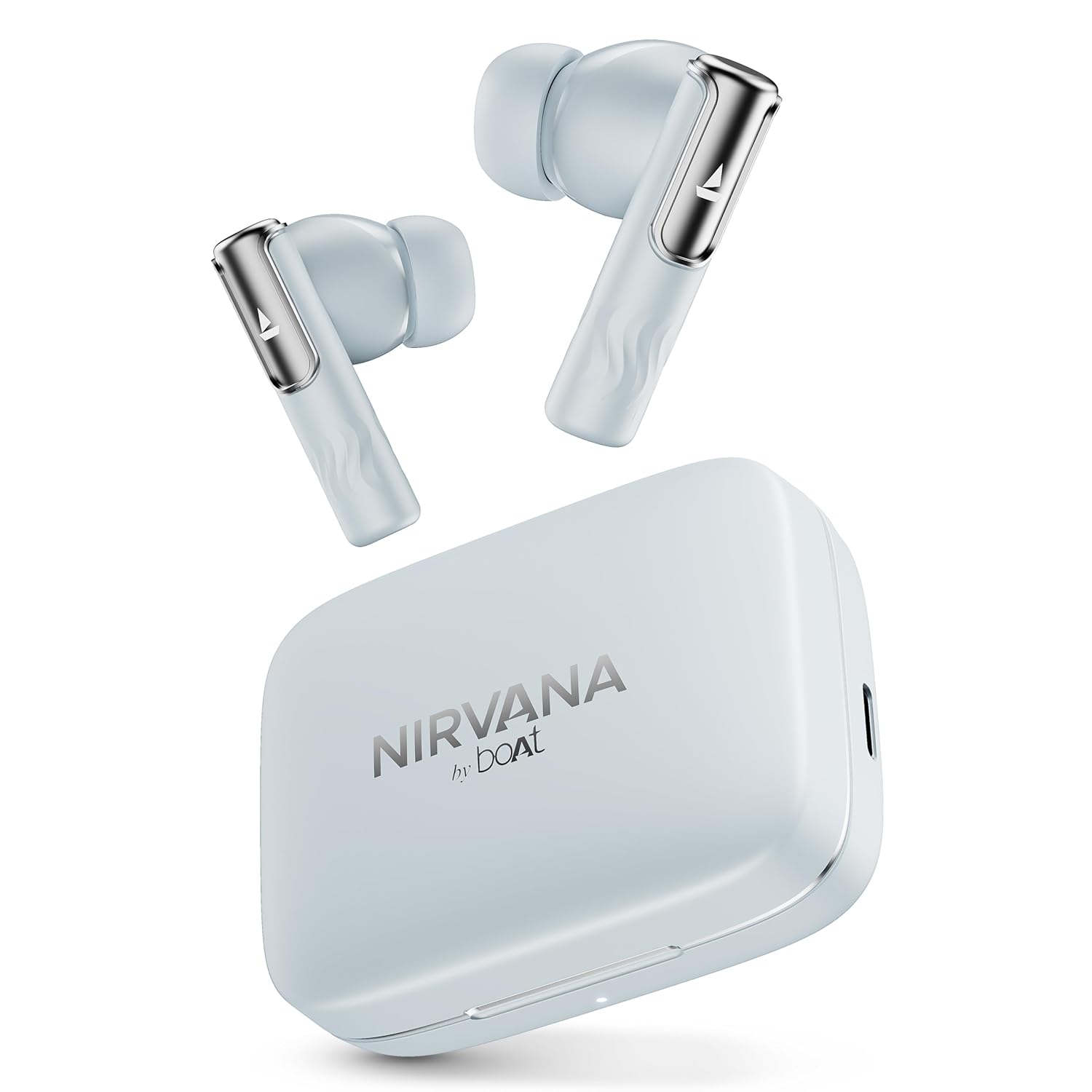
Image: boAt Nirvana Ivy TWS Earbuds and their charging case in Quartz Cyan color.
باکس میں کیا ہے۔
- 1 x TWS ایئربڈز
- 1 ایکس چارجنگ کیبل
- 1 ایکس وارنٹی کارڈ
پروڈکٹ ختمview
The boAt Nirvana Ivy TWS Earbuds are designed to deliver an immersive audio experience with advanced features. Key components include the earbuds and the charging case.

Image: A four-panel graphic illustrating key features: 360° Spatial Audio with Head Tracking, Hybrid Active Noise Cancellation (~50dB), boAt Hearables App, and 11mm Dynamic Drivers.
اہم خصوصیات:
- 50dB Hybrid Active Noise Cancellation (ANC): Reduces external noise for focused listening.
- 360° Spatial Audio with Dynamic Head Tracking: Provides an immersive, theatre-like audio experience where sound adapts to your head movements.
- 11 ملی میٹر متحرک ڈرائیور: Engineered for clear and powerful audio output.
- AI-ENx™ Technology: Enhances call clarity by minimizing background noise during voice calls.
- Multipoint Connectivity: ہموار سوئچنگ کو فعال کرتے ہوئے، دو آلات سے بیک وقت کنکشن کی اجازت دیتا ہے۔
- Instant In-Ear Detection: Automatically plays audio when earbuds are worn and pauses when removed.
- BEAST™ موڈ: Offers ultra-low latency (60ms) for an optimized gaming experience.
- محیطی وضع: آڈیو سنتے ہوئے آپ کو اپنے اردگرد کی باتیں سننے کی اجازت دیتا ہے۔
- Google Fast Pair Support: Enables quick and easy pairing with compatible Android devices.
- boAt Hearables App Support: Provides customization options, controls, and access to additional features.
سیٹ اپ
ابتدائی جوڑا:
- یقینی بنائیں کہ ایئربڈز چارج ہیں۔
- چارجنگ کیس کھولیں۔ ایئربڈز خود بخود پیئرنگ موڈ میں داخل ہو جائیں گے۔
- اپنے آلے پر (اسمارٹ فون، ٹیبلیٹ، لیپ ٹاپ)، بلوٹوتھ کو فعال کریں۔
- تلاش کریں۔ 'Nirvana Ivy' in the list of available Bluetooth devices.
- Select 'Nirvana Ivy' to connect. A voice prompt will confirm successful pairing.
boAt Hearables App:
Download the boAt Hearables App for enhanced control and customization of your Nirvana Ivy earbuds. The app allows you to adjust EQ settings, manage ANC modes, and personalize your listening experience.

Image: A smartphone screen showing the boAt Hearables App with a QR code for download. The Nirvana Ivy earbuds and charging case are visible next to the phone. Scan the QR code or visit l.ead.me/bdAX6k ایپ ڈاؤن لوڈ کرنے کے لیے۔
گوگل فاسٹ پیئر:
For compatible Android devices, simply open the charging case near your phone, and a pop-up notification will appear for quick pairing.

Image: A smartphone displaying a Google Fast Pair notification for the Nirvana Ivy earbuds. Below, an earbud is shown with sound waves indicating Ambient Mode.
آپریٹنگ ہدایات
Active Noise Cancellation (ANC) & Ambient Mode:
The Nirvana Ivy earbuds feature Hybrid ANC up to 50dB to reduce ambient noise. You can switch between ANC, Ambient Mode, and Normal Mode using the touch controls on the earbuds or through the boAt Hearables App.

Image: A woman wearing boAt Nirvana Ivy earbuds, with visual effects indicating active noise cancellation around her ear.
360° Spatial Audio with Dynamic Head Tracking:
Experience immersive audio that adapts to your head movements, creating a dynamic soundstage. This feature can be activated and managed via the boAt Hearables App.

Image: boAt Nirvana Ivy earbuds surrounded by concentric circles, depicting 360° Spatial Audio with audio dynamically adjusting as the head moves.
ویڈیو: ایک مختصر پریview demonstrating the 360° Spatial Audio with Dynamic Head Tracking feature of the Nirvana Ivy earbuds.
Call Functions (AI-ENx™ Technology):
AI-ENx™ Technology ensures clear voice calls by isolating your voice from background noise. Use the touch controls to answer, end, or reject calls.

تصویر: ایک شفاف view of a boAt Nirvana Ivy earbud highlighting the internal components and AI-ENx™ Technology for crystal-clear calling.
Multipoint Connectivity:
Connect your earbuds to two devices simultaneously, such as a phone and a laptop. The earbuds will intelligently switch between devices based on audio playback or incoming calls.
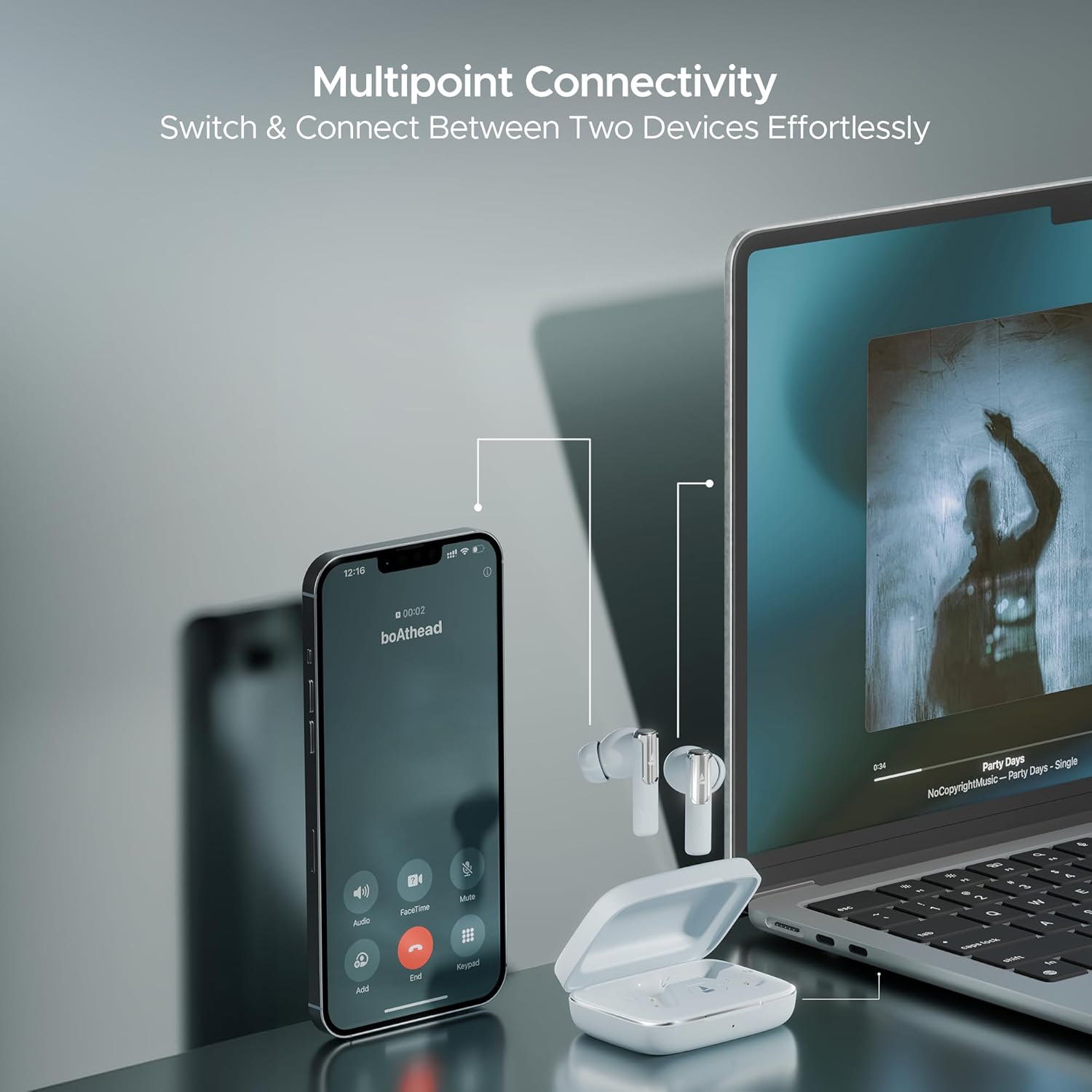
Image: A smartphone displaying an incoming call and a laptop playing music, with the Nirvana Ivy earbuds connected to both, illustrating seamless multipoint connectivity.
Instant In-Ear Detection:
The earbuds automatically detect when they are in your ears. Audio playback will start when inserted and pause when removed.

Image: A man and a woman wearing Nirvana Ivy earbuds, with text indicating 'Plug In to Play' and 'Take Out to Pause', demonstrating the in-ear detection feature.
BEAST™ موڈ:
Activate BEAST™ Mode for a low-latency audio experience, ideal for gaming. This mode reduces audio delay to 60ms.

Image: Nirvana Ivy earbuds floating above a stylized race car, representing the BEAST™ Mode for low-latency audio.
چارجنگ اور بیٹری
The boAt Nirvana Ivy earbuds offer up to 50 hours of total playtime. The ASAP Charge feature provides 240 minutes of playback with just 10 minutes of charging.
ایئربڈز کو چارج کرنا:
Place the earbuds into the charging case. Ensure they are correctly seated. The LED indicator on the case will show the charging status.
کیس چارج کرنا:
Connect the provided USB charging cable to the charging port on the case and to a power source. The LED indicator will show the charging progress.
دیکھ بھال
- صفائی: ائیر بڈز اور چارجنگ کیس کو نرم، خشک کپڑے سے باقاعدگی سے صاف کریں۔ سخت کیمیکلز یا کھرچنے والے مواد کے استعمال سے پرہیز کریں۔
- پانی کی مزاحمت: The earbuds have an IPX5 water resistance rating, protecting them from splashes and sweat. Do not submerge them in water.
- ذخیرہ: ایئربڈز کو ان کے چارجنگ کیس میں محفوظ کریں جب ان کی حفاظت اور چارج رکھنے کے لیے استعمال میں نہ ہوں۔
- درجہ حرارت: ایئربڈز کو انتہائی درجہ حرارت (گرم یا ٹھنڈا) کے سامنے لانے سے گریز کریں۔
خرابی کا سراغ لگانا
ایئربڈس جوڑا نہیں بن رہے ہیں:
- یقینی بنائیں کہ دونوں ایئربڈز چارج ہیں۔
- اپنے آلے پر بلوٹوتھ کو آف کریں، پھر اسے دوبارہ آن کریں۔
- Forget 'Nirvana Ivy' from your device's Bluetooth settings and try pairing again.
- Reset the earbuds (refer to the boAt Hearables App or product support for specific reset instructions).
کم والیوم یا ناقص آواز کا معیار:
- اپنے آلے اور ایئربڈز دونوں پر والیوم کو ایڈجسٹ کریں۔
- Ensure the ear tips are properly sealed in your ear canal. Try different sized ear tips for a better fit.
- ایئربڈ کی نوزلز سے کوئی بھی ملبہ صاف کریں۔
ایئربڈز چارج نہیں ہو رہے ہیں:
- یقینی بنائیں کہ چارجنگ کیبل کیس اور پاور سورس دونوں سے محفوظ طریقے سے جڑی ہوئی ہے۔
- چیک کریں کہ آیا ائربڈز اور کیس کے اندر چارج کرنے والے رابطے صاف اور ملبے سے پاک ہیں۔
- ایک مختلف چارجنگ کیبل یا پاور اڈاپٹر آزمائیں۔
وضاحتیں
| ماڈل کا نام | Nirvana Ivy |
| کنیکٹوٹی ٹیکنالوجی | بلوٹوتھ v5.3 |
| شور کنٹرول | ہائبرڈ شور منسوخی (50dB تک) |
| آڈیو ڈرائیور کا سائز | 11 ملی میٹر |
| پلے ٹائم | 50 گھنٹے تک |
| ASAP چارج | 10 mins charge = 240 mins playback |
| پانی کی مزاحمت کی سطح | IPX5 |
| کنٹرول کی قسم | Touch Control, Application Control |
| مواد | پلاسٹک |
| شے کا وزن | 50 گرام |
| مصنوعات کے طول و عرض | 5 x 3 x 5 سینٹی میٹر |
| بیٹری سیل کمپوزیشن | لتیم پولیمر |
وارنٹی اور سپورٹ
Your boAt Nirvana Ivy TWS Earbuds come with a 1-year warranty from the date of purchase. Please refer to the included warranty card for detailed terms and conditions.
For further assistance, troubleshooting, or to register your product, please visit the official boAt website or contact customer support. You can also find more information on the boAt Store on Amazon.


