تعارف
Welcome to your Amazon Echo Show 11. This manual provides essential information for setting up, operating, maintaining, and troubleshooting your device. The Echo Show 11 features a vibrant Full-HD 11-inch display, spatial audio, and integrates with Alexa+ for a personalized smart home experience.

تصویر 1: The Amazon Echo Show 11, showcasing its 11-inch display with smart home widgets and a photo slideshow. The device sits on a fabric-covered base.
باکس میں کیا ہے۔
Upon unboxing your Amazon Echo Show 11, you should find the following items:
- Echo Show 11 (2025 release) device
- پاور اڈاپٹر (30W)
- فوری آغاز گائیڈ
سیٹ اپ
اپنے ایکو شو 11 کو ترتیب دینے کے لیے ان اقدامات پر عمل کریں:
- پاور آن: Connect the included 30W power adapter to your Echo Show 11 and plug it into a wall outlet. The device will automatically power on.
- ابتدائی ترتیب: Follow the on-screen instructions to select your language, connect to a Wi-Fi network, and log in with your Amazon account. The Echo Show 11 supports Wi-Fi 6E (802.1ax) and 802.11a/b/g/n/ac networks.
- الیکسا ایپ: For full functionality and advanced settings, download the Alexa app on your Fire OS, Android, or iOS device. The app is also accessible via a web براؤزر
- Wi-Fi Simple Setup: If you have other Amazon devices, Wi-Fi Simple Setup can streamline the connection process to your network.
ڈیوائس کو آپریٹ کرنا
ڈسپلے اور آڈیو
The Echo Show 11 features a 10.95-inch Full HD touchscreen with 1920 x 1200 resolution. Enjoy room-filling spatial audio with a 2.8-inch woofer and two full-range drivers for crisp vocals and a wider sound stage.
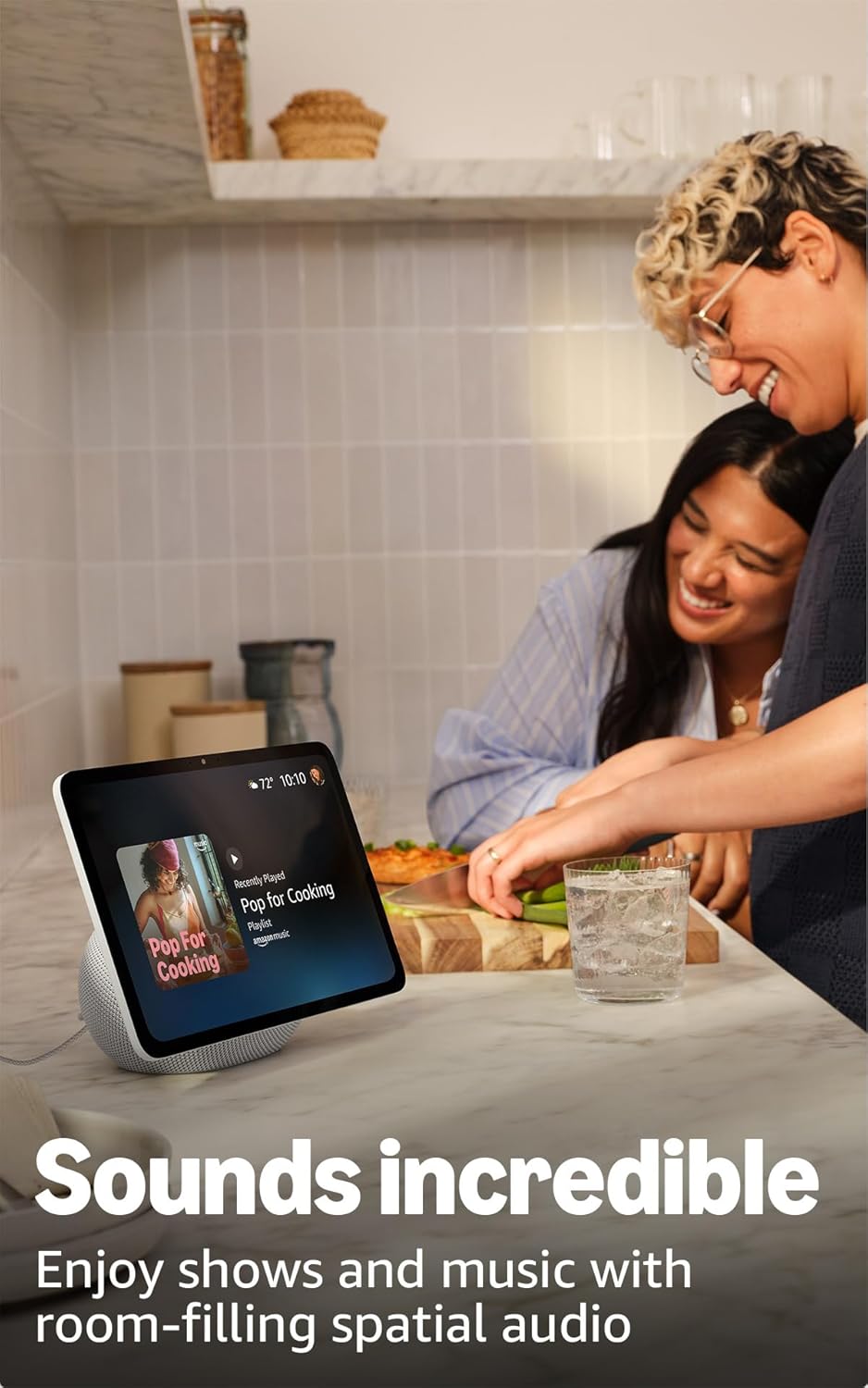
تصویر 2: The Echo Show 11 playing music, demonstrating its vibrant display and audio capabilities.
Alexa+ Early Access
Your device includes Alexa+ Early Access, offering a smarter and more proactive AI assistant. The new Alexa+ home screen provides glanceable information and personalized content, including helpful follow-ups, customized notifications, and information based on your interests.

تصویر 3: Visual representation of the new Alexa+ experience.
Everyday Assistant
Use your Echo Show 11 to manage daily tasks. The 11-inch display makes it easy to view recipes, calendars, shopping lists, and more. With Alexa+, you can find recipes, make reservations, and order groceries.
اسمارٹ ہوم کنٹرول
The Echo Show 11 features a built-in smart home hub (Zigbee + Matter + Thread Border Router), allowing you to pair and control thousands of compatible devices without an additional hub. View camera feeds, manage lights, and adjust thermostats using the display or your voice. Omnisense technology enables routines via temperature, presence, or visual ID detection.

تصویر 4: The Echo Show 11 showing its smart home control interface, managing various devices.
Crystal-Clear Video Calls
Engage in video calls on the vibrant 11-inch screen. The 13 MP camera features auto-framing, 3.3x zoom, and noise reduction technology for natural conversations. Use Live View to check on your home remotely.
Photo Memories Display
When not in use, the 11-inch home screen can function as a digital photo frame. Ask Alexa+ to find specific photos or curate a personal slideshow from your Amazon Photos.
رازداری کی خصوصیات
ایکو شو 11 پرائیویسی کنٹرولز کی متعدد پرتوں کے ساتھ ڈیزائن کیا گیا ہے:
- Microphones & Camera Enable/Disable Button: ایک فزیکل بٹن آپ کو مائیکروفونز اور کیمرہ کو الیکٹرانک طور پر منقطع کرنے کی اجازت دیتا ہے۔
- Dedicated Camera Controls: Additional camera controls are available on the device and within the Alexa app.
- ویک ورڈ ٹیکنالوجی: Alexa only begins recording and sending your requests to the cloud after detecting the wake word.
- Voice Recording Review: آپ دوبارہ کر سکتے ہیں۔view and delete your voice recordings through the Alexa app or your Amazon account settings.

تصویر 5: The physical button on the side of the Echo Show 11 to enable or disable the microphones and camera.
قابل رسائی خصوصیات
The Echo Show 11 offers various accessibility features to personalize Alexa to your abilities. Access these settings via ترتیبات → رسائی آپ کے آلے پر:
- الیکسا پر ٹیپ کریں: Interact with Alexa via touch through on-screen tiles or a keyboard.
- موافق سننا: Alexa کے جواب دینے سے پہلے بات ختم کرنے کے لیے مزید وقت فراہم کرتا ہے۔
- ترجیحی بولنے کی شرح: کنٹرول کریں کہ Alexa کتنی تیز یا آہستہ بولتا ہے۔
- کیپشننگ: Includes Alexa Captioning, Call Captioning, and Closed Captioning for supported content.
- دکھائیں اور بتائیں: نابینا یا بصارت سے محروم صارفین کو یہ کہہ کر مصنوعات کی شناخت کرنے میں مدد کرتا ہے کہ "الیکسا، میں کیا رکھ رہا ہوں"۔
- آوازView اسکرین ریڈر: نابینا یا بصارت سے محروم صارفین کے لیے بولی جانے والی رائے فراہم کرتا ہے۔
- اسکرین میگنیفائر: زوم ان/آؤٹ کریں اور اسکرین کے ارد گرد پین کریں۔
- قریب ہونے پر مطلع کریں: Plays notification sounds when you are detected near your Echo device.
- کنڈل اونچی آواز میں پڑھیں: Alexa آپ کی Kindle کتابیں بلند آواز میں پڑھ سکتا ہے۔
- ریئل ٹائم ٹیکسٹ: Type live text during a video call.
- اضافی خصوصیات میں رنگ الٹنا، رنگ کی اصلاح، اور درخواست کی آواز شامل ہیں۔
دیکھ بھال
جنرل کیئر
To ensure the longevity and optimal performance of your Echo Show 11:
- Keep the device clean by gently wiping the screen and body with a soft, dry, lint-free cloth.
- Avoid exposing the device to extreme temperatures, direct sunlight for extended periods, or excessive moisture.
- کھرچنے والے کلینر یا سالوینٹس کا استعمال نہ کریں۔
سافٹ ویئر سیکیورٹی اپڈیٹس
Amazon regularly provides software security updates to enhance the performance and security of your Echo Show 11. Ensure your device is connected to the internet to receive these updates automatically. For more information, visit the Amazon website or manage your content and devices.
خرابی کا سراغ لگانا
If you encounter issues with your Echo Show 11, consider the following basic troubleshooting steps:
- کوئی طاقت نہیں: یقینی بنائیں کہ پاور اڈاپٹر ڈیوائس اور ورکنگ پاور آؤٹ لیٹ دونوں سے محفوظ طریقے سے جڑا ہوا ہے۔
- Wi-Fi کنیکٹیویٹی کے مسائل: Check your Wi-Fi router and ensure it is powered on and functioning. Try restarting your Echo Show 11 and your router. Verify your Wi-Fi password is correct.
- الیکسا جواب نہیں دے رہا ہے: Ensure the microphone is not muted (check the privacy button). Speak clearly and ensure you are within range of the device.
- اسکرین غیر جوابی: Try restarting the device by unplugging it for a few seconds and plugging it back in.
- آواز کے مسائل: Check the volume settings on the device. Ensure no external Bluetooth speakers are connected if you intend to use the internal speakers.
For more detailed troubleshooting or persistent issues, refer to the Amazon support webسائٹ یا کسٹمر سروس سے رابطہ کریں۔
وضاحتیں

تصویر 6: Size comparison between the Echo Show 11 and Echo Show 8.
| سائز | 10” x 5” x 7.2“ (255mm x 127mm x 182mm) |
| وزن | 45.92 آانس (1302 گرام) |
| ڈسپلے | 10.95” Full HD touchscreen with 1920 x 1200 resolution |
| کیمرہ | 13 MP with auto framing |
| آڈیو | 1 X 2.8” Woofer and 2 full-range drivers |
| وائی فائی کنیکٹیویٹی | Wi-Fi 6E (802.1ax) supported. Tri-band, Wi-Fi (SISO). Supports 802.11a/b/g/n/ac Wi-Fi networks. Does not support connecting to ad-hoc Wi-Fi networks. |
| اسمارٹ ہوم حب | زیگبی + میٹر + تھریڈ بارڈر راؤٹر |
| بلوٹوتھ کنیکٹیویٹی | اعلی درجے کی آڈیو ڈسٹری بیوشن پرو۔file (A2DP) اور آڈیو/ویڈیو ریموٹ کنٹرول پروfile (AVRCP) support. Bluetooth speakers requiring PIN codes are not supported. |
| پروسیسر | AZ3 Pro with AI Accelerator |
| سینسر | Ambient Temperature Sensor, Ambient Light Sensor, Presence Detection, Camera |
| Omnisense Technology | Custom technology for ambient AI, enabling visual ID, proximity and presence detection, temperature sensing, and adaptive brightness and color. |
| سسٹم کے تقاضے | Echo Show 11 connects to Wi-Fi. Alexa app compatible with Fire OS, Android, iOS, and web براؤزر |
| زبان | الیکسا انگریزی اور ہسپانوی بولتی ہے۔ |
وارنٹی اور سپورٹ
وارنٹی
Your Amazon Echo Show 11 comes with a 1-year limited warranty and service. Optional 1-year, 2-year, and 3-year extended warranties are available for U.S. customers, sold separately. Use of the Echo Show 11 is subject to the terms found on the Amazon webسائٹ
کسٹمر سپورٹ
مزید مدد، تکنیکی مدد، یا وارنٹی کے دعووں کے لیے، براہ کرم سرکاری ایمیزون سپورٹ پر جائیں۔ website or contact Amazon customer service directly. You can also find more information and FAQs in the Alexa Privacy Hub and about Amazon Sidewalk on the Amazon webسائٹ


