تعارف
This manual provides instructions for the Sudio K2 Pro Wireless Headphones. Please read this manual carefully before using the product to ensure proper operation and to maximize your listening experience.
The Sudio K2 Pro headphones feature Active Noise Cancelling (ANC) technology, Bluetooth 5.4 connectivity, and a lightweight over-ear design for comfort. They offer up to 65 hours of playtime and support USB-C charging and 3.5mm audio input.
باکس میں کیا ہے۔
- Sudio K2 Pro Wireless Headphones
- USB-C چارجنگ کیبل
- 3.5 ملی میٹر آڈیو کیبل
- حفاظتی کیس
- صارف دستی (یہ دستاویز)
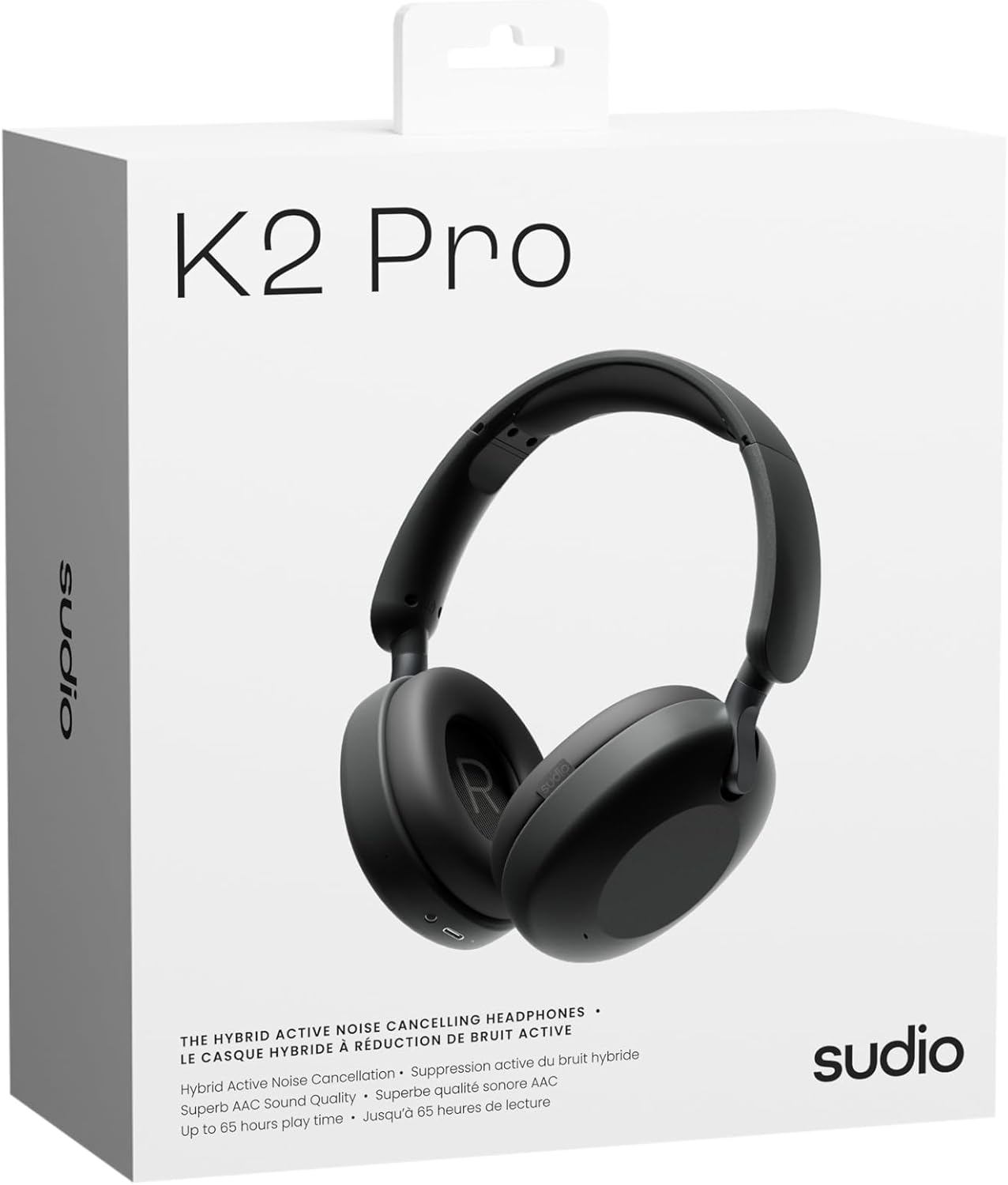
Image: Sudio K2 Pro packaging and included items.
سیٹ اپ
1. ابتدائی چارجنگ
Before first use, fully charge your Sudio K2 Pro headphones. Connect the provided USB-C charging cable to the headphone's charging port and to a compatible USB power source. The LED indicator will show charging status.

Image: USB-C charging port on the Sudio K2 Pro headphones.
2. پر / آف پاور
- پاور آن: پاور بٹن کو تقریباً 3 سیکنڈ تک دبائے رکھیں جب تک کہ LED انڈیکیٹر روشن نہ ہو۔
- بجلی بند: پاور بٹن کو تقریباً 3 سیکنڈ تک دبائے رکھیں جب تک کہ LED انڈیکیٹر بند نہ ہو جائے۔
3. بلوٹوت جوڑی بنانا
- یقینی بنائیں کہ ہیڈ فون بند ہیں۔
- Press and hold the Power button for 5-7 seconds until the LED indicator flashes blue and red, indicating pairing mode.
- اپنے آلے پر (اسمارٹ فون، ٹیبلیٹ، کمپیوٹر)، بلوٹوتھ کو فعال کریں اور دستیاب آلات تلاش کریں۔
- Select "Sudio K2 Pro" from the list of devices.
- Once paired, the LED indicator will turn solid blue or flash blue slowly.
4. وائرڈ کنکشن۔
For a wired connection, plug one end of the 3.5mm audio cable into the headphone's audio input jack and the other end into your audio source. The headphones will automatically switch to wired mode.
آپریٹنگ ہدایات
کنٹرولز ختم۔view

تصویر: تفصیلی view ہیڈ فون کنٹرولز کا۔
- پاور بٹن: پاور آن/آف، پلے/پز، کالز کا جواب/اختتام۔
- حجم اپ/اگلا ٹریک: حجم بڑھانے کے لیے مختصر دبائیں، اگلے ٹریک کے لیے طویل دبائیں
- حجم کم/پچھلا ٹریک: حجم کم کرنے کے لیے مختصر دبائیں، پچھلے ٹریک کے لیے طویل دبائیں
- ANC بٹن: Toggle Active Noise Cancelling (ANC) on/off.
فعال شور منسوخی (ANC)
Press the ANC button to activate or deactivate the Active Noise Cancelling feature. When ANC is active, the headphones will reduce ambient background noise, providing a more immersive audio experience.
کال کرنا اور وصول کرنا
- جواب / کال ختم کریں: ایک بار پاور بٹن دبائیں۔
- کال مسترد کریں: پاور بٹن کو 2 سیکنڈ تک دبائے رکھیں۔
دیکھ بھال
- صفائی: ہیڈ فون کو صاف کرنے کے لیے نرم، خشک کپڑا استعمال کریں۔ کھرچنے والے کلینر یا سالوینٹس کا استعمال نہ کریں۔
- ذخیرہ: When not in use, store the headphones in the provided protective case to prevent damage.
- بیٹری کی دیکھ بھال: بیٹری کی زندگی کو طول دینے کے لیے، ہیڈ فون کو بار بار مکمل طور پر ڈسچارج کرنے سے گریز کریں۔ انہیں باقاعدگی سے چارج کریں۔
- درجہ حرارت: ہیڈ فون کو انتہائی درجہ حرارت (گرم یا ٹھنڈا) یا زیادہ نمی کے سامنے لانے سے گریز کریں۔

Image: Sudio K2 Pro headphones stored in their protective case.
خرابی کا سراغ لگانا
- کوئی طاقت نہیں: یقینی بنائیں کہ ہیڈ فون پوری طرح سے چارج ہیں۔ پاور سورس سے جڑیں اور چارجنگ انڈیکیٹر چیک کریں۔
- بلوٹوتھ کے ذریعے جوڑا نہیں بنایا جا سکتا:
- یقینی بنائیں کہ ہیڈ فون پیئرنگ موڈ میں ہیں (ایل ای ڈی چمکتا نیلا/سرخ)۔
- اپنے آلے پر بلوٹوتھ کو آف اور آن کریں۔
- ہیڈ فون کو اپنے آلے کے قریب لے جائیں۔
- اپنے آلے پر پچھلے بلوٹوتھ کنکشنز کو صاف کریں اور دوبارہ جوڑا بنانے کی کوشش کریں۔
- کوئی آواز نہیں:
- ہیڈ فونز اور اپنے منسلک ڈیوائس دونوں پر والیوم لیول چیک کریں۔
- Ensure the headphones are properly paired or the 3.5mm cable is securely connected.
- If using a wired connection, ensure the Bluetooth is off on the headphones.
- ANC کام نہیں کر رہا: Press the ANC button to ensure it is activated.
وضاحتیں
| فیچر | تفصیل |
|---|---|
| ماڈل کا نام | Sudio K2 Pro |
| ماڈل نمبر | SD-2601 |
| شور کنٹرول | فعال شور منسوخ کرنا (این این سی) |
| کنیکٹوٹی ٹیکنالوجی | Bluetooth 5.4, Wired (3.5mm) |
| پلے ٹائم | 65 گھنٹے تک |
| چارج کرنے کا وقت | 90 منٹ |
| چارجنگ پورٹ | USB-C |
| شے کا وزن | 245 گرام (8.6 اونس) |
| رکاوٹ | 32 اوہم |
| خصوصی خصوصیات | Microphone Included, Noise Cancellation, Touch Control, Volume Control |
وارنٹی اور سپورٹ
For warranty information and customer support, please refer to the official Sudio webسائٹ یا ان کی کسٹمر سروس سے براہ راست رابطہ کریں۔ وارنٹی کے دعووں کے لیے اپنی خریداری کا ثبوت رکھیں۔
مینوفیکچرر: سوڈیو
Webسائٹ: www.sudio.com
پروڈکٹ ویڈیوز
When you have Sudio K2 Pro in your everyday life
Video: This video showcases the Sudio K2 Pro headphones in various daily scenarios, highlighting their comfort and style.
Unboxing Sudio K2 Pro
Video: This video demonstrates the unboxing experience of the Sudio K2 Pro headphones, showing the contents of the package.
Introducing Sudio K2 Pro
Video: A brief introduction to the Sudio K2 Pro headphones, highlighting key features and design.


