تعارف
Thank you for choosing the pTron Bassbuds Neo TWS Earbuds. This manual provides essential information for setting up, operating, and maintaining your new wireless earbuds. Please read it carefully to ensure proper use and to maximize your listening experience.

تصویر: ختمview of pTron Bassbuds Neo TWS Earbuds showcasing features like ENC, 50ms Game Mode, 35 hours playtime, touch controls, 13mm dynamic drivers, Bluetooth 5.3, Type-C fast charging, and IPX5 water resistance.
1. سیٹ اپ
1.1 ابتدائی چارجنگ
پہلے استعمال سے پہلے، ایئربڈز اور چارجنگ کیس کو پوری طرح سے چارج کریں۔
- Connect the provided Type-C charging cable to the charging case and a power source.
- The charging case has a 300mAh battery and takes approximately 1.2 hours to fully charge.
- The earbuds have a 40mAh battery each and take approximately 1 hour to fully charge when placed in the charging case.
- A fully charged case provides up to 35 hours of total playback time with the earbuds.

Image: Illustration of the pTron Bassbuds Neo earbuds and charging case, highlighting the 13mm dynamic drivers, 35 hours total battery life, 10-150 minutes charging time, and Type-C fast charging.
1.2 ڈیوائس کے ساتھ جوڑا بنانا
The Bassbuds Neo utilize Bluetooth 5.3 technology for a fast and stable connection.
- چارجنگ کیس کھولیں۔ ایئربڈز خود بخود پیئرنگ موڈ میں داخل ہو جائیں گے۔
- اپنے اسمارٹ فون، ٹیبلیٹ یا لیپ ٹاپ پر، بلوٹوتھ کو فعال کریں۔
- تلاش کریں۔ available devices and select "pTron Bassbuds Neo" from the list.
- ایک بار منسلک ہونے کے بعد، آپ کو ایک تصدیقی ٹون سنائی دے گا، اور ایئربڈز استعمال کے لیے تیار ہو جائیں گے۔
- The earbuds support 1-step pairing for convenience and have a wireless range of up to 10 meters.

Image: Visual representation of pTron Bassbuds Neo's wireless connectivity, featuring Bluetooth 5.3, 1-step pairing, 10m wireless range, stereo/mono bud use, wide compatibility, and 50ms low-latency for music and game modes.
2. آپریٹنگ ہدایات
2.1 ٹچ کنٹرولز
The pTron Bassbuds Neo feature intuitive touch controls for easy management of music and calls. Specific touch gestures are detailed below:
- چلائیں/روکیں: دونوں ایئربڈ پر ایک بار تھپتھپائیں۔
- اگلا ٹریک: دائیں ایئربڈ پر دو بار تھپتھپائیں۔
- پچھلا ٹریک: بائیں ایئربڈ پر دو بار تھپتھپائیں۔
- جواب / کال ختم کریں: دونوں ایئربڈ پر ایک بار تھپتھپائیں۔
- کال مسترد کریں: دونوں ایئربڈ پر دیر تک دبائیں۔
- متحرک صوتی معاون: دونوں ایئربڈ پر تین بار تھپتھپائیں۔
- گیم/میوزک موڈ سوئچ: دائیں ایئربڈ کو 2 سیکنڈ تک دبائیں۔

Image: A user wearing pTron Bassbuds Neo earbuds, demonstrating the intuitive touch controls and voice assistant activation. The image also highlights the IPX5 splash and sweat resistance.
2.2 کالنگ کی فعالیت
The earbuds are equipped with built-in HD microphones and TruTalk AI-ENC (Environmental Noise Cancellation) technology for clear voice calls.
- TruTalk AI-ENC actively reduces environmental noise, ensuring your voice is heard clearly by the recipient.
- Both earbuds can be used for stereo phone calls.
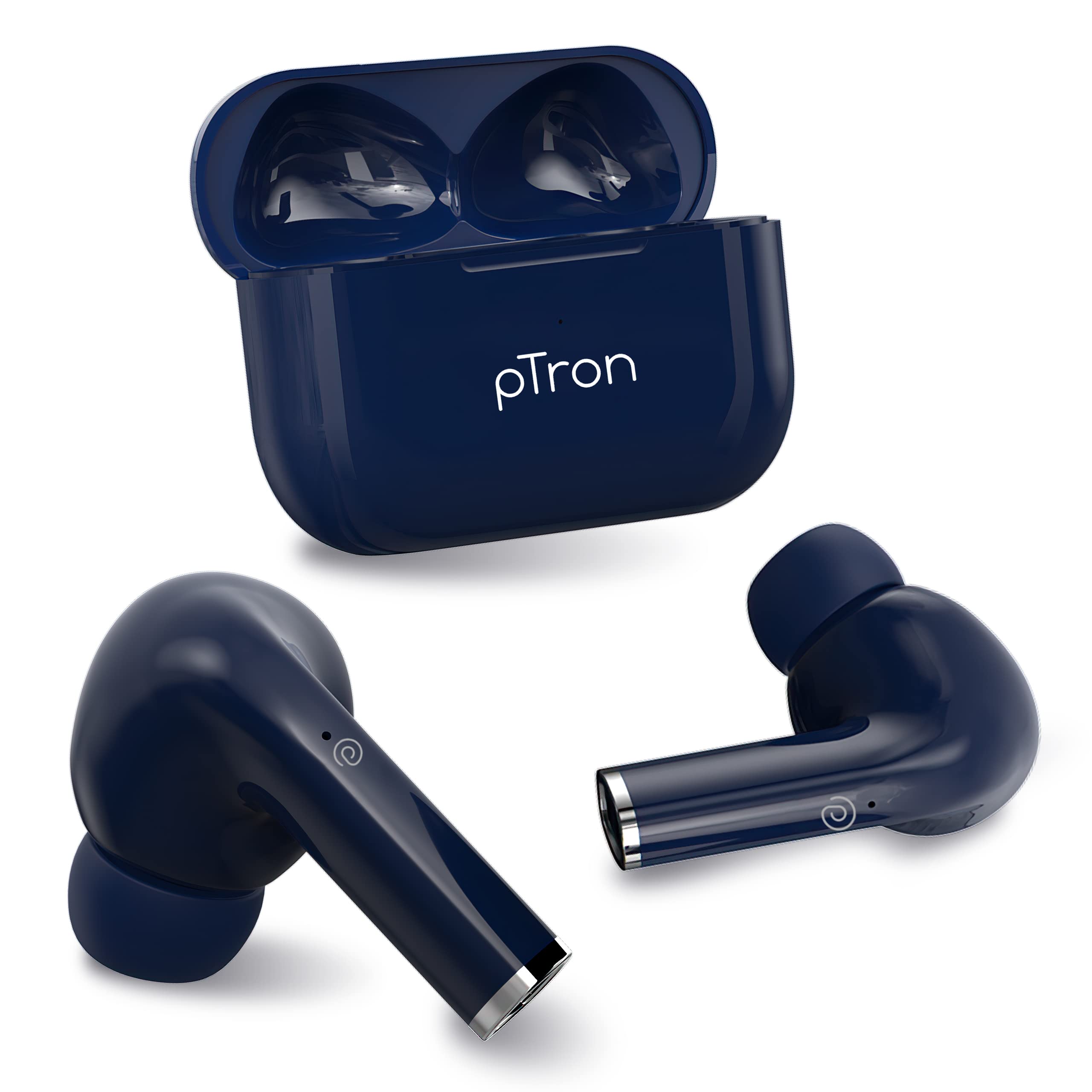
Image: Diagram illustrating the TruTalk AI-ENC technology in pTron Bassbuds Neo, showing how it filters out noise to enhance voice clarity during calls.
2.3 Game/Music Modes
Switch between Game Mode and Music Mode to optimize your audio experience.
- گیم موڈ: Provides 50ms low-latency audio, reducing delay between in-game actions and sound, ideal for gaming.
- میوزک موڈ: Delivers pristine audio quality with enhanced bass, suitable for general listening.
- To switch modes, long press the right earbud for 2 seconds.
2.4 ایئربڈز پہننا
The Bassbuds Neo are designed for a secure and comfortable fit.
- ہر ایک ایئربڈ کو اپنے کان کی نالی میں آہستہ سے داخل کریں۔
- Rotate the earbud slightly until it feels snug and stable.
- The ergonomic design and lightweight nature (3.2g per earbud) ensure comfort during extended use and physical activities.
3 دیکھ بھال
3.1 صفائی
باقاعدگی سے صفائی سے آواز کے معیار اور حفظان صحت کو برقرار رکھنے میں مدد ملتی ہے۔
- ایئر بڈز اور چارجنگ کیس کو صاف کرنے کے لیے نرم، خشک، لنٹ فری کپڑا استعمال کریں۔
- For ear tips, remove them and clean with a mild soap solution if necessary, then rinse and dry thoroughly before reattaching.
- کھرچنے والے کلینر کا استعمال نہ کریں یا ایئر بڈز یا کیس کو پانی میں نہ ڈبویں۔
3.2 پانی کی مزاحمت (IPX5)
The pTron Bassbuds Neo earbuds are IPX5 water-resistant.
- This rating means they can withstand light rain and sweat during workouts.
- They are not designed for swimming, showering, or submersion in water.
- Ensure the earbuds are dry before placing them back in the charging case to prevent damage.
4 خرابیوں کا سراغ لگانا
If you encounter issues with your pTron Bassbuds Neo, refer to the following common solutions:
| مسئلہ | حل |
|---|---|
| ایئربڈز جوڑ نہیں رہے ہیں۔ |
|
| صرف ایک ایئربڈ کام کر رہا ہے۔ |
|
| کم والیوم یا ناقص صوتی معیار |
|
| چارجنگ کے مسائل |
|
5. وضاحتیں
Detailed technical specifications for the pTron Bassbuds Neo TWS Earbuds:
- ماڈل کا نام: باس بڈز
- کنیکٹوٹی ٹیکنالوجی: بلوٹوتھ 5.3، وائرلیس
- آڈیو ڈرائیور کی قسم: متحرک ڈرائیور
- آڈیو ڈرائیور کا سائز: 13 ملی میٹر
- اسپیکر کی تعدد کا جواب: 20Hz-20kHz
- اسپیکر کی رکاوٹ: 32 اوہم
- ایئربڈ بیٹری: 40mAh (ہر ایک)
- کیس بیٹری: 300mAh
- ایئربڈ چارج کرنے کا وقت: 1 گھنٹے
- کیس چارج وقت: 1.2 گھنٹے
- Total Playback Time (with case): 35 گھنٹے تک
- کنٹرول کا طریقہ: چھوئے۔
- مائیکروفون: Built-in HD Mic with TruTalk AI-ENC
- کم تاخیر: 50ms (گیم موڈ)
- پانی کی مزاحمت: IPX5
- مواد: Acrylonitrile Butadiene Styrene (ABS)
- آئٹم کا وزن: 34 گرام (کل)
- مصنوعات کے طول و عرض: 6 x 4.5 x 2.5 سینٹی میٹر
- شامل اجزاء: کیبل، کان کشن، صارف دستی
6. وارنٹی اور سپورٹ
The pTron Bassbuds Neo TWS Earbuds come with a manufacturer's warranty and dedicated customer support.
- وارنٹی: 1-Year manufacturer warranty from the date of purchase.
- کسٹمر کیئر: For any support or warranty claims, please contact:
- فون: 040-67138888
- ای میل: support@ptron.in
- مینوفیکچرر: PALRED ELECTRONICS PVT. LTD., SY.NO. 56, 1ST FLOOR, GUNDLAPOCHAMPALLY VILLAGE, TECH PARK MTP, TSIIC-IALA NACHARAM, HYDERABAD - 500076, TELANGANA, INDIA.


