1. تعارف
Thank you for choosing the Mycket Portable DAB/DAB+ and FM Radio. This device offers a superior audio experience with its versatile connectivity options, including DAB/DAB+ digital radio, traditional FM radio, Bluetooth 5.0 for wireless streaming, and USB playback. Its compact design and built-in rechargeable battery make it ideal for use at home or on the go. This manual will guide you through the setup, operation, and maintenance of your new radio.
2. پیکیج کے مشمولات
براہ کرم درج ذیل آئٹمز کے لیے باکس کو چیک کریں:
- 1 x Mycket Portable DAB/DAB+ and FM Radio
- 1 x USB Power Cable (Type-C)
- 1 ایکس صارف دستی
3. پروڈکٹ ختمview
Familiarize yourself with the main components and controls of your Mycket radio.

شکل 3.1: سامنے view of the Mycket Portable DAB/DAB+ and FM Radio, showing the LED display and control knobs.
کنٹرولز اور پورٹس:
- Power/Mode Knob: Turn to power on/off, press to switch between DAB, FM, Bluetooth, and USB modes.
- Tuning/Select Knob: Rotate to tune stations or navigate menus, press to confirm selections.
- Preset Buttons (FAV1/2/3): Quick access to your favorite stored stations.
- ایل ای ڈی ڈسپلے: Shows station information, time, mode, and battery status.
- دوربین اینٹینا: بہترین ریڈیو ریسپشن کے لیے توسیع کریں۔
- USB-C Charging Port (DC 5V): اندرونی بیٹری چارج کرنے کے لیے۔
- USB-A پورٹ: MP3 کھیلنے کے لیے fileایک USB فلیش ڈرائیو سے۔
- 3.5mm AUX Out (Headphone Jack): ہیڈ فون کے ساتھ نجی سننے کے لیے۔

شکل 3.2: تفصیلی view of the USB and 3.5mm AUX Out ports on the Mycket radio, demonstrating headphone connectivity.
4. سیٹ اپ
4.1 بیٹری چارج کرنا
The radio comes with a built-in 2200 mAh rechargeable battery, providing up to 12 hours of listening time on a single charge.
- Connect the supplied USB Type-C cable to the DC 5V charging port on the radio.
- USB کیبل کے دوسرے سرے کو ایک ہم آہنگ USB پاور اڈاپٹر (شامل نہیں) یا طاقت والے USB پورٹ سے جوڑیں۔
- The LED display will indicate charging status. The battery icon will show full when charging is complete.

Figure 4.1: The Mycket radio being charged via its USB-C port, indicating its rechargeable battery feature.
4.2 ابتدائی پاور آن
To power on the radio, rotate the Power/Mode knob clockwise. The display will light up, and the radio will enter the last used mode.
5. آپریٹنگ ہدایات
5.1 موڈ کا انتخاب
Press the Power/Mode knob repeatedly to cycle through the available modes: DAB, FM, Bluetooth, and USB.
5.2 DAB/DAB+ Radio Operation
Extend the telescopic antenna fully for best reception.
- DAB موڈ پر سوئچ کریں۔
- خودکار اسکین: The radio will automatically perform a full scan for available DAB/DAB+ stations upon first use or if no stations are found. To initiate a manual scan, press and hold the Tuning/Select knob.
- اسٹیشن کا انتخاب: Rotate the Tuning/Select knob to browse through the list of available stations. Press the knob to select a station.
- ذخیرہ کرنے والی پیشیاں: The radio supports up to 40 DAB presets. To store a station, tune to the desired station, then press and hold one of the FAV1/2/3 buttons until the display confirms the preset is saved. For other presets, navigate to the preset menu and follow on-screen instructions.
- یاد رکھنا Briefly press FAV1/2/3 for quick access. For other presets, navigate to the preset list and select.

Figure 5.1: The Mycket radio's display showing station information, highlighting its capacity for 80 preset stations (40 DAB & 40 FM).
5.3 ایف ایم ریڈیو آپریشن
Extend the telescopic antenna fully for best reception.
- ایف ایم موڈ پر سوئچ کریں۔
- خودکار اسکین: Press and hold the Tuning/Select knob to automatically scan and store available FM stations.
- دستی ٹیوننگ: Briefly rotate the Tuning/Select knob to fine-tune the frequency.
- ذخیرہ کرنے والی پیشیاں: The radio supports up to 40 FM presets. To store a station, tune to the desired station, then press and hold one of the FAV1/2/3 buttons until the display confirms the preset is saved. For other presets, navigate to the preset menu and follow on-screen instructions.
- یاد رکھنا Briefly press FAV1/2/3 for quick access. For other presets, navigate to the preset list and select.
5.4 بلوٹوتھ آپریشن
The radio features Bluetooth 5.0 for wireless audio streaming.
- Switch to Bluetooth mode. The display will show "Bluetooth" or a pairing indicator.
- اپنے بیرونی ڈیوائس (اسمارٹ فون، ٹیبلیٹ وغیرہ) پر، بلوٹوتھ کو فعال کریں اور دستیاب آلات تلاش کریں۔
- Select "Mycket Radio" from the list to pair. Once connected, the display will confirm the connection.
- You can now stream audio from your device to the radio.
5.5 USB پلے بیک
The radio supports MP3 playback from a USB flash drive.
- MP3 پر مشتمل USB فلیش ڈرائیو داخل کریں۔ files USB-A پورٹ میں۔
- Switch to USB mode. The radio will automatically detect and begin playing the first compatible audio file.
- Use the Tuning/Select knob to navigate through tracks.
5.6 ہیڈ فون کا استعمال
For private listening, connect any standard 3.5mm headphones to the AUX Out port on the radio. The internal speaker will automatically mute when headphones are connected.
5.7 Standby Timer
The radio includes a standby timer function. Refer to the on-screen menu options for setting the desired sleep duration.
6 دیکھ بھال
To ensure the longevity and optimal performance of your Mycket radio, follow these maintenance guidelines:
- صفائی: Wipe the radio with a soft, dry cloth. Do not use abrasive cleaners, waxes, or solvents as they may damage the finish.
- بیٹری کی دیکھ بھال: To preserve battery life, avoid fully discharging the battery frequently. If storing the radio for an extended period, charge it to about 50% and recharge every few months.
- ماحولیات: Keep the radio away from direct sunlight, extreme temperatures, high humidity, and dusty environments.
- اینٹینا: Handle the telescopic antenna with care to prevent bending or breaking.
7 خرابیوں کا سراغ لگانا
If you encounter any issues with your radio, please refer to the following common problems and solutions:
| مسئلہ | ممکنہ وجہ | حل |
|---|---|---|
| ریڈیو آن نہیں ہے۔ | بیٹری ختم ہو گئی ہے۔ | Connect the radio to a power source using the USB cable and allow it to charge. |
| Poor DAB/FM reception. | Antenna not extended or weak signal area. | Fully extend the telescopic antenna. Try repositioning the radio or moving to an area with better signal coverage. Perform a new auto-scan. |
| بلوٹوتھ ڈیوائس جوڑا نہیں بن رہا ہے۔ | Radio not in Bluetooth mode or device too far. | Ensure the radio is in Bluetooth mode. Move your device closer to the radio (within 10 meters). Ensure no other device is currently connected to the radio. |
| USB پلے بیک کام نہیں کر رہا ہے۔ | USB drive not inserted correctly or unsupported file فارمیٹ | Ensure the USB drive is fully inserted. Verify that the audio files are in MP3 format. Try a different USB drive. |
| سپیکر سے آواز نہیں آتی۔ | Volume too low or headphones connected. | Increase the volume. Check if headphones are plugged into the 3.5mm jack; unplug them if not needed. |
8. وضاحتیں
| فیچر | تفصیلات |
|---|---|
| ریڈیو ٹونر | DAB/DAB+, FM |
| بلوٹوتھ ورژن | 5.0 |
| پہلے سے سیٹ اسٹیشنز | 80 (40 DAB، 40 FM) |
| USB پلے بیک | MP3 files via USB-A port |
| ڈسپلے | 2 انچ ایل ای ڈی اسکرین |
| اسپیکر آؤٹ پٹ | 6W Internal Magnetic Speaker |
| بیٹری | Built-in 2200 mAh (3.7V - 2.2Ah) rechargeable Lithium-ion |
| بیٹری کی زندگی | 12 گھنٹے تک (تقریباً) |
| بجلی کی فراہمی | DC 5V بذریعہ USB-C |
| ہیڈ فون آؤٹ پٹ | 3.5mm AUX Out Jack |
| طول و عرض (L x W x H) | 8.7 x 8.7 x 13 سینٹی میٹر |
| وزن | 610 گرام |
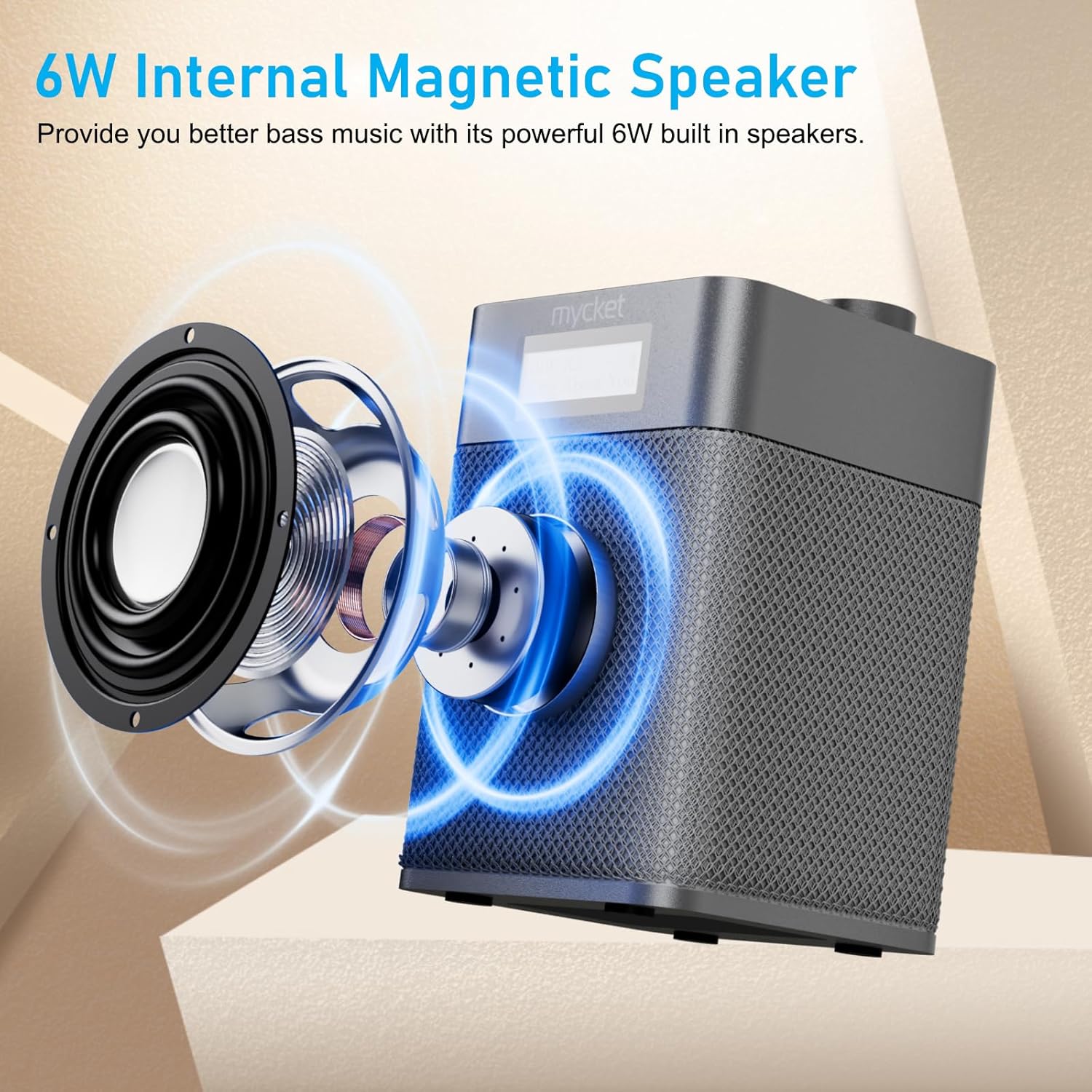
Figure 8.1: Diagram illustrating the 6W internal magnetic speaker of the Mycket radio.
9. وارنٹی اور سپورٹ
Mycket is committed to providing high-quality products and customer satisfaction. This product comes with a 12-month coverage period from the date of purchase. For any inquiries, technical assistance, or support, please contact our customer service team. We offer 24/7 customer service to ensure a worry-free experience.


