1. تعارف
This manual provides essential information for the safe and efficient operation of your Xiaomi Toaster BHR8811EU. Please read these instructions carefully before first use and retain them for future reference. This 2-slice toaster features 6 browning settings, a defrost function, and a removable crumb tray for easy cleaning.
2. حفاظتی ہدایات
- ہمیشہ اس بات کو یقینی بنائیں کہ ٹوسٹر آتش گیر مواد سے دور ایک مستحکم، گرمی سے بچنے والی سطح پر رکھا گیا ہو۔
- گرم سطحوں کو مت چھونا۔ ہینڈل یا نوبس کا استعمال کریں۔
- Unplug the toaster from the outlet when not in use and before cleaning. Allow it to cool completely before handling or cleaning.
- برقی خطرات سے بچانے کے لیے، ڈوری، پلگ، یا ٹوسٹر کو پانی یا دیگر مائعات میں نہ ڈبویں۔
- ٹوسٹر میں بڑے کھانے، دھاتی ورق کے پیکجز یا برتن نہ ڈالیں کیونکہ اس سے آگ لگنے یا بجلی کے جھٹکے لگنے کا خطرہ ہو سکتا ہے۔
- Do not operate the toaster if the cord or plug is damaged, or if the appliance malfunctions or has been damaged in any manner.
- استعمال کے دوران ٹوسٹر کو کبھی بھی بغیر توجہ کے نہ چھوڑیں۔
- Do not use abrasive cleaners or sharp objects to clean the toaster.
- یہ آلہ صرف گھریلو استعمال کے لیے ہے۔
3. مصنوعات کے اجزاء

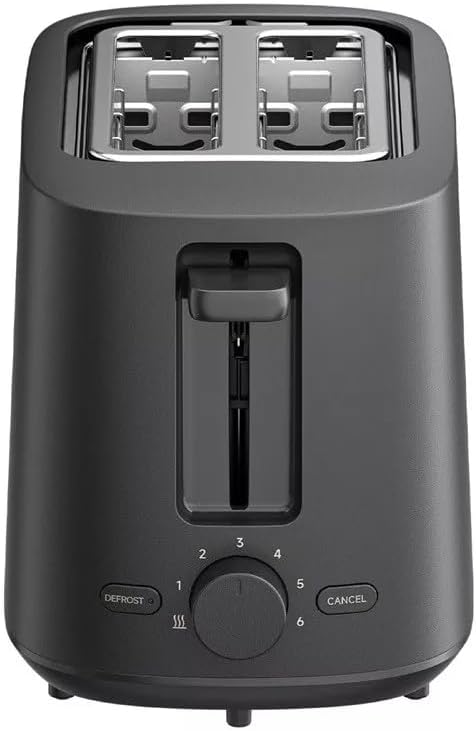
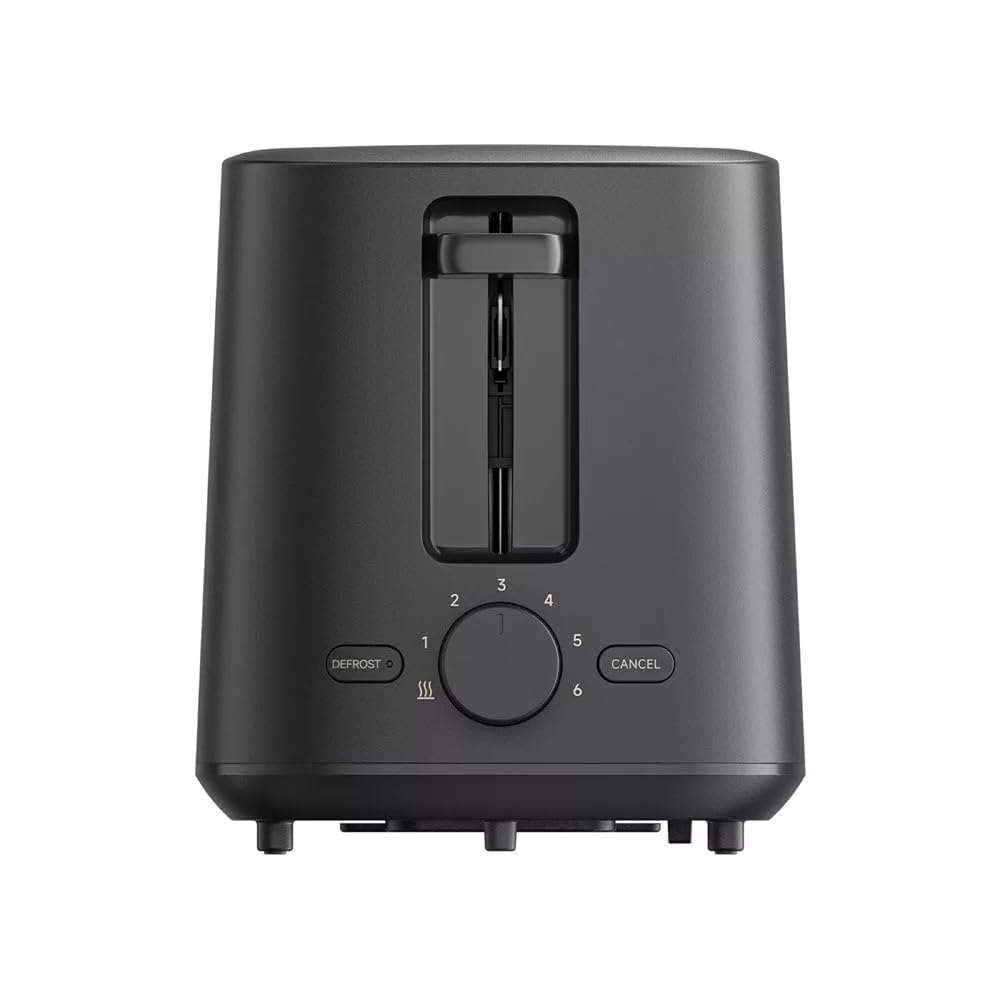
تصویر 1: سامنے والا view of the Xiaomi Toaster BHR8811EU. This image displays the control panel with the browning control knob, defrost button, and cancel button, along with the bread slots.
تصویر 2: اوپر view of the Xiaomi Toaster BHR8811EU. This image highlights the two wide bread slots designed to accommodate various bread types.

تصویر 3: طرف view of the Xiaomi Toaster BHR8811EU. This image shows the side of the toaster, featuring the pull-out handle for the removable crumb tray at the bottom.
تصویر 4: پیچھے view of the Xiaomi Toaster BHR8811EU. This image displays the back of the appliance, featuring the Xiaomi brand logo.
- بریڈ سلاٹس: Two wide slots for bread slices.
- ٹوسٹنگ لیور: Lowers bread into the slots and initiates the toasting cycle.
- براؤننگ کنٹرول نوب: Adjusts the desired level of browning from 1 (lightest) to 6 (darkest).
- ڈیفروسٹ بٹن: Activates the defrost function for frozen bread.
- کینسل بٹن: کسی بھی وقت ٹوسٹنگ سائیکل کو روکتا ہے۔
- ہٹنے والا کرمب ٹرے: آسانی سے صفائی کے لیے ٹکڑوں کو جمع کرتا ہے۔
4. سیٹ اپ
- پیک کھولنا: ٹوسٹر اور تمام پیکیجنگ مواد کو احتیاط سے ہٹا دیں۔ اس بات کو یقینی بنائیں کہ تمام اجزاء موجود ہیں اور بغیر کسی نقصان کے۔
- جگہ کا تعین: Place the toaster on a flat, stable, and heat-resistant surface. Ensure there is adequate space around the toaster for ventilation.
- پہلا استعمال: Before toasting bread for the first time, operate the toaster without bread for a few cycles at the highest browning setting. This will burn off any manufacturing residues and eliminate initial odors. A slight smell or smoke is normal during this process. Ensure the area is well-ventilated.
5. آپریٹنگ ہدایات
- پاور سے رابطہ کریں: پاور کورڈ کو مناسب 220-240V، 60Hz الیکٹریکل آؤٹ لیٹ میں لگائیں۔
- روٹی ڈالیں: Place one or two slices of bread into the bread slots. The toaster features automatic bread centering for even toasting.
- براؤننگ لیول منتخب کریں: Turn the browning control knob to your desired setting, from 1 (lightest) to 6 (darkest).
- ٹوسٹنگ شروع کریں: ٹوسٹنگ لیور کو اس وقت تک دبائیں جب تک کہ یہ جگہ پر بند نہ ہو جائے۔ اشارے کی روشنی روشن ہو جائے گی، اور ٹوسٹنگ سائیکل شروع ہو جائے گا۔
- Defrost Function (for frozen bread): If toasting frozen bread, insert the bread, select your desired browning level, press the toasting lever down, and then press the ترقی button. The defrost indicator light will illuminate.
- فنکشن منسوخ کریں: کسی بھی وقت ٹوسٹنگ سائیکل کو روکنے کے لیے، دبائیں۔ منسوخ کریں۔ button. The bread will automatically pop up.
- تکمیل: Once the selected browning cycle is complete, the bread will automatically pop up, and the toaster will switch off.
6. دیکھ بھال اور صفائی
باقاعدگی سے صفائی بہترین کارکردگی کو یقینی بناتی ہے اور آپ کے ٹوسٹر کی زندگی کو بڑھاتی ہے۔
- ہمیشہ ان پلگ کریں: Before cleaning, always unplug the toaster from the power outlet and allow it to cool completely.
- کلین کرمب ٹرے: Pull out the removable crumb tray from the bottom of the toaster. Dispose of accumulated crumbs. Wipe the tray with a damp cloth and dry thoroughly before reinserting it. Ensure the crumb tray is fully inserted before using the toaster.
- بیرونی صفائی: ٹوسٹر کے بیرونی حصے کو نرم سے صاف کریں، ڈیamp cloth. Do not use abrasive cleaners, metal scouring pads, or harsh chemicals, as these can damage the surface.
- داخلہ کی صفائی: Do not attempt to clean the inside of the toaster with any tools or objects. If bread becomes jammed, unplug the toaster and carefully remove the bread after it has cooled.
7 خرابیوں کا سراغ لگانا
- ٹوسٹر آن نہیں ہوتا ہے: Ensure the power cord is securely plugged into a working outlet. Check if the toasting lever is fully pressed down and locked.
- Bread is unevenly toasted: Ensure bread slices are not too thick or irregularly shaped. The automatic centering mechanism works best with standard bread slices.
- دھواں یا جلنے کی بو: This can occur if crumbs accumulate in the toaster or if food is jammed. Immediately press the منسوخ کریں۔ button, unplug the toaster, and allow it to cool. Clean the crumb tray and remove any jammed food.
- روٹی پاپ اپ نہیں ہوتی: دبائیں منسوخ کریں۔ button. If the bread still does not pop up, unplug the toaster and carefully remove the bread once it has cooled.
8. وضاحتیں
| برانڈ | Xiaomi |
| ماڈل نمبر | BHR8811EU |
| رنگ | سیاہ |
| پاور / واٹtage | 930 واٹ |
| والیومtage | 220-240 وولٹ |
| تعدد | 60 Hz |
| مواد | دھات ، ایلومینیم |
| سلاٹس کی تعداد | 2 |
| خصوصی خصوصیات | Defrost function, 6 browning settings, Removable crumb tray, Automatic bread centering |
| پروڈکٹ کے طول و عرض (D x W x H) | 15 سینٹی میٹر x 28 سینٹی میٹر x 26 سینٹی میٹر (تقریبا) |
| شے کا وزن | 1.7 کلوگرام |
9. وارنٹی اور سپورٹ
Your Xiaomi Toaster BHR8811EU is covered by a manufacturer's warranty. Please refer to the warranty card included with your purchase for specific terms and conditions, including warranty duration and coverage details. For technical support, service, or inquiries, please visit the official Xiaomi webسائٹ یا اپنے علاقے میں ان کے کسٹمر سروس ڈیپارٹمنٹ سے رابطہ کریں۔ وارنٹی کے دعووں کے لیے اپنی خریداری کا ثبوت رکھیں۔