1. تعارف
This manual provides essential instructions for the setup, operation, and maintenance of your GOBOULT Drift+ Smart Watch. Please read this guide thoroughly to ensure proper use and to maximize the device's features.

Image 1.1: The GOBOULT Drift+ Smart Watch.
The GOBOULT Drift+ Smart Watch features a 1.85-inch HD display, Bluetooth calling capabilities, IP68 water resistance, and comprehensive health monitoring functions.

تصویر 1.2: ختمview of GOBOULT Drift+ Smart Watch features.
2. باکس میں کیا ہے۔
تصدیق کریں کہ درج ذیل تمام اشیاء آپ کے پروڈکٹ کی پیکیجنگ میں شامل ہیں:
- GOBOULT Drift+ Smart Watch
- چارجنگ کیبل
- صارف دستی (یہ دستاویز)
- وارنٹی کارڈ
3. سیٹ اپ
3.1 ابتدائی چارجنگ
Before first use, fully charge your GOBOULT Drift+ Smart Watch. Connect the provided charging cable to the charging port on the back of the watch and to a standard USB power adapter (not included). The watch typically takes approximately 2.5 hours to fully charge.

Image 3.1: Charging the GOBOULT Drift+ Smart Watch.
3.2 اپنے اسمارٹ فون کے ساتھ جوڑا بنانا
- Download the official GOBOULT application from your smartphone's app store (compatible with iOS and Android).
- یقینی بنائیں کہ آپ کے اسمارٹ فون پر بلوٹوتھ فعال ہے۔
- Open the GOBOULT app and follow the on-screen instructions to create an account or log in.
- Select 'Add Device' or a similar option within the app and choose 'Drift+' from the list of available devices.
- اپنے اسمارٹ فون اور سمارٹ واچ دونوں پر جوڑا بنانے کی درخواست کی تصدیق کریں۔
4. آپریٹنگ ہدایات
4.1 بنیادی نیویگیشن
The GOBOULT Drift+ Smart Watch features a 1.85-inch HD touchscreen display. Swipe left, right, up, or down to navigate through menus and functions. Press the side button to return to the home screen or access the app list.
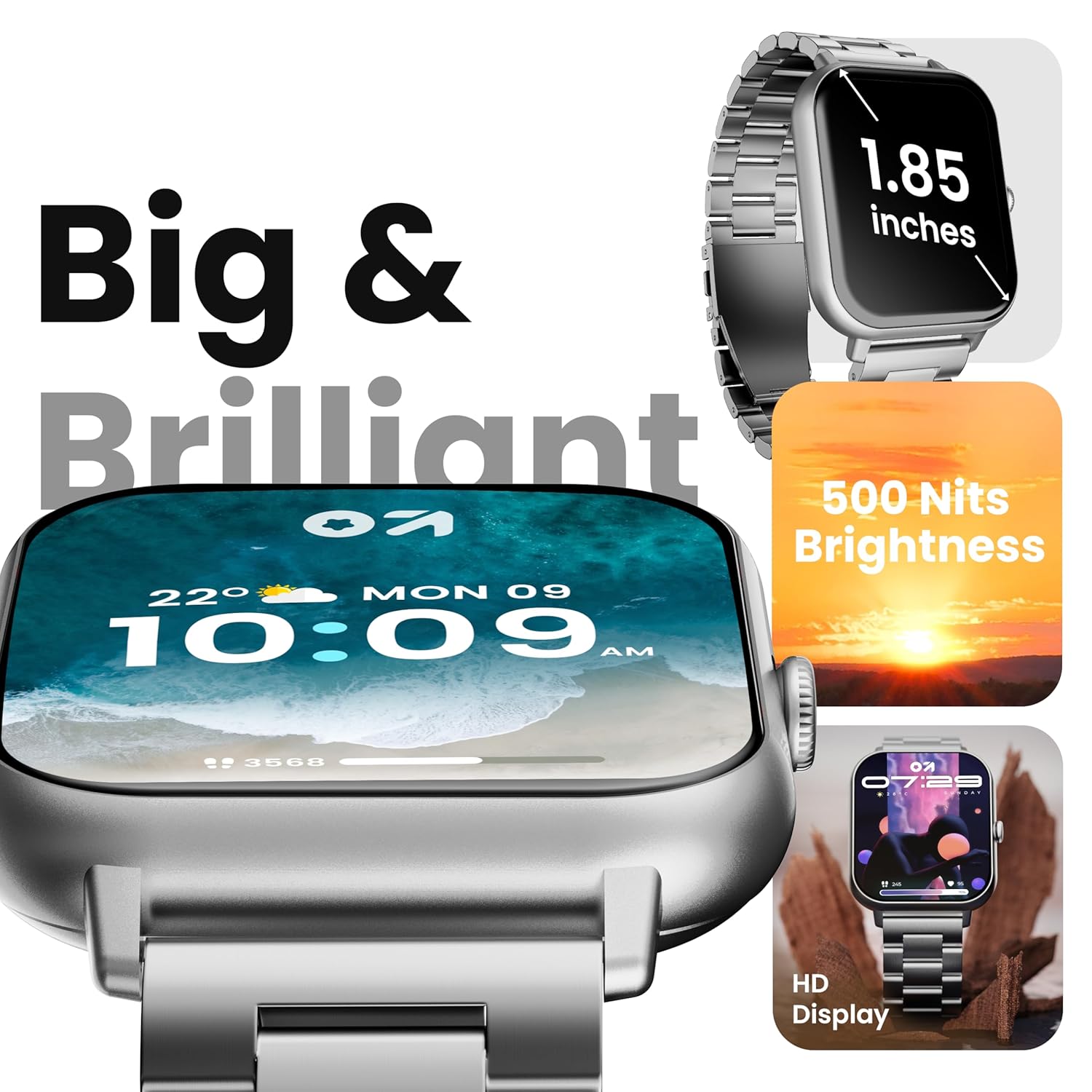
Image 4.1: The 1.85-inch HD display of the smart watch.
4.2 بلوٹوتھ کالنگ
Once paired with your smartphone, the Drift+ Smart Watch allows you to make and receive calls directly from your wrist. The watch is equipped with a built-in speaker and microphone for clear audio communication.
- کالز کا جواب دینا: When a call comes in, tap the green answer icon on the watch screen.
- کال کرنا: Access the dialer or contacts through the watch menu to initiate a call.

Image 4.2: Bluetooth calling feature in use.
4.3 گھڑی کے چہروں کو حسب ضرورت بنانا
The watch supports over 150 cloud-based watch faces and custom watch face options. To change your watch face:
- Long-press on the current watch face on your watch.
- Swipe left or right to browse pre-installed watch faces.
- For more options, open the GOBOULT app on your smartphone and navigate to the 'Watch Faces' section to download and apply new designs.

Image 4.3: Customizing watch faces.
4.4 اسپورٹس موڈز
The GOBOULT Drift+ offers over 100 sports modes to track various physical activities. To access and use sports modes:
- From the watch's main menu, select the 'Sports' or 'Workout' icon.
- Choose your desired activity from the list (e.g., running, cycling, walking).
- Tap to start tracking. The watch will record data such as steps, distance, calories burned, and heart rate.
- To end a workout, swipe right or press the side button and select 'End'.

Image 4.4: Tracking activities with sports modes.
4.5 صحت کی نگرانی
The watch provides comprehensive health insights, including:
- 24/7 دل کی دھڑکن کی نگرانی: آپ کے دل کی دھڑکن کو مسلسل ٹریک کرتا ہے۔
- SpO2 Blood Oxygen Tracking: خون میں آکسیجن سنترپتی کی سطح کی پیمائش کرتا ہے۔
- بلڈ پریشر کی نگرانی: تخمینہ شدہ بلڈ پریشر ریڈنگ فراہم کرتا ہے۔
- خواتین کی ماہواری سے باخبر رہنا: ماہواری کے چکروں کو ٹریک کرنے اور پیش گوئی کرنے میں مدد کرتا ہے۔
- Drink Water Reminders: آپ کو ہائیڈریٹ رہنے کا اشارہ کرتا ہے۔
- بیہودہ یاد دہانیاں: غیرفعالیت کے ادوار کے بعد تحریک کی حوصلہ افزائی کرتا ہے۔
Access these features through the health menu on the watch or view detailed data in the GOBOULT app.

Image 4.5: Health monitoring features.
4.6 AI وائس اسسٹنٹ
Activate the AI voice assistant on your watch for hands-free assistance. This feature allows you to perform tasks, ask questions, and control certain functions using voice commands. Ensure your watch is connected to your smartphone for full functionality.
4.7 اسمارٹ اطلاعات
Receive notifications from your favorite social apps, messages, and calls directly on your watch. Configure notification settings within the GOBOULT app on your smartphone.
5 دیکھ بھال
5.1 پانی کی مزاحمت
The GOBOULT Drift+ Smart Watch is IP68 water resistant, meaning it is protected against dust and can withstand immersion in water up to 1.5 meters for up to 30 minutes. It is suitable for daily use, such as hand washing or light rain exposure. However, it is not recommended for swimming, diving, or exposure to hot water/steam.

تصویر 5.1: IP68 پانی کی مزاحمت۔
5.2 صفائی
اپنی سمارٹ گھڑی کو صاف کرنے کے لیے، آہستہ سے اسکرین کو صاف کریں اور نرم سے پٹا لگائیں۔amp, lint-free cloth. Avoid using harsh chemicals or abrasive materials, as these can damage the device.
5.3 بیٹری کی دیکھ بھال
بیٹری کی زندگی کو طول دینے کے لیے:
- انتہائی درجہ حرارت سے پرہیز کریں۔
- گھڑی کو باقاعدگی سے چارج کریں، لیکن اسے طویل عرصے تک مکمل طور پر چارج یا مکمل طور پر ختم ہونے سے گریز کریں۔
- Reduce screen brightness and disable unnecessary features when not in use.
The watch offers up to 7 days of battery life in regular mode, 2-3 days with heavy Bluetooth calling, and an impressive 25 days in standby mode.
6 خرابیوں کا سراغ لگانا
| مسئلہ | ممکنہ حل |
|---|---|
| آن نہیں ہوتے دیکھیں | یقینی بنائیں کہ گھڑی پوری طرح سے چارج ہے۔ اسے چارجر سے کم از کم 30 منٹ تک جوڑیں۔ |
| Unable to pair with smartphone | Check if Bluetooth is enabled on your phone. Restart both the watch and phone. Ensure the GOBOULT app is updated. |
| بلوٹوتھ کالنگ کام نہیں کر رہی ہے۔ | Verify that the watch is properly connected for both media and call audio in your phone's Bluetooth settings. Check app permissions. |
| صحت کا غلط ڈیٹا | Ensure the watch is worn snugly on your wrist, not too tight or too loose. Clean the sensors on the back of the watch. Note that smart watch data is for reference and not for medical diagnosis. |
| مختصر بیٹری کی زندگی | Reduce screen brightness, disable 'Always-On Display' if active, limit frequent heart rate monitoring, and turn off unnecessary notifications. |
7. وضاحتیں
| فیچر | تفصیل |
|---|---|
| ماڈل کا نام | Drift+ |
| ڈسپلے سائز | 1.85 Inches HD |
| چمک | 500 نٹس |
| پانی کی مزاحمت | آئی پی 68 |
| وائرلیس قسم | بلوٹوتھ 5.1 |
| آپریٹنگ سسٹم کی مطابقت | iOS، Android |
| بیٹری کی قسم | لتیم پولیمر |
| بیٹری چارج کرنے کا وقت | تقریبا 2.5 گھنٹے |
| عام استعمال کی بیٹری کی زندگی | 7 دن تک |
| Heavy Usage (BT Calling) Battery Life | 2-3 دن |
| اسٹینڈ بائی ٹائم | 25 دن تک |
| شے کا وزن | 38 گرام |
| شامل اجزاء | Smart Watch, Charging Cable, User Manual, Warranty Card |
8. وارنٹی اور سپورٹ
Your GOBOULT Drift+ Smart Watch comes with a manufacturer's warranty. Please refer to the included Warranty Card for detailed terms and conditions, including warranty period and coverage.
For technical support, service, or further inquiries, please visit the official GOBOULT website or contact customer service using the information provided on your Warranty Card or the product packaging.
Manufacturer: Exotic Mile Private Limited, Boult Audio, B-67 Wazirpur Industrial Area, New Delhi 110052, India.


