تعارف
This manual provides comprehensive instructions for the MoKo 10X Rechargeable Magnifying Glass with 21 LED Lights. Designed for enhanced visual clarity, this device is ideal for reading, inspection, and exploring small details. It features a powerful 10X magnification, adjustable LED lighting, and a comfortable ergonomic design for extended use.
Please read this manual thoroughly before using the product to ensure proper operation and maintenance.
باکس میں کیا ہے۔
- MoKo 10X Rechargeable Magnifying Glass
- USB چارجنگ کیبل
- صاف کرنے والا کپڑا
- اسٹوریج پاؤچ
- صارف دستی
سیٹ اپ
1. ابتدائی چارجنگ
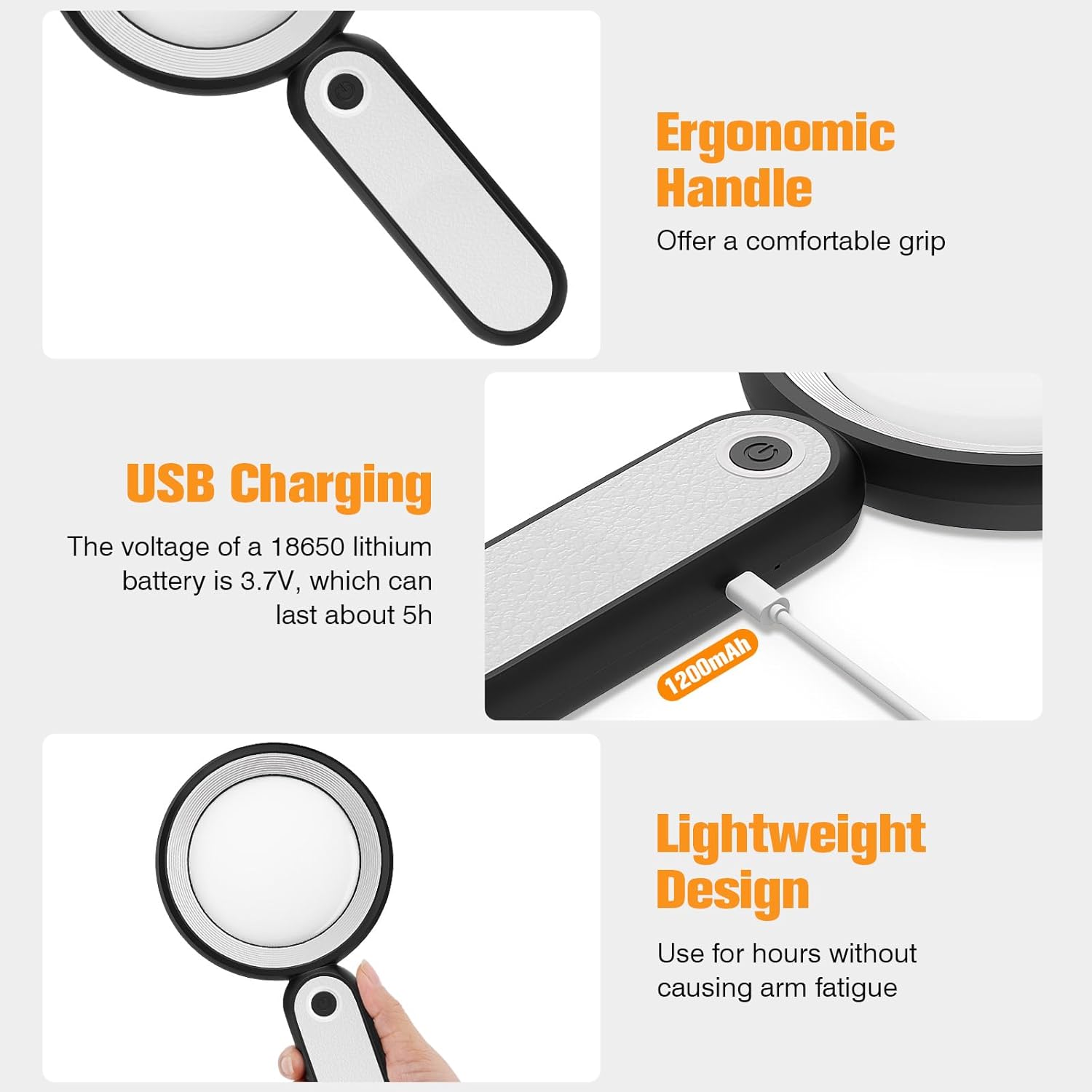
Before first use, fully charge the magnifying glass. Locate the USB charging port on the handle of the device.

Image: USB charging port on the handle.
- Connect the provided USB charging cable to the charging port on the magnifying glass.
- USB کیبل کے دوسرے سرے کو ایک ہم آہنگ USB پاور اڈاپٹر (شامل نہیں) یا کمپیوٹر کے USB پورٹ میں لگائیں۔
- The charging indicator lights (if present) will show the charging status. Allow the device to charge until fully powered, typically around 5 hours for a full charge.
2. ہینڈل ایڈجسٹمنٹ
The magnifying glass features an adjustable handle for comfortable use.

Image: Ergonomic handle design.
- Gently pivot the handle to your desired angle for handheld use.
- The handle can be folded for compact storage or extended for a comfortable grip during use.
آپریٹنگ ہدایات
1. اضافہ
The MoKo Magnifying Glass provides 10X magnification for clear viewing of small text and objects.

Image: Magnifying glass in use, showing 10X magnification on text.
- Hold the magnifying glass approximately 3-5 inches (7.5-12.5 cm) above the object you wish to magnify.
- Adjust the distance slightly until the object comes into clear focus.
2. ایل ای ڈی لائٹنگ موڈز
The device is equipped with 21 LED lights and three lighting modes to suit various environments and reduce eye strain.

Image: Three adjustable lighting modes (cool, warm, mixed) for the LED lights.
- Locate the power button on the handle.
- Press the power button once to activate the ٹھنڈی روشنی موڈ
- Press the power button a second time to switch to گرم روشنی موڈ
- Press the power button a third time to activate the Mixed Light موڈ
- Press the power button a fourth time to turn off the LED lights.
Choose the lighting mode that provides the most comfortable and clear viewing experience for your specific task and ambient light conditions.
دیکھ بھال
1. عینک کی صفائی
To maintain optimal clarity, keep the optical glass lens clean.
- Use the provided soft cleaning cloth to gently wipe the lens surface.
- Avoid using abrasive materials, paper towels, or chemical cleaners, as these can scratch or damage the lens.
- ضدی smudges کے لیے، ہلکے سے dampen the cleaning cloth with a small amount of lens cleaning solution or water, then gently wipe and dry.
2. ذخیرہ
When not in use, store the magnifying glass in the provided storage pouch to protect it from dust and scratches.

Image: Magnifying glass being stored in its protective pouch.
- براہ راست سورج کی روشنی اور انتہائی درجہ حرارت سے دور ٹھنڈی، خشک جگہ پر اسٹور کریں۔
خرابی کا سراغ لگانا
| مسئلہ | ممکنہ وجہ | حل |
|---|---|---|
| لائٹس آن نہیں ہو رہی ہیں۔ | کم بیٹری یا ڈیوائس آف ہے۔ | Charge the device using the provided USB cable. Ensure the power button is pressed correctly to cycle through modes. |
| Magnification is blurry or distorted. | Incorrect distance from object or dirty lens. | Adjust the distance between the lens and the object. Clean the lens with the provided cleaning cloth. |
| Handle is stiff or difficult to adjust. | Minor friction in the hinge. | Apply gentle, consistent pressure. Avoid forcing the hinge. |
وضاحتیں
| فیچر | تفصیل |
|---|---|
| برانڈ | موکو |
| ماڈل نمبر | 10X |
| میگنیفیکیشن کی طاقت | 10X |
| لینس کا مواد | آپٹیکل گلاس |
| ایل ای ڈی لائٹس | 21 ایل ای ڈی موتیوں کی مالا |
| روشنی کے طریقوں | 3 (Cool, Warm, Mixed) |
| طاقت کا منبع | Rechargeable USB (1200mAh battery, 3.7V) |
| بیٹری کی زندگی (مستقل استعمال) | تقریباً 5 گھنٹے |
| مصنوعات کے طول و عرض | 9.57 x 4.72 x 1.02 انچ (24.3 x 12 x 2.6 سینٹی میٹر) |
| شے کا وزن | 7.05 اونس (200 گرام) |
| یو پی سی | 840401442876 |
تصویر: پروڈکٹ کے طول و عرض۔
وارنٹی اور سپورٹ
MoKo products are designed for reliability and performance. For warranty information or technical support, please refer to the contact details provided with your purchase or visit the official MoKo webسائٹ
کسی بھی وارنٹی دعووں کے لیے خریداری کے ثبوت کے طور پر اپنی خریداری کی رسید رکھیں۔
اہم حفاظتی معلومات
- Do not expose the magnifying glass to direct sunlight for extended periods, as this may cause fire or damage to surfaces.
- بچوں کی پہنچ سے دور رکھیں۔
- آلے کو گرانے یا اسے شدید اثرات کا نشانہ بنانے سے گریز کریں۔
- Do not attempt to disassemble or modify the magnifying glass.


