تعارف
Welcome to the BOYA BOYALINK 2 A2 wireless microphone system. This comprehensive user manual provides detailed instructions for the proper setup, operation, and maintenance of your device. Please read this manual thoroughly before using the product to ensure optimal performance and longevity.
پیکیج کے مشمولات
تصدیق کریں کہ نیچے دی گئی تمام اشیاء آپ کے پیکیج میں شامل ہیں:
- 2 × BOYALINK 2 Transmitters (TX)
- 1 × BOYALINK 2 Receiver (RX)
- 1 × USB Type-C Adapter
- 1 × Lightning Adapter
- 1 × 3.5 ملی میٹر ٹی آر ایس اڈاپٹر
- 1 × One-to-Three Charging Cable
- 2 × Fur Windshields
- 1 × کیرینگ بیگ

پروڈکٹ ختمview
The BOYALINK 2 A2 system is a versatile wireless microphone solution designed for various recording scenarios. It features two compact transmitters and a receiver with interchangeable adapters for broad compatibility.

سیٹ اپ
1. آلات کو چارج کرنا
Before initial use, ensure all transmitters and the receiver are fully charged. Place them in the charging case and connect the case to a power source using the provided charging cable. The charging time is approximately 1.5 hours for a full charge, providing up to 10 hours of operating time per transmitter.

2. وصول کنندہ کو اپنے آلے سے جوڑنا
The BOYALINK 2 A2 receiver offers universal compatibility through its interchangeable adapters:
- Identify Adapter: Choose the appropriate adapter for your recording device:
- Lightning Adapter for iPhone (14/13/12/XR/X/8/7/6 series)
- USB-C Adapter for Android smartphones, Mac, iPad, and iPhone (15/16 series)
- 3.5mm TRS Adapter for cameras and some action cameras
- اڈاپٹر منسلک کریں: Securely attach the selected adapter to the receiver unit.
- پلگ ان: Plug the receiver with the attached adapter into your recording device's corresponding port.

نوٹ: This system does not support Android phones with a 3.5mm round headphone jack.
3. خودکار جوڑا
The BOYALINK 2 A2 system is designed for effortless pairing. The transmitters and receiver will automatically connect once powered on.
- پاور آن: Press and hold the power button on each transmitter and the receiver until the indicator lights illuminate.
- کنکشن کی تصدیق کریں: A solid blue indicator light on both the transmitters and receiver signifies a successful connection and readiness for use.
آپریٹنگ ہدایات
پاور آن/آف
To power on or off any unit (transmitter or receiver), press and hold its respective power button for a few seconds until the indicator lights respond.
شور کی منسوخی
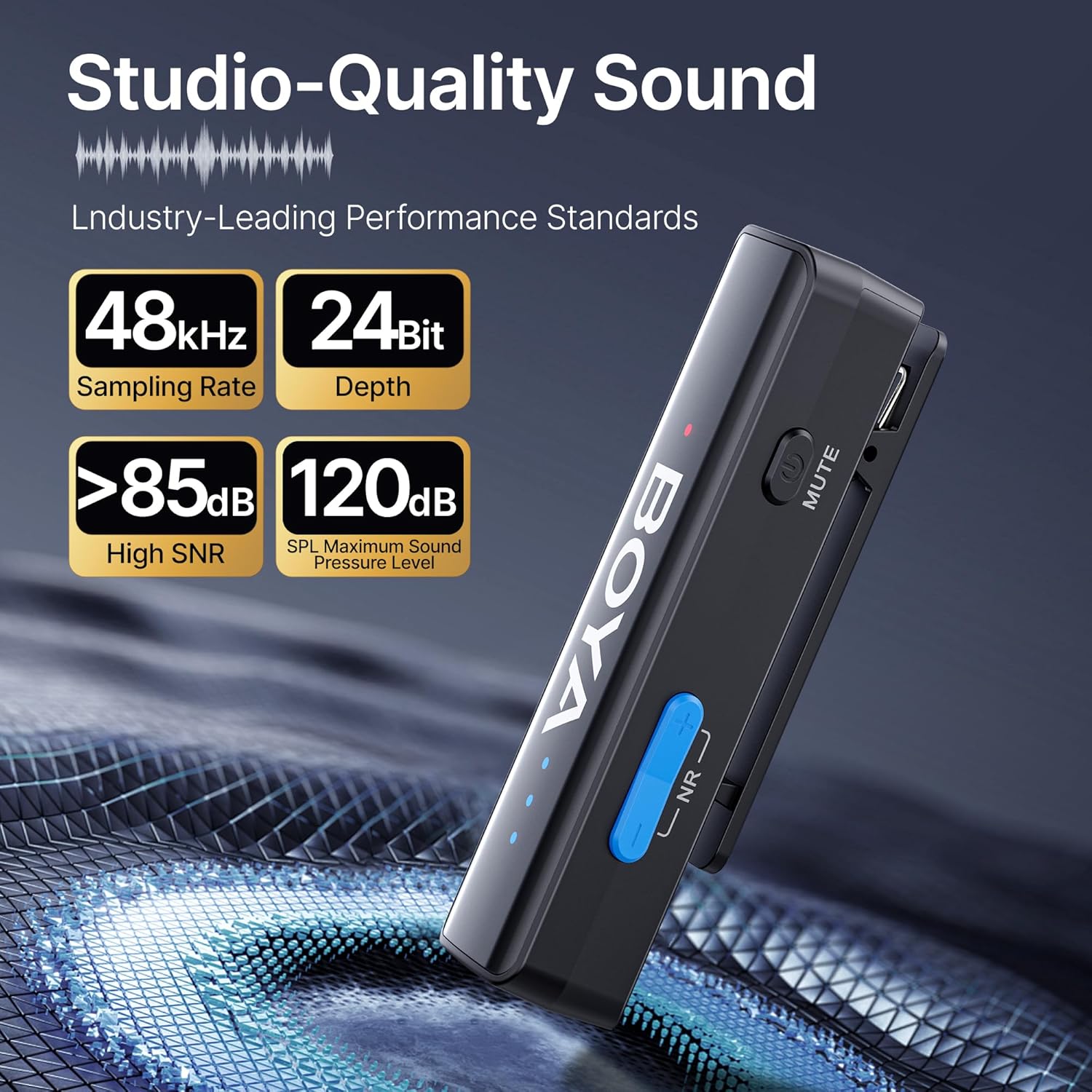
The BOYALINK 2 A2 features a 2-level smart noise cancellation function to reduce ambient noise. Press the "NR" button on the transmitter to toggle between strong noise reduction, weak noise reduction, and no noise reduction modes.

For outdoor use or in windy conditions, attach the provided fur windshields to the transmitters to further minimize wind noise.
کنٹرول حاصل کریں۔
Adjust the audio input level (gain) to suit your recording environment. The system offers 6 volume control levels, each providing a 6dB boost, for a total range of 0-36dB. Use the volume control buttons on the transmitter to increase or decrease the gain. LED indicators will display the current volume level.

فنکشن کو خاموش کریں۔
To temporarily mute a transmitter, press the mute button located on the side of the transmitter. Press it again to unmute.
App Control (BOYA Central)
Enhance your control over the BOYALINK 2 A2 system by downloading the BOYA Central app. The app provides access to advanced functions including external playback, noise reduction settings, mute control, gain adjustments, and power management. It also allows for firmware updates.

مونو/سٹیریو موڈ
The system supports both mono and stereo recording modes. In mono mode, both transmitters' audio is combined into a single channel. In stereo mode, each transmitter's audio is recorded on a separate channel, offering greater flexibility in post-production. نوٹ: When using the BOYALINK 2 A2 with a smartphone, only mono mode is available.

ریکارڈنگ کے دوران چارج کرنا
The receiver unit allows for pass-through charging of your connected device (e.g., smartphone) while the microphone system is in use. This feature ensures that your recording sessions are not interrupted by low device battery.

Playback Without Unplugging
آپ دوبارہ کر سکتے ہیں۔view your recorded audio or video directly from your device without needing to disconnect the BOYALINK 2 A2 receiver. This prevents wear and tear on your device's port and offers convenience.

دیکھ بھال
- صفائی: آلات کو صاف کرنے کے لیے نرم، خشک کپڑا استعمال کریں۔ سخت کیمیکلز یا کھرچنے والے مواد کے استعمال سے پرہیز کریں۔
- ذخیرہ: When not in use, store the BOYALINK 2 A2 system in its provided carrying bag to protect it from dust, moisture, and physical damage.
- ماحولیاتی حالات: آلات کو انتہائی درجہ حرارت، براہ راست سورج کی روشنی، یا زیادہ نمی کے سامنے لانے سے گریز کریں۔
- بیٹری کی دیکھ بھال: For optimal battery life, avoid fully discharging the batteries frequently. Charge them regularly, even if the device is not in active use for extended periods.
خرابی کا سراغ لگانا
کوئی آواز یا کم آواز آؤٹ پٹ نہیں۔
- Ensure the receiver is securely connected to your recording device and the correct adapter is used.
- Verify that both transmitters and the receiver are powered on and successfully paired (solid blue indicator lights).
- Check the gain control levels on the transmitters and adjust them as necessary.
- Confirm your recording device's audio input settings are correctly configured to use the external microphone.
- Ensure the transmitters are not muted.
Interference or Poor Audio Quality
- Ensure transmitters and receiver are within the optimal operating range (up to 1000ft / 300m line-of-sight).
- Activate the appropriate noise cancellation mode (strong or weak) via the "NR" button on the transmitter.
- Use the provided fur windshields when recording in windy or outdoor environments.
- Avoid placing the system near strong electromagnetic interference sources (e.g., Wi-Fi routers, other wireless devices).
ڈیوائس چارج نہیں ہو رہی ہے۔
- Check that the charging cable is securely connected to both the charging case and a working power source.
- یقینی بنائیں کہ چارجنگ کیس میں ٹرانسمیٹر اور رسیور درست طریقے سے بیٹھے ہیں۔
- ایک مختلف چارجنگ کیبل یا پاور اڈاپٹر آزمائیں۔
تکنیکی وضاحتیں
| فیچر | تفصیل |
|---|---|
| ماڈل کا نام | BOYALINK 2 A2 (2TX+ 3-in-1 RX) |
| مائیکروفون فارم فیکٹر | لاولیئر |
| پولر پیٹرن | ہمہ جہتی |
| کنیکٹوٹی ٹیکنالوجی | 2.4GHz وائرلیس |
| کنیکٹر کی قسم | 3.5 mm Jack, Lightning, Type-C |
| ہم آہنگ آلات | Camera, Smartphone, Tablet (iPhone, Android, Mac, iPad) |
| تعدد رسپانس | 20Hz - 20KHz |
| سگنل ٹو شور کا تناسب | >85 ڈی بی |
| میکس ایس پی ایل | 120dB |
| آڈیو فارمیٹ | 48kHz/24Bit |
| ٹرانسمیشن رینج | Up to 1000ft (300m) Line-of-Sight |
| تاخیر | 25ms |
| بیٹری کی زندگی (ٹرانسمیٹر) | 10 گھنٹے تک |
| چارج کرنے کا وقت | تقریبا 1.5 گھنٹے |
| شے کا وزن | 1.45 Ounces (per unit, approximate) |
| طول و عرض (L x W x H) | 4.41 x 2.87 x 1.3 inches (overall package/case) |
| خصوصی خصوصیات | 2-Level Noise Reduction, 6-Level Volume Control, 6mm Tiny Mic, 3-in-1 RX, APP Control & Firmware Updates, Metal Clip, Mute Function, Charging While In Use, Playback Without Unplugging |
وارنٹی اور سپورٹ
BOYA products are covered by a limited warranty. For detailed warranty terms, conditions, and registration, please visit the official BOYA website or contact your authorized BOYA dealer. Please retain your proof of purchase for any warranty claims or technical support inquiries.
For technical assistance, troubleshooting, or further information, please visit the BOYA support page or contact customer service through the official webسائٹ


