1. تعارف
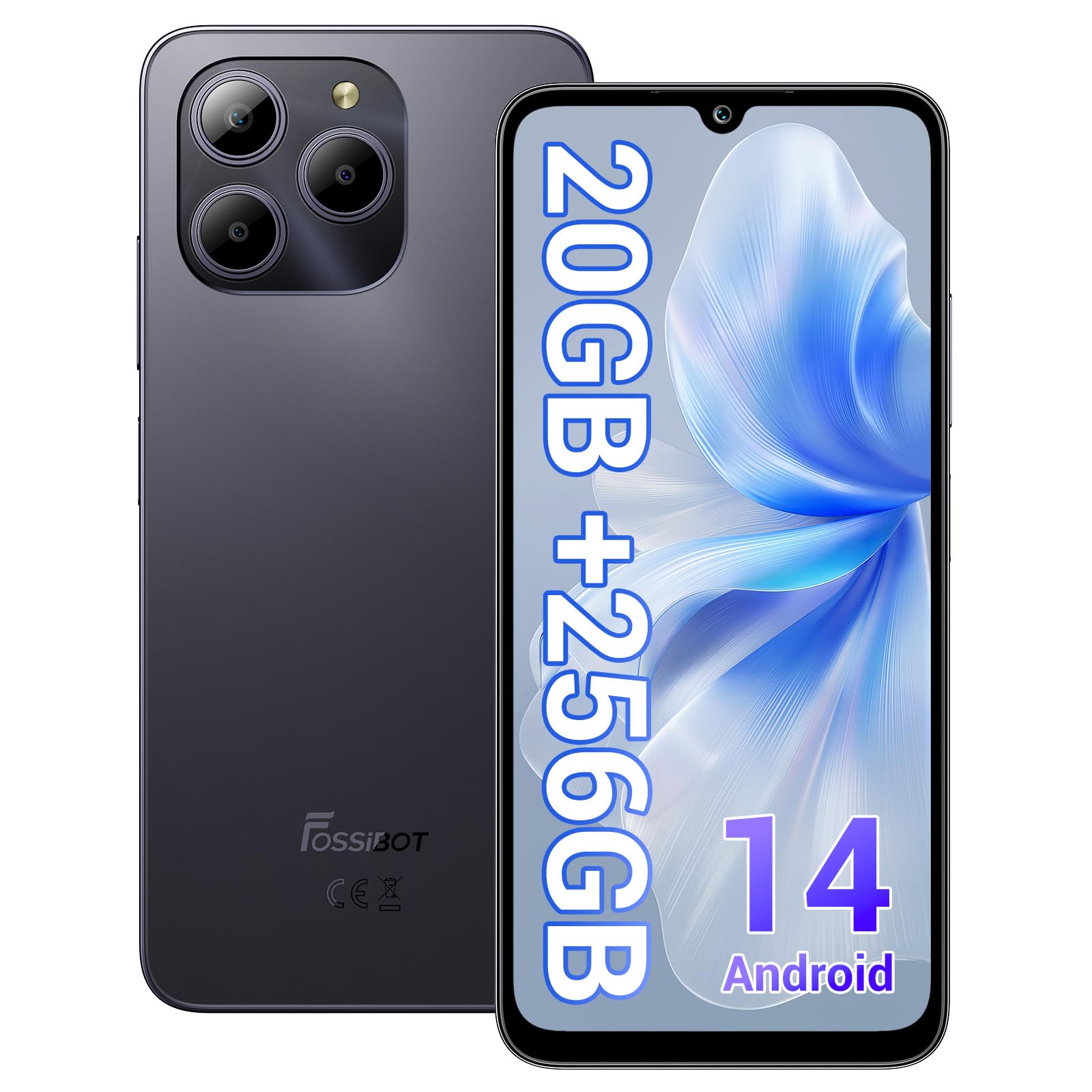
Welcome to the FOSSIBOT S2 Smartphone user manual. This guide provides essential information for setting up, operating, maintaining, and troubleshooting your new device. The FOSSIBOT S2 is an unlocked smartphone featuring Android 14, a 6.72-inch FHD+ display, a 50MP main camera, a 5000mAh battery, and advanced security features like Face ID and a fingerprint sensor.
2. حفاظتی معلومات
- بیٹری کی حفاظت: Do not attempt to replace the battery yourself. Use only FOSSIBOT-approved chargers and cables. Avoid exposing the device to extreme temperatures or direct sunlight.
- پانی کی مزاحمت: This device is not waterproof. Avoid exposure to liquids.
- سماعت کی حفاظت: سماعت کو پہنچنے والے نقصان کو روکنے کے لیے زیادہ مقدار میں سننے سے گریز کریں۔
- ڈرائیونگ سیفٹی: Do not use your phone while driving. Always prioritize road safety.
- تصرف: آلہ اور اس کے لوازمات کو مقامی ضابطوں کے مطابق ذمہ داری کے ساتھ ٹھکانے لگائیں۔ گھریلو فضلہ کو ٹھکانے نہ لگائیں۔
3. پیکیج کے مشمولات
تصدیق کریں کہ تمام اشیاء آپ کے پروڈکٹ پیکج میں موجود ہیں:
- FOSSIBOT S2 Smartphone
- سم کارڈ پن
- ٹائپ سی USB کیبل
- 18W چارجر
- یوزر مینوئل/وارنٹی کارڈ
- ٹی پی یو کیس

4. آلہ ختمview
Familiarize yourself with the physical components of your FOSSIBOT S2 smartphone.

- سامنے: 6.72 انچ FHD+ ڈسپلے، 16MP فرنٹ کیمرہ، ایئر پیس۔
- پیچھے: 50MP main camera, LED flash, fingerprint sensor (side-mounted).
- اطراف: Power button, volume buttons, SIM/SD card tray, USB Type-C port, 3.5mm audio jack.
5. سیٹ اپ
5.1 سم اور SD کارڈ داخل کرنا
- اپنے آلے کے سائیڈ پر سم کارڈ ٹرے کو تلاش کریں۔
- فراہم کردہ سم ایجیکٹر ٹول کو ٹرے کے آگے چھوٹے سوراخ میں داخل کریں اور ٹرے کے باہر آنے تک آہستہ سے دبائیں
- Place your Nano-SIM cards (up to two) and/or a microSD card (for storage expansion up to 1TB) into the designated slots on the tray. Ensure the gold contacts face downwards.
- فون میں ٹرے کو احتیاط سے دوبارہ داخل کریں جب تک کہ یہ جگہ پر کلک نہ کر دے۔

5.2 پاور آن اور ابتدائی سیٹ اپ
- پاور بٹن کو دبائے رکھیں جب تک کہ FOSSIBOT لوگو ظاہر نہ ہو۔
- اپنی زبان کو منتخب کرنے، وائی فائی نیٹ ورک سے جڑنے، اور اپنا گوگل اکاؤنٹ ترتیب دینے کے لیے آن اسکرین پرامپٹس پر عمل کریں۔
- You will be guided through setting up security features such as a PIN, pattern, fingerprint, and Face ID.
6. اپنے آلے کو آپریٹ کرنا
6.1 ڈسپلے
The FOSSIBOT S2 features a 6.72-inch FHD+ In-cell display with a resolution of 1080 x 2400 pixels, providing clear and vibrant visuals.

6.2 کارکردگی
Powered by the MediaTek G85 Octa-Core processor and 20GB RAM (8GB physical + 12GB virtual), the FOSSIBOT S2 delivers smooth performance for multitasking, gaming, and streaming. It includes 256GB of internal storage, expandable up to 1TB with a TF card.

6.3 کیمرہ
Capture high-quality photos and videos with the 50MP AI main camera and take clear selfies with the 16MP front camera. The camera system supports various modes for different shooting scenarios.

6.4 بیٹری اور چارجنگ
The FOSSIBOT S2 is equipped with a 5000mAh battery, providing extended usage time. It supports 18W fast charging via the Type-C port.
6.5 حفاظتی خصوصیات
Unlock your device securely using the side-mounted fingerprint sensor or Face ID recognition.

6.6 کنیکٹیویٹی
The FOSSIBOT S2 supports dual 4G SIM cards for reliable network coverage. It also includes NFC for contactless payments and GPS/GLONASS/Galileo/Beidou for accurate navigation.

6.7 اینڈرائیڈ 14 آپریٹنگ سسٹم
Experience the latest features and security enhancements with Android 14, offering improved privacy controls, smarter battery management, and a customizable user interface.

7 دیکھ بھال
- سافٹ ویئر اپ ڈیٹس: زیادہ سے زیادہ کارکردگی اور سیکیورٹی کو یقینی بنانے کے لیے سسٹم اپ ڈیٹس کو باقاعدگی سے چیک کریں اور انسٹال کریں۔
- صفائی: فون کی سکرین اور باڈی کو صاف کرنے کے لیے نرم، لنٹ سے پاک کپڑا استعمال کریں۔ سخت کیمیکلز سے پرہیز کریں۔
- بیٹری کی دیکھ بھال: To prolong battery life, avoid fully discharging the battery frequently. Charge the device before it drops below 20%.
- اسٹوریج مینجمنٹ: وقتا فوقتا غیر ضروری صاف کریں۔ files اور ایپس ڈیوائس کی رفتار کو برقرار رکھنے اور اسٹوریج کو خالی کرنے کے لیے۔
8 خرابیوں کا سراغ لگانا
If you encounter issues with your FOSSIBOT S2, refer to the following common solutions:
- ڈیوائس آن نہیں ہو رہی ہے: یقینی بنائیں کہ بیٹری چارج ہے۔ فون کو چارجر سے کم از کم 15 منٹ کے لیے منسلک کریں، پھر دوبارہ پاور آن کرنے کی کوشش کریں۔
- ایپس کا کریش ہونا/جمنا: Close background apps. Clear the cache of the problematic app or reinstall it. If the issue persists, perform a factory reset (back up data first).
- ناقص نیٹ ورک سگنل: Check if your SIM card is properly inserted. Ensure you are within network coverage. Restart the device.
- بیٹری کا تیزی سے ختم ہونا: Reduce screen brightness, disable unused features like Wi-Fi, Bluetooth, and GPS when not needed. Check battery usage in settings to identify power-hungry apps.
- فنگر پرنٹ/فیس آئی ڈی کام نہیں کر رہی: Ensure your fingers are clean and dry for fingerprint recognition. For Face ID, ensure your face is well-lit and unobstructed. Re-register your fingerprint or face if necessary.
For more complex issues, please contact FOSSIBOT customer support.
9. وضاحتیں
| فیچر | تفصیلات |
|---|---|
| ماڈل کا نام | S2 |
| آپریٹنگ سسٹم | اینڈرائیڈ 14 |
| پروسیسر | MediaTek Helio G85 Octa-core (2 GHz) |
| رام | 20 جی بی (8 جی بی فزیکل + 12 جی بی ورچوئل) |
| اندرونی اسٹوریج | 256 جی بی |
| قابل توسیع اسٹوریج | TF کارڈ کے ذریعے 1TB تک |
| ڈسپلے سائز | 6.72 Inches FHD+ In-cell |
| ڈسپلے ریزولوشن | 1080 x 2400 پکسلز |
| پیچھے والا کیمرہ | 50MP |
| سامنے والا کیمرہ | 16MP |
| بیٹری کی صلاحیت | 5000mAh |
| چارج ہو رہا ہے۔ | 18W فاسٹ چارجنگ (Type-C) |
| کنیکٹوٹی | Dual 4G SIM, Wi-Fi, Bluetooth, NFC |
| نیویگیشن | GPS، GLONASS، Galileo، Beidou |
| سیکورٹی | Fingerprint Sensor, Face ID |
| آڈیو جیک | 3.5 ملی میٹر |
| طول و عرض | 6.57 x 3.03 x 0.34 انچ |
| وزن | 1.04 پاؤنڈ |
10. وارنٹی اور سپورٹ
Your FOSSIBOT S2 smartphone comes with a standard manufacturer's warranty. Please refer to the included Warranty Card in your package for specific terms and conditions, including warranty duration and coverage details.
For technical support, service inquiries, or to access additional resources, please visit the official FOSSIBOT website or contact their customer service department. Contact information can typically be found on the Warranty Card or the FOSSIBOT brand store page.
آن لائن مدد: Visit the FOSSIBOT Store on Amazon


