تعارف
خریداری کے لیے آپ کا شکریہasing the REACHER Digital Alarm Clock Radio (Model CR7WCA). This device is designed to enhance your sleep and wake-up experience by combining an alarm clock, FM radio, sleep sound machine, and a multi-color night light. Please read this manual carefully to ensure proper use and optimal performance.
حفاظتی معلومات
- آلے کو پانی یا ضرورت سے زیادہ نمی کے سامنے نہ رکھیں۔
- آلہ کو گرمی کے ذرائع کے قریب یا براہ راست سورج کی روشنی میں رکھنے سے گریز کریں۔
- صرف فراہم کردہ پاور اڈاپٹر استعمال کریں۔
- آلہ کو خود سے جدا کرنے یا مرمت کرنے کی کوشش نہ کریں۔ مدد کے لیے کسٹمر سپورٹ سے رابطہ کریں۔
- بچوں کی پہنچ سے دور رکھیں۔
پیکیج کے مشمولات
- REACHER Digital Alarm Clock Radio (CR7WCA)
- پاور اڈاپٹر
- صارف دستی
پروڈکٹ ختمview
The REACHER CR7WCA combines multiple functions in a compact design, ideal for your bedside table.

تصویر: سامنے والا view of the REACHER Digital Alarm Clock Radio, displaying the time 12:05 PM with a warm glowing night light at the base.

تصویر: The alarm clock radio placed on a wooden table, illustrating its versatile functions as an alarm clock, FM radio, nightlight, and sound machine. Note: Not solid wood, wood-look finish.
کنٹرول بٹن اور پورٹس

تصویر: A diagram illustrating the control buttons on the top panel (e.g., Time Set, Alarm Set, Snooze) and the ports on the back (DC 5V power input, radio antenna, display dimmer, nightlight brightness control).
- ٹاپ پینل بٹن: Sleep Sound On/Off, Music Selection, Volume Up/Down, Time Set, Alarm Set/On/Off, Snooze/Nightlight Switch, FM Radio On/Off/Auto Scan.
- Back Panel Ports/Controls: DC 5V Power Input, Radio Antenna, Display Dimmer, Nightlight Brightness Control.
سیٹ اپ
- پاور کنکشن: Connect the provided power adapter to the DC 5V input port on the back of the clock and plug it into a wall outlet. The display will light up.
- بیٹری بیک اپ: The device includes a CR2023 battery (pre-installed) to maintain time and alarm settings during a power outage. This battery does not power the display or functions.
- ابتدائی وقت کی ترتیب:
- Press and hold the 'Time Set' button. The hour digits will flash.
- Use the 'Volume Up/Down' buttons to adjust the hour.
- Press 'Time Set' again to confirm the hour and move to minutes. Adjust minutes using 'Volume Up/Down'.
- Press 'Time Set' once more to save the time.
آپریٹنگ ہدایات
الارم سیٹ کرنا
- الارم ٹائم سیٹ کریں:
- Press and hold the 'Alarm Set' button. The alarm hour digits will flash.
- Use the 'Volume Up/Down' buttons to adjust the alarm hour.
- Press 'Alarm Set' again to confirm the hour and move to minutes. Adjust minutes using 'Volume Up/Down'.
- Press 'Alarm Set' once more to save the alarm time.
- Select Alarm Sound: After setting the time, the alarm sound icon will flash. Use the 'Music Selection' button to cycle through the 9 available alarm sounds (8 natural sounds + beep) or select FM radio.
- Adjust Alarm Volume: Use the 'Volume Up/Down' buttons to set the desired alarm volume (20-105dB).
- الارم کو فعال/غیر فعال کریں: Briefly press the 'Alarm Set' button to toggle the alarm on or off. An alarm icon will appear on the display when active.
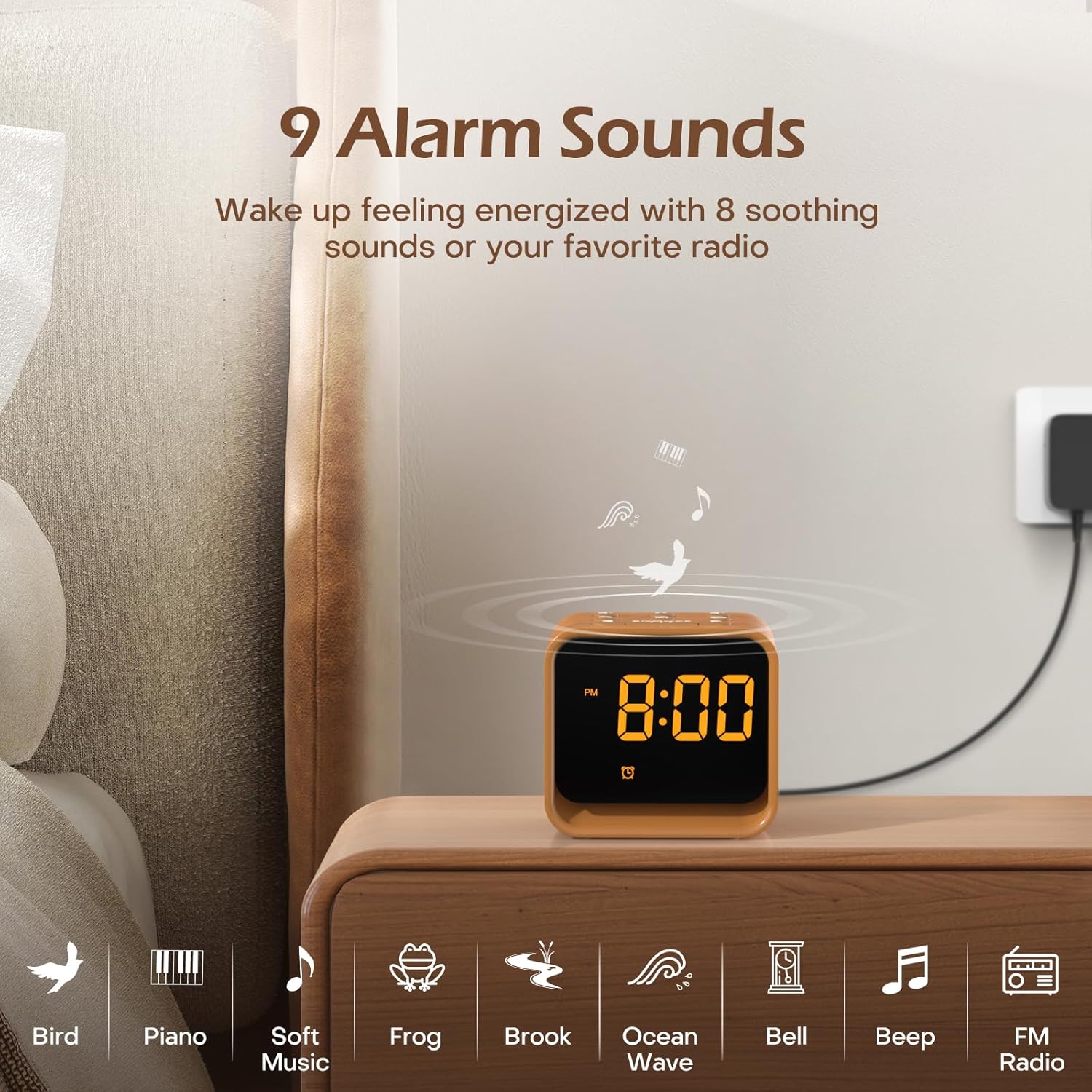
تصویر: An illustration of the nine available alarm sounds, including various natural sounds and classic alarm tones, designed for a gentle wake-up.
ایف ایم ریڈیو آپریشن
- آن/آف کریں: Press the 'FM Radio On/Off/Auto Scan' button to turn the FM radio on or off.
- Auto Scan and Save: When the radio is on, press and hold the 'FM Radio On/Off/Auto Scan' button to automatically scan for available stations and save them as presets.
- Change Stations: Use the 'Volume Up/Down' buttons to cycle through saved FM stations.
- حجم کو ایڈجسٹ کریں: Use the 'Volume Up/Down' buttons to adjust the radio volume (0-30 levels).

تصویر: Details of the FM Radio function, including frequency range (76-108 MHz), adjustable volume (0-30 levels), and an auto-off timer (0-180 minutes).
نیند ساؤنڈ مشین
- آن/آف کریں: Press the 'Sleep Sound On/Off' button to activate or deactivate the sleep sounds.
- آواز منتخب کریں: Use the 'Music Selection' button to cycle through the 24 available soothing sounds (white noise, fan sounds, baby favorites, nature sounds).
- حجم کو ایڈجسٹ کریں: Use the 'Volume Up/Down' buttons to set the desired volume for the sleep sounds.
- نیند ٹائمر: The sleep timer allows the sound to play for a set duration before automatically turning off. Available settings typically include 30, 60, 90, 120, 150, or 180 minutes. Refer to the specific timer button or sequence on your device.

تصویر: ایک اندرونی view of the clock radio, emphasizing its speaker and the variety of 24 soothing sounds available, categorized into white noise, fan sounds, baby favorites, and nature sounds.
نائٹ لائٹ
- آن/آف کریں: Briefly press the 'Snooze/Nightlight Switch' button to turn the night light on or off.
- رنگ تبدیل کریں: Press the 'Snooze/Nightlight Switch' button repeatedly to cycle through the 7 available colors.
- چمک کو ایڈجسٹ کریں: Use the 'Nightlight Brightness Control' on the back of the device to adjust the intensity of the night light.

تصویر: The clock radio featuring its 7-color dimmable bottom night light, which can be turned on or off to create a desired ambiance.
چمک دکھائیں۔
The LED display brightness can be adjusted from 0% to 100% to suit your preference and avoid disturbing sleep.
- چمک کو ایڈجسٹ کریں: Use the 'Display Dimmer' control on the back of the device to slide and set the desired display brightness.
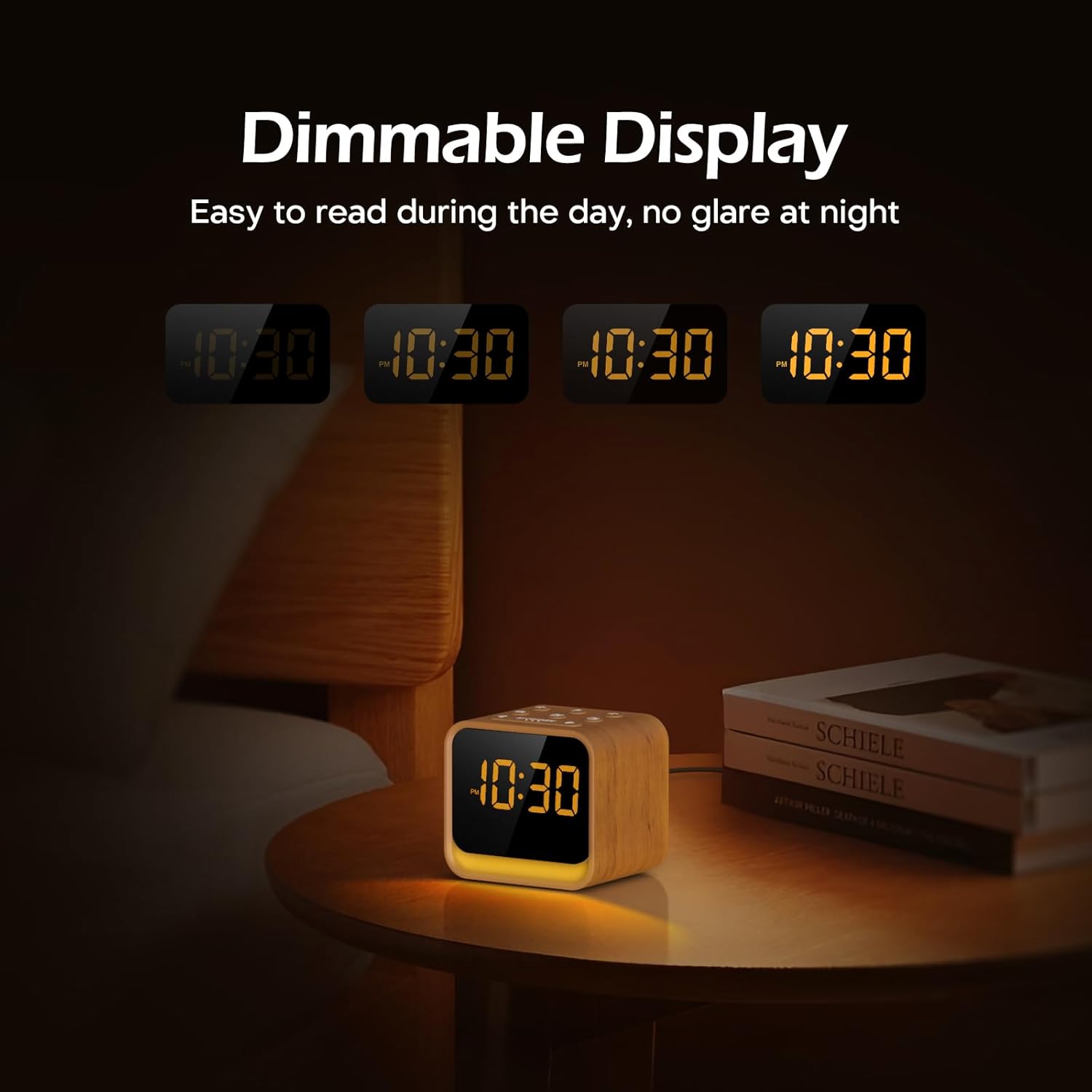
تصویر: The clock's display at different brightness settings, from 0% to 100%, illustrating the dimmable LED feature for comfortable viewدن اور رات میں.
اسنوز فنکشن
When the alarm sounds, briefly press the 'Snooze/Nightlight Switch' button to activate the 9-minute snooze function. The alarm will sound again after 9 minutes.
دیکھ بھال
- صفائی: آلے کو نرم، خشک کپڑے سے صاف کریں۔ کھرچنے والے کلینر یا سالوینٹس کا استعمال نہ کریں۔
- ذخیرہ: If storing for an extended period, disconnect from power and keep in a cool, dry place.
- بیٹری کی تبدیلی: The CR2023 backup battery should last for several years. If settings are lost during a power outage, replace the battery by opening the battery compartment on the bottom of the unit.
خرابی کا سراغ لگانا
| مسئلہ | ممکنہ وجہ | حل |
|---|---|---|
| ڈیوائس آن نہیں ہوتی ہے۔ | پاور اڈاپٹر منسلک نہیں ہے یا خراب ہے۔ | Ensure power adapter is securely connected to the device and a working power outlet. |
| الارم نہیں بجتا ہے۔ | الارم چالو نہیں ہے یا والیوم بہت کم ہے۔ | چیک کریں کہ آیا الارم کا آئیکن ظاہر ہوتا ہے۔ الارم والیوم میں اضافہ کریں۔ |
| ایف ایم ریڈیو کا استقبال ناقص ہے۔ | اینٹینا توسیع یا مداخلت نہیں ہے. | ریڈیو اینٹینا کو مکمل طور پر بڑھا دیں۔ مداخلت کو کم کرنے کے لیے آلہ کو دوبارہ جگہ دینے کی کوشش کریں۔ |
| پاور OU کے بعد وقت/ترتیبات ضائع ہو جاتے ہیں۔tage. | CR2023 backup battery is depleted. | CR2023 بیک اپ بیٹری کو تبدیل کریں۔ |
وضاحتیں
- برانڈ: پہنچنے والا
- ماڈل: CR7WCA
- مواد: پلاسٹک
- رنگ: Oak Wood finish
- ڈسپلے کی قسم: ایل ای ڈی
- ڈسپلے کی چمک: 0-100% Dimmable
- رات کی روشنی: 7 Colors, Dimmable
- الارم کی آوازیں: 9 options (8 natural sounds + beep/FM radio)
- نیند کی آوازیں: 24 options (White Noise, Fan, Baby Favorites, Nature Sounds)
- ایف ایم ریڈیو فریکوئنسی: 76-108 میگاہرٹز
- طاقت کا منبع: Corded (DC 5V adapter)
- بیک اپ بیٹری: CR2023 (for settings memory)
- تخمینی ابعاد (پیکیج): 13.9 x 9.4 x 8 سینٹی میٹر
- Approximate Weight (Package): 0.49 کلوگرام
وارنٹی اور سپورٹ
REACHER products come with a standard manufacturer's warranty. For specific warranty details, technical support, or any questions regarding your device, please refer to the contact information provided with your purchase or visit the official REACHER webسائٹ
For customer service inquiries, please retain your purchase receipt and product model number (CR7WCA).


