تعارف
Welcome to the JLab Go Lux ANC Wireless Headphones instruction manual. These premium on-ear Bluetooth headphones are designed to provide an immersive audio experience with advanced features for comfort and connectivity.
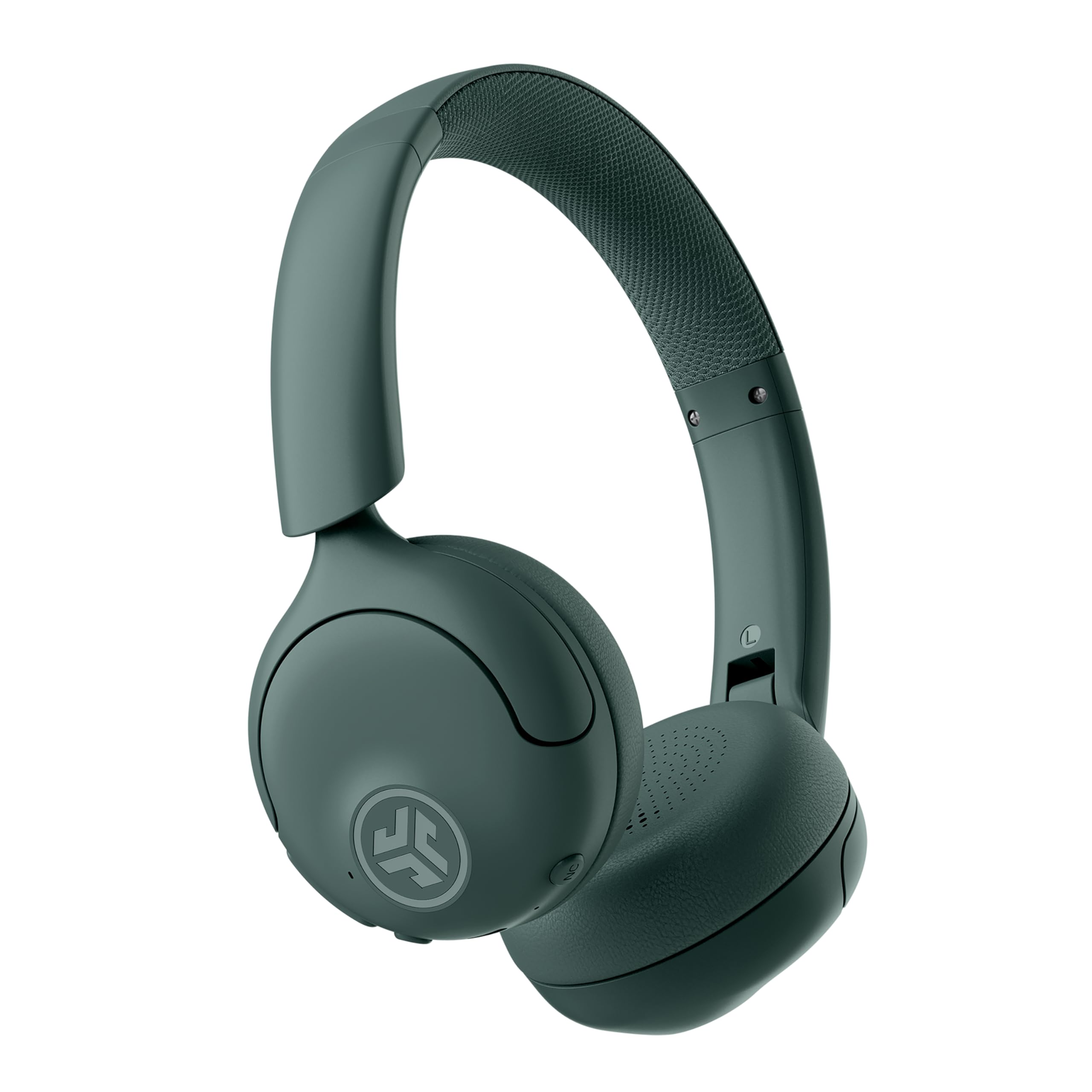
Image: JLab Go Lux ANC Wireless Headphones, showcasinجی مجموعی ڈیزائن۔
کلیدی خصوصیات
- Hybrid Active Noise Cancelling (ANC) & Be Aware Mode: Eliminate distractions up to 30 dB or stay connected to your surroundings.
- Cloud Foam Comfort: Ergonomically shaped Form-Fit Earcups and adjustable hinges for ultimate comfort.
- Customizable Sound via JLab App: Personalize ANC/Be Aware settings, touch controls, and sound preferences.
- کرسٹل کلیئر کالز: Noise-canceling microphones ensure clear communication.
- آسان کنکشن: Bluetooth Multipoint for simultaneous connection to two devices, Wireless Share Mode, Google Fast Pair, and Microsoft Swift Pair.
- Google Find My Device: Locate your headphones easily.
سیٹ اپ گائیڈ
1. ابتدائی چارجنگ
Before first use, fully charge your JLab Go Lux ANC headphones using the provided USB-C charging cable. The charging port is located on one of the earcups.

Image: JLab Go Lux ANC headphones folded, showing the USB-C charging cable.
2. بلوٹوت جوڑی بنانا
اپنے ہیڈ فون کو ڈیوائس کے ساتھ جوڑنے کے لیے:
- یقینی بنائیں کہ ہیڈ فون بند ہیں۔
- پاور بٹن کو دبائیں اور پکڑے رکھیں جب تک کہ LED اشارے نیلے اور سرخ نہ ہو جائیں، جو پیئرنگ موڈ کو ظاہر کرتا ہے۔
- On your device (smartphone, tablet, computer), go to Bluetooth settings and select "JLab Go Lux ANC" from the list of available devices.
- ایک بار منسلک ہونے کے بعد، ایل ای ڈی اشارے ٹھوس نیلے رنگ کا ہو جائے گا۔
3. ملٹی پوائنٹ کنکشن
The headphones support Bluetooth Multipoint, allowing connection to two devices simultaneously:
- Pair with the first device as described above.
- پہلے ڈیوائس پر بلوٹوتھ کو غیر فعال کریں۔ ہیڈ فون جوڑا بنانے کے موڈ میں دوبارہ داخل ہوں گے۔
- دوسرے آلے کے ساتھ جوڑا بنائیں۔
- Re-enable Bluetooth on the first device. The headphones will automatically connect to both devices.
4. JLab App Installation
Download the JLab App from the App Store or Google Play Store to customize settings and access additional features.

Image: JLab App interface on a smartphone, demonstrating sound customization options.
آپریٹنگ ہدایات
1. پاور آن/آف
- پاور آن: پاور بٹن کو 3 سیکنڈ تک دبائے رکھیں۔
- بجلی بند: پاور بٹن کو 5 سیکنڈ تک دبائے رکھیں۔
2. Hybrid ANC & Be Aware Mode
Toggle between Hybrid Active Noise Cancelling and Be Aware Mode using the dedicated NC button on the earcup.
- ہائبرڈ اے این سی: عمیق سننے کے تجربے کے لیے بیرونی شور کو کم کرتا ہے۔
- Be Aware Mode: آپ کو اپنے اردگرد کے ماحول سے آگاہ رکھتے ہوئے محیطی آوازوں کو گزرنے دیتا ہے۔

Image: A person wearing JLab headphones, illustrating the Hybrid ANC and Be Aware Mode features.
3۔ بنیادی کنٹرولز
The headphones feature intuitive touch controls on the earcups:
- والیوم اوپر/نیچے: وقف شدہ والیوم بٹن استعمال کریں۔
- چلائیں/روکیں: Single tap the multi-function button.
- اگلا ٹریک: Double tap the multi-function button.
- پچھلا ٹریک: Triple tap the multi-function button.
- جواب / کال ختم کریں: Single tap the multi-function button during a call.
- کال مسترد کریں: آنے والی کال کے دوران ملٹی فنکشن بٹن کو دبائے رکھیں۔
4. Wireless Share Mode
Share audio wirelessly between two JLab Lux headphones. Refer to the JLab App or JLab website for detailed instructions on activating and using Wireless Share Mode.
5. Google Find My Device
Utilize Google Find My Device to locate your headphones if misplaced. Ensure your headphones are connected to a compatible Android device.
دیکھ بھال
1. چارج کرنا
Charge the headphones using the provided USB-C cable. A full charge provides up to 70+ hours of playtime (40+ hours with ANC on).
2. صفائی
Wipe the headphones with a soft, dry cloth. Avoid using harsh chemicals or abrasive materials. Ensure the charging port is dry before charging.
3. ذخیرہ
جب استعمال میں نہ ہوں تو ہیڈ فونز کو ٹھنڈی، خشک جگہ پر رکھیں۔ فولڈ ایبل ڈیزائن کمپیکٹ اسٹوریج کی اجازت دیتا ہے۔

Image: JLab Go Lux ANC headphones folded for compact storage, alongside the charging cable.
خرابی کا سراغ لگانا
- کوئی طاقت نہیں: یقینی بنائیں کہ ہیڈ فون پوری طرح سے چارج ہیں۔
- جوڑا نہیں بن سکتا: Make sure Bluetooth is enabled on your device and the headphones are in pairing mode. Try forgetting the device on your phone and re-pairing.
- آواز کے مسائل: Check volume levels on both headphones and connected device. Ensure headphones are within Bluetooth range.
- ANC کام نہیں کر رہا: Verify ANC mode is activated.
For further assistance, refer to the JLab App or contact JLab customer support.
وضاحتیں
| ماڈل کا نام | Go Lux ANC |
| کنیکٹوٹی ٹیکنالوجی | وائرلیس (بلوٹوتھ 5.0) |
| کان کی جگہ کا تعین | کان پر |
| شور کنٹرول | Hybrid Active Noise Cancelling, Be Aware Mode |
| آڈیو ڈرائیور کی قسم | Hybrid Driver (40mm) |
| بیٹری کی زندگی | Up to 70+ Hours (40+ Hours with ANC) |
| کنٹرول کا طریقہ | ٹچ، والیوم کنٹرول |
| ہم آہنگ آلات | Android devices, Windows PCs |
| مواد | Plastic, Metal, Faux Leather |
| شے کا وزن | 0.704 اونس (0.02 کلوگرام) |
| مصنوعات کے طول و عرض | 2.95 x 6.1 x 7.48 انچ |
وارنٹی اور سپورٹ
Your JLab Go Lux ANC Wireless Headphones come with a JLab 2 Year Warranty.
وارنٹی کے دعووں، تکنیکی مدد، یا اضافی مصنوعات کی معلومات کے لیے، براہ کرم آفیشل سے رجوع کریں۔ JLab Store or contact JLab customer service.


