تعارف
This manual provides detailed instructions for the setup, operation, and maintenance of your GOBOULT Rover Pro Smartwatch. Please read this manual thoroughly before using your device to ensure proper functionality and to maximize your user experience.

Image: GOBOULT Rover Pro Smartwatch, showcasing its sleek design and digital time display.
پیکیج کے مشمولات
Upon opening your GOBOULT Rover Pro Smartwatch package, verify that all items listed below are present:
- GOBOULT Rover Pro Smartwatch
- چارجنگ کیبل
- صارف دستی (یہ دستاویز)
سیٹ اپ
1 اسمارٹ واچ کو چارج کرنا
Before initial use, fully charge your GOBOULT Rover Pro Smartwatch. Connect the provided charging cable to the charging port on the back of the smartwatch and to a standard USB power adapter (not included). A full charge typically takes approximately 150 minutes (2.5 hours).

Image: Illustration of the smartwatch charging, highlighting battery life and charging duration.
2. پر / آف پاور
- پاور آن: اسکرین کے روشن ہونے تک سائیڈ بٹن کو دبائے رکھیں۔
- بجلی بند: سائیڈ بٹن کو دبائیں اور تھامیں، پھر اسکرین پر "پاور آف" کو منتخب کریں۔
3. ایپ کی تنصیب اور جوڑا بنانا
To unlock the full potential of your smartwatch, download and install the companion application on your smartphone. The application can typically be found by scanning a QR code in the watch's settings or by searching for "GloryFit" in your smartphone's app store. Once installed:
- اپنے اسمارٹ فون پر بلوٹوتھ کو فعال کریں۔
- ساتھی ایپ کھولیں اور اپنے آلے کو شامل کرنے کے لیے آن اسکرین ہدایات پر عمل کریں۔
- Select "GOBOULT Rover Pro" from the list of available devices to pair.
- اپنے اسمارٹ فون اور اسمارٹ واچ دونوں پر جوڑی کی درخواست کی تصدیق کریں۔
For app download, visit: GloryFit App Download
اسمارٹ واچ کو آپریٹ کرنا
ڈسپلے اور نیویگیشن
The GOBOULT Rover Pro features a 1.43-inch AMOLED display with 1000 nits brightness, ensuring clear visibility even in direct sunlight. The display supports an Always-on mode for continuous time display.

تصویر: تفصیلی view of the smartwatch's 1.43-inch round AMOLED curved display.

Image: Visual comparison highlighting the superior brightness and clarity of the Rover Pro's AMOLED display.
- اوپر/نیچے/بائیں/دائیں سوائپ کریں: مینوز، اطلاعات اور فوری ترتیبات کے ذریعے تشریف لے جائیں۔
- تھپتھپائیں: کوئی آئٹم منتخب کریں یا ایپلیکیشن کھولیں۔
- سائیڈ بٹن: Press to return to the home screen or access the app list.
صحت کی نگرانی
The GOBOULT Rover Pro Smartwatch offers comprehensive health tracking features to help you monitor your well-being:
- 24/7 دل کی دھڑکن کی نگرانی: دن بھر آپ کے دل کی دھڑکن کو مسلسل ٹریک کرتا ہے۔
- SpO2 Blood Oxygen Saturation: Measures the oxygen level in your blood.
- نیند کی نگرانی: Analyzes your sleep patterns, including deep sleep, light sleep, and wake times.
- خواتین کی ماہواری سے باخبر رہنا: Provides insights and predictions for menstrual cycles.
- سرگرمی ٹریکر: اقدامات، فاصلہ، اور جلی ہوئی کیلوریز کو ریکارڈ کرتا ہے۔
- یاد دہانیاں: Includes reminders to drink water and stay active.
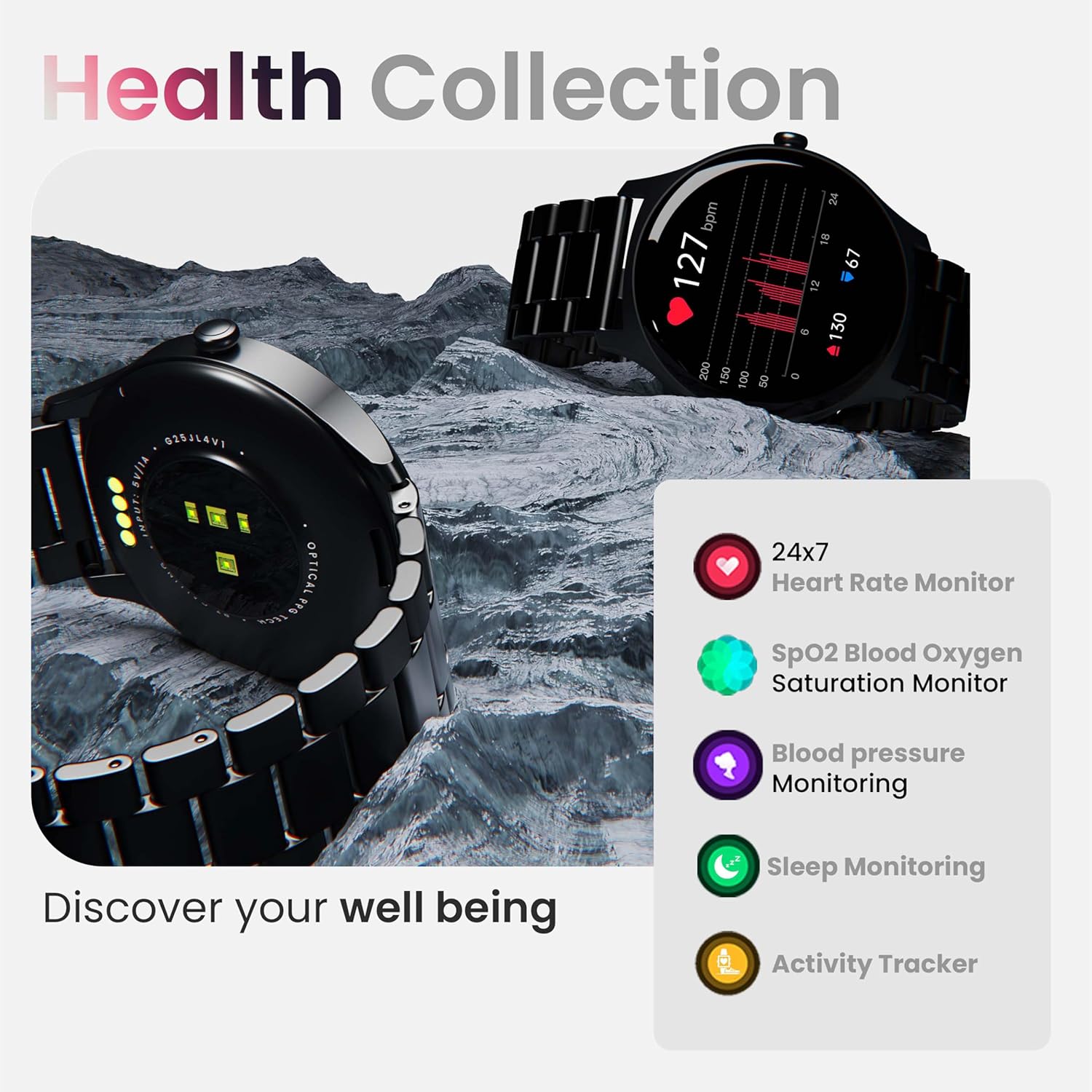
تصویر: ختمview of the smartwatch's health monitoring capabilities.
نوٹ: یہ آلہ طبی آلہ نہیں ہے۔ صحت کا ڈیٹا صرف حوالہ کے لیے ہے اور اسے طبی تشخیص یا علاج کے لیے استعمال نہیں کیا جانا چاہیے۔
کھیلوں کے موڈز
With over 120 sports modes, the GOBOULT Rover Pro Smartwatch is designed to track a wide range of physical activities. Select your desired sport from the watch's menu to record specific metrics such as duration, calories burned, and heart rate during your workout.

Image: Display of various sports modes available on the smartwatch.
حسب ضرورت
گھڑی کے چہرے
Personalize your smartwatch with over 150 cloud-based watch faces available through the companion app. You can also create custom watch faces using your own photos.

تصویر: سابقamples of various watch faces and customization options.
بلوٹوتھ کالنگ
The GOBOULT Rover Pro Smartwatch features Bluetooth 5.2 single-chip technology, enabling direct calls from your wrist. It includes a dedicated speaker and microphone for clear communication.
- کال کرنا: کال شروع کرنے کے لیے اپنی گھڑی پر ڈائل پیڈ یا رابطہ کی فہرست تک رسائی حاصل کریں۔
- کالز کا جواب دینا/رد کرنا: Swipe on the screen to answer or reject incoming calls.
- Contact Sync: Sync your phone's contacts to the smartwatch via the companion app.

Image: Visual representation of the smartwatch's Bluetooth calling interface and features.
AI وائس اسسٹنٹ
Interact with your smartwatch hands-free using the built-in AI voice assistant. Simply activate the assistant and speak your commands to perform various functions, such as setting alarms, checking weather, or initiating calls. Supports popular voice assistants like Siri and Google Assistant when connected to a compatible smartphone.
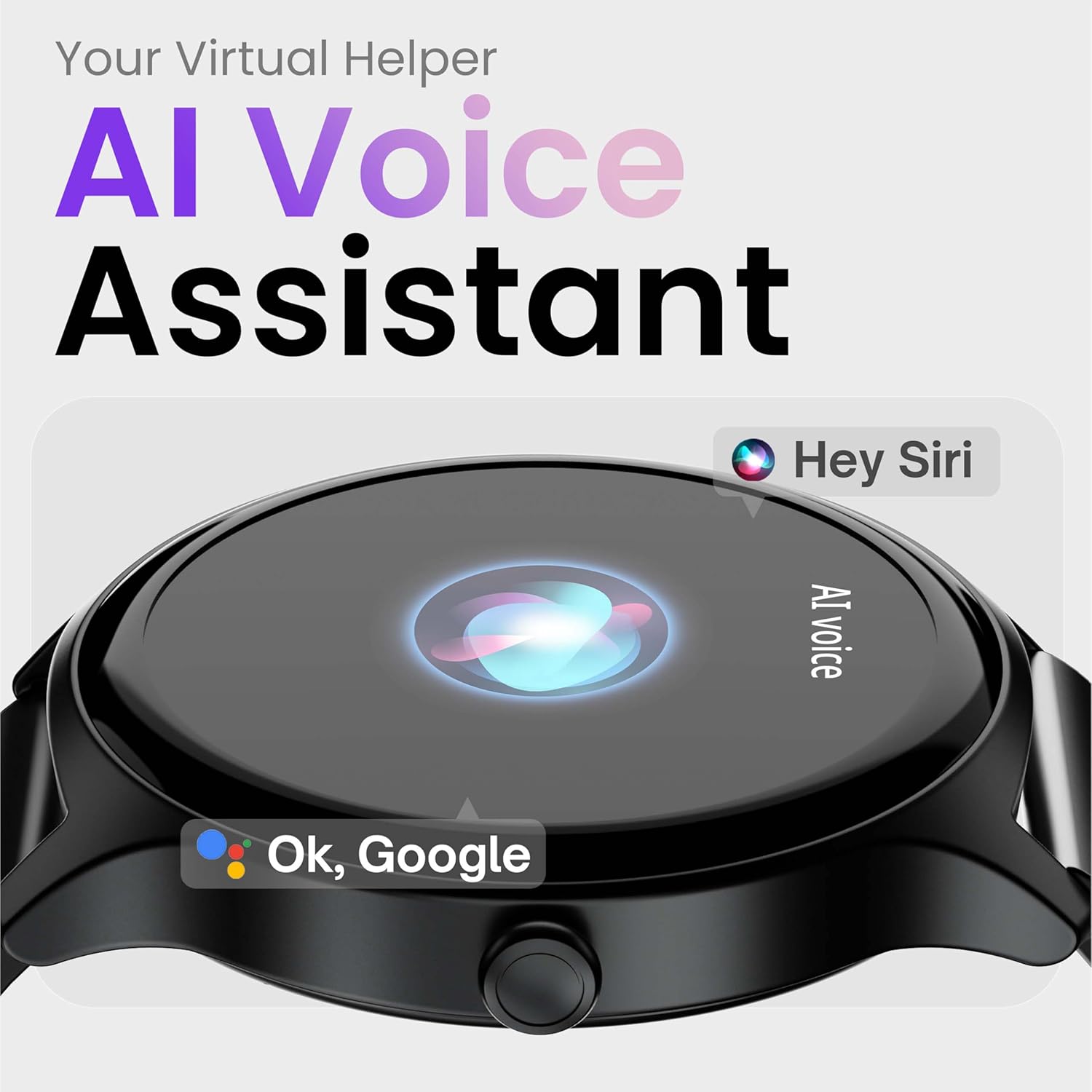
Image: Depiction of the AI Voice Assistant functionality on the smartwatch.
Smart Notifications & Safety Features
سمارٹ اطلاعات
Receive SMS, call, and app notifications directly on your wrist. Manage which notifications appear through the companion app settings.

Image: Smartwatch screen showing notification alerts and the 'Find my phone' function.
حفاظتی خصوصیات
- 4-Digit PIN: Secure your smartwatch with a PIN for enhanced privacy.
- One-Tap SOS Alert: In an emergency, activate the SOS feature to notify pre-set emergency contacts.
- Secure Sign-in Methods: Utilize easy and secure methods for accessing your device.
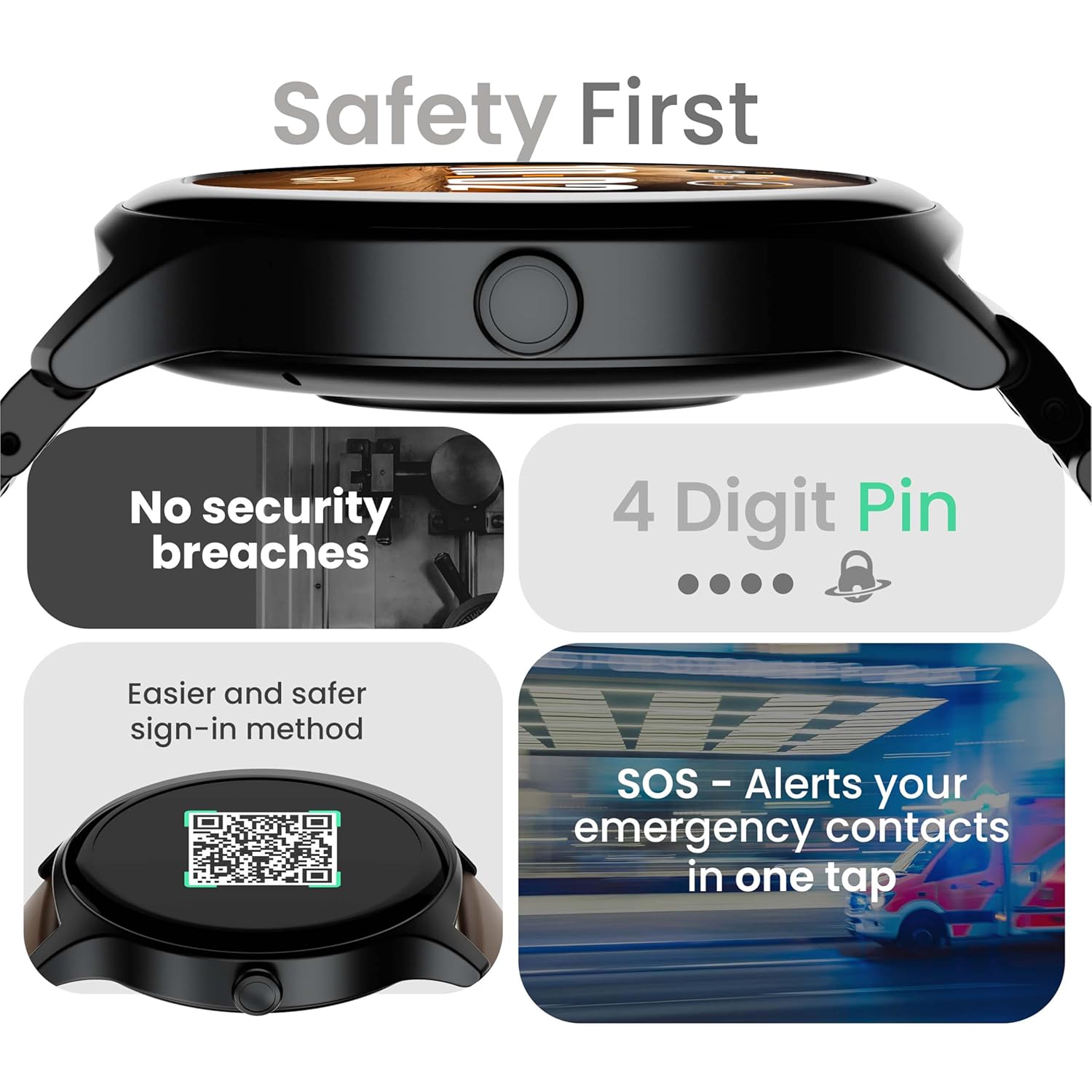
Image: Visuals illustrating the smartwatch's security and emergency features.
بیٹری کی زندگی اور چارجنگ
The GOBOULT Rover Pro Smartwatch is equipped with a battery designed for extended use:
- عام استعمال: بیٹری کی زندگی کے 7 دن تک۔
- اسٹینڈ بائی ٹائم: 20 دن تک
- تیز چارجنگ: Approximately 10 minutes of charging provides up to 2 days of battery life.
- مکمل چارج وقت: Approximately 90 minutes for a complete charge.
Use only the provided charging cable to ensure optimal charging performance and to prevent damage to the device.
پانی کی مزاحمت (IP68)
The GOBOULT Rover Pro Smartwatch has an IP68 rating, meaning it is dustproof and water-resistant. It can withstand immersion in water up to 1.5 meters deep for up to 30 minutes. This makes it suitable for daily use and various outdoor activities, but it is not recommended for diving or high-pressure water activities.

Image: Illustration of the smartwatch's IP68 water and dust resistance.
دیکھ بھال
اپنی سمارٹ واچ کی لمبی عمر اور بہترین کارکردگی کو یقینی بنانے کے لیے، دیکھ بھال کے ان رہنما خطوط پر عمل کریں:
- صفائی: Regularly wipe the watch screen and strap with a soft, dry cloth. If necessary, use a slightly damp cloth for the strap, then dry thoroughly.
- کیمیکل سے بچیں: سخت کیمیکلز، کلیننگ سالوینٹس یا مضبوط ڈٹرجنٹ استعمال نہ کریں، کیونکہ یہ گھڑی کی تکمیل اور مہروں کو نقصان پہنچا سکتے ہیں۔
- چارجنگ پورٹ: Keep the charging contacts clean and dry.
- ذخیرہ: استعمال میں نہ ہونے پر اسمارٹ واچ کو ٹھنڈی، خشک جگہ پر اسٹور کریں۔
- انتہائی درجہ حرارت سے بچیں: گھڑی کو طویل عرصے تک انتہائی گرم یا سرد درجہ حرارت کے سامنے نہ رکھیں۔
خرابی کا سراغ لگانا
If you encounter issues with your GOBOULT Rover Pro Smartwatch, refer to the following common solutions:
| مسئلہ | حل |
|---|---|
| اسمارٹ واچ آن نہیں ہوگی۔ | یقینی بنائیں کہ گھڑی پوری طرح سے چارج ہے۔ اسے چارجر سے کم از کم 30 منٹ تک جوڑیں۔ |
| اسمارٹ فون کے ساتھ جوڑا نہیں بنایا جا سکتا۔ |
|
| صحت کا غلط ڈیٹا۔ |
|
| اطلاعات موصول نہیں ہوئیں۔ |
|
| مختصر بیٹری کی زندگی۔ |
|
وضاحتیں
| فیچر | تفصیل |
|---|---|
| برانڈ | گوبولٹ |
| ماڈل سیریز | روور پرو |
| ڈسپلے سائز | 1.43 انچ |
| ڈسپلے کی قسم | AMOLED |
| چمک | 1000 نٹس |
| کنیکٹوٹی | بلوٹوتھ 5.2 |
| آپریٹنگ سسٹم | اینڈرائیڈ (موازنہ) |
| پانی کی مزاحمت | آئی پی 68 |
| بیٹری کی زندگی (عام) | 7 دن تک |
| بیٹری چارج کرنے کا وقت | Approx. 150 Minutes (Full Charge) |
| شے کا وزن | 43 گرام |
| شامل اجزاء | چارجنگ کیبل، یوزر مینوئل |
وارنٹی اور سپورٹ
وارنٹی کی معلومات
Your GOBOULT Rover Pro Smartwatch comes with a 1 سال کی وارنٹی خریداری کی تاریخ سے. یہ وارنٹی عام استعمال کے تحت مینوفیکچرنگ کے نقائص اور خرابیوں کا احاطہ کرتی ہے۔ یہ غلط استعمال، حادثات، غیر مجاز ترمیم، یا عام ٹوٹ پھوٹ سے ہونے والے نقصان کو پورا نہیں کرتا ہے۔
کسٹمر سپورٹ
For technical assistance, warranty claims, or any other inquiries, please contact GOBOULT customer support through their official website or the contact information provided with your purchase documentation. Please have your product model and purchase details ready when contacting support.


