1. تعارف
The XIAOMI Pad 7 Ai WiFi Version (Model 2410CRP4CG) is a high-performance tablet designed for productivity and entertainment. It features an 11.2-inch 3.2K 144Hz crystal-clear display, offering detailed visuals and an immersive viewing experience. The device supports Dolby Vision® with 800 nits peak brightness for stunning HDR content. Eye comfort is prioritized with multi-dimensional eye-care functions, including 4096 levels of brightness adjustment and TÜV Rheinland eye comfort certifications. Audio is enhanced by quad speakers with Dolby Atmos® support and 200% volume boost. Powered by the Snapdragon 7+ Gen 3 Mobile Platform and HyperOS 2, it offers seamless multitasking and AI capabilities for various office tasks, text/image generation, and meetings. The tablet boasts a sleek unibody design crafted from high-strength aluminum alloy, combining sophistication with portability.
2. باکس میں کیا ہے۔
Upon unboxing your XIAOMI Pad 7 Ai, please ensure all the following items are present:
- USB ٹائپ سی کیبل
- دستی
- فاسٹ کار چارجر
Note: A 45W power adapter is not included in the box and is sold separately. Using a Xiaomi 45W power adapter is recommended for turbo charging.
3. آلہ ختمview
The XIAOMI Pad 7 Ai features a sleek and durable unibody design. Familiarize yourself with the device's layout:
- ڈسپلے: 11.2-inch 3.2K 144Hz crystal-clear screen.
- کیمرے: Rear 13MP camera and Front 8MP camera.
- مقررین: Four speakers for immersive audio experience.
- بندرگاہیں: چارج کرنے اور ڈیٹا کی منتقلی کے لیے USB Type-C پورٹ۔
- سینسر: Accelerometer, Gyroscope, Ambient light (front/rear), Flicker sensor, Hall sensor, Magnetic sensor, Proximity sensor, RGB LED, IR remote control.

شکل 3.1: سامنے اور پیچھے view of the XIAOMI Pad 7 Ai.
4. سیٹ اپ
Follow these steps to set up your XIAOMI Pad 7 Ai for the first time:
- پاور آن: پاور بٹن کو دبائے رکھیں جب تک کہ XIAOMI لوگو ظاہر نہ ہو۔
- ابتدائی ترتیب: اپنی زبان، علاقہ منتخب کرنے اور Wi-Fi نیٹ ورک سے جڑنے کے لیے آن اسکرین پرامپٹس پر عمل کریں۔
- گوگل اکاؤنٹ: اپنے Google اکاؤنٹ کے ساتھ سائن ان کریں یا ایک نیا بنائیں۔
- سیکورٹی: Set up a screen lock (PIN, pattern, or password). Face unlock is also available.
- سافٹ ویئر اپ ڈیٹس: The tablet may prompt you to download and install available software updates. It is recommended to keep your device's software up-to-date for optimal performance and security.
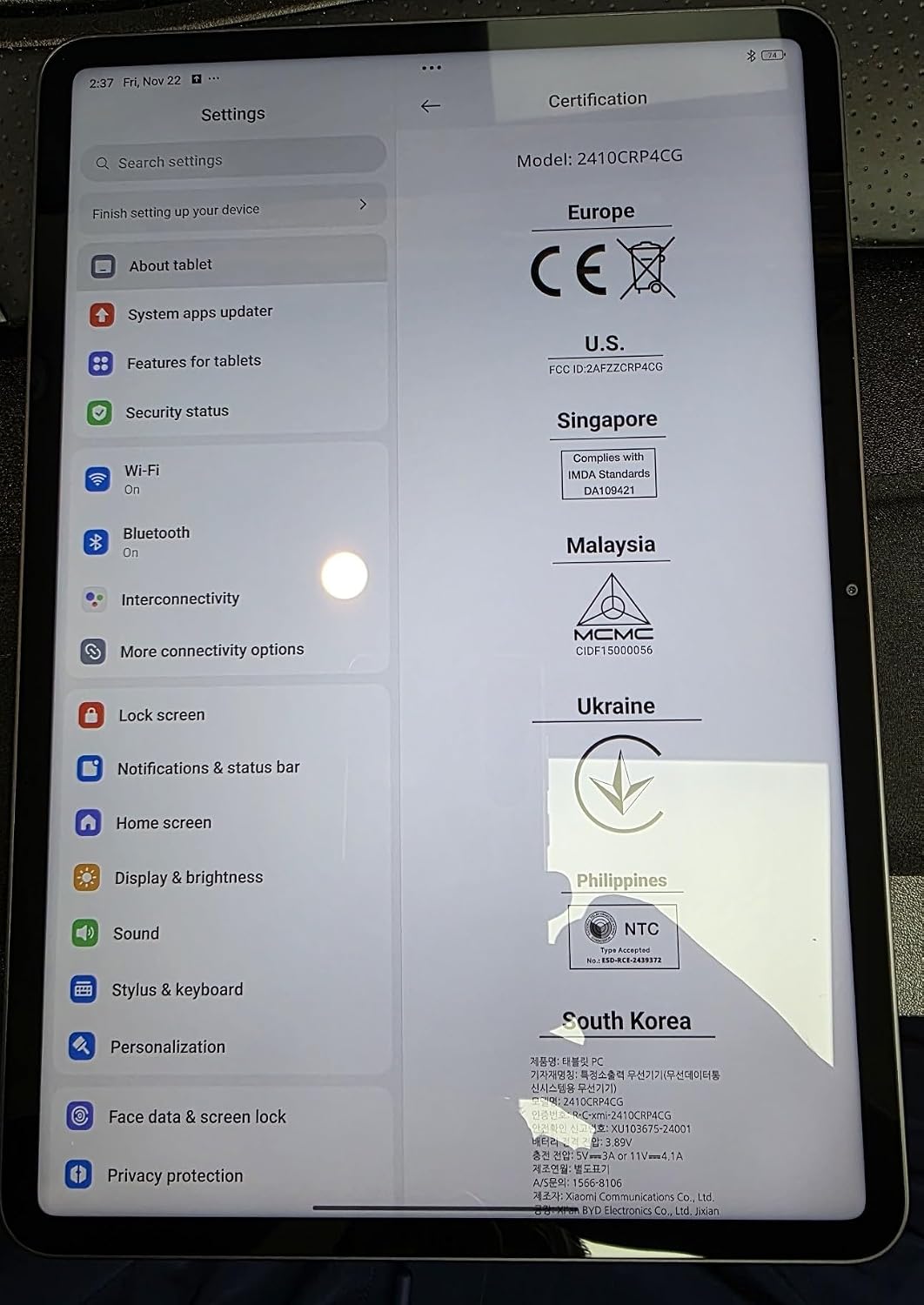
Figure 4.1: Device settings screen displaying certification information.
5. آپریٹنگ ہدایات
The XIAOMI Pad 7 Ai runs on HyperOS 2, offering a user-friendly interface and advanced features:
- نیویگیشن: Use gestures for navigation (swipe up for home, swipe from edge to go back) or switch to 3-button navigation in Settings.
- Notifications & Control Panel: Swipe down from the top-left for notifications and from the top-right for the control panel (quick settings).
- ملٹی ٹاسکنگ: HyperOS 2 supports split-screen and floating windows, allowing you to run multiple applications simultaneously for enhanced productivity.
- ایپ ڈراور: You can choose between a classic home screen layout or one with an app drawer for organizing your applications.
- ڈسپلے کی ترتیبات: Adjust brightness, enable Sunlight mode for outdoor visibility, and customize color schemes.
6. کیمرے کا استعمال
Capture moments with the integrated cameras:
- پیچھے والا کیمرہ: 13MP with f/2.2 aperture and PDAF. Supports 4K video recording at 30fps, and 1080P/720P video at 30fps/60fps.
- فرنٹ کیمرہ: 8MP with f/2.28 aperture. Supports 1080P/720P video recording at 30fps.
- کیمرے کے طریقوں: Photo, Video, Portrait, Document, Dual video, Director mode, Teleprompter, Dynamic shot, HDR.
7. کارکردگی اور بیٹری
The XIAOMI Pad 7 Ai is built for robust performance and extended usage:
- پروسیسر: Snapdragon 7+ Gen 3 Mobile Platform (4nm manufacturing process, Octa-core up to 2.8GHz, Adreno GPU, Qualcomm AI engine).
- رام: 8 جی بی۔
- اندرونی ذخیرہ: 128 جی بی۔
- بیٹری: 8850mAh (typical) with 45W turbo charging support (charger sold separately).
- کنیکٹوٹی: Wi-Fi 6E (2x2 MIMO, 8x8 Sounding for MU-MIMO, Wi-Fi Direct, Miracast), Bluetooth 5.4 (AAC / LDAC / LHDC 5.0, IPv6).
8. وضاحتیں
| کھڑے اسکرین ڈسپلے سائز | 11.2 انچ |
| اسکرین ریزولوشن | 3200 x 2136 پکسلز |
| زیادہ سے زیادہ سکرین ریزولوشن | 3200 x 2136، 345 ppi پکسلز |
| پروسیسر | 2800 میگاہرٹز |
| کارڈ کی تفصیل | مربوط |
| وائرلیس قسم | 802.11a, 802.11ac, 802.11b, 802.11g, 802.11n |
| برانڈ | XIAOMI |
| سلسلہ | Xiaomi Pad 7 |
| آئٹم ماڈل نمبر | a2d4d7f2-14eb-447b-bfaa-03a30748b3a3 |
| آپریٹنگ سسٹم | اینڈرائیڈ 14 ہائپر او ایس |
| شے کا وزن | 1 پاؤنڈ |
| مصنوعات کے طول و عرض | 9.89 x 0.24 x 6.83 انچ |
| آئٹم کے طول و عرض LxWxH | 9.89 x 0.24 x 6.83 انچ |
| رنگ | نیلا |
| پیچھے Webکیمرے کی قرارداد | 13 MP |
| پروسیسر برانڈ | سنیپ ڈریگن |
| فلیش میموری کا سائز | 128 جی بی |
| بیٹریاں | 1 لیتھیم پولیمر بیٹریاں درکار ہیں۔ (شامل) |
9 دیکھ بھال
To ensure the longevity and optimal performance of your XIAOMI Pad 7 Ai, follow these maintenance guidelines:
- صفائی: اسکرین اور جسم کو صاف کرنے کے لیے نرم، لنٹ سے پاک کپڑا استعمال کریں۔ سخت کیمیکلز یا کھرچنے والے مواد سے پرہیز کریں۔
- سافٹ ویئر اپ ڈیٹس: تازہ ترین خصوصیات، حفاظتی پیچ اور کارکردگی میں بہتری سے فائدہ اٹھانے کے لیے باقاعدگی سے سسٹم اپ ڈیٹس کو چیک کریں اور انسٹال کریں۔
- ماحولیاتی حالات: Avoid exposing the tablet to extreme temperatures, direct sunlight for prolonged periods, or high humidity.
- بیٹری کی دیکھ بھال: For optimal battery health, avoid fully discharging the battery frequently. Charge your device using the recommended charger.
10 خرابیوں کا سراغ لگانا
If you encounter any issues with your XIAOMI Pad 7 Ai, try the following solutions:
- آلہ جواب نہیں دے رہا ہے: زبردستی دوبارہ شروع کرنے کے لیے پاور بٹن کو تقریباً 10 سیکنڈ تک دبائے رکھیں۔
- Wi-Fi کنیکٹیویٹی کے مسائل: یقینی بنائیں کہ Wi-Fi فعال ہے اور آپ ایک معروف نیٹ ورک کی حد میں ہیں۔ اپنے راؤٹر کو دوبارہ شروع کرنے کی کوشش کریں۔
- ایپ کریشنگ: Clear the cache and data of the problematic app in Settings > Apps. If the issue persists, try reinstalling the app.
- سست کارکردگی: Close unused apps, clear storage space, and restart the device.
- از سرے نو ترتیب: As a last resort, you can perform a factory reset via Settings > System > Reset options. Back up all important data before proceeding, as this will erase all data on the device.
11. وارنٹی اور سپورٹ
Your XIAOMI Pad 7 Ai is covered by a manufacturer's warranty. Please refer to the warranty card included in your product packaging for detailed terms and conditions. For technical support, service, or inquiries about protection plans, please visit the official XIAOMI support webسائٹ یا ان کی کسٹمر سروس سے رابطہ کریں۔


