1. پروڈکٹ ختمview
The D'Addario Mic Mute Infrared Microphone Sensor is designed to automatically mute a microphone when a performer or speaker moves away from it. This functionality helps to eliminate unwanted feedback, reduce stage bleed, and minimize background noise in live sound environments, theater productions, and speeches. The device is phantom powered and features an adjustable detection range.
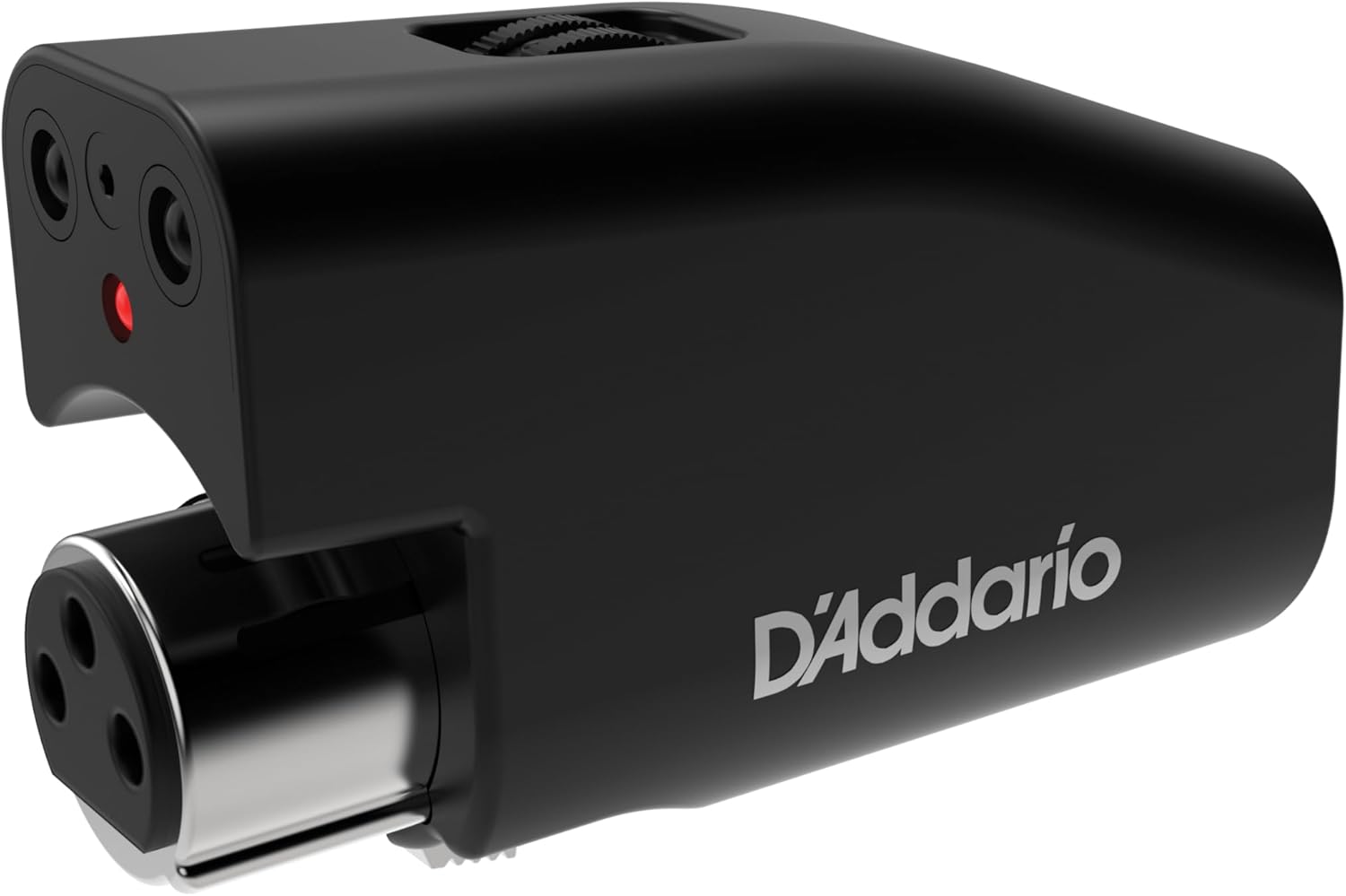
Image 1.1: The D'Addario Mic Mute Infrared Microphone Sensor, a compact black device with an XLR connector and an infrared sensor.

Image 1.2: The D'Addario Infrared Mic Mute, highlighting its purpose for clean audio performance.
2. پیکیج کے مشمولات
- D'Addario Mic Mute Infrared Microphone Sensor (Model PW-IRMM-01)
- ہدایات دستی (یہ دستاویز)
3. سیٹ اپ اور انسٹالیشن
Follow these steps to properly install and set up your D'Addario Mic Mute:
- مائیکروفون کی جگہ کا تعین: Ensure your microphone is securely mounted on a stand. The Mic Mute is designed for use with microphones on stands, as its functionality relies on detecting proximity to a stationary microphone.
- مائیکروفون سے جڑیں: Plug the D'Addario Mic Mute directly into the XLR output of your microphone. The Mic Mute features a 3-pin XLR input.
- XLR کیبل کو جوڑیں: Connect a standard XLR microphone cable from the output of the Mic Mute to your mixing console or audio interface.
- پریت پاور: The Mic Mute requires 48V phantom power to operate. Activate phantom power on the corresponding channel of your mixing console or audio interface. The device does not require batteries or an external power supply.

Image 3.1: Illustration of connecting the D'Addario Mic Mute between a microphone and an XLR cable.
4. آپریٹنگ ہدایات
Once installed and powered, the Mic Mute operates automatically based on proximity detection.
4.1. Automatic Muting
The device uses an infrared sensor to detect the presence of a person in front of the microphone. When a person is within the set detection range, the microphone is active (unmuted). When the person moves out of the detection range, the microphone is automatically muted.

Image 4.1: The Mic Mute indicating automatic muting when a user is out of the detection range.
4.2. Adjusting Detection Range
The detection range can be adjusted to suit your specific needs, up to 24 inches (approximately 60 cm). Locate the small potentiometer (adjustment knob) on the top of the Mic Mute unit. Use a small screwdriver or similar tool to carefully turn the knob to increase or decrease the detection sensitivity and range.

Image 4.2: Close-up of the D'Addario Mic Mute showing the adjustment knob for setting the detection range.
4.3. Bypass Feature
The Mic Mute includes a bypass feature that allows the microphone to remain continuously active, overriding the automatic muting function. To activate bypass, press the small button located near the infrared sensor. The red LED indicator will change to reflect the bypass status.
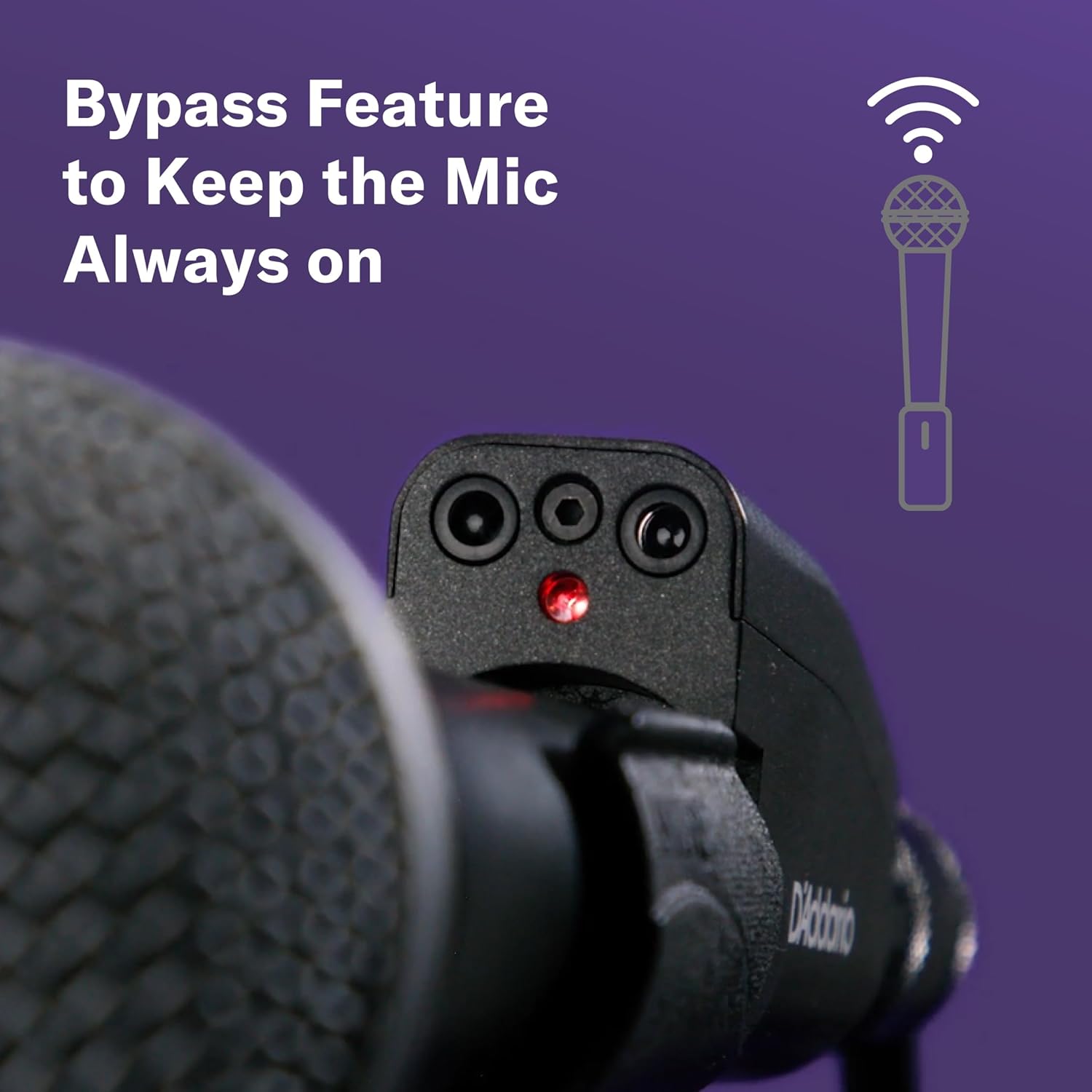
Image 4.3: The Mic Mute with the bypass button and LED indicator visible.
4.4. ایل ای ڈی اشارے
A red LED on the front of the unit indicates the microphone's status. When the LED is lit, the microphone is active (unmuted). When the LED is off, the microphone is muted. In bypass mode, the LED may indicate a different status or remain constantly lit, depending on the specific implementation.
5 دیکھ بھال
The D'Addario Mic Mute requires minimal maintenance. To ensure optimal performance:
- Keep the device clean and free from dust and debris, especially around the infrared sensor. Use a soft, dry cloth for cleaning.
- Avoid exposing the unit to extreme temperatures, moisture, or direct sunlight for extended periods.
- Handle the XLR connectors with care to prevent damage.
6 خرابیوں کا سراغ لگانا
| مسئلہ | ممکنہ وجہ | حل |
|---|---|---|
| Microphone not muting/unmuting automatically. |
|
|
| Audible "pop" when microphone mutes. |
|
|
| Delay in microphone unmuting. |
|
|
| Detection range adjustment seems ineffective. |
|
|
7. وضاحتیں
| فیچر | تفصیل |
|---|---|
| ماڈل نمبر | PW-IRMM-01 |
| شے کا وزن | 3.17 اونس (تقریباً 90 گرام) |
| مصنوعات کے طول و عرض | 6.9 x 3.65 x 1.35 انچ (تقریباً 17.5 x 9.3 x 3.4 سینٹی میٹر) |
| کنیکٹر کی قسم | 3 Pin XLR (Input/Output) |
| مواد | پلاسٹک، ربڑ |
| ان پٹ جلدtage | 48 Volts DC (Phantom Power) |
| پتہ لگانے کی حد | Up to 24 inches (approx. 60 cm), adjustable |
8. وارنٹی اور سپورٹ
For information regarding warranty coverage, technical support, or service inquiries, please refer to the official D'Addario website or contact D'Addario customer service directly. Contact details can typically be found on the product packaging or the official brand webسائٹ
D'Addario Official Webسائٹ: www.daddario.com


