1. پروڈکٹ ختمview
The NIVIAN 2K WiFi CCTV Surveillance Kit provides comprehensive 24/7 security with advanced features for monitoring homes, offices, shops, and warehouses. This kit includes 4 WiFi IP cameras and a professional 10-channel Network Video Recorder (NVR) with a pre-installed 1TB hard drive.
اہم خصوصیات:
- 2K Super HD Resolution: Offers clear and detailed 3MP images for effective surveillance.
- ایڈوانسڈ نائٹ ویژن: Dual modes include infrared for discreet monitoring and integrated white LEDs for full-color images in complete darkness, aiding in identification.
- AI انسانی کھوج: Utilizes artificial intelligence to differentiate human movements from other triggers (animals, objects, shadows), significantly reducing false alarms.
- دو طرفہ آڈیو: Each camera features built-in two-way audio, allowing for real-time listening and speaking, useful for communication and deterring intruders.
- Continuous & Remote Recording: Supports 24/7 continuous or event-only recording, saved to the included 1TB HDD. Remote access to live views and recordings is available via the EseeCloud app.
- Long-Range WiFi & Easy Installation: WiFi-6 technology ensures stable connections up to 250 meters between cameras and the NVR, with a repeater function for extended coverage. Installation is guided step-by-step via the app.
- پائیدار ڈیزائن: IP66-rated metal-bodied cameras are designed to withstand rain, dust, and harsh outdoor conditions.
2. باکس میں کیا ہے۔
Carefully unpack the contents and ensure all items are present and in good condition. The kit typically includes the following components:

تصویر: ختمview of the NIVIAN 2K WiFi CCTV Surveillance Kit components.

تصویر: تفصیلی view of the kit contents, including the NVR and cameras.
- 1x 10-Channel NVR (Network Video Recorder)
- 4x 2K Super HD WiFi IP Cameras
- 1x 1TB Hard Disk Drive (pre-installed in NVR)
- 5x Power Adapters (one for NVR, four for cameras)
- 1x USB ماؤس
- 1x ایتھرنیٹ کیبل
- Mounting Screws and Plugs for Cameras
- Waterproof Connectors for Outdoor Camera Cables
- User Manual and Software CD
3. سیٹ اپ اور انسٹالیشن
3.1 NVR Installation
The NVR is the central recording unit for your surveillance system. Follow these steps to set it up:
- Connect the NVR to a monitor or TV using an HDMI cable.
- USB ماؤس کو NVR کی USB پورٹس میں سے کسی ایک سے جوڑیں۔
- Connect the NVR to your router using the provided Ethernet cable for network access.
- Connect the NVR power adapter to the NVR and plug it into a power outlet. The NVR will power on and begin initialization.
3.2 Hard Disk Drive (HDD) Installation (Optional, if not pre-installed)
If your NVR did not come with a pre-installed HDD, follow these steps to install it:
- Unplug the NVR from power.
- Remove the screws on the NVR's cover and carefully slide it open.
- Align the HDD with the mounting holes inside the NVR chassis.
- فراہم کردہ پیچ کے ساتھ HDD کو محفوظ کریں۔
- Connect the SATA data cable and power cable from the NVR to the HDD.
- Replace the NVR cover and secure it with the screws.
3.3 کیمرہ تنصیب
The cameras are designed for both indoor and outdoor use (IP66 rated). Plan your camera placement to maximize coverage and signal strength.
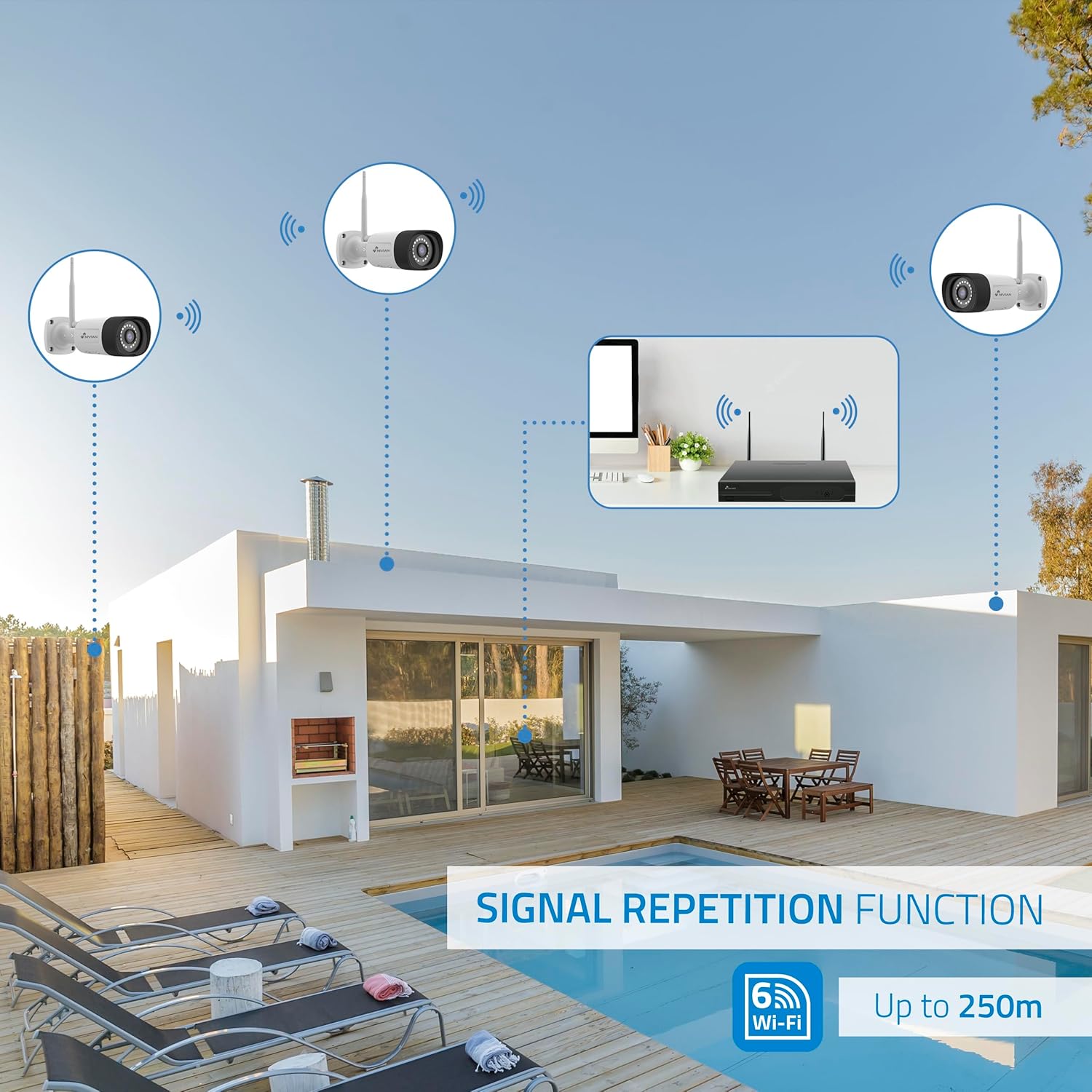
تصویر: سابقample of camera installation on an exterior wall.
- ایک بڑھتے ہوئے مقام کا انتخاب کریں جو مطلوبہ فراہم کرے۔ viewing angle and is within the NVR's WiFi range (up to 250m, extendable with repeater function).
- Use the provided mounting screws and plugs to securely attach the camera to the wall or ceiling.
- For outdoor installations, use the waterproof connectors to protect the cable connections from environmental elements.
- ہر کیمرے کو اس کے متعلقہ پاور اڈاپٹر سے جوڑیں اور اسے پاور آؤٹ لیٹ میں لگائیں۔
- کیمرے خود بخود NVR کے ساتھ جوڑ جائیں گے۔
4. سسٹم کنفیگریشن
4.1 NVR ابتدائی سیٹ اپ
Once the NVR powers on and connects to the monitor, follow the on-screen prompts using the USB mouse:
- زبان منتخب کریں: Choose your preferred system language.
- نیٹ ورک سیٹ اپ: Confirm a 'Healthy Network' status. If using WiFi, configure your home WiFi router settings.
- تاریخ اور وقت: Set the correct date, time, and time zone. Enable 'Automatically set time' if available.
- اسٹوریج مینجمنٹ: Verify the 1TB HDD is recognized and formatted.
- جیو View: Confirm that all connected cameras are displaying live video feeds.
- پاس ورڈ رکھیں: Create a strong password (6 to 19 characters) for the NVR. This password will be required for app binding.
4.2 EseeCloud App Setup
The EseeCloud app allows remote access and control of your surveillance system.

Image: EseeCloud app interface on a smartphone.
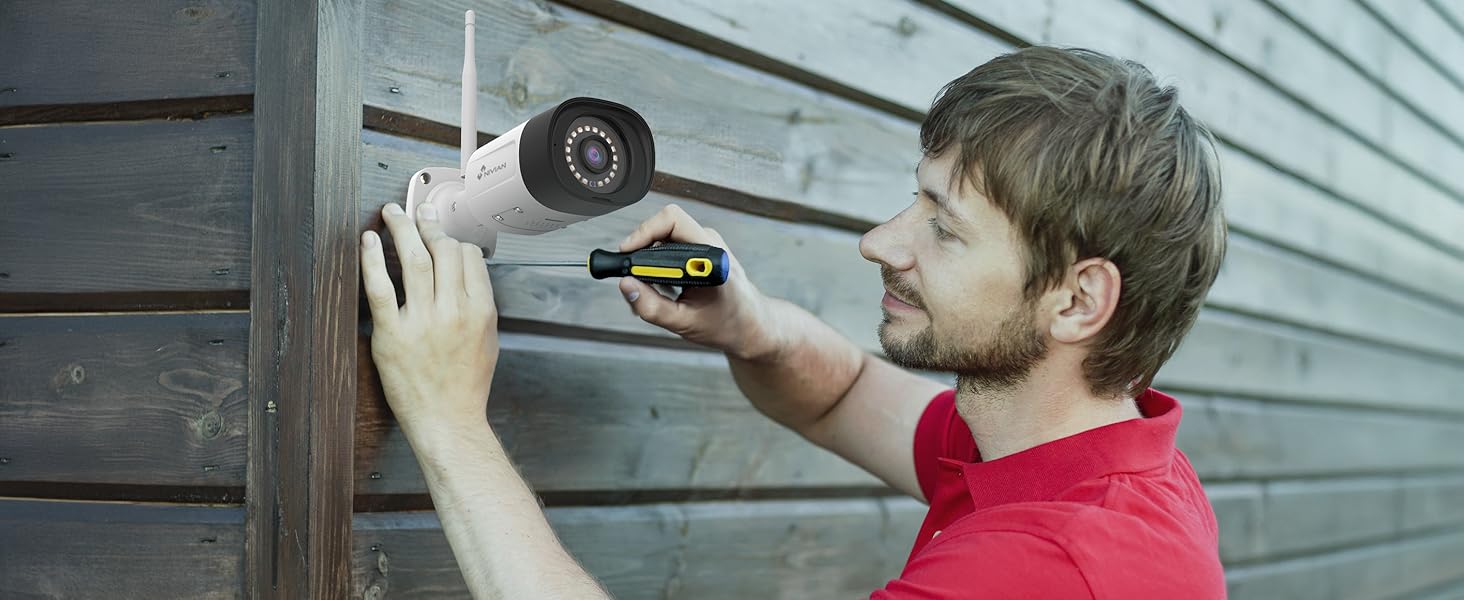
Image: EseeCloud app available on mobile and desktop platforms.
- Download the EseeCloud app from your device's app store (available for iOS, Android, and PC).
- Register for an account if you don't have one.
- Scan the QR code displayed on the NVR's monitor (or device body) to add your surveillance system to the app.
- Follow the in-app instructions to complete the device binding and configuration.
5. آپریٹنگ ہدایات
5.1 لائیو View اور پلے بیک
لائیو کیمرہ فیڈز تک رسائی حاصل کریں اور دوبارہview ریکارڈ شدہ footage through the NVR connected to a monitor or via the EseeCloud app.
- NVR Interface: Use the USB mouse to navigate the NVR menu. Select 'Split screen' to view multiple cameras simultaneously or 'Playback' to review ریکارڈنگ
- EseeCloud App: Open the app to see live feeds from all connected cameras. Use the playback function to access recorded events.
5.2 AI انسانی شناخت
The system's AI human detection minimizes false alarms by focusing on human shapes.
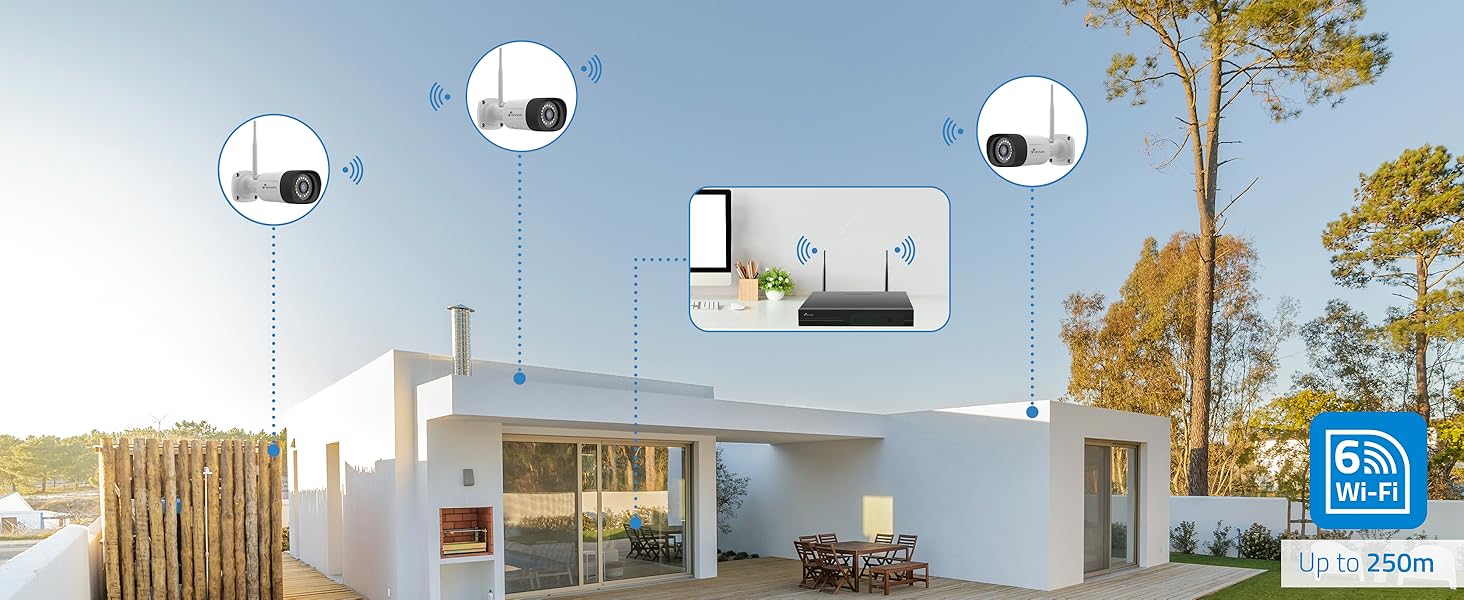
Image: AI human detection in action, highlighting a person and providing illumination.
- Configure detection zones and sensitivity settings within the NVR or app.
- Receive instant notifications on your smartphone when human motion is detected.
5.3 نائٹ ویژن موڈز
Choose between infrared or full-color night vision based on your surveillance needs.
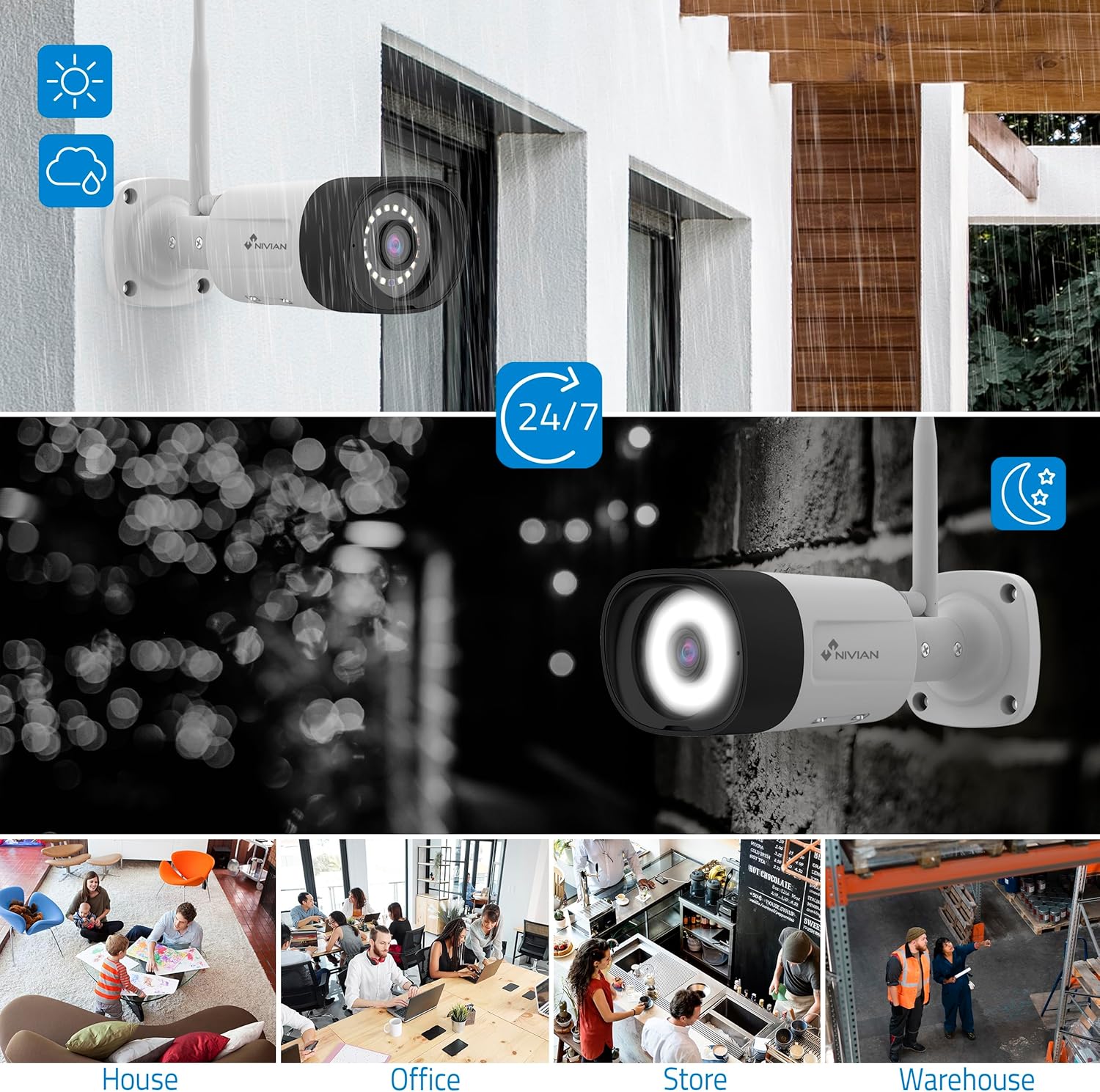
Image: Comparison of infrared (black and white) and color night vision.
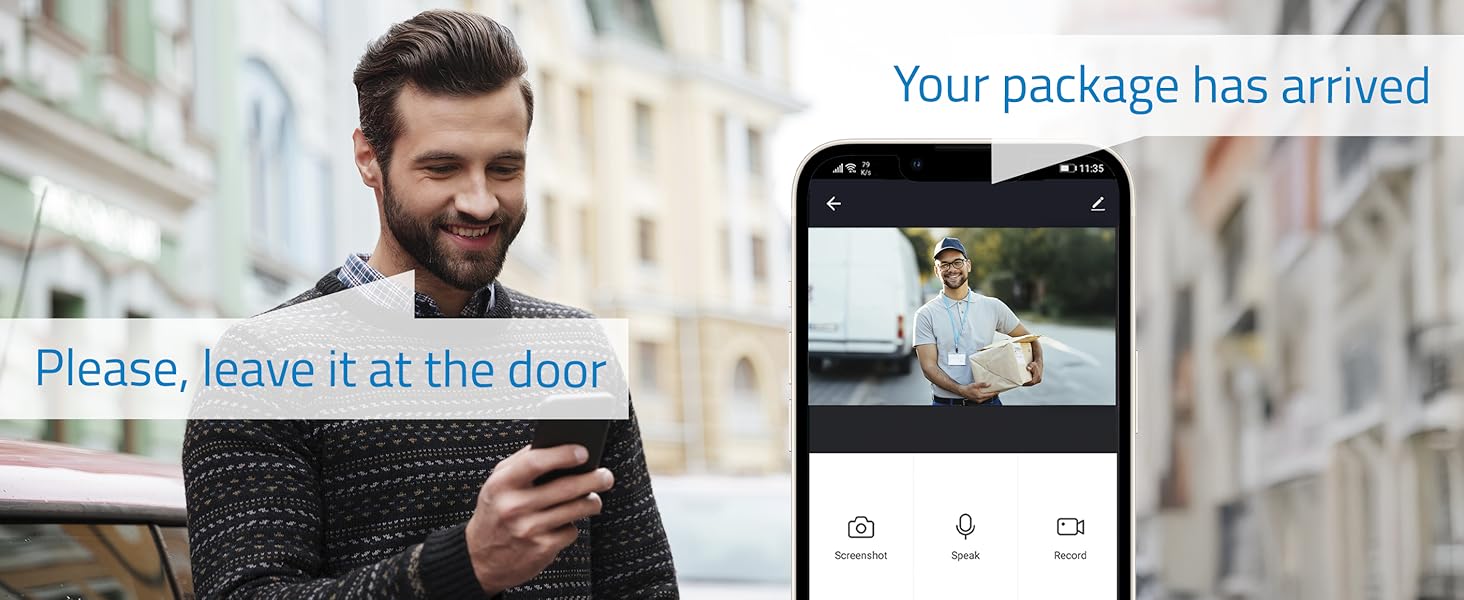
Image: Outdoor camera providing clear 24/7 surveillance, including night vision.
- Switch between modes via the NVR interface or EseeCloud app.
- Color night vision is activated by the camera's white LEDs, providing clearer details.
5.4 دو طرفہ آڈیو
Communicate directly through the cameras using the built-in microphone and speaker.

Image: Two-way audio feature allowing communication with visitors.
- Use the EseeCloud app to speak through the camera and listen to audio from the camera's location.
6 دیکھ بھال
Regular maintenance ensures optimal performance and longevity of your surveillance system:
- لینس صاف کریں: وقتاً فوقتاً کیمرہ لینز کو نرم سے صاف کریں، ڈیamp واضح تصویر کے معیار کو یقینی بنانے کے لیے کپڑا۔
- کنکشن چیک کریں: یقینی بنائیں کہ تمام پاور اور نیٹ ورک کیبلز محفوظ طریقے سے منسلک ہیں۔
- سافٹ ویئر اپ ڈیٹس: Check for and install firmware updates for the NVR and cameras via the EseeCloud app or NVR interface to enhance security and features.
- ایچ ڈی ڈی ہیلتھ: Monitor the health of your hard drive through the NVR's storage management settings.
- بیک اپ ریکارڈنگز: Regularly back up important recordings to an external storage device if needed.
7 خرابیوں کا سراغ لگانا
اگر آپ کو مسائل کا سامنا کرنا پڑتا ہے تو، ان عام ٹربل شوٹنگ کے اقدامات سے رجوع کریں:
- No Camera Feed:
- Check if the camera is powered on and its power adapter is working.
- Ensure the camera is within the NVR's WiFi range.
- Re-pair the camera with the NVR if necessary (refer to the NVR's user interface for pairing instructions).
- NVR Not Connecting to Network:
- Verify the Ethernet cable is properly connected to both the NVR and the router.
- اپنے روٹر کا انٹرنیٹ کنکشن چیک کریں۔
- Restart both the NVR and your router.
- غلط الارم:
- Adjust the AI human detection sensitivity settings in the NVR or app.
- Refine detection zones to exclude areas with frequent non-human motion (e.g., trees swaying).
- خراب تصویری معیار:
- کیمرے کے لینس کو صاف کریں۔
- Ensure sufficient lighting for optimal image capture, especially for color night vision.
- Check the camera's position for obstructions.
8. وضاحتیں
| فیچر | تفصیل |
|---|---|
| کارخانہ دار | نیویان |
| آئٹم ماڈل نمبر | NV-KIT830W-8CAM |
| مصنوعات کے طول و عرض | 18 x 12 x 6 سینٹی میٹر |
| شے کا وزن | 310 گرام |
| پاور کی قسم | الیکٹرک کرنٹ |
| اشیاء کی تعداد | 1 (کِٹ) |
| الیکٹریکل پلگ کی قسم | وال ماؤنٹ ایبل |
| خصوصی خصوصیات | اے آئی ہیومن ڈٹیکشن |
| شامل اجزاء | CCTV Camera Kit |
| بیٹریاں شامل ہیں؟ | نہیں |
| بیٹریاں درکار ہیں؟ | نہیں |
| کنیکٹوٹی ٹیکنالوجی | Wireless (WiFi-6) |
| ویڈیو کیپچر ریزولوشن | 2K (3MP) |
| چینلز کی تعداد | 10 (NVR) / 4 (Cameras in this kit) |
9. وارنٹی اور سپورٹ
For warranty information, technical support, or service inquiries, please refer to the official NIVIAN webسائٹ یا ان کی کسٹمر سروس سے براہ راست رابطہ کریں۔ وارنٹی دعووں کے لیے خریداری کے ثبوت کے طور پر اپنی خریداری کی رسید رکھیں۔
Online resources, FAQs, and additional support materials may be available on the manufacturer's webسائٹ


